
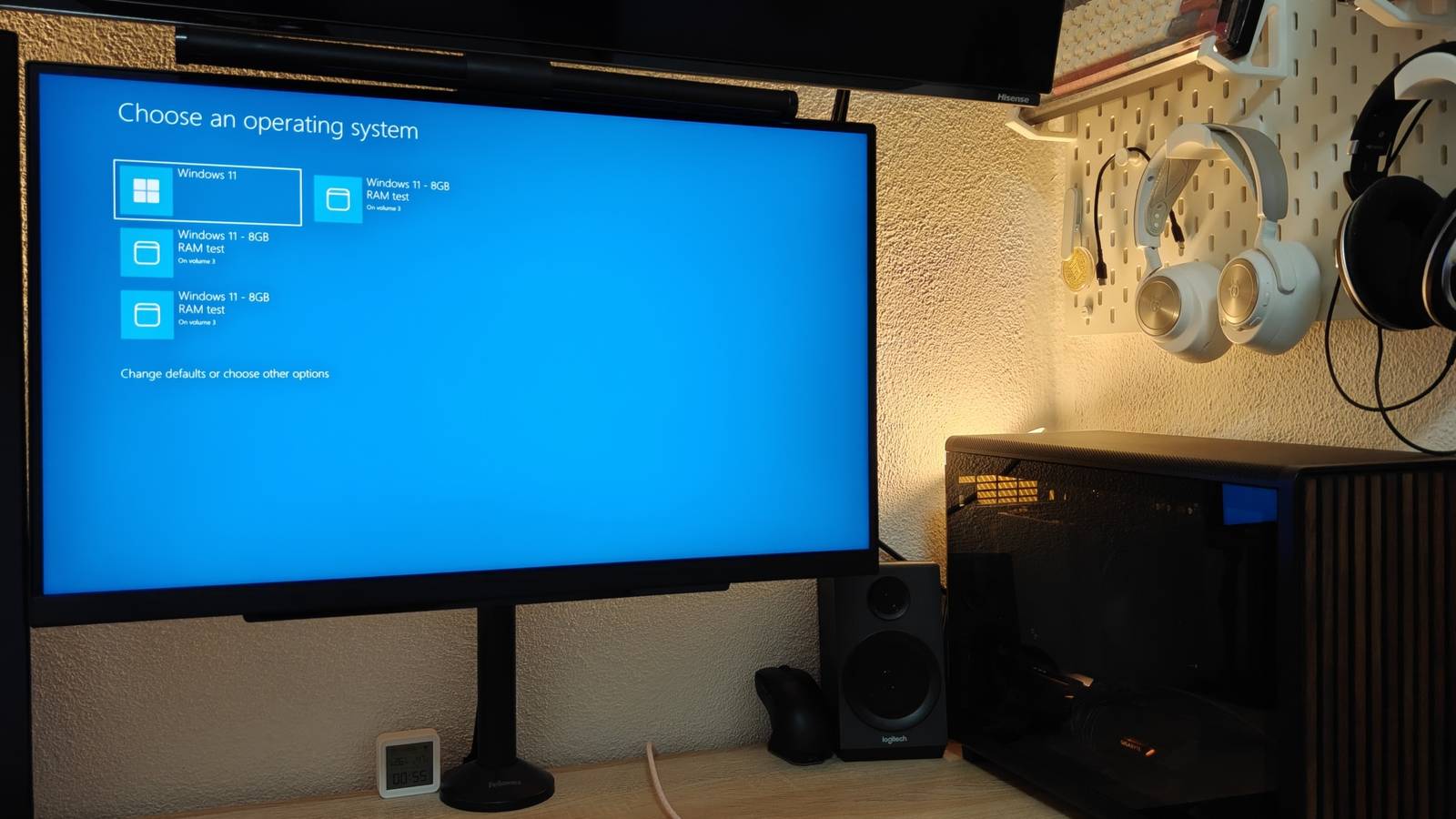
Published Nov 20, 2026, 12:30 PM EST Ismar is a Senior Author at How-To Geek. He previously worked as a writer, editor, and general manager at a content agency before joining the team in 2023. He began his writing career in 2021 after completing a BA in English Language and Literature. Beyond How-To Geek, Ismar has contributed to Red Stag Fulfillment and Authority Hacker. He has also worked on various SEO projects to help clients improve their search visibility. Ismar has been around Windows PCs since the age of three, so friends and family naturally chose him as the resident tech support. His projects often involve tinkering, such as disassembling mechanical keyboards and gaming mice to mod his beloved gear. He also enjoys pushing hardware to the max through overclocking while staying on a reasonable budget. An avid gamer, Ismar has logged thousands of hours across various genres, including first-person shooters, RPGs, racing games, and roguelites. When he is not at his desk, he is probably exploring other people’s phones to discover their quirks and features or experimenting with the latest AI tools. In his free time, Ismar enjoys spending time with his wife, working out at the gym, playing guitar and bass, cooking gourmet meals, and traveling. Above all else, he’s a proud cat owner. RAM is an incredibly important resource for any modern PC, but it's also one you probably don't think much about until you run out of it. I'm fortunate enough to have a 32GB DDR5 RAM kit in my desktop, which is plenty for a Windows 11 machine. But part of me has always been curious about just how much of an impact RAM has compared to the rest of the system, specifically in a modern PC. To find out, I decided to put my PC through a real-world test and restrict Windows to just 8GB of RAM for a month. The rest of the system, which I'm quite familiar with, was left completely untouched, so the amount of memory available to Windows was the only thing I changed. I cut my 32GB RAM kit down to 8GB with a single command line I just wanted to test the RAM You might think that the easiest way to create a test environment for 8GB of RAM would be to physically remove a RAM stick, but I have a 2x16GB RAM kit, so this wasn't possible. In fact, 4GB DDR5 DIMMs don't even exist, as far as I'm aware. So, I had to set an artificial 8GB limit, which turned out to work just fine for testing purposes. That said, it's worth noting that I still retain the benefits of dual-channel memory and the high bandwidth of DDR5. In the real world, you'd either have 2x4GB of DDR4 or a single 8GB DDR5 stick, and in either case, the actual memory bandwidth could be somewhat limited. To run my test, all I had to do was open Command Prompt as Administrator and run bcdedit /copy {current} /d "Windows 11 - 8GB RAM test". This returned a GUID (Globally Unique Identifier), which I inserted into the command bcdedit /set {GUID} removememory 24576, which effectively removed 24GB of usable RAM from Windows. Everything else remained exactly the same: my 8-core, 16-thread Ryzen 7 7700 CPU, Crucial P3 Plus PCIe 4.0 NVMe 2TB SSD, and RX 9070 XT graphics card. I was hoping that the takeaway from this experiment would be that RAM doesn't matter as much as I thought, especially when I have a high number of cores for multitasking, a dedicated graphics card that doesn't rely on system RAM for its graphics memory, and a relatively fast SSD that can help Windows retrieve data from the pagefile faster. My startup apps were eating a huge portion of an already tiny memory budget A cleaner Windows startup became a necessity The moment I booted into my 8GB experiment and opened Task Manager, I was greeted by 96% memory usage in the Performance tab. I expected Windows to take up a huge chunk of my RAM, and it did, but part of the blame was on me. I'm aware that I normally run a lot of little background apps, but I guess I never realized just how much RAM they were taking up alongside Windows at boot. More than 2GB of my RAM was being used by a few apps I thought barely used any memory in the background: Spotify, Slack, Asana, Discord, and various smaller tools and utilities for my hardware. I never really felt the impact of these apps when I was running 32GB of RAM, but now that I only had 8GB, even a couple of 100MB apps were taking resources away from more important applications. So, I immediately clicked on the Startup apps tab and disabled every app listed there. I replaced Slack and Asana with their browser-based versions, only opening them when I actually needed them. Incidentally, this created a cleaner and more focused workspace that didn't distract me with notifications. My fast CPU and SSD helped, but multitasking exposed the limitations of 8GB RAM RAM became a scarce resource When Windows can only use 8GB of RAM, it has to work really hard to manage memory allocation. As I'm writing this, I have three Chrome tabs, Slack, Spotify, and Obsidian open, and Task Manager is showing an unbelievable 99% RAM usage and 16.6GB of committed memory, which represents the amount of virtual memory Windows has committed to applications and the OS that must be backed by physical RAM or the pagefile. What this means in practice is that there's less physical memory available for applications to keep their working data readily accessible, and Windows has to reclaim memory more aggressively. Since much of my computer use is browser-based, I also enabled Chrome's Memory Saver, which deactivates eligible inactive tabs a short while after I stop using them. Between having to close apps that I don't actively use to preserve RAM and Chrome deactivating my inactive tabs, my PC was noticeably struggling. I didn't experience any major hiccups, thanks to the rest of my PC being so fast, but I had to wait a few seconds each time I switched back to a browser tab or opened an app. Even bringing an app that's already running in the background to the foreground, like Spotify, would take several seconds instead of being instantaneous, as it is when I have all my RAM enabled. Waiting an extra few seconds every few minutes when I open a new app or tab doesn't sound like a big deal, but when you spend hours working at your desk every day, this can add up to losing several minutes every single day, much of it due to a lack of RAM. 8GB of RAM is technically usable on a fast PC, but I'm glad I'm not stuck with it Despite 8GB of RAM considerably slowing me down when multitasking, I was pleasantly surprised by how well Windows worked around the 8GB RAM ceiling. Switching between apps and having Chrome tabs constantly reload slowed me down, but not to the point that I couldn't get any work done. However, it's worth noting that if I didn't have such a fast CPU and had to use a slower SSD for the experiment, I suspect the experience would've been considerably worse, so the performance of the entire system matters. All I can say is that I'm incredibly glad this experiment is finally over, and I can go back to having the full 32GB of RAM available to my apps.
I ran Windows 11 on just 8GB of RAM for a month, and startup apps ate over 2GB
Full Article
Original Source
Read the full article at Howtogeek →KhanList aggregates and links to publicly available news content. We do not host full articles from third-party sources. Always verify important information with original sources.