
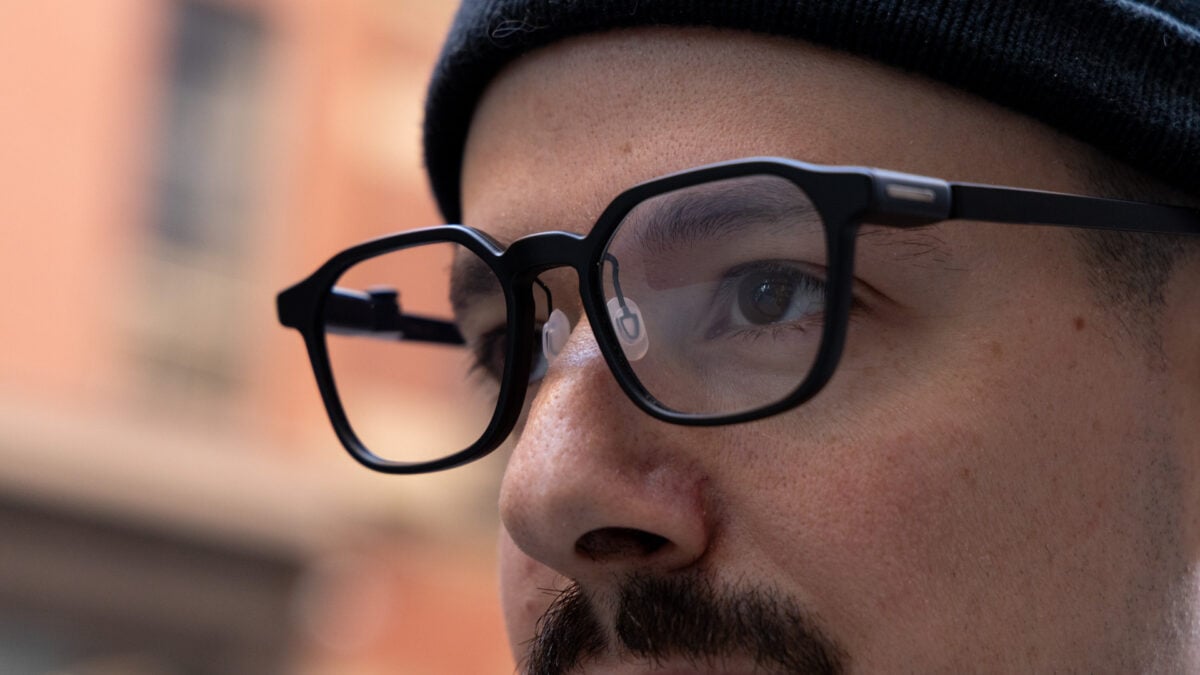
goinWhen most people think about smart glasses, they probably think of cameras—subtle ones that can record discreetly, with or without the consent of the person in frame. That version of smart glasses has dominated the conversation thanks to the unexpected success of Meta and its Ray-Bans and all of the privacy concerns they’ve dragged along with them—and boy, have they dragged a lot. As outsized as that camera-based idea of smart glasses has become, it’s only part of the picture. There’s another version gaining steam, and it ditches the cameras completely in favor of other stuff like AI, displays, and productivity. While those smart glasses might assuage the concerns of people who worry about cameras on the faces of strangers around them, they sometimes lean into similarly questionable territory elsewhere, and the $499 RayNeo IO Smart Glasses are no exception. RayNeo IO Smart Glasses The RayNeo IO are yet another pair of productivity-focused smart glasses with a screen and creepy listening features. Smart dial works well for controls The display is bright Translation, transcription, and the teleprompter work well Listening features like Lifelog are creepy The LED light is easy to miss Summary features aren't useful enough to warrant creepiness Shhh, they’re listening… RayNeo, like Meta with its new Ray-Ban Audio smart glasses, and companies like Even Realities, is dabbling in cameraless smart glasses. Instead of photos and videos, the RayNeo IO Smart Glasses focus on productivity, and unlike Meta’s no-camera specs, they come with a monochrome display but no speakers for audio playback. © Raymond Wong / Gizmodo There’s a very similar feature set to Even Realities’ Even G2 smart glasses and Xgimi’s MemoMind One, including notifications (email, texts, apps, etc…), weather, transcription, translation, and audio recording. Like the Even G2, there are also no speakers. There’s a lot to unpack in all of those that I’ll get into later, but first I want to highlight one… interesting feature that’s optional. You can activate it in the RayNeo AI app called Lifelog, and it uses the smart glasses’ microphone to listen throughout your day. It provides both a summary and a transcription of everything it captures and can also pull out actionable items, funneling them into the RayNeo AI app for reference later on. I tested the RayNeo IO Smart Glasses and Lifelog on and off over the period of a few weeks—almost entirely in a work setting—and let it filter in my day-to-day. The results sometimes bordered on useful. For instance, Lifelog successfully identified some actionable items for me, like needing someone to download a game for me at home so it’s ready when I’m back from work. It also successfully captured that we’d need to coordinate a login for something via Microsoft Authenticator. RayNeo will auto-populate to-dos if you keep Lifelog active. © Raymond Wong / Gizmodo Once those items are marked, they go to the app, but are also accessible via the RayNeo IO smart glasses in the to-do section, which you can view by summoning the dashboard with the glasses’ digital crown or by asking the voice assistant what’s on your agenda. There is something that could wind up being practical about Lifelog in this application. Remembering to do things isn’t always easy, even if you’re an organized person. And for someone like myself, who’s never been much of a calendar kind of guy, it might be doubly tedious. Theoretically, any way that I could make the process of organizing my workday easier is something I’m open to, even if it’s just auto-populating an agenda in an app so I don’t have to type stuff in myself. Where things get a little less useful is the summary aspect. Maybe I’m just not the audience for daily summaries, but I find the process of logging everything that happens throughout your day to be strange at best. For instance, the RayNeo IO picked up a photoshoot that I assisted with for one of my colleagues and described—in somewhat hyperbolic prose—how we figured out some shots. Here’s how RayNeo’s AI summarized that experience: “Today’s clearest piece of work came in a short but stubborn stretch: a device photoshoot in which you kept adjusting until the frames were genuinely better. “Little by little, one travels far”—and today you proved it angle by angle.” Cool… Don’t get me wrong, there are probably some patterns to glean by recording summaries of your day-to-day activities, but I’m just not sure this is the way to do it. People have been keeping diaries for a long time, and sometimes the value isn’t in the documentation of the events, but in the auditing of your emotional state; how did something make you feel? What were you worrying about? What made you happy? What pissed you off? Those are things that AI has no insight into, at least nothing more than the potentially superficial context it may glean from the things you say aloud. There’s also the issue of accuracy. If you were filling out a diary, you probably wouldn’t confuse yourself with another person. The RayNeo IO might, though. In a summary of a discussion about GTA VI with my coworkers, RayNeo’s AI confused me with my colleague, stating that I made a comment about the high review scores when, in fact… I did not. Memories are imperfect, for sure, but this feels like a mistake that most humans are unlikely to make. Summaries are imperfect. Notice that this one says “DGI” instead of “DJI.” © Raymond Wong / Gizmodo Plus, let’s not forget the privacy part of all of this. While RayNeo says it doesn’t store audio recordings, it does hold onto text transcripts of those recordings, which… feels just as icky to me. The ickiness is exacerbated by the fact that the only indication that Lifelog is activated and your smart glasses are listening is an LED light on the side of the RayNeo IO, on the right temple tip. That means, if you’re looking at someone head-on, you would have no idea that they’re wearing a device with an active microphone. In my case, when I’m wearing a hat, the LED is covered from sight. © Raymond Wong / Gizmodo Using a device that listens to things all the time, even if the recordings aren’t retained, presents lots of ethical and privacy issues for both users and the people they encounter. I’m also not sure exactly where the text transcripts are stored or whether they’re sitting on a RayNeo server somewhere, which would increase the potential privacy risks. I’ve reached out to RayNeo to clarify what its data retention policies are. Sure, Meta’s camera-clad smart glasses get a bad rap—and for good reason—but cameraless glasses feel like they’re beginning to encroach in similar ways, and the RayNeo IO are just another example. A product for productivity Outside of listening to the things you say all of the time, the RayNeo IO Smart Glasses can do some other stuff, too, with most of it geared towards productivity. You’ve got your standard features that I’ve seen on other smart glasses of this ilk, like Even Realities, Even G2, and Xgimi’s MemoMind One, including notifications (text messages, Gmail, Instagram, and reminders). Those all appear as green rectangles in front of your face as they come in and are mildly distracting, to be honest. The good news is, if you want to control notifications, you can just select which apps plaster updates to your eyeballs in the RayNeo AI app. There are other usual suspects like translation, which uses AI and the microphones on the device to convert languages in real time and then superimpose the text of the translation on the display. I tested this out by playing a YouTube video and converting Spanish into English, and it worked fairly well. The translation was snappy and seemingly accurate. I also tested it in IRL translation by having my partner speak Spanish to me, and it functioned fairly well—it was quick and mostly accurate. That accuracy did dip a little bit when I put on some music to simulate background noise like the kind you’d encounter out in the world, but not drastically. One important thing it did mistranslate during this noisier test is when she said that she’s allergic to oats, confusing the word “allergic” for “read it.” Don’t use these for waiting tables, I guess. I should note here that there’s also an option to switch translation into live captions, which just takes incoming speech registered by the microphone and converts it into text on the glasses. I (obviously) had the smart glasses transcribe English speech both from a human and some videos on YouTube, and it was mostly accurate but not perfect—it misunderstood some brand names, for example, calling Ray-Ban “Ray-Band,” for example. Still, you’ll get the broad strokes. © Raymond Wong / Gizmodo There are also features like a teleprompter, which can feed you text from a script across the display. There are three ways you can use the teleprompter. One is with the microphone, so the text scrolls as you read off each word in the script, another auto-scrolls at a predetermined pace, and the last one lets you use the dial on the top of the right temple. Auto-scrolling and the dial work fine, but what I was most interested in was the teleprompter that uses your voice as the cue, and that also worked fairly well, though I had to speak up a bit for it to keep ahead of the pace I was moving at. For me, a man of no small number in years, the text was a bit small to read, but luckily you can adjust text size in the RayNeo AI app. Other features like navigation are also frequent favorites of glasses like this, and it also seemed to work decently well. You can either trigger navigation by scrolling to the app in the smart glasses using the dial or by using the “Hey RayNeo” command. I tested the app out by saying “Hey RayNeo, how do I get to Starbucks?” and the RayNeo IO pulled up several Starbucks nearby and let me choose from those. Navigation is simple, but it works. © Raymond Wong / Gizmodo I naturally chose the closest one and was presented with some simple walking directions. On the left is the direction I should head with an arrow and street name, and on the right is a real-time map. On the top-left is the distance to the destination and an estimated time for how long the journey will take. It all works fairly well, and I like that the display is bright and legible without taking up too much of your view. Could you just pull out your phone and do the same thing? Definitely, though I will say there is some convenience in not having to walk around and look at your phone. Finally, there are more listening features beyond Lifelog, including one called Live Answers that RayNeo has labeled as a beta. When Live Answers is enabled, the RayNeo IO can listen in on your conversation and then provide what is deemed to be useful feedback or answers based on what you’re discussing. When I was discussing something with my colleague, for example, it thought it would be smart to define what Microsoft Authenticator is in case I was unaware. I don’t know that this feature would be super useful for most conversations—even professional meetings—but I could see it being handy for lectures, for example. The thing is, I tried it on a lecture on YouTube about quantum physics, and it felt a bit regurgitative. Instead of providing more context on the lecture, it tended to just pull out things mentioned in the lecture and repeat them. I guess that could be fine for retention, but I don’t know that it really augments much about the experience of listening to a lecture. This is a glimpse of what the teleprompter looks like in the glasses. © Raymond Wong / Gizmodo Like the other features, there was the issue of not hearing the lecture correctly as well, despite the fact that I was listening in a quiet, controlled environment. Let’s just say that it’s clear why the Live Answers feature is in beta right now, and I’m not sure that it would be useful even if it were. Time to lighten things up If there’s one thing that the RayNeo IO Smart Glasses get right, it’s the hardware. Like the other similar smart glasses I’ve mentioned here, they’re very light and easy to wear for long periods. They don’t really look like smart glasses, though they do have waveguides on the lenses where the display lives if you look closely. They also have, as I mentioned before, an LED light on the side that lights up when the microphone is active—one that’s very easy to miss. That means if you activate Lifelog and walk around with it on all the time, this LED will be on the entire time. From a comfort and style standpoint, I think the RayNeo IO are also fine—they fit my face okay, and my head is on the smaller side. They also support prescription lenses if you want to sub these in as your day-to-day eyewear. © Raymond Wong / Gizmodo One thing that differentiates the RayNeo IO from other smart glasses is the inclusion of the “Smart Dial,” which is an Apple Watch-like digital crown on the top-right corner of the frames. With the Smart Dial, you can navigate the glasses’ UI by scrolling and pressing it down to select stuff or activate the voice assistant with a double-press. It’s a small thing, but it makes the smart glasses easier to navigate than competitors like the Even G2, which uses a smart ring or voice controls (or an app, which the RayNeo IO also have). There’s just no denying it, physical/tactile controls are easier to use and more reliable. © Raymond Wong / Gizmodo The binocular display on the RayNeo IO is also fairly decent. It’s not as ambitious as competitors like the Meta Ray-Ban Display, which is full color—this is just a monochrome green—but it’s plenty bright, at least, and visible during direct sun. You can also adjust the display location slightly in the RayNeo AI app, including the height and distance, but the adjustments are very small, probably because the waveguides that show said display are small. As great as it would be to be able to move the display anywhere you prefer, smart glasses like this just don’t offer that kind of versatility right now. © Raymond Wong / Gizmodo The battery life is good too, considering there aren’t any cameras or speakers. RayNeo lists the battery as up to 48 hours with “typical daily use,” but 18 hours with continuous audio recording. With Lifelog enabled, meaning the microphones are on and listening, the battery went from 100% to 95% in one hour, so that tracked for me. Must we record everything? There are some useful things in the RayNeo IO. I could see them being able to help remember things, remind you of stuff you might forget, and translation/transcription are decent enough to be deployed in some scenarios. They’re not groundbreaking—there are other smart glasses that I mentioned that do these things well, too. © Raymond Wong / Gizmodo Where these smart glasses lose me, though, is in their decision to deploy features that listen in all for long periods of time, and moreover, their decision to make that persistent listening feel very discreet. I know you can record audio with basically any gadget, including your phone, but most of those gadgets aren’t being positioned as something you should have on all the time. While RayNeo says it doesn’t retain audio recordings, is storing text really that much better? You have to ask yourself what the privacy tradeoffs are for this kind of gadget and whether the benefits are really worth the possible pain. I yearn for a device that makes work easier, makes my calendar more seamless, and makes answering questions that I may not know off the top of my head possible, but then again, I also yearn for peace and a world where we don’t have to sacrifice privacy and trust just to get an edge in the workplace. I think I’ll take the world over the former any day.
RayNeo IO Review: Just so You Know, My Smart Glasses Are Listening
Full Article
Original Source
Read the full article at Gizmodo →KhanList aggregates and links to publicly available news content. We do not host full articles from third-party sources. Always verify important information with original sources.