
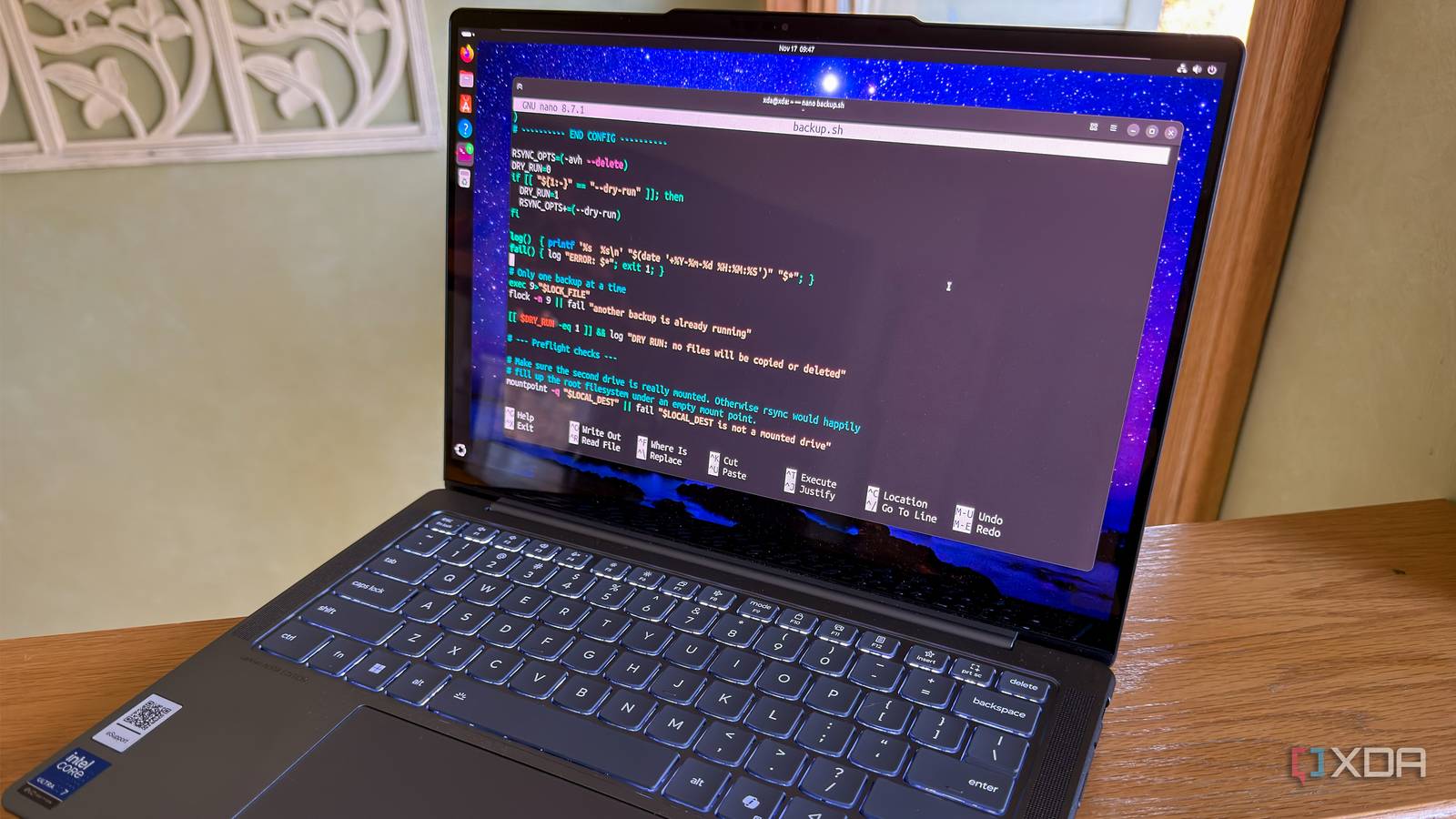
Published Nov 18, 2026, 8:00 AM EST Korbin is a Linux system administrator who spends most of his time in a terminal figuring out how things actually work. Over the last decade he's written hundreds of articles about Linux configuration, troubleshooting weird problems, and using open-source tools in the real world. He also works a lot with Windows systems and networking, especially in mixed environments where things don't always behave the way the documentation says they should. Writing things down is how he makes sense of it all and hopefully saves someone else a few hours. All of my backup scripts consist of a few rsync commands that have mostly gone unchanged for the last two decades now. I run at least one of those scripts every day, which backs up my files to a secondary hard drive and an offsite VPS. That's how I've always satisfied the 3-2-1 backup rule. I check the logs every now and then just to make sure everything looks shipshape. If no errors are reported, then it's safe to assume that backups are working as intended and my files are protected . . . or so I thought. The part I never reviewed closely enough was the include list, which tells rsync which directories to transfer. When I had Claude Code tidy up some of my Bash scripts, it found that rsync was skipping an important directory which I'd always thought was being backed up. If something had happened to my hard drive, those files would've been lost. Turned out that having a second set of eyes to review my scripts paid off in ways I hadn't expected. Claude found more than I bargained for Some of my files weren't being backed up My backup strategy has always been to use rsync's --include flag to specify which directories I want to back up. That way, rsync skips all my unimportant files that I wouldn't be upset about losing (like stuff I can just re-download from the internet). That approach has always worked perfectly fine, but it has one problem which is prone to human error: you have to actually make sure that you list every single directory or individual file that you want to transfer. If you forget one, well, it's not getting backed up. Looking at the long list of files that rsync finished transferring wasn't much help. That output is ridiculously long. I usually glance at it to see if any errors or strange things stick out, and that's about it. At some point, I'd created a few new folders, and I'd meant to update rsync's include list with their paths at the time, but I must've gapped one of them. I'm human. It happens. And it goes to show why it's beneficial to have a machine give things a once-over. But wait, why does Claude know about my folder structure and what I want to back up or not, especially if I'm only asking it to clean up my scripts? That's the question I was asking myself, and it's the most interesting part about the whole ordeal. Claude Code checked my system first Then built the script based on what it found Rather than pasting my old scripts into Claude Code and having it fix them up, I told it to check out my server and build an efficient backup script based on the requirements of the environment it's inspecting. I knew that was the only way to get a truly different script from what I'm already using. That's why I prefer Claude Code instead of the regular Claude chat window, which isn't able to gather the same kind of context that Code can. This is the same approach I used when I had Claude Code build a post-install script based on what was presently installed on the system. It worked so well that time I figured I'd try the same thing for a backup script. Now, I'm glad I did. Claude Code walked the home directory and mounted drives to determine the best way to back up the files that matter. It really beats having a regular, non-agentic AI take a stab at what it thinks you'll need. The last step was a comparison between my old and busted script and the new and improved one that Claude wrote. The newer script does things in a smarter and more reliable way because it checks to make sure destination directories exist first and has error handling in the event of a failed transfer. There are also liberal comments throughout the script, explaining different components and justifying why each directory or file was included in the backup. That's more documentation than I've ever written in one of my own scripts. You should still read the script AI can make mistakes, too My old scripts had one advantage, which is that I'd written them myself. Therefore, I had a clear understanding of what they do. Sure, I forgot one extra line to cover one of my folders, but that's the only time it happened in decades of use, and I would've noticed the discrepancy with a more diligent audit of my own code. You could easily argue that it's still better than having AI tell you what you need and blindly running it. I'd tend to agree. The thing is, reading a finished script that Claude Code spits out is still a lot easier than writing one from scratch and trying to scrutinize it along the way. If anything, I'd say I'm more likely to read over the AI's work than my own. Firstly, because I thought I already knew my own work. Secondly, because a review of Claude's script takes a lot less time than writing my own and checking it over for issues. What could your scripts be missing? If one of your scripts is a few years old and your system has changed since it was originally written, there's a good chance it's missing something. Letting Claude Code inventory your system and compare the results against what the script is actually doing will quickly reveal any problems. For me, it found a folder that I definitely would've regretted losing.
I let Claude Code write my backup scripts, and it caught the one folder I'd been forgetting for years
Full Article
Original Source
Read the full article at Xda-developers →KhanList aggregates and links to publicly available news content. We do not host full articles from third-party sources. Always verify important information with original sources.