
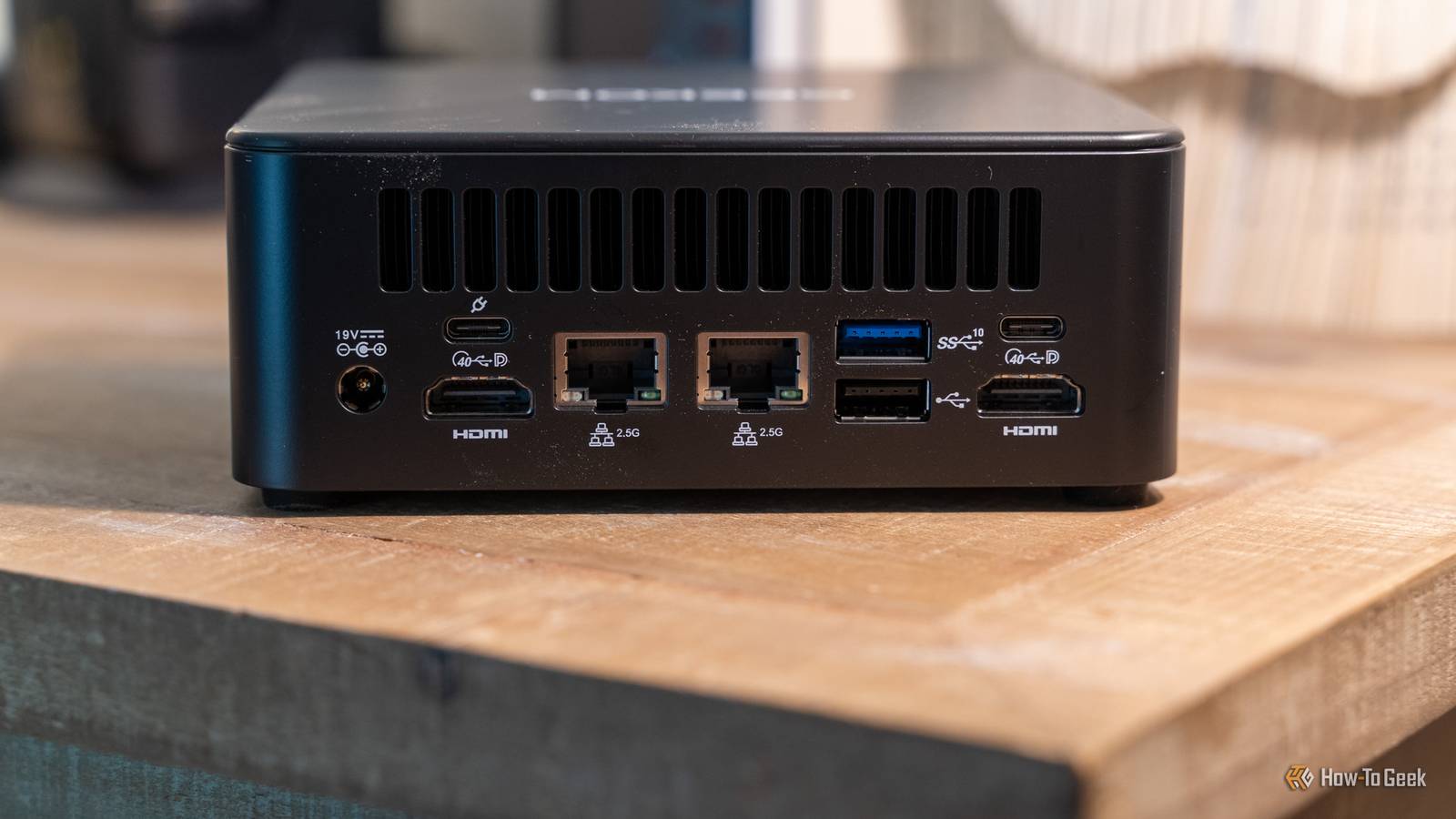
Published Nov 8, 2026, 11:30 AM EST Patrick Campanale has been in the tech space for well over a decade, specializing in PC/gaming news and reviews, as well as maker-focused products to build small businesses. With a start in technology back in 2010 surrounding the Palm/webOS ecosystem, Patrick spent his formative years developing mobile applications as well as blogging for various publications, eventually leading to starting his own website in 2014. After running a technology blog for a few years, he stepped out of that role and into the world of high-end custom PC manufacturing and building, with a focus on YouTube video production and overclocking. Then, in 2017, Patrick joined the 9to5Toys team as an editor/writer/reviewer with over 14,000 articles being published during his time there, ranging from deals and roundups to in-depth reviews on the latest technology, video games, 3D printers, and more. In his free time, Patrick loves to create projects from wood using various robots and methods, including leveraging the technologies of CNCs and lasers. If Patrick isn't working on a computer or playing video games, he's likely in his 2-car garage workshop creating something unique. In addition to all this, Patrick is also the media director at his local church where he feels God has called him to serve, and he loves every minute of it. Did you know that you can run a desktop-sized graphics card on a mini PC with a USB port? Well, you can. It’s actually easier than you might think with an eGPU. I took my RTX 3080 out of my desktop and plugged it into my mini PC and the performance improvement was pretty crazy. Here’s what it takes to plug a desktop graphics card into a USB port, and why you might want to do it. A USB-C port can carry a real PCIe connection But only if it's USB4 or Thunderbolt The first experience I had with an eGPU, or external graphics processing unit, was back in 2018 with my Mac mini. I picked up Razer’s eGPU and an AMD Vega 64 graphics card and hooked it up over Thunderbolt 3. At the time, Thunderbolt 3 was the only mainstream connection that carried true PCIe signals over a cable. It creates a PCIe tunnel, essentially. Normal USB doesn’t do that and it’s why you need a more modern standard for this to work. These days, USB4 and Thunderbolt 3/4/5 all support PCIe tunneling. While PCIe tunneling is optional on USB4 hosts, Thunderbolt is required to support it. This means that you can use a compatible USB-C cable to hook up a graphics card to a laptop or desktop, which is something that simply used to not be possible. There is another port to keep in mind though: OCuLink. This is a more direct form of PCIe connection over a cable, but it’s not as common to find on computers. You need a dock, a power supply, and a graphics card The dock is basically a PCIe slot on the end of a cable Now, to use a graphics card over USB, you can’t simply hook a cable up to the GPU and have it work. It all starts with a dock. I have the Ugreen LinkStation personally, but I’ve used several eGPU docks over the years. Almost all docks will have a PCIe x16 slot, though you will definitely not get x16 bandwidth (more on that later). In addition to the PCIe x16 slot and USB/Thunderbolt/OCuLink ports, you’ll also find that you’ll need a power supply of some sort. My LinkStation came with an 850W power supply that already had all the cables I could need to run any single GPU on the market right now, including both 8-pin cables and a 12V-2x6 connector. Some eGPUs require that you bring your own power supply, so do double check that before you purchase one. Unlike normal PCIe connectors though, you can actually hot-plug an eGPU in many scenarios. Now, I don’t mean plugging the GPU into the PCIe slot with everything running—please don’t do that. But, plugging the dock itself into an already-powered system should work just fine. I do this with my mini PC and RTX 3080 and it actually works quite well. You lose bandwidth, but less performance than you'd expect And the port on your PC matters more than the card in the dock Now, the elephant in the room—bandwidth. PCIe 4.0 x16 has a bandwidth of 256Gb/s, which is pretty staggering to think about. A 40Gb/s USB4 or Thunderbolt 3/4 connection actually only has about 32Gb/s of PCIe bandwidth, which is equivalent to PCIe 3.0 x4. Thunderbolt 5 and OCuLink have 64Gb/s of PCIe bandwidth, which is about PCIe 4.0 x4. Now, stepping down from 256Gb/s to 32Gb/s is a big drop, right? It definitely is, but it’s not as noticeable as you might think—at least, not in my testing. For example, over USB4 I saw a tested bandwidth of around 3.3GB/s, while my PCIe slot saw a tested bandwidth of 26.9GB/s. In practice, this meant Forza Horizon 5 at 4K on the extreme preset ran at 77 FPS over USB4 compared to 106 FPS on PCIe. USB4 comes out at about 27% slower in my testing, but if the option is integrated graphics or a dedicated graphics card over USB? I’m taking dedicated graphics over USB instead of integrated any day. Tell XDB what you want the PC to do and how much you want to spend. We'll find parts that fit, with current prices. What will you use it for? Pick any Games or apps Optional Budget Plan my build Opens XDB, XDA's free PC builder, in a new tab. As another data point, I took my Lenovo Yoga Mini and tested it using the integrated Intel Arc GPU compared to my RTX 3080 over USB4. The same Forza Horizon 5 benchmark at 4K on the extreme preset ran at 29 FPS on the integrated Arc card, compared to 71 FPS on the RTX 3080 eGPU. One thing to note: not all USB4 ports are created equal. I have an ASRock X670E Taichi motherboard that has a USB4 port on the back that is supposed to handle 40Gb/s bandwidth. It only tested at half that speed (around 20Gb/s), which gave me 1.5GB/s actual tested bandwidth. This showed up in the benchmarks, and it benched way lower than the other systems with better supported USB4 ports. If your desktop has a PCIe slot, just use that for your graphics card. But, if you have a laptop, handheld gaming PC, or mini PC that you want to add extra graphics power to, then an eGPU is honestly a fantastic choice. Ugreen LinkStation eGPU Dock 8/10 Brand Ugreen GPU Included No GPU Max Power 850W GPU Max Size Up to 4 slots wide The Ugreen LinkStation eGPU Dock is designed to deliver desktop-class performance to any USB4- or OCuLink-enabled system. With an 850W power supply capable of driving the most power-hungry graphics cards on the market, the LinkStation includes four standard 8-pin PCIe power connectors as well as the newer 16-pin ATX 3.1 connector required by GPUs like the RTX 50-series. It’s really that easy to add more gaming power to just about any computer…seriously I had honestly forgotten about eGPUs after using them nearly a decade ago. When I wanted to game, I had to power up my big, powerful, and very hot desktop to play Minecraft or Satisfactory. Now, I just plug a USB cable into my mini PC and I’m good to go. It really is that simple.
You can run a desktop GPU over a USB port (we're serious)
Full Article
Original Source
Read the full article at Howtogeek →KhanList aggregates and links to publicly available news content. We do not host full articles from third-party sources. Always verify important information with original sources.