
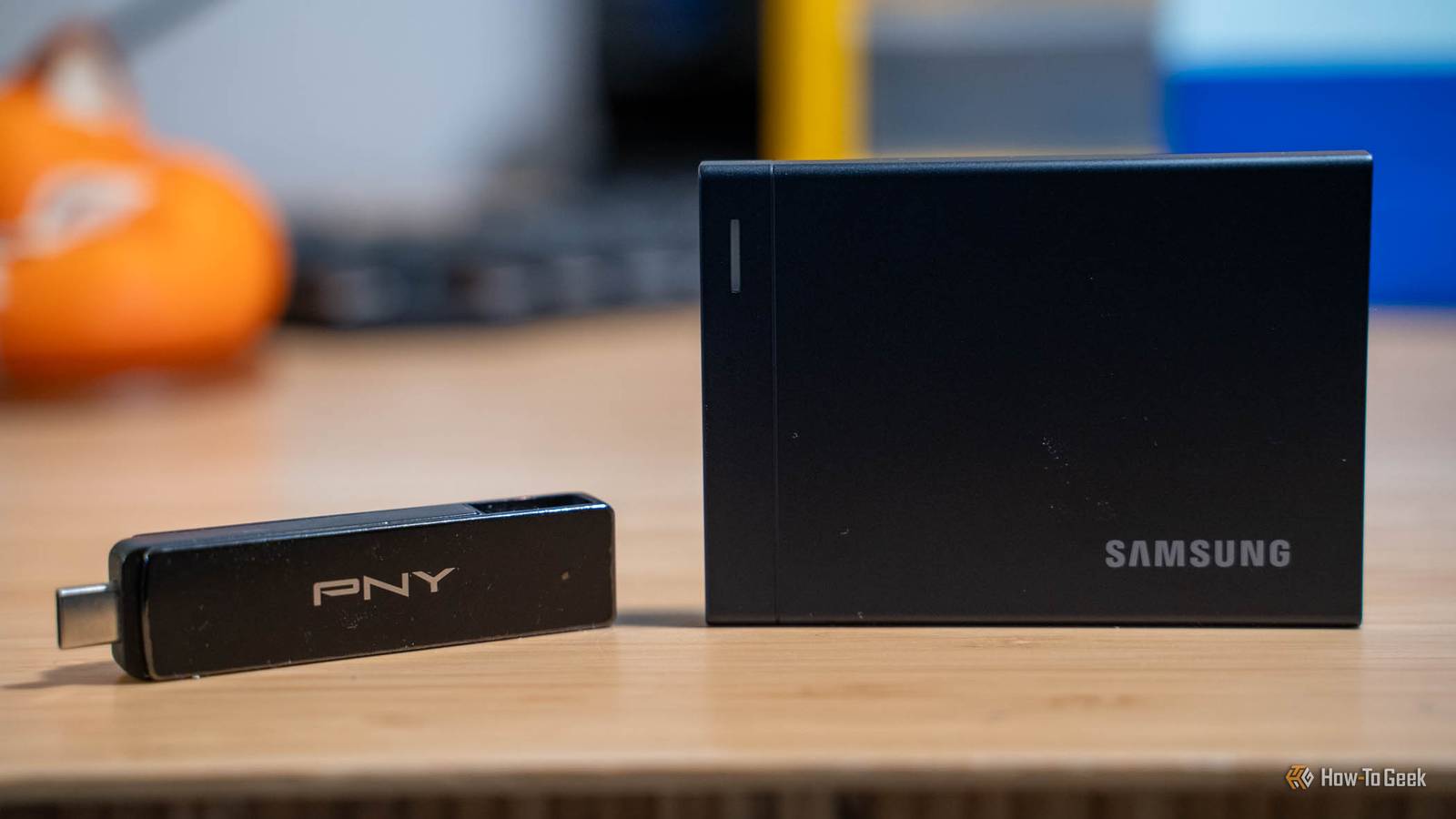
Published Nov 14, 2026, 2:30 PM EST Patrick Campanale has been in the tech space for well over a decade, specializing in PC/gaming news and reviews, as well as maker-focused products to build small businesses. With a start in technology back in 2010 surrounding the Palm/webOS ecosystem, Patrick spent his formative years developing mobile applications as well as blogging for various publications, eventually leading to starting his own website in 2014. After running a technology blog for a few years, he stepped out of that role and into the world of high-end custom PC manufacturing and building, with a focus on YouTube video production and overclocking. Then, in 2017, Patrick joined the 9to5Toys team as an editor/writer/reviewer with over 14,000 articles being published during his time there, ranging from deals and roundups to in-depth reviews on the latest technology, video games, 3D printers, and more. In his free time, Patrick loves to create projects from wood using various robots and methods, including leveraging the technologies of CNCs and lasers. If Patrick isn't working on a computer or playing video games, he's likely in his 2-car garage workshop creating something unique. In addition to all this, Patrick is also the media director at his local church where he feels God has called him to serve, and he loves every minute of it. Flash drives aren’t the cheap choice that they used to be. Sure, you can still find some cheap flash drives around, but have you considered buying an external SSD instead? When you start to get to larger storage tiers, the pricing evens out and the external SSDs actually become a better buy. You might not have noticed that external SSDs and flash drives were around the same price. Or, if you have noticed, you also might not have realized that external SSDs can transfer files at faster speeds for longer durations for the same price. Regardless, if you’re about to spend your hard-earned cash on a new portable storage device, it probably should just be an external SSD and not a flash drive. A 1TB flash drive now costs as much as a 1TB SSD Flash only saves you money at smaller sizes It used to be that flash drives were the obvious choice because they were cheaper than portable SSDs. The problem is, that’s just simply no longer the case. In fact, often times a flash drive is a worse choice than a portable SSD for the same money. Consider PNY’s Elite Turbo Attaché 4 1TB flash drive at $130. It’s got 1TB of storage, which is great. But, it is only USB-A, meaning you’ll need an adapter to plug it into anything that only has USB-C ports. Oh, and it tops out at around 100MB/s read speeds. Compare that to SanDisk’s 1TB portable SSD for the same price, and it’s a whole different story. SanDisk’s portable SSD is USB-C on the SSD, but it’s just a cable, meaning you can plug in a USB-C to USB-C cable to use it with a USB-C-only computer, or you can use a USB-C to USB-A cable for systems that require that. It also has a transfer speed of around 600MB/s, which is six times the speed that the PNY flash drive offers—all for the same price. Now, if you need a smaller drive, it’s still worth it to go with a flash drive. Take Amazon Basics’ 128GB flash drive as an example. It’s only $26, and you really can’t find portable SSDs in that price range or storage size. So, if you need something smaller in storage, then you should definitely just get a flash drive and save the cash. Flash drives got caught in the same squeeze as RAM AI servers are buying up the NAND If you’re trying to figure out why these flash drives got so expensive, it’s all because of AI. Well, maybe not all, but a big part of it is that AI is using up a ton of the NAND chips that used to be low-cost and help flash drives be affordable. Sadly, the AI craze affects basically every aspect of computing—storage included. This has actually led to some companies pulling out of the consumer space entirely. Micron's Crucial, a brand that I have known and trusted for decades, is no longer in the consumer space at all. Micron closed down Crucial and moved to focusing on just enterprise because that’s where the money is right now. I can’t blame them, but it’s also a trend I really don’t want to see become bigger because consumers need this hardware just as much as enterprise does. Flash drives slow to a crawl on big copies SSDs slow down too, just much later The thing with flash drives is they’re just not built the same as a portable SSD. They’re often smaller with fewer ways to dissipate heat and fewer features like cache. This causes flash drives to be great for moving small chunks of files, but when it comes to large batches, they’re just not optimal. For example, a flash drive might be able to write at nearly 1GB/s for a short time, but when trying to move hundreds of gigabytes of files at one time, that small cache fills up, the drive heats up, and transfer rates can slow to a crawl. I wanted to put this to the test, so I grabbed my PNY Duo Link V3, which is a fairly premium flash drive. It has around 500GB worth of stuff on it currently, which might skew the test somewhat, but it also makes it very real-world. During my testing of it for this post, the drive was able to hit around 570MB/s transfer rates on a 10Gb/s USB port for the first 44.5GB. After that, the speed tanked to 60MB/s and a few seconds later fell further to 25MB/s. While I can’t confirm the exact reason the Duo Link V3 dropped so drastically in speed, it’s very likely because the cache ran out and the drive heated up, as I said above. Flash drives just simply aren’t made for ultra-long, ultra-fast writes. They’re made for small bursts, and they do very well with that. I still keep a few flash drives for my 3D printers Some devices won't take anything else While I’ve personally moved almost all of my large file storage needs over to portable SSDs, I do still keep a few flash drives around. My primary purposes for using flash drives these days are: my 3D printers, OS installers for the homelab, and for ultra-portable file transfers. I hate that 3D printers moved away from microSD cards to flash drives, but they have, so I have to have flash drives around for them. It’s annoying but it is what it is at this point, so I just live with it. OS installers are the same way, I wish I didn’t need flash drives to install operating systems (and I know that network boot is a thing), but I still have to keep them around for various uses. The last reason though is the one that might shock you after reading this article. I have multiple portable SSDs at my house—four of which are 2TB, two are 512GB. These portable SSDs are fast, easy to use, versatile, and fairly compact. I use them in a wide range of places around the house, from adding extra storage to my laptop to moving files between my computers and they work great for all of those purposes. However, the one place where a flash drive still excels is when I need to throw a drive in my pocket. I am the IT manager at my church’s radio station and I also am the IT director of the church (and basically the IT person for all my friends and family). This means that, at random times, I might need to move files around between computers or even back up a computer before restoring it for whatever reason. While I could keep a portable SSD in my pocket for those tasks, it would be annoying as I’d also have to keep a cable with me—two cables, actually, so I could use it with USB-C or USB-A computers. Instead, I keep the PNY Duo Link V3 in my pocket almost any time I leave the house because it has both USB-C and USB-A built-in, and it has 1TB of storage. Having that flash drive in my pocket allows me to do almost anything I could ever need from a storage perspective on basically any computer I come across. It’s come in handy so many times that it became part of my EDC (everyday carry) whenever I leave the house. Past 256GB, buy the SSD—unless you have a specific reason not to At the end of the day, portable SSDs and flash drives serve two different purposes. But, most of the time, a portable SSD is going to be the better bet for larger storage tiers. There was a time in the past when a friend or family member would ask me what to buy to add extra storage to their computers and I would always say a flash drive, but that has shifted to portable SSDs at this point. So, if you’re in the market for a new portable storage device, simply think about where you’re going to use it. If it’ll mostly be stationary at home or in a laptop bag/backpack/purse, then go for a portable SSD if it needs to be more than 256GB. If you need it to be ultra-portable and fit in a pocket, just go with a flash drive. At this point, it’s all about picking the right tool for the job.
USB flash drives have gotten so expensive that you might as well buy an SSD
Full Article
Original Source
Read the full article at Howtogeek →KhanList aggregates and links to publicly available news content. We do not host full articles from third-party sources. Always verify important information with original sources.