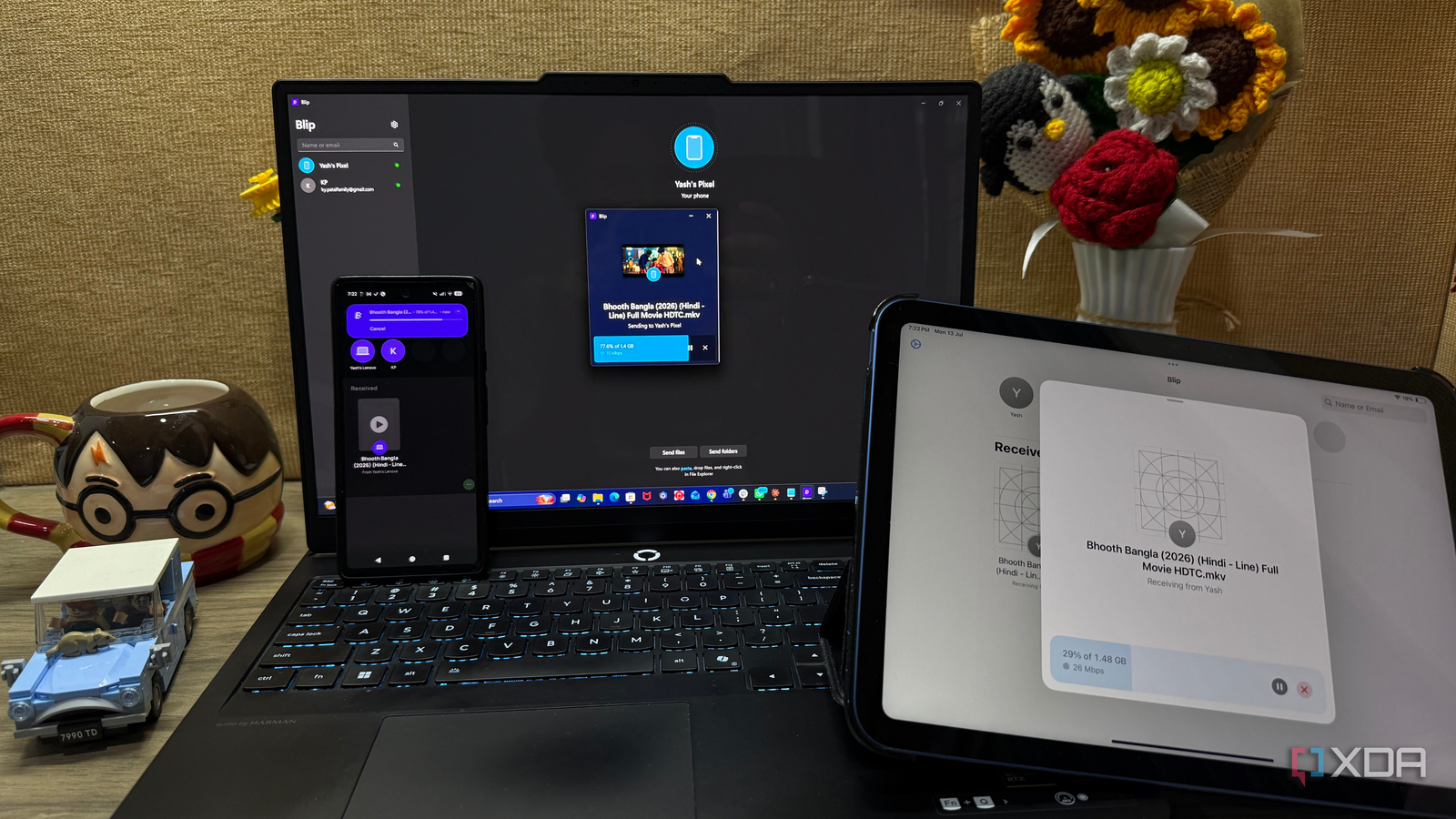
Published Jul 18, 2026, 2:00 PM EDT Beginning his professional journey in the tech industry in 2018, Yash spent over three years as a Software Engineer. After that, he shifted his focus to empowering readers through informative and engaging content on his tech blog – DiGiTAL BiRYANi. He has also published tech articles for MakeTechEasier. He loves to explore new tech gadgets and platforms. When he is not writing, you’ll find him exploring food. He is known as Digital Chef Yash among his readers because of his love for Technology and Food. AirDrop is one of those features that makes file transfers feel effortless, but only if you're fully invested in Apple's ecosystem. Since I use a Windows PC and an Android phone for work, I always miss that experience. Instead, I kept piecing together different tools to accomplish the same task. As someone who prefers open-source and privacy-friendly software whenever possible, I was hoping to find a simpler alternative that worked across all my devices. Blip ended up being exactly that. It didn't introduce another ecosystem; it simply made transferring files feel like it should have all along. I had too many ways to move a simple file My file transfer workflow was a total mess Moving files between my devices should have been one of the easiest parts of my workflow, but somehow it became one of the most inconsistent. I never had a single method that worked for every situation, so I ended up relying on whatever felt convenient at the time. Sometimes I upload files to Google Drive, and sometimes I simply send them to myself on WhatsApp so I can access them through the web app on my PC. None of these methods was particularly bad, but constantly switching between them made even simple transfers feel unnecessarily complicated. The frustrating part wasn't the transfer speed; it was having to decide which method made the most sense every single time. If it were a large folder, I'd use the cloud. If it were a few screenshots, I'd probably use WhatsApp. Over time, I realized I wasn't transferring files anymore; I was managing multiple file-transfer workflows, each with its own quirks and limitations. What is Blip? It treats file transfer like sending a file, not managing one Blip is a cross-platform file transfer app that works on Windows, macOS, Linux, Android, and iPhone. After installing it on my devices and signing in, they automatically appeared as available destinations. From there, the process couldn't be much simpler. I select a file, choose the device I want to send it to, and click send. That's the entire workflow. I don't have to upload files to cloud storage, generate a sharing link, or wait for everything to sync before downloading it again. It transfers files directly between devices, so the process feels much more natural. It also preserves folder structures during transfers, which means I don't have to zip and unzip folders just to move them. Another nice bonus is that Blip isn't limited to my own devices. I can also send files directly to friends or colleagues who have the app installed. Instead of becoming another storage service to manage, Blip focuses on doing one thing well: making file transfers quick, simple, and almost effortless. I stopped worrying about file size I stopped checking whether a file was "too big" to send The best part of using Blip is that I don't need to think about file size anymore. With the different methods I used before, large files always meant extra planning. I'd wonder whether I should compress the folder, upload it to cloud storage instead, or split it into smaller parts. Those extra decisions might only take a minute or two, but they interrupt my workflow every time. With Blip, I simply select the file or folder and send it. I've transferred folders containing images, videos, documents, and project files without making any changes beforehand. The original folder structure stays intact, so everything arrives exactly the way I organized it. That has made a noticeable difference in my day-to-day work. I no longer hesitate to send a large folder or to consider which transfer method can handle it. The file size has stopped being part of the decision-making process altogether. It's a small change on paper, but removing that constant mental checklist has made file transfers feel much more effortless and predictable. It works nearby, but it isn't limited to my Wi-Fi network I don't have to be on the same network anymore Another feature that has quietly improved my workflow is that Blip isn't limited to devices connected to the same Wi-Fi network. Many file-sharing tools work well when both devices are nearby, but they become far less useful the moment one device is somewhere else. That's a situation I run into more often than I expected. There have been times when I needed a document from my desktop while I was away from home, or I wanted to send a few photos from my phone before I got back to my PC. With Blip, I don't have to wait for both devices to be connected to the same network. As long as both devices have Blip installed and are signed in, I can transfer files without changing my workflow. I've also used it to send files directly to friends without asking them to create download links or use another cloud service. It feels more like sending a message than setting up a file transfer. That flexibility has made Blip useful whether my devices are side by side or miles apart. Sometimes the best tool is the one you stop noticing Blip didn't completely change how I use my devices, but it removed one of those small daily frustrations that kept interrupting my workflow. I no longer have to think about the best way to move a file before I actually move it. That simplicity is what makes it worth keeping installed. There are plenty of file-sharing apps available, but this is one of the few that solved the problem without replacing it with another workflow to manage. Blip Blip is a cross-platform file transfer app that lets you securely send files and folders directly between devices without cloud storage.
This open-source app does what AirDrop does, but it actually works across Windows, Mac, Android, iOS, and Linux
Full Article
📰 Original Source
Read full article at Xda-developers →KhanList aggregates and links to publicly available news content. We do not host full articles from third-party sources. Always verify important information with original sources.