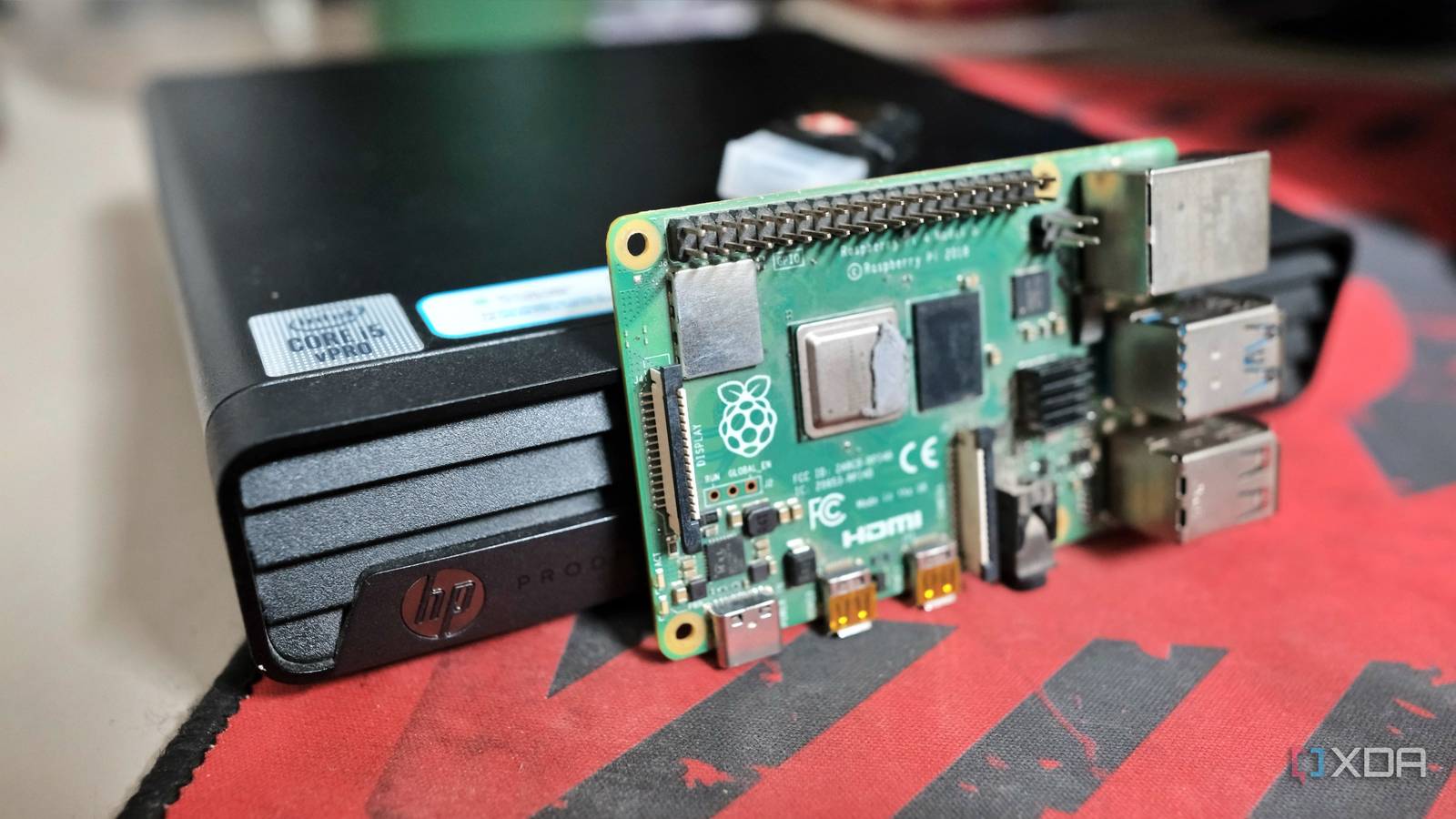
Published Jul 27, 2026, 5:30 PM EDT Samir Makwana is a technology journalist and editor from India since past 18 years and his work appears on MakeUseOf, HowToGeek, GSMArena, BGR, GuidingTech, The Inquisitr, TechInAsia, TechWiser, and others. He has written news, features, and gadget reviews for national technology media publications. His passion is to help people with their technology problems and gadget purchases. For that, he has worked for some of the biggest international technology publications, covering news, explainers, how-to guides, listicles, and product-buying guides. He has worked as an editor and managed teams since 2015. His expertise broadly covers computers, smartphones, game consoles, headphones, smart home products, browsers, and apps. Few devices have done more to popularize self-hosting than the Raspberry Pi. Affordable, efficient, and backed by one of the largest communities around, it’s become the default recommendation for lightweight home server projects like Pi-hole and Home Assistant. But in 2026, the Raspberry Pi is no longer an obvious choice for a home server. The used PC market is rife with capable hardware that often costs about the same as a full-kitted Pi setup. It no longer sounds absurd. Whether you’re arriving late for the party or waiting for any price drops, don’t hold your breath. There are hardware options for your home lab experiments that will last you years to run Docker containers, self-hosted projects, media servers, virtual machines, and storage boxes. With the rising interest in self-hosting and home labs, these devices are worth considering over a Pi. Used mini PCs Easiest recommendation to make Used mini PCs have become the default recommendation because they’re perfect if you're starting from scratch. They can handle almost every home lab task while offering upgradable hardware and consuming much lower power than traditional ones. You can find a used Dell OptiPlex Micro, Lenovo ThinkCenter Tiny, or HP ProDesk mini. If you want mint-new ones, consider Beelink, Minisforum, and other brands. You can upgrade their components, and they consume less power than desktops. You can expect excellent performance because they offer memory support and storage upgrades. Even with Intel or AMD processors that are five to eight years old, these systems still outperform Raspberry Pi by a comfortable margin. Better yet, packing desktop-class hardware, their chassis is barely larger than a lunchbox. Whether you want to run half a dozen Docker containers, experiment with Proxmox, or spin a few virtual machines, a mini PC leaves plenty of room to grow. That’s why you’ll always find XDA recommending a mini PC, since it’s arguably the best long-term investment for your home lab. Intel NUC Premium hardware at an affordable price Although Intel NUCs fall under the mini PC umbrella, their premium build quality and quiet operation make them worth discussing separately. The Next Unit of Compute — that’s what NUC stands for; you can find older models that cost as much as Pi starter kits. It's worth noting that though Intel N100-based NUCs sip less power, they still generate heat in the tightly packed chassis. So a poorly designed body throttles the sustained performance. So check the brand and case before hitting buy. You can upgrade memory, add M.2 SSDs, and find Gigabit Ethernet on them. These NUCs are suitable for x86 machines to self-host Home Assistant, Nextcloud, Immich, or Jellyfin instances. Even the good ol’ Intel-based Mac minis can serve as a reliable machine to run self-hosted services. Old laptops Best server is the one you own It's easier to repurpose your old laptop than to buy a Pi after the price hike. That’s the easiest way to start a self-hosting journey because it already includes everything you need. They rarely get a mention on hardware recommendation lists since they weren’t designed to run round the clock. Old laptops rarely make it to home server recommendation lists. However, the very profile works to their advantage. In return, you get a keyboard, display, connectivity, and surprisingly low idle power. And you don’t need to buy extra accessories either. An HP Elitebook, Dell Latitude, or Lenovo ThinkPad can work with Linux easily, especially if you replace the HDD with an SSD. That said, it’s not an ideal choice if you plan to use multiple storage drives. But for moderate to low-power projects, it’s hard to argue with the hardware you already own. Chromebooks Cheap and capable if you’re willing to tinker Typically, inexpensive Chromebooks often carry impressive battery life and still pack modern Intel processors. Install no-frills Linux on it, and you can turn a Chromebook into a surprisingly capable home server. They get their edge with low weight and battery life. Sounds like a great proposition, but it's not exactly popular. The biggest catch with Chromebooks is their Linux support. They aren’t easy to turn into home servers. Some Chromebooks work with a little effort while others require firmware modifications so that they can run Linux. That’s why it’s worth checking compatibility before picking up a model. That solid deal on a Chromebook is worth it only if you're up for tinkering. Old desktop PCs Building tomorrow’s lab Most home labs start small. Eventually, you start wanting more storage, faster networking, and even a dedicated GPU. That’s where an old desktop leaves every other option on this list behind. When you expect to grow your home lab beyond one machine, it's nice to have a powerful desktop that's upgradable as your needs change. For starters, you can add a better, faster network card for a 10GbE setup or a GPU. Those quickly become the upgrades you never imagined. The only obvious downsides are power consumption and that it takes up a lot of space. Unlike a Pi that can sit conspicuously on a shelf, a desktop PC needs dedicated space. Capable of working as a DIY NAS, an old desktop has easily upgradable hardware. Thin clients The cheapest x86 you can find Thin clients occupy a sweet spot between a full-fledged mini PC and a Raspberry Pi. Whether Dell Wyse 5070 or HP T630 models, these fanless machines are nearly silent, consume very little power, and hardly take up any space. Easily comparable to a Raspberry Pi, the thin clients pack low-power chips and have minimal parts in a small box. Want to run AdGuard Home with MQTT brokers or a handful of Docker containers? These x86 architecture machines can help out if you're on a tight budget. These thin clients aren’t meant for heavy media transcoding or running several virtual machines. Deploy a couple of lightweight services and call it a day. If you’re looking to move beyond a Raspberry Pi without breaking the bank, these devices offer better value. You can find absolute bargains on thin clients online; some sellers often pass them off as mini PCs. Quietly losing a spot, but still a top choice for learning None of these alternatives detract from what makes the Raspberry Pi special. It’s still one of the best platforms for learning Linux, experimenting with hardware, building robots, and getting started with self-hosting. If your goal is to self-host services at home, then x86 hardware is quickly becoming an attractive choice. Used PCs tend to have more processing power, are easier to upgrade, and let you expand storage options. In the end, they cost nearly the same as a Raspberry Pi with all the necessary accessories. You can plan the self-hosting services you want to run and pick one of the above devices to get the best performance and longevity.
These 5 old devices can make better home servers than a Raspberry Pi
Full Article
Original Source
Read the full article at Xda-developers →KhanList aggregates and links to publicly available news content. We do not host full articles from third-party sources. Always verify important information with original sources.