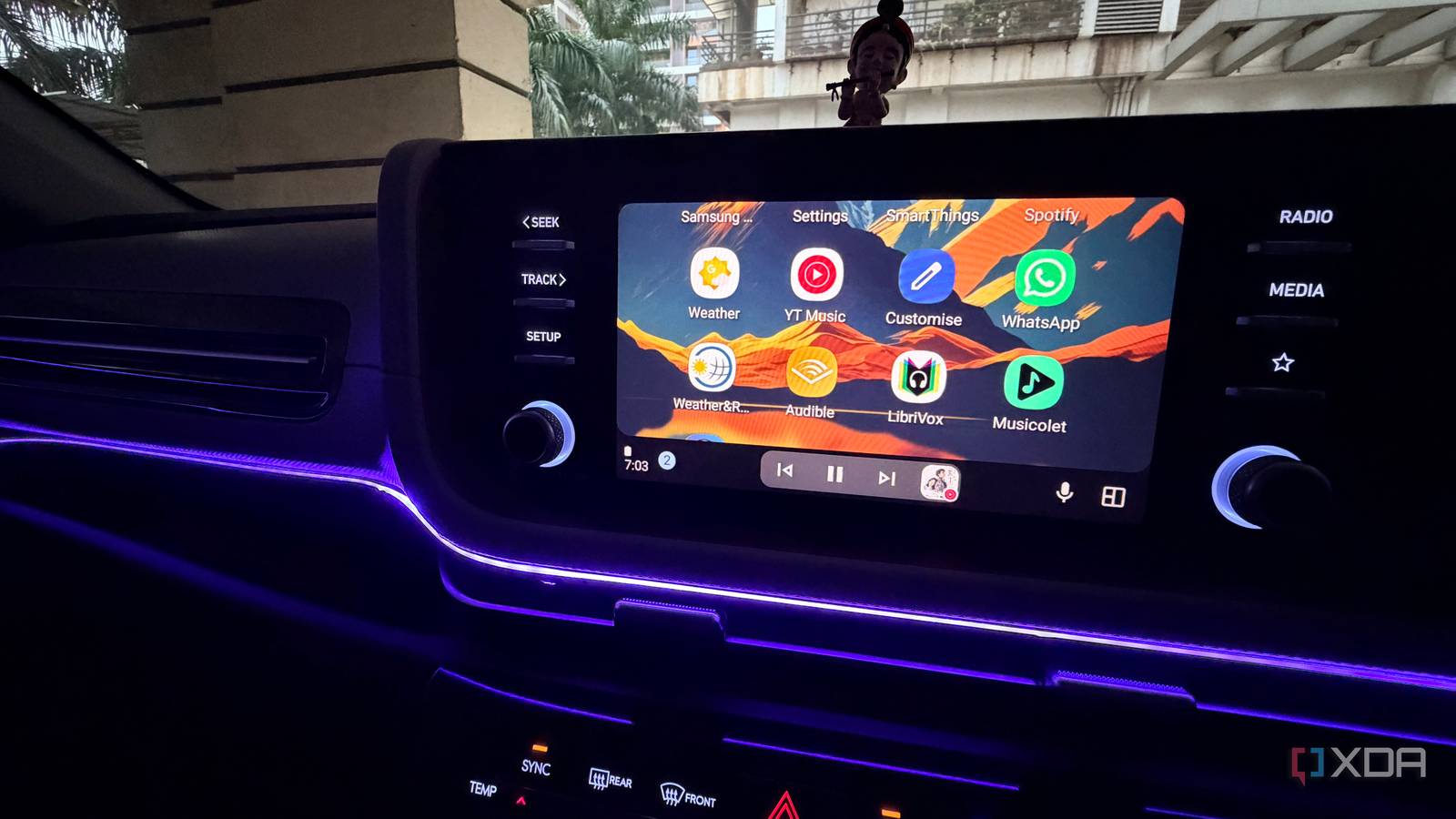
Published Aug 11, 2026, 8:30 AM EDT Parth, a seasoned tech writer, wields the keyboard (or pen) with finesse to unravel the intricacies of both Windows and Mac operating systems. He has covered evergreen content on mobile devices and computers for multiple publications over the last six years. You can find his work on AndroidPolice, GuidingTech and TechWiser. Whether it’s demystifying system updates, deciphering error codes, or exploring hidden features, Parth’s prose guides readers through the binary maze. When not immersed in tech jargon, you’ll find him sipping chai, pondering the next software review, and occasionally indulging in a friendly debate about mechanical keyboards. My Android Auto setup looked painfully predictable. Google Maps handled navigation, Spotify took care of music and podcasts, and Telegram covered the occasional message. They did the job, so I never really bothered exploring what else Android Auto could do. But once I started digging through its compatible apps, I realized some of its most useful options rarely get any attention. These four apps are not the obvious choices everyone recommends, but they have earned a permanent place on my Android Auto dashboard. Musicolet Offline music has never looked better Musicolet was the first app that made me rethink how I listen to music in the car. I still keep plenty of tracks stored locally on my phone, especially playlists I know I will want on long drives where mobile data can be unreliable. Android Auto can play those files through several apps, but Musicolet makes the whole experience feel far more polished. The Android app itself is one of its biggest strengths. The interface is clean, fast, and modern for a local music player. Musicolet is also packed with features. It supports multiple queues, an equalizer, lyrics, tag editing, sleep timers, folder-based browsing, and detailed playlist controls. More importantly, everything works offline. I don’t need an account, subscription, or internet connection just to play music I already own. I have used Poweramp too, and it is more powerful when it comes to audio tweaking and customization. But that is also why I prefer Musicolet for everyday use. Poweramp can feel like an enthusiast’s music player, with layers of settings and controls I rarely need while driving. Musicolet gives me the features I actually care about without making everything complicated. Musicolet Fuelio Every mile finally tells a story I am probably more particular about mileage than I need to be. Every time I fill up my car, I want to know exactly how much fuel went in, what I paid for, how many miles I covered since the previous refill, and whether my average efficiency has gone up or down. Fuelio feeds that obsession perfectly, which is why it has become one of the most useful driving apps on my phone. To put it simply, Fuelio is a fuel and mileage tracker. Whenever I fill up, I can enter the odometer reading, amount of fuel, price, and other details, and Fuelio gradually builds a complete history of my car. It calculates fuel economy between fill-ups and shows information through stats and charts. The level of detail goes much further. I can log servicing, maintenance, insurance, parking, car washes, and practically any expense associated with the car. It even supports service reminders based on dates or odometer readings, which means it can become a lightweight maintenance log instead of simply another fuel calculator. There's even GPS-based trip tracking that lets me record individual journeys and get a better idea of what those trips actually cost. Fuelio Weather & Radar I always know what lies ahead There is no shortage of weather apps on Android, but very few of them actually feel useful once I am behind the wheel. Instead of forcing me to check the forecast on my phone before leaving, it puts useful weather information directly on my car’s display. The biggest reason I keep it around is the radar view. Weather & Radar can show precipitation, cloud cover, lightning, and temperature information on Android Auto, and the map automatically updates with my location as I drive. There is also a dedicated rainfall radar that focuses specifically on precipitation intensity. These details may sound unnecessary for a short commute, but it becomes useful on longer drives. The weather can change quickly, especially during the monsoon. I would much rather glance at the radar and see that I am about to drive into a heavy patch of rain than find out a few miles later when visibility suddenly drops. Weather and Radar LibriVox Audio Books Free audiobooks deserve more attention When people think of audiobooks in the car, Audible usually gets all the attention. I get why. But for Android Auto, I have found LibriVox Audio Books to be one of the most underrated alternatives out there, especially if I just want something interesting to listen to without paying for another subscription. LibriVox gives me access to a huge library of audiobooks for free. The catch is that the collection is built around public-domain works, so I am not going to find the latest bestseller here. Still, if I am in the mood for classics or older literature, there is an excellent catalog to explore. Once I connect my phone, I can access favorites, recent books, downloaded titles from the car interface, and continue listening from where I stopped. That is really all I want from an audiobook app while driving. LibriVox My essential apps beyond Google Maps Android Auto becomes far more useful once I look beyond the apps everyone already knows. None of these apps gets the same attention as Google Maps, YouTube Music, or Audible, but that is exactly what makes them worth discovering. They each solved a small driving problem well, and together, they have made my Android Auto setup feel much more complete. If your phone gets warm during long trips, check out these tricks to avoid this behavior.
4 underrated Android Auto apps I can't drive without
Full Article
Original Source
Read the full article at Xda-developers →KhanList aggregates and links to publicly available news content. We do not host full articles from third-party sources. Always verify important information with original sources.