
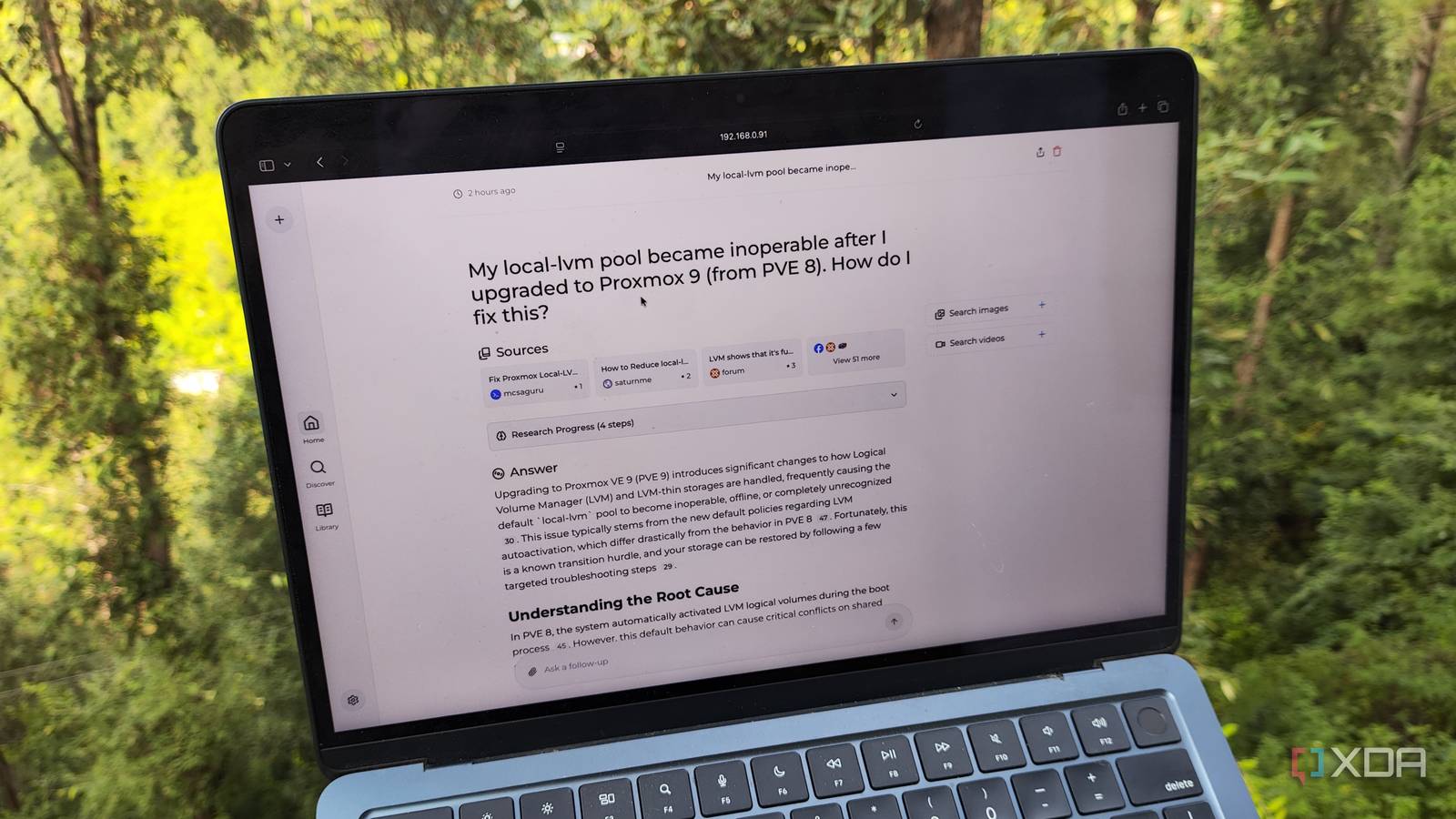
Published Sep 13, 2026, 7:31 AM EDT Ayush Pande is a PC hardware and gaming writer. When he's not working on a new article, you can find him with his head stuck inside a PC or tinkering with a server operating system. Besides computing, his interests include spending hours in long RPGs, yelling at his friends in co-op games, and practicing guitar. When you’re trying to run a handful of prompts through local large language models, most folks tend to stick to the querying interface that ships with their inference engine. Or, you’re probably an Open WebUI user who relies on this self-hosted platform for everything from harnessing MCP servers to adding images, text, and audio samples while querying your local LLMs. But besides directly running your inference operations on local models, there are quite a few productivity-driven container apps that can benefit from their superior reasoning skills. Paperless-GPT Actually, Paperless AI makes the cut, too I’m a fan of Paperless-ngx for the sole reason that it can manage my utility bills, tax records, purchase receipts, legal contracts, and pretty much every annoying document without uploading my files to some random company’s servers. To its credit, Paperless-ngx has solid OCR capabilities built into it, and it can even pull documents when I search for them using their contents. But despite these neat features, I still consider Paperless-GPT and Paperless AI necessary add-on services for my Paperless-ngx tasks. Paperless-GPT, for one, has vastly superior OCR features since it can harness vision models to generate precise text for documents featuring non-English characters and randomly-formatted text. It can technically generate tags for my freshly-scanned documents, but I prefer to use Paperless AI for this task. However, Paperless AI’s biggest draw is its RAG-based search capabilities, which let me search for random documents using just their context. Both applications can hook up directly with Paperless-ngx, and as long as I pair them with something as powerful as Gemma 4 E4B, they deliver solid results. Paperless-GPT Open Notebook The non-Google alternative to Gemini Notebook Although Gemini Notebook makes for a solid research companion, its reliance on Google’s servers makes it a big no-no for confidential projects where you want privacy over all else. And that’s where Open Notebook comes into the equation by providing similar document and link analysis capabilities as Gemini Notebook without locking your notes behind Google’s proprietary servers or clankers. Adding the source documents and web pages to Open Notebook is as simple as it is on Gemini Notebook. Since I can pair embedding models to the app, it supports RAG analysis for the sources to return precise answers to my queries instead of letting my LLM responses devolve into hallucinated ramblings. It can also create key insights for my documents and summarize them, and even run paper analysis operations on complex research sources. Combine all that with quiz and podcast generation functionality, and you can see why I prefer it to Gemini Notebook for my private research needs. Blinko RAG models and local LLMs are great for analyzing my notes On the surface, Blinko is a fairly simple app for recording and managing notes. Rather than requiring me to create nested directories before I can start typing my ideas, this app lets me create blinkos, which are essentially flash cards for recording fleeting thoughts when I’m in a hurry. Then, once I’m done fleshing out these ideas, I can swap them for the notes template. Finally, Blinko lets me create checklists to satisfy my to-do list-building needs, and I can swap between these three modes with the press of a button. If you’re wondering how my local LLMs fit into the equation, I rely on them to manage my painstakingly-crafted note collection on Blinko. The apps’ summary generation feature is really neat for long and complex notes, and I’ve enabled auto-tagging to better organize the ideas I store as blinko memos. And just like Open Notebook, Blinko supports RAG tasks, so I can look up my notes or analyze them without sifting through a volume of ideas. Pulse It may be a monitoring server, but it meshes surprisingly well with local AI Pulse is a bit of an outlier on this list, as its primary task is to monitor server nodes, their components, and the virtual guests housed within them. It’s an incredible companion utility for Proxmox, as it can pull detailed LXC, VM, and hardware statistics of my PVE nodes, but it also supports hardware monitoring for TrueNAS instances, simple Docker workstations, Windows PCs, and even macOS systems. The best part? Pulse has its own AI-powered scans that, when combined with local LLMs, help me catch easy-to-miss alerts and minor problems with my server rigs. And when things go wrong during a botched experiment, I can feed the virtual guest (and even host) logs to it and have my powerful Mixture-of-Experts models come up with precise solutions to salvage the project. Perplexica It adds deep web search capabilities to my LLMs One of the biggest issues with local LLMs, including bulky MoE models, is that their reasoning capabilities and responses depend quite a lot on their underlying training data. While newer models have up-to-date information, their older counterparts rely entirely on outdated training data, which is a massive problem for coding, troubleshooting, and other tasks where my LLMs need access to the latest information. Perplexica solves this conundrum by letting my local LLMs look up information online, thereby updating their responses with the latest information from the web. Better yet, it lets me filter the resources and websites my self-hosted AI models can harness to avoid troll forum posts and inaccurate data from poisoning my inference operations. And since it uses good ol’ SearXNG as the search engine, I don’t have to worry about Google or other platforms creating ad profiles based on my LLM queries. Local LLMs are a godsend for productivity tools If you’re still on the prowl for cool services you can pair with self-hosted models, I’ve got a bunch of other recommendations. There’s the bookmark manager Karakeep, which lets you use LLMs for auto-summarizing websites, PDF documents, and YouTube videos, while Home Assistant can use LLMs for the conversation agent in a voice assistant pipeline. Toss in Frigate-based detection, and HASS can automatically generate an analysis of the surveillance events whenever the former witnesses motion on a security camera. And if you’re as fond of coding as I am, you can also use powerful MoE models as VS Code companions.
These 5 Docker containers turned my local AI setup into something actually useful
Full Article
Original Source
Read the full article at Xda-developers →KhanList aggregates and links to publicly available news content. We do not host full articles from third-party sources. Always verify important information with original sources.