
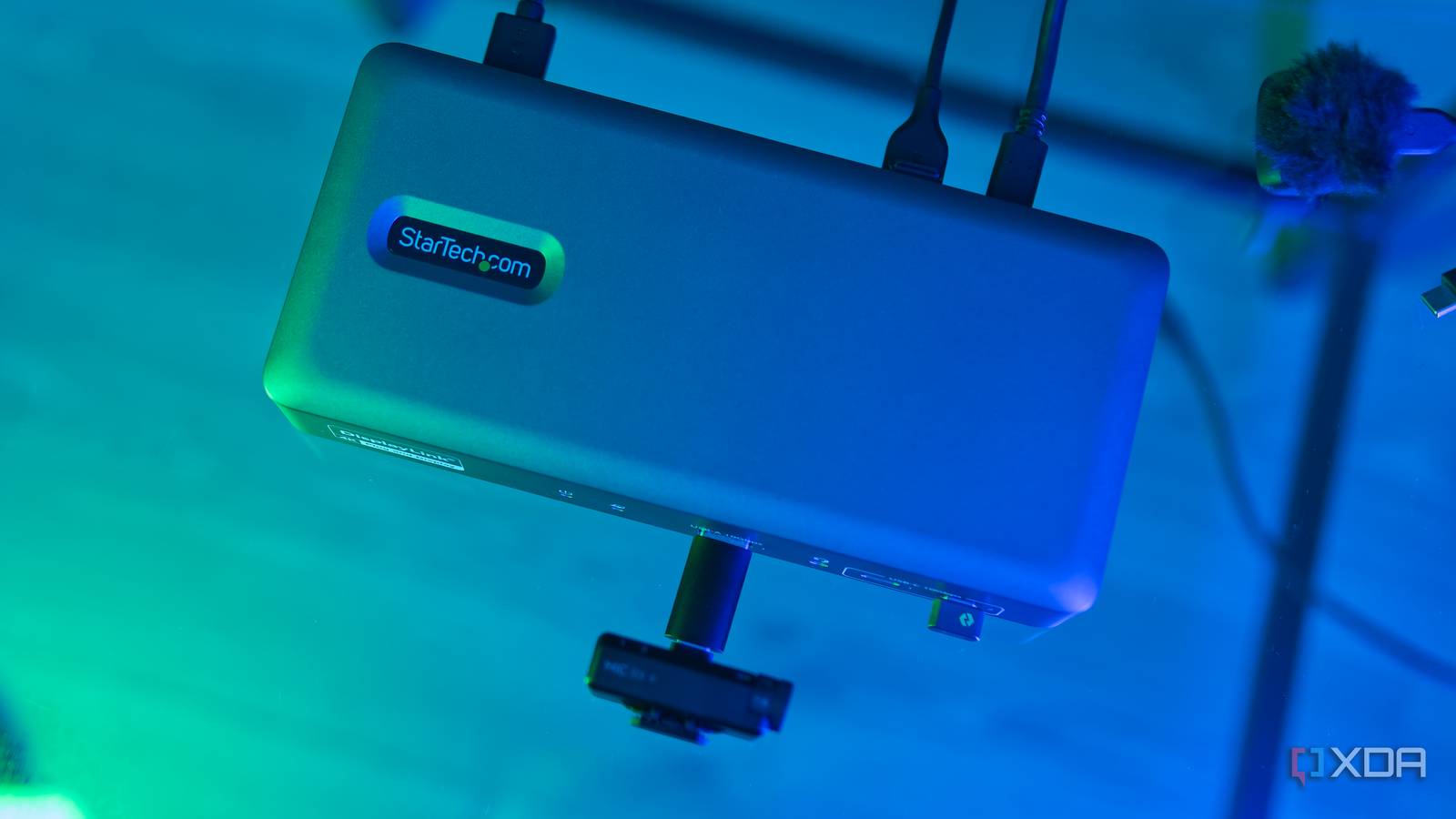
Published Nov 10, 2026, 12:00 PM EST João has been covering the tech world for over 7 years, with a heavy focus on laptops and the Windows ecosystem. I also love all things tech and videogames, especially Nintendo, which he's always happy to talk about. Prior to joining XDA in 2021, he worked at Neowin: https://www.neowin.net/news/poster/jo%C3%A3o-carrasqueira/ Sign in to your XDA account StarTech is no stranger to making USB docks, and I've had the chance to test some solid ones from the company. The latest one is StarTech's first "smart dock", enabling remote management through a Windows app, which makes it more suitable for enterprise deployments, while supporting most operating systems. There's a decent supply of ports on display here, but unfortunately, I've found that the Tech Dual-Monitor USB-C Smart Dock to be painfully limiting, not just because of the ports on offer, but because of how they work. Mac users especially need to beware of this one, ut on the whole, you can find better options out there. About this review: StarTech sent me the Dual-Monitor USB-C SMart Dock (194N-USBC-SmartDock) for the purposes of this review. The company had no input on — or early access to — its contents. StarTech Dual-Monitor USB-C Smart Dock Too many limitations 6.5/10 Ports Front: 1x USB Type-A (10Gbps), 2x USB-C (10Gbps), 1x 3.5mm combo audio jack; Rear: 2x USB Type-A (10Gbps), 2x USB Type-A (5Gbps), 2x HDMI, 2x DisplayPort, 1x 1Gbps Ethernet, 1x USB-C (to host, 10Gbps) USB Power Delivery 96W Power supply included Yes, 135W The StarTech Dual-Monitor USB-C Smart Dock offers a solid selection of ports, including dual display outputs, along with remote management capabilities. It falls short in some areas, though, including total bandwidth and compatibility, making it harder to recommend at this price. Pros & Cons Remote management for multiple docks in a single app Two display outputs that work with almost any USB-C port Plenty of USB Type-A ports Display outputs require dedicated drivers Not enough USB-C ports Uninspired and cheap-feeling for the price StarTech Dual-Monitor USB-C Smart Dock: Price and specifications StarTech introduced the Dual-Monitor USB-C Smart Dock (194N-USBC-SmartDock) on October 12, 2026, and it costs $249.99. Right now, you can find it on StarTech's own website as well as Amazon, and at writing time, Amazon has a slight discount bringing it down to around $220. Specifications Ports Front: 1x USB Type-A (10Gbps), 2x USB-C (10Gbps), 1x 3.5mm combo audio jack; Rear: 2x USB Type-A (10Gbps), 2x USB Type-A (5Gbps), 2x HDMI, 2x DisplayPort, 1x 1Gbps Ethernet, 1x USB-C (to host, 10Gbps) USB Power Delivery 96W Power supply included Yes, 135W Max display res. 4K 60Hz Price $250 Ethernet Yes, max 1Gbps Color Grey It feels pretty cheap The port supply is solid, though Right as I took it out of the box, the first thing that struck me about the StarTech USB-C Smart Dock — I'm going to shorten its name for the rest of the review for the sake of readability — is just how light it is. There's nothing necessarily wrong with using plastic for the housing of a docking station, but StarTech seems to consistently design its docks to look like metal, only to be some of the cheapest-feeling options out there. On the flip side, it does offer a good range of ports, including five USB Type-A ports in total, two USB-C ports, a single 1Gbps Ethernet port, a combo audio jack, and two HDMI ports paired with two DisplayPort outputs. You may wonder why there are four display outputs but the dock only supports two external displays, and that's simply because these ports function as groups. Each group contains one HDMI and one DisplayPort port, and you can only use one of the ports in that group. It's a quirk of the DisplayLink technology used in this dock, but we'll get to that. While the number of ports is solid, it's worth remembering you will likely be limited by your host connection. As a standard USB-C dock, you get 10Gbps of bandwidth to the host, and most of the USB ports could individually use up all that bandwidth. When you have to add display outputs and Ethernet to that, you'll be running into some limitations. That makes the $250 price tag start to feel a little unjustified. I've seen cheap plastic docks, and I've seen docks that use a standard USB-C connection, but combining both into the same package and asking $250 for it is hard to justify. Years ago, I reviewed a plastic Thunderbolt 4 dock from Plugable that cost $200, and you can still buy it today. I also find it frustrating that there are only two USB-C ports and that they're so close to each other. I've been forced to connect my monitor via HDMI, use a USB Type-C-to-Type-A adapter for my webcam, and simply unable to plug in my wireless microphone receiver because the two USB-C ports I do have are right next to each other. My microphone won't fit next to my mouse's wireless receiver. Granted, you can blame the microphone for that, but the lack of more USB-C ports is the real problem. There are also no SD or microSD card slots here. The display outputs have quirks DisplayLink doesn't always play nice Coming back to those display outputs, I want to touch on the fact that they use DisplayLink, which isn't really new, but it's also not going to be obvious to most people buying a dock online. A typical USB-C port may be able to carry display outputs through DisplayPort Alt Mode, a dedicated tunnel for video output, but in some cases, this can have limitations. For example, a lower-end Apple Silicon Mac only supports two displays in total, so if you have a MacBook Air, you'd only get one display output this way. Plus, some USB-C ports may not support DisplayPort Alt Mode at all, which would make the outputs useless, though this is increasingly rare). DisplayLink instead uses regular USB data bandwidth to carry a display signal, which means it works on basically any USB-C port and bypasses the limits of those lower-tier Macs. The downside is that this requires dedicated DisplayLink drivers on the computer to enable display output, and that's been a real problem for me. Not only did the displays not work at all out of the box with my PCs, but even after installing DisplayLink app, the driver only kicks in after I sign into the computer, at least on macOS. Windows seems to not have this problem, though there's still something of a delay with starting the display output this way. But for the Mac Mini, what that means is that I can't see the login screen for my computer. Of course, if you're using this with a laptop, as it's most likely intended, that shouldn't be a problem since you can use the built-in display for the password, but if you're relying on external monitors, it's just not ideal. You can manage it remotely All it needs is an internet connection Perhaps the most notable aspect of the StarTech USB-C Smart Dock is that it supports remote management over the local network. Once a dock is connected to the network via Ethernet, you can use the Smart Dock Manager app from StarTech — which is only available for Windows — to manage it. While the app is WIndows-only, you can manage docks connected to any kind of computer, since it all happens over the network connection. These management options include installing firmware updates, powering the dock on or off, or disabling specific ports. If you're deploying this in an enterprise setting, you can take batch actions such as disabling all USB ports, display outputs, or internet connectivity for every dock at once. If you manage individual docks, you get full per-port control to tailor it exactly to your needs. I can certainly see the appeal of remote management, and it seems to work well here. I do find it interesting that it has to be over Ethernet, though, and you can't manage a dock connected to your PC by just using the USB-C host link. But for an enterprise setting, it shouldn't really matter since the network-based approach makes much more sense. Should you buy the StarTech USB-C Smart Dock? For the most part, I can't really recommend this dock. The price tag is just too high for what's on offer in terms of ports and bandwidth, paired with build quality that just isn't all that inspiring. The only situation where I can see this being justifiable is in an enterprise setting where you need the remote management capabilities, which are a genuine selling point, though not completely unique. Still, there are a lot of compromises here for a $250 docking station. You should buy the StarTech USB-C Smart Dock if: You need remote management capabilities You want multiple display outputs on a Mac or a PC without DisplayPort Alt Mode You should NOT buy the StarTech USB-C Smart Dock if: You plan to use more than one of these ports to their fullest potential You want a premium-feeling dock You need more than two USB-C ports StarTech Dual-Monitor USB-C Smart Dock 6.5/10 Ports Front: 1x USB Type-A (10Gbps), 2x USB-C (10Gbps), 1x 3.5mm combo audio jack; Rear: 2x USB Type-A (10Gbps), 2x USB Type-A (5Gbps), 2x HDMI, 2x DisplayPort, 1x 1Gbps Ethernet, 1x USB-C (to host, 10Gbps) USB Power Delivery 96W Power supply included Yes, 135W Max display res. 4K 60Hz The StarTech USB-C Smart Dock sells itself on the remote management capabilities, but it falls short in a few ways, particularly for its asking price. It may still be worth it for a specific set of customers, but it's not for everyone.
StarTech's first smart dock has remote management and plenty of ports, but I can't recommend it
Full Article
Original Source
Read the full article at Xda-developers →KhanList aggregates and links to publicly available news content. We do not host full articles from third-party sources. Always verify important information with original sources.