
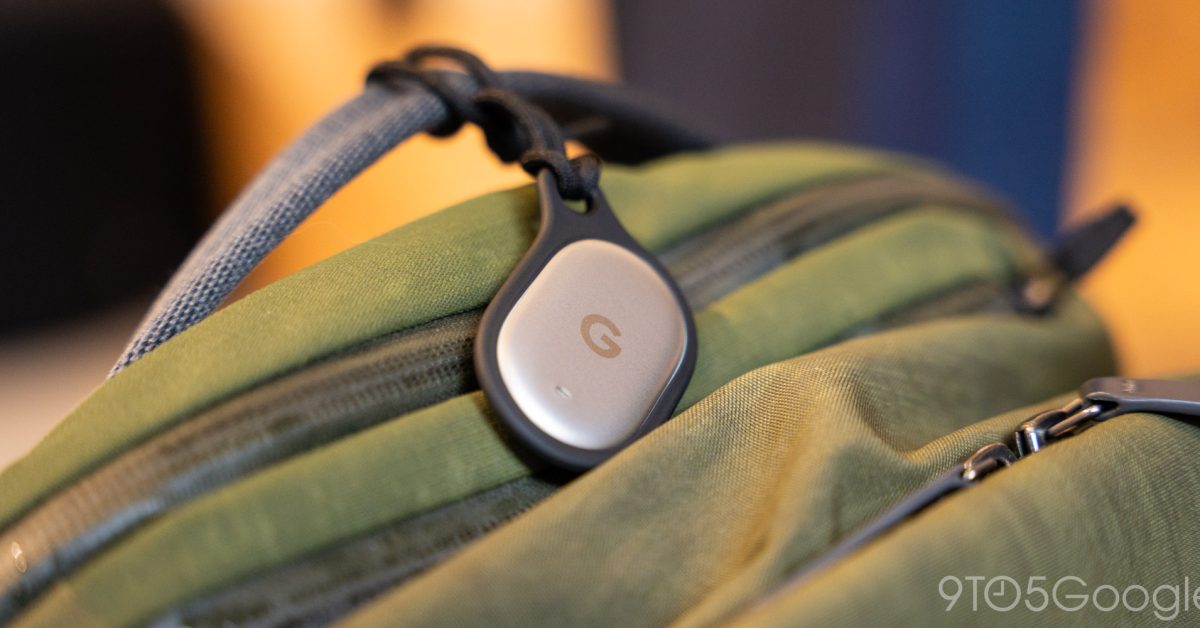
The Made by Google 2026 lineup is finally complete with tomorrow’s retail launch of the Pixel Tag. You can find our review here, while there are some additional details about the device since the August announcement. NFC The Pixel Tag is the first Find Hub tracker with NFC. Google did not mention this connectivity specification in August, with Near Field Communication letting you tap the tracker to the back of your phone to immediately open device settings. The NFC area on the Pixel Tag is below the circular battery door, which you hold down and twist counterclockwise to open. On Android 17 QPR2, tapping immediately opens the details page. On QPR1, you first get a system notification that you need to click. NFC joins Bluetooth 6.0 with Channel Sounding and Ultra Wideband (UWB). Find Hub setup The setup process adds a new screen after the initial pairing and terms of use. It lets you configure: Notify when left behind, Ring this phone, Edit name, Edit category, and Adjust volume for this tag. Ring this phone The Pixel Tag has a physical button on the rear side below the battery cover. Clicking twice plays a loud sound on your phone if both devices are nearby. Once found, you can tap the button once to silence, or turn it off from your phone. This feature can be disabled from the Pixel Tag’s device details page on a tracker-by-tracker basis. Bellroy cases Google does not have a first-party case for the Pixel Tag. Instead, it’s working with Made for Google partner Bellroy. There are two models available from the Google Store, with the first made of silicone. The Bellroy Lite Case Duo costs $24.99 and comes in a pack of two: Mist and Shadow colorways. It wraps everything but the face of the Pixel Tag (and its speaker cutout), while giving you a hole in the corner and color-matching cord. There’s also the Bellroy Leather Tag Case in Artichoke, Azalea, Black, Pewter, and Red Ochre for $29.99. FTC: We use income earning auto affiliate links. More.
Pixel Tag tidbits: Surprise NFC, Find Hub setup, & Bellroy keychain cases
Full Article
Original Source
Read the full article at 9to5google →KhanList aggregates and links to publicly available news content. We do not host full articles from third-party sources. Always verify important information with original sources.