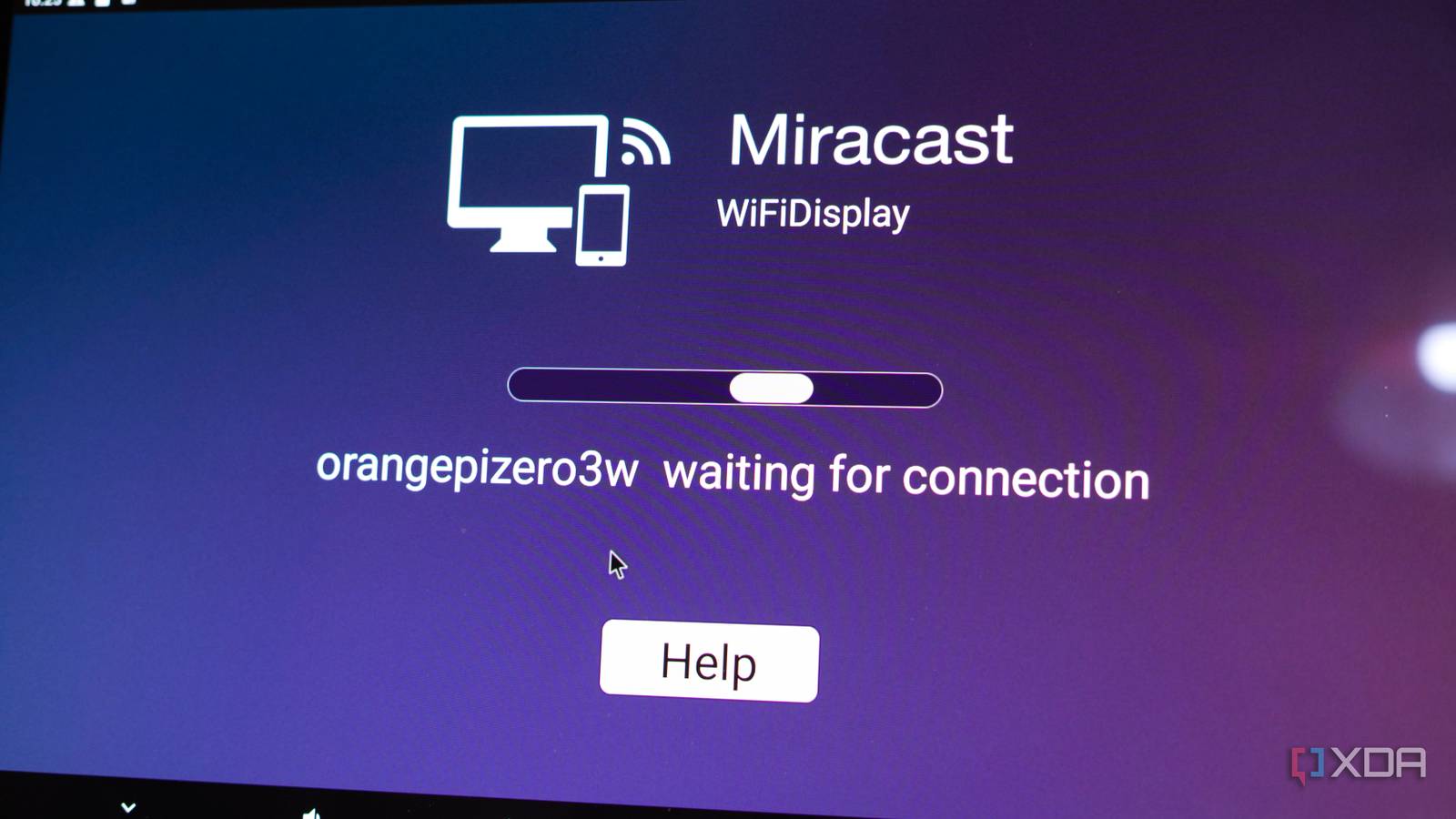
Published Jul 28, 2026, 11:00 AM EDT I’m Adam Conway, an Irish technology fanatic with a BSc in Computer Science and I'm XDA’s Lead Technical Editor. My Bachelor’s thesis was conducted on the viability of benchmarking the non-functional elements of Android apps and smartphones such as performance, and I’ve been working in the tech industry in some way or another since 2017. In my spare time, you’ll probably find me playing Counter-Strike or VALORANT, and you can reach out to me at adam@xda-developers.com, on Twitter as @AdamConwayIE, on Instagram as AdamConwayIE, or u/AdamConwayIE on Reddit. Sign in to your XDA account The Orange Pi Zero 3W packs an octa-core Allwinner A733, a PowerVR GPU with Vulkan 1.3 support, a 3 TOPS NPU, and up to 16GB of LPDDR5 into a board the size of a Raspberry Pi Zero, starting at $25 and running to $99.90 for the 12GB model I have. There's a catch with that hardware, though: Orange Pi's Linux images don't ship the userspace needed to talk to most of the hardware, so both the GPU and the video engine sit idle while offloading all of it to the CPU instead. I got most of it running eventually by grafting Radxa's Cubie A7S userspace onto Orange Pi's Debian base, which was fiddly, and even after all that a couple of things never came right. Android is the exception. Orange Pi ships an Android 13 image for the board, and the important drivers the Linux images are missing are actually available here. The GPU works just fine, as do hardware video decoding and WebGL. Ordinarily, it would be the one operating-system build on which the board more or less does what its spec sheet promises. Unfortunately, though, it also wouldn't boot. Not on my microSD card I'd been using to boot Linux, not on other microSD cards, and not when I went so far as to reverse engineer the original PhoenixCard application that Orange Pi says to use in order to figure out what was going wrong. Even after all that effort, I was left with a solid red LED on the board and no video output at all. I spent weeks on it, on and off, before I got anywhere. I reverse engineered the flashing tool, wrote my own version of it for macOS, and eventually sat down and diffed two bootloaders (one Android, one Linux) byte by byte, which is where I found out that Orange Pi's Android image does not contain a valid DRAM profile in the GPADC slot selected by the 12GB board. I was able to fix it by replacing 480 sectors in Allwinner's Boot0 secondary program loader; since then, the board has been running Android without a hitch, I've been controlling it with a Steam Controller, and it's a better Android TV-esque box than it has any right to be. Vulkan 1.3 supported Unlike with Linux, the GPU is here and working completely out of the box. Vulkan Hardware Capability Viewer picks up the PowerVR B-Series BXM-4-64 MC1 inside, and I've uploaded the full report to the Vulkan hardware database if you want to pick through it yourself and see what's supported. Everything looks good here as well; it reports Vulkan 1.3.277, vendor ID 0x1010 which is Imagination, driver version 1.598.191, with 103 device extensions and 152 supported formats. It's a true driver for the GPU, rather than a software layer pretending to be one, and it's a significantly better spot to be in than where the default Linux images leave you. Even better, though, is that both video decode and WebGL work out of the box. Even after I'd finished grafting Radxa's stack onto Orange Pi's Debian image, mpv and anything else built on FFmpeg still couldn't work with the hardware because Allwinner doesn't provide a VAAPI driver for this platform, and Firefox was still rendering WebGL in software. On Android both of those just work, and once I eventually got in, everything worked as it should on a hardware level. It's not quite the case that the decoder is merely unsupported on Linux, though. Instead, the issue is the interface on top of it. Android apps access video decoding through MediaCodec, so Allwinner had to provide the vendor codec implementation underneath it. You can't realistically ship an Android BSP for this hardware without exposing the video decoder through Android's media stack. On Linux, GStreamer reaches the decoder through Allwinner's OMX implementation, and that's why the patched Debian image can decode video just fine when using it. Meanwhile, mpv and FFmpeg ask through VAAPI, and that adapter just doesn't exist. On Android, the gap is filled in because Allwinner had to write the component that lives underneath MediaCodec. Orange Pi admits to these gaps in its own user manual, which has a driver support table for the Linux images where nearly every line says "OK", except the GPU and video encode/decode rows. The Android table lists the GPU as "OK" with no caveat or qualifier listed, and to be fair to Orange Pi, it does just work. The Android image isn't a disk image, and Orange Pi only provides a Windows flasher You need a special program Despite the official "OrangePiZero3W_A733_Android13_v1.0.img" having a .img extension, it is unfortunately not, in any useful sense, a disk image. Instead, it's an Allwinner IMAGEWTY package, and writing it to a microSD card with dd, balenaEtcher, or Raspberry Pi Imager will result in you getting a card that has no actual bootable media. To be fair, Orange Pi is very clear about this, and the manual says the image can only be written using PhoenixCard 4.2.8 on Windows, while also admitting that "PhoenixCard software does not have versions for Linux and Mac platforms." I tried it on Windows, and it didn't work. Given that I work on a Mac, and OpenixCard, the open-source answer I came across in my research, didn't work on macOS either, I decided to try and figure out how PhoenixCard works. I figured I could find the supposed bug that was preventing it from flashing correctly, and by re-implementing it into my own script, I could then verify from my own implementation if I was doing anything wrong. I made one interesting discovery during this process, and it's that the firmware package has its own layout, so you don't need board-specific offsets hard-coded to flash it. The startup card address for any partition is just its dlinfo sector plus the card offset from cardscript.fex, so super at 590848 arrives at 631808. The awkward part was super.fex, which is an Android sparse image that has to be expanded across 47 chunks as it's written rather than copied directly. This is because the sparse bytes on their own don't produce anything Android can mount. Once I'd worked all of this out, my script produced a structurally valid image. Both GPT CRCs passed, macOS saw it as a 29-partition GUID disk, and everything else looked as it should. My reimplementation of PhoenixCard worked to the same level, but it didn't boot, and the solid red LED was still plaguing me. At this stage, I'd seen another user on Reddit get it booting on a version of the board with 6GB of RAM, and I was completely lost. No matter whether I used my own script or PhoenixCard, it still failed. At this stage, I knew my reconstruction wasn't at fault, since the official tool produced a finished product that failed in the same way, and no matter which microSD card I used, it still failed. I also knew that the board was fine, as I would switch back to Linux and it would work as normal again. The red LED also didn't tell me much, aside from the fact that it wasn't blinking, but there was no observable UART output either. What all of this pointed to was the firmware, and whatever the problem was occurred early enough in the boot process that nothing ever got to produce any observable output. It was then that I realized, painfully, that I'd been looking in the wrong place. All of this pointed to Boot0, which is the first thing in the boot process that runs. Boot0 picks a memory profile by reading an ADC, and Android's table has a hole in it One is missing Boot0 is Allwinner's secondary program loader, and it runs before U-Boot and long before Android. Its job is to bring up the memory controller and train the LPDDR5 so that later stages have somewhere to be loaded into. Soldered LPDDR doesn't have the SPD discovery flow you get with a DIMM, so the bootloader has to already know what memory is on the board, or work it out from something on the board itself. On the A733 it works it out by reading a voltage. The Android package's sys_config.fex sets select_mode = 2, which is GPADC identification, and gpadc_channel = 1, and comments in that file highlight that mode 2 allows a base profile plus profiles 1 through 7. Boot0 reads that ADC channel, compares the result against eight center values stored in the binary at 0x175c0, and picks whichever bucket the reading falls into. The base profile is preceded by a comment that says ";cxmt 4g ddr," which shows that the DRAM table is intended to describe specific memory configurations. Android's Boot0 and the one from Orange Pi's Linux images turn out to be almost the same file. Both are 245,760 bytes, both carry eGON.BT0, both have valid Allwinner checksums, and they are byte-for-byte identical from offset 0x600 all the way to the end. Only 106 byte positions differ, the first being the checksum and the last at 0x5ee, so every meaningful difference is located in the header and DRAM parameter area. It's the same bootloader, with some small tweaks and changes. Those small tweaks and changes were, unfortunately, exactly the problem. Android's Boot0 populates the base profile and profiles 1, 2 and 3. The Linux Boot0 populates the base profile and profiles 1, 2 and 5. Profile 5 begins at 0x574, based on the selection routine, and in the Android build that entire 128-byte structure is zeroed out. When Boot0 meets a profile containing nothing, it then checks the first word of the selected profile, dram_clk, and if it's zero, it then prints "dram para%d invalid use default para", but without UART, I had no way to actually know that this was happening. If the 12GB board ends up running with profile 5, Android finds an empty slot in Boot0, falls back to the default profile, which is evidently unsuitable for the 12GB board, and memory training fails. At this point, you're left with a power LED and nothing else, and nothing else runs on the board. There's a decent hint in the contents of Boot0 in both images, too. Android's profile 3 and Linux's profile 5 look like they're for the same memory topology, and they share a dram_type of 0x9, dram_para1 of 0xa11a, dram_para2 of 0x1001 and most of their mode registers, but Linux moved it to a different profile and retuned it, taking dram_clk from 1800 to 2040 and adjusting several timing and mode register values with it. While I haven't directly measured the GPADC voltage during boot, every other piece of evidence points in the same direction: Android's Boot0 leaves one GPADC-selected DRAM profile empty, Linux populates it, only the 12GB board fails, and replacing nothing but Boot0 makes the unchanged Android image boot. Replacing 480 sectors makes the unchanged Android image boot After that, it just works To get it working, it was honestly shocking how easy it was once I made that realization. I took the reconstructed Android image and overwrote sectors 16 to 495, which is the Boot0 region and nothing else, with the Boot0 from Orange Pi's Linux image. The GPT (GUID Partition Table) stayed as it was, along with the location of every partition in the image. With only that 480-sector boot region changed, the board booted straight into Android. Even better, the Settings menu reports the full 12GB of RAM is available, meaning that it's correctly initializing and describing the memory setup to an Android build that didn't come with a valid profile for this RAM configuration. I was worried that I'd lose access to some of the onboard RAM, but thankfully, that wasn't the case. I've since bundled it all together as a patch script for the firmware, which checks the SHA-256 of the whole input image, verifies the stock Boot0's hash before touching it, applies 54 changed 32-bit words, and refuses to write anything unless the result matches the known-good Boot0 hash. The output still goes through PhoenixCard, too, so you can flash it normally following Orange Pi's instructions once you've applied the patch. The image is Allwinner's reference build with Orange Pi's name on it It says "Orange Pi", but it's basically Allwinner The platform metadata in the aforementioned Vulkan report says a lot about the Android image being used here. The product manufacturer is listed as Allwinner, not Orange Pi, though the product model is set to orangepizero3w. In other words, the product manufacturer is being listed as the maker of the chip, rather than the maker of the board running it. As well, the build identifier is eng.orange.20260112.103612, which is an AOSP engineering build, and it was compiled on the 12th of January 2026. To be clear, this is not a build you're meant to ship to normal consumers. It's the only Android release for this board so far, too. The base underneath it is TQ2A.230405.003.B2, which is Android 13 QPR2 from April 2023, making this a build compiled in January 2026, published in March, put together on top of AOSP from three years ago. When the board launched, Orange Pi told CNX Software at the end of April that it intended to ship Android 15 "in the next few days or weeks." There's been one Android release, dated the 26th of March, and it's based on Android 13. Unfortunately, the evidence suggests that this image is derived closely from Allwinner's A733 reference BSP, with relatively little visible Orange Pi customisation aside from some GPIO-related stuff that you can run. The manufacturer in build.prop is Allwinner, several included applications and media components use Allwinner's softwinner namespace, and the build target identifies itself as an A733 AIoT demo. That makes the part that is broken particularly frustrating. The DRAM-selection table is a board-specific integration that needed to match the memory configurations Orange Pi actually sells, yet the distributed image does not contain a working configuration for my 12GB board. Whether Orange Pi generated that Boot0 itself or received it from Allwinner, validating it across Orange Pi's advertised memory SKUs was ultimately Orange Pi's responsibility. What it's like to actually use as an Android box Streaming works, and Miracast is nice The thing I've used the Orange Pi Zero 3W for most is casting, because the image comes with a Miracast receiver built in and it works genuinely well. Casting to a TV over the mini HDMI output took no setup beyond opening the app on the board, and my phone and other devices can find it, cast to it, and it instantly works, complete with audio support, too. That app's package name is com.softwinner.miracastReceiver, and the com.softwinner prefix is Allwinner's own vendor namespace. Allwinner's CedarX media framework actually has a specific configuration for that package, tailoring it to Miracast specifically. Interestingly, not a word of any of this appears in Orange Pi's manual, and it never mentions Miracast, casting, or screen mirroring at all. I've been using a Steam Controller over its USB dongle rather than Bluetooth to control it, and it works surprisingly well thanks to the fact that the dongle makes it represent itself as a generic gamepad. As well, the mini HDMI does 4K at 60Hz, and the video engine that isn't accessible on Linux handles decoding video without the CPU needing to do it. As a cheap device that sits behind a TV and can cast, it does the job. There's no Play Store, and streaming is capped at SD No Widevine L1 here Anything you want on the image has to be sideloaded, since there's no Play Store. To get around that, I've been using Aurora Store, which pulls APK files from the Play Store, and it covers most of what I'd want on a box like this. Proper GApps would mean getting into flashing territory and I haven't had time to figure out all of that. On the bright side, the image does at least provide root access. DRM is a pretty hard limit, though. The DRM Info app reports Widevine L3, so Netflix, Disney+ and the rest will either refuse to start or drop you to standard definition streaming only, and all the working hardware decode in the world doesn't help with that. Local files and casting are unaffected, since neither goes anywhere near DRM. It's also not really a TV build. The source tree builds it as a733_android13_demo_aiot_uart0.img, an AIoT demo configuration, and the system reports itself as a tablet rather than anything relating to a TV. For casting and local playback that hasn't mattered much to me, but it's a long way from what you'd get out of a cheap Android TV box. Would I recommend a Zero 3W for this? Not specifically for TV usage, no. On the bright side, using a smaller-memory board, the stock image should boot up just fine on its own and you can ignore most of the pain and suffering I outlined above. On a 12GB board, the answer is only if you're happy patching a bootloader before you start and keeping on top of it with updates if Orange Pi doesn't fix it. Though, that would require Orange Pi to push updates in the first place. What still bothers me is how easy this should have been to catch. Given that Orange Pi announced boards going all the way up to 16GB of RAM but never shipped a 16GB variant, the 12GB board is the one that was getting most of the coverage. It's the de facto flagship of the range, yet the company's own Android image can't boot on it. Somebody at Orange Pi could have discovered this easily, and it's incredibly frustrating that I had to go to these lengths to work it out.
Orange Pi ships an Android image that can't boot on its most expensive Zero 3W, and I found out why
Full Article
Original Source
Read the full article at Xda-developers →KhanList aggregates and links to publicly available news content. We do not host full articles from third-party sources. Always verify important information with original sources.