
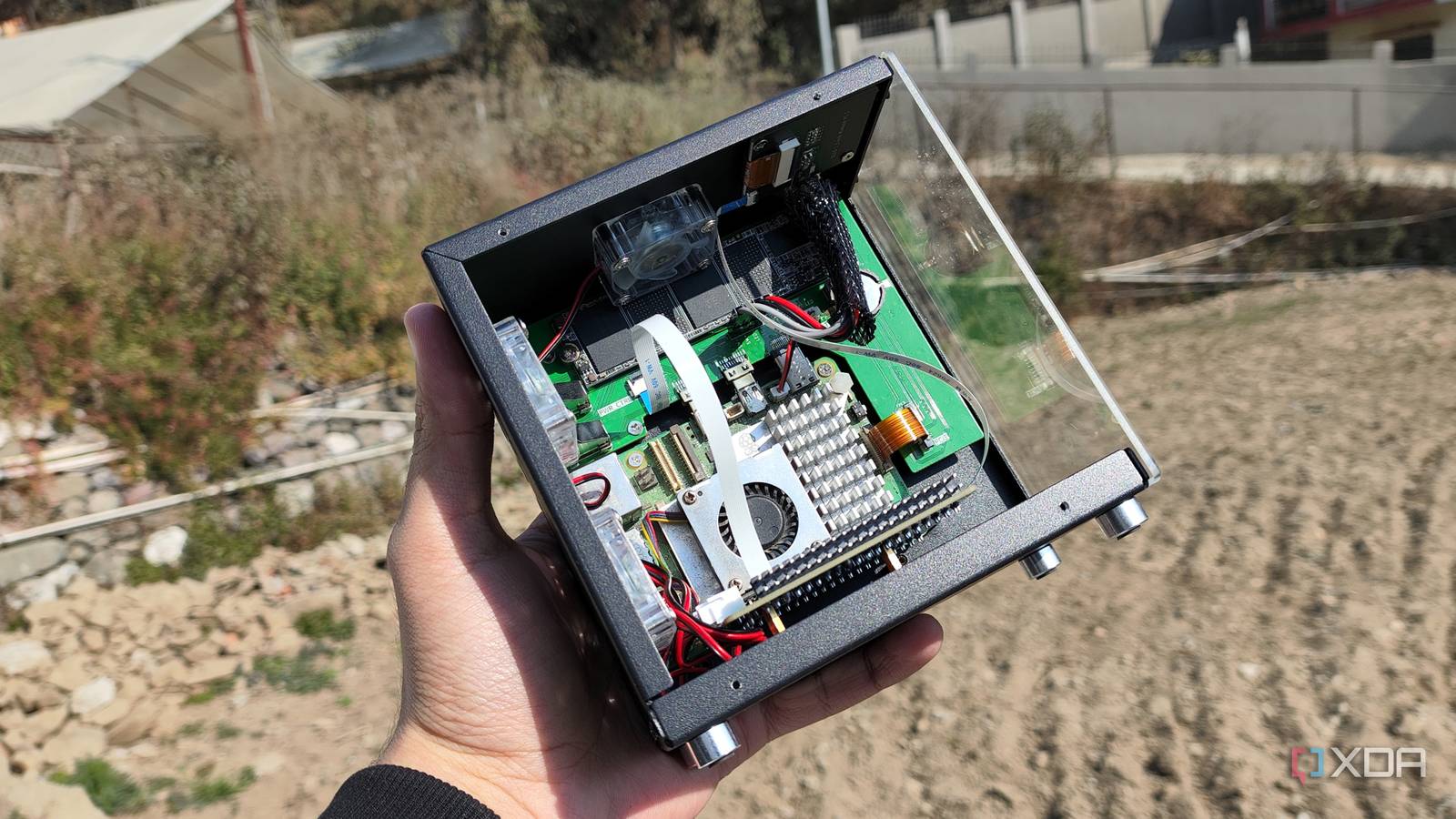
Published Sep 1, 2026, 3:30 PM EDT Ayush Pande is a PC hardware and gaming writer. When he's not working on a new article, you can find him with his head stuck inside a PC or tinkering with a server operating system. Besides computing, his interests include spending hours in long RPGs, yelling at his friends in co-op games, and practicing guitar. Having spent a lot of time with the Raspberry Pi 4 and Zero, I was beyond ecstatic when the fifth iteration of this uber-popular single-board computer hit the shelves. After all, this tiny gizmo packs a better CPU (and GPU) than its predecessor, making it better than the RPi 4 for projects where I need more computational prowess. On top of that, it has an onboard power connector and a PCIe 2.0 slot that I’d wanted on this SBC family for years. And truth be told, it was a fantastic device back in 2023, when x86 mini-PCs weren’t super affordable and the RAM apocalypse had yet to rear its ugly head. If we were to go over the amount of money I saved by running FOSS alternatives to popular subscription-based platforms alone, I’d say I made back the amount of money I’d invested into the RPi 5 within a year. But with its price tag hitting the obnoxious levels, the Raspberry Pi 5 is no longer something I can recommend in this day and age. I initially used my Raspberry Pi 5 as a Docker-powered workstation And it was surprisingly useful for self-hosting cool services Before I jumped headfirst into the home lab ecosystem with a refurbished Xeon setup, I primarily relied on my Raspberry Pi 5 for most of my self-hosted tasks. I’d initially chosen a CasaOS instance running on the Raspberry Pi OS (the GUI version, no less) to familiarize myself with the new SBC, and despite the additional performance overhead of the underlying graphical elements, this tiny board managed to punch above its weight in practically every task I threw at it. Once I switched to a CLI-only setup, the Raspberry Pi 5 could host well over a dozen services without breaking a sweat. For example, I’d deployed NextcloudPi on my Raspberry Pi and armed it with Collabora Office, Notes, Tasks, Deck, and a bunch of other useful services to turn this SBC into a Microsoft 365 killer productivity suite – one that ran at full speed even with hundreds of documents, lecture slides, and PDFs. Unlike many tinkerers, I’d left Jellyfin and other heavy media servers out of the equation, partly because I didn’t want to overload my RPi 5 with TBs of movies, and also since the SBC no longer had a hardware H.264 (AVC) decoder (which is a rant I’ll go over another time). That said, lightweight archival tools such as Paperless-ngx, Vikunja, TriliumNotes (or rather, TriliumNotes Next, as it was called back then), Shiori, Vaultwarden, and Firefly III were fair game. For reference, Paperless-ngx served as my primary hub for hoarding bills, receipts, tax returns, and every other document I’d grown to despise as a uni student, while TriliumNotes acted as my personal knowledge base and Vikunja replaced Todoist’s paid plans for my to-do list-building needs. Shiori was my main bookmark manager back then, while Vaultwarden and Firefly III were especially important since they handled my passwords and financial records, respectively. Although I currently use BentoPDF as my Adobe Acrobat replacement, Stirling-PDF performed the same task on my Docker-based Raspberry Pi 5 before it became somewhat enshittified. And don’t even get me started on all the wild shenanigans I’d get up to with this board, as I’d simply swap the USB SSD I relied on for my Docker apps for a microSD card bearing all sorts of cool distributions and wacky packages. I use it as a secondary home lab/Frigate node these days Even though my self-hosted services replaced plenty of cloud applications, I ended up moving them to my Proxmox node afterwards. That said, I still consider my Raspberry Pi an essential part of my home lab. When I ran out of server nodes for a PVE cluster last year, I used my Raspberry Pi 5 as a QDevice to ensure my 2-node ZFS replication cluster remained online if one of the systems went offline. Heck, I’ve even used it to host Pulse, Gotify, Nginx Proxy Manager, and a bunch of other essential admin utilities that I wouldn’t dare to run on an experimental server. These days, I’ve armed my Raspberry Pi 5 with a Frigate container to keep an eye on my security cameras and trigger automations in Home Assistant every time its AI HAT detects anything out of the ordinary, with a spare microSD card housing the llama.cpp instance I often use for wacky LLM-on-SBC experiments. Unfortunately, I can’t recommend this SBC in 2026 ESP32 is better for sensor projects, while mini-PCs are more powerful for server tasks My Raspberry Pi 5 may have been a solid investment at the time, but it’s not something I’d go out and buy again if I broke it in an experiment. That’s because the Raspberry Pi has become so expensive that it’s just not worth picking up unless you’re working on specific projects that require GPIO functionality. And at that point, it’s simply better to go with a cheap microcontroller like the ESP32 or even a Raspberry Pi Pico module. Let’s say I wanted to gather the temperature readings from a BME280 sensor. Rather than grabbing an expensive RPi 5 and spending several minutes trying to install the right packages for the sensor module, I could pick up a dirt-cheap ESP32, hook it up to the BME280, and flash it with a simple code snippet on ESPHome Device Builder. Likewise, it makes more sense to go for an $8-9 ESP32 or a $10-12 Raspberry Pi Pico 2 W for circuitry projects instead of shelling nearly $200 on a Raspberry Pi 5 and then spending more bucks on the microSD card, cables, adapters, active cooler, and other accessories. On the flipside, mini-PCs make more sense for projects where I need extra firepower and better compatibility with hardcore server platforms. Thin clients and old mini-PCs tend to cost less than a new Raspberry Pi 5, and they’re surprisingly incredible for budget-friendly home lab projects. If I had to grab a Raspberry Pi single-board computer, I’d probably go for the Zero variant, as its first-gen model is the only one that doesn’t cost a fortune.
My Raspberry Pi 5 paid for itself in less than a year thanks to Docker containers, but that's almost impossible now
Full Article
Original Source
Read the full article at Xda-developers →KhanList aggregates and links to publicly available news content. We do not host full articles from third-party sources. Always verify important information with original sources.