
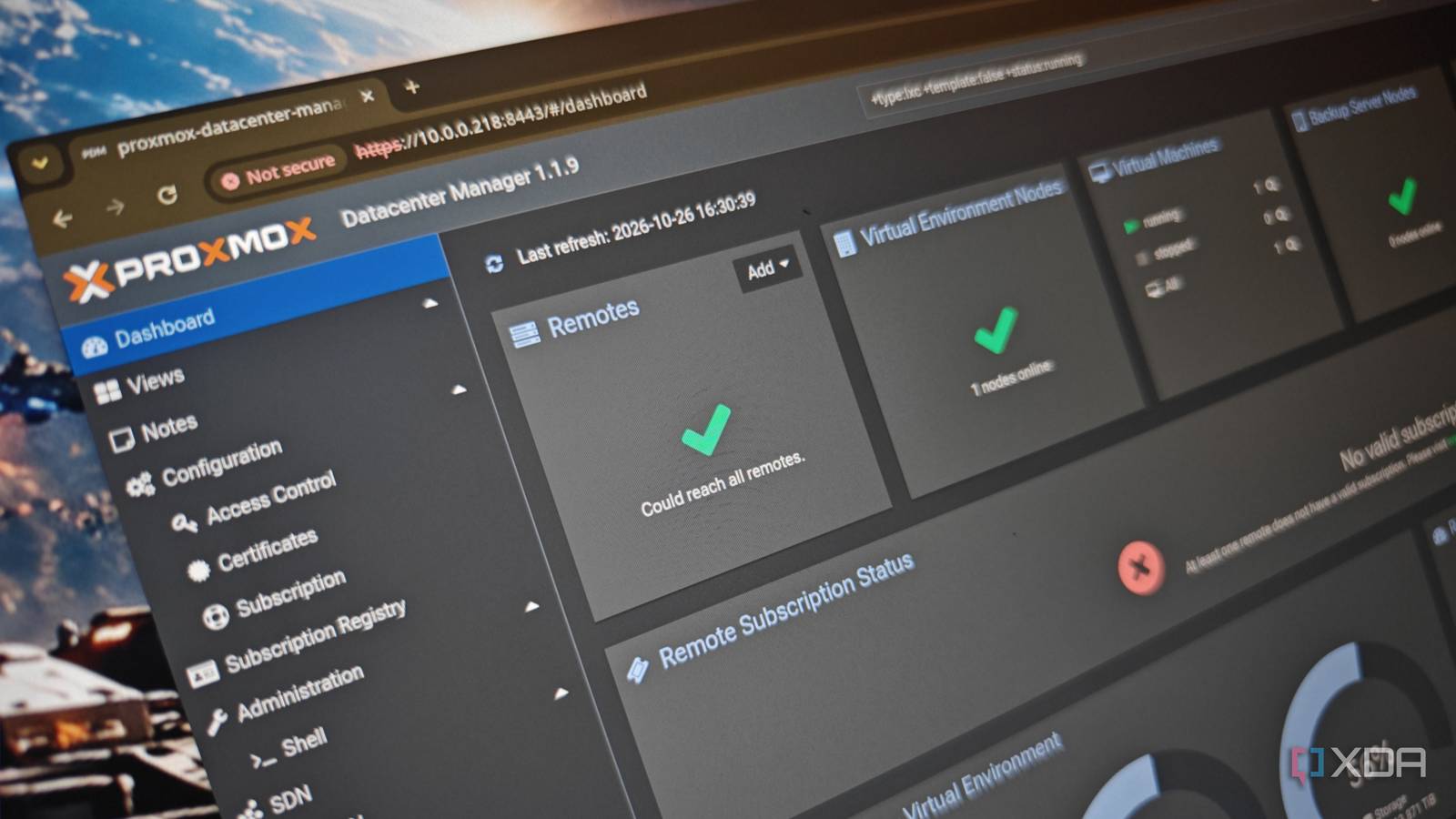
Published Oct 27, 2026, 10:00 AM EDT Richard is the PC Hardware Lead at XDA and has been covering the technology industry for almost two decades. He's been building PCs since young, and when not creating content, you can often find him inside a chassis somewhere. Proxmox is amazing in the home lab. Based on Debian Linux, Proxmox Server Solutions GmbH has created quite the compelling offering for budding system administrators like myself. Proxmox is the central package, handling virtualization like it's barely a task at all. Throw in node and cluster support, and it's possible to create a data center at home. The problem with nodes is it can be quite an overkill deployment, requiring online vote quorum and then some. Thankfully, you don't need it with Proxmox Datacenter Manager available. Don't go straight for a cluster of nodes Proxmox doesn't need a cluster to work in harmony Just like used enterprise equipment, there's an urge to go all-out and create a home-based data center with countless racks of old hardware spinning away, running your self-hosting empire. But this isn't the way to go about it. Unless you have a beefy home solar PV array and considerable battery storage, you'll quickly find yourself running out of charge before the day's out, and even a few 1U rack servers can draw a considerable amount of power alongside your house baseline load. Picture this. You have a two-node Proxmox home lab configured as a cluster. One node has to go offline for some reason. Whoops! There goes your quorum. Unless an appropriate third vote, such as a QDevice, is available, you've just launched a spanner into the works. Nothing outright breaks, but you won't be able to perform actions, including access the shell, launch LXCs and VMs, and more. That's why it's generally better to have three or more nodes in a cluster. It's also why I much prefer keeping nodes separate. Not only can you shut them down without causing any issues relating to quorum (where a certain number of nodes need to be online for many administrative tasks to be available), but it also helps protect the identity of these servers. With a cluster, should someone gain access to one of the nodes, the rest will be available via the sidebar in the same web GUI. It's convenient but also risky if someone can gain access to one of the servers. Proxmox Datacenter Manager is the best of both worlds It's the heart (and soul) of my Proxmox-powered home lab Granted, Proxmox Datacenter Manager centralizes everything into a single hub, but it can be something that's kept away from the actual nodes it has links to. Instead of booting into each of my nodes to check vitals and other metrics, I can load up the Proxmox Datacenter Manager (PDM) and do everything, but there's so much more to unpack here. Firstly, PDB fully supports and can integrate with Proxmox Backup Server (PBS), so your entire home lab can be accessed from this one location. Just because you can run multiple nodes in a cluster, it doesn't mean you should. On first visiting PDM, I was greeted by the home lab dashboard. It's a little like the Proxmox data center dash but better. There's clear visualization of CPU, RAM, storage, and guest status across all connected nodes. But nothing is managed by PDM alone. Everything remains independent. That said, with PDM, I can view the status of individual VMs and LXCs, manage them, and even reboot instances without having to connect to that node's web UI. Pretty handy if I'm at the desk and have the overview already loaded. Remember the aforementioned support for PBS? That's all integrated into this single web UI. No visiting individual nodes and the PBS. Capacity, performance, and datastores are all present and accounted for. But my favorite bit of PDM is the ability to create custom views for filtering through specific nodes, which can be incredibly useful for organizing home lab services. But the crown jewel is nothing that relies on PDM to be running. In fact, you could even run it from one of the existing nodes. PDM is clustering without the cluster Keeping it user-friendly without sacrificing functionality Not everyone requires always-on services and systems to be live continuously. It's bad for heat during the summer months. It's terrible for your monthly utility bill, and it's just not great to have all that wear on countless components, all that will have to be eventually replaced. I had a powerful AMD Ryzen Threadripper server running everything. Before this consolidation, I relied on a few 1U server systems that were part of a single cluster. Neither was great for our electricity bill. Now, I use a single mini PC and a business-class desktop PC as a secondary node and a Figate NVR. I have a third system at the ready, consisting of a second desktop, but this is only fired up should I require whatever happens to be running on that node. We also have a solar PV installation with battery packs, which are limited by their output and storage. Cutting down the baseline draw of the entire house is one way of improving our finances, and the home lab is a major part of that equation. But PDM isn't the best choice for all Proxmox clustering isn't a bad idea, and I'm not suggesting everyone avoid it at all costs. Proxmox VE clustering allows for coordinated infrastructure management, supporting high availability when configured. This can lead to workloads restarting automatically on other nodes following host failures. PDM doesn't do this with connected nodes. It's all down to how you use Proxmox and what the application is. For home owners like myself, Jellyfin being down for an hour or so won't end our world. Proxmox Datacenter Manager
Most home labs don't need a Proxmox cluster, and Proxmox's own Datacenter Manager is the reason
Full Article
Original Source
Read the full article at Xda-developers →KhanList aggregates and links to publicly available news content. We do not host full articles from third-party sources. Always verify important information with original sources.