
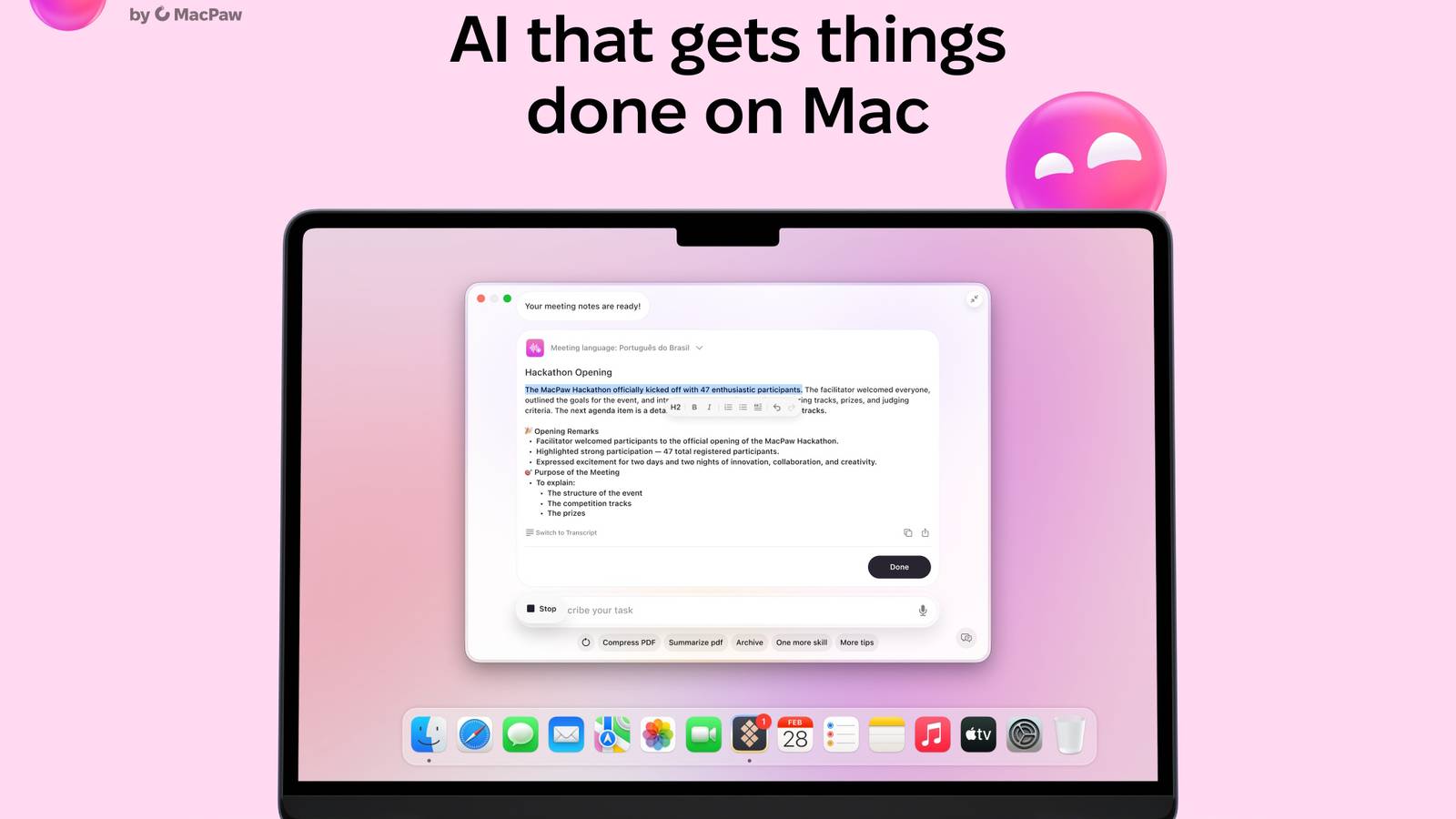
Published Nov 16, 2026, 10:06 AM EST The below articles are sponsored by one of our partners. Product choices and opinions expressed are from the sponsor and do not reflect the views of the How-to Geek editorial staff. If you work on a computer, whether you're a student, freelancer, or an IT pro, it's no secret that you spend just as much time on mundane daily task management as the work that really matters. Creating calendar events and catching up on important threads spread across multiple workplace apps — the tasks add up and take so much time. Most AI-powered assistants have limited uses or require additional software and apps to get the job done. Even then, "getting the job done" usually means "providing next steps" and not actually doing the job. MacPaw's Eney isn't like most AI-powered assistants. It's designed to shoulder the burden of all those routine tasks and help you get them done faster than ever, while still offering control over the final product. What is Eney from MacPaw? MacPaw Eney Platforms macOS and iOS Brand MacPaw MacPaw's Eney is an AI-powered productivity assistant that helps you get things done smarter. It's designed to streamline everyday tasks so you have more time to spend on the things that matter. Eney is MacPaw's AI-powered productivity assistant designed to help streamline everyday tasks, so you can focus your time and expertise on what matters most. It's the latest in a long line of top-tier Mac software from MacPaw. Since 2016, MacPaw's products have consistently ranked on award lists and roundups of outstanding products, including Red Dot, the Global Infosec Awards, and the Reuters Sustainability Award. The software is built for those using Apple devices, whether it’s a Mac PC or an iPhone. It's the closest you can get to having a personal assistant who lives in your device without straying into the realm of science fiction. It helps with meeting prep, organizing files, catching up on threads, and quickly summarizing conversations. Eney handles bigger tasks, too, like suggesting next steps in a project or translating blocks of text. It also works across multiple apps, so you can rely on it in pretty much any work-related situation. In short, it handles all the daily, repetitive tasks that slow your workflow, so you can focus on the work that really matters. Eney takes your productivity to the next level Credit: MacPaw The process is straightforward: Open Eney. Ask away. Skip to done. MacPaw's productivity assistant is smart enough to handle the tasks you give it, and it doesn't require lengthy or highly specific prompts to get the job done. Eney quickly learns as you use it, adapting to your workflow, so it knows what you need before you even know it. That's thanks to its integration with MacPaw's self-built AI stack. It gives the brand full ownership of Eney — so no third parties have access to your data — and lets the software benefit from MacPaw's other AI initiatives, like Mnemos. Mnemos is MacPaw's AI-powered memory layer, which allows Eney to adapt to you. More importantly, it asks before you need it, no matter what the task is. Eney is proactive, but not autonomous. In practical terms, that means it won't do anything without your approval. So, you always have the final say in how the Eney agent completes your daily tasks. That's good in general, but it also gives you peace of mind when you're working with sensitive information or confidential documents. Simplify everyday tasks with AI Credit: MacPaw Here's how that works. Say you're copying a section of text. Eney's Wand tool will suggest quick actions based on the text and how you've handled previous actions, like offering currency exchange rates, a summary, or a reminder to bring that text up on your next call. It'll take text out of an image or blur areas to keep important information confidential. Or maybe you see a date and remember you meant to set up a meeting. Eney can highlight that date and turn it into a calendar event without you opening the calendar app. Then it can transcribe the call, make notes, and recommend next steps, all without sitting in on that meeting as a bot. It's AI that takes action; in other words, instead of just a bot answering questions. You're getting help with your tasks and completing them faster, not receiving instructions and adding even more tasks to your list. You don't need extra software or apps for any of Eney's help, either. One of the software’s most useful — and distinguishing — features is how easy it is to use across workspaces. It streamlines your workflow, removing the need to toggle between multiple apps or assistants. Eney works with its tools in conjunction with the most common work software, automatically connecting with Apple Mail, Calendar, and Reminders. And you can connect it to Slack, Google Workspace, Mail, Calendar, and Notion, among others. MacPaw is always adding new connections, too. Streamline your workflows and Mac management with a few clicks Credit: MacPaw That connectivity removes extra, time-wasting steps. You don't, for example, have to copy text into Eney and then set up your prompt. Just use the Eney Wand to select the text, and recommendations will pop up in whatever app you're currently using. The same is true for the software’s other features, like writing assistance. Eney's spelling and flow recommendations show up as you're writing in Slack (or another app), so you get what you need immediately. You can customize your workflows as you need to, or save even more time with built-in smart workflows. Options like Morning Brief, Plan My Day, and Weekly Review run as needed or on recurring schedules and instantly update you on what needs doing without requiring any extra steps. They're designed for easy setup, too. You're good to go after just a few clicks — no detailed configurations or special technical expertise required. If you do want to create more detailed workflows and quick actions, though, you can do that as well. Eney is also a Mac assistant. It'll monitor your system performance and handle things like recommendations to fix apps that keep crashing or notifications about high memory usage with tips for addressing it. You can also rely on Eney to manage your storage usage and download and organize files. Like with its workflow tools, Eney never completes its Mac assistance tasks without asking for your approval first. There's no worry that it might put an important download in a folder you'll spend precious time trying to track down or manage memory usage in a way that slows you down. You’ll have full and final control over whatever Eney does. If it sounds like Eney is the AI-powered productivity assistant for you, you can try it for free thanks to MacPaw's 14-day trial, granting you 10,000 AI credits.
MacPaw's Eney is a proactive AI assistant for Mac that lets you work smarter
Full Article
Original Source
Read the full article at Howtogeek →KhanList aggregates and links to publicly available news content. We do not host full articles from third-party sources. Always verify important information with original sources.