
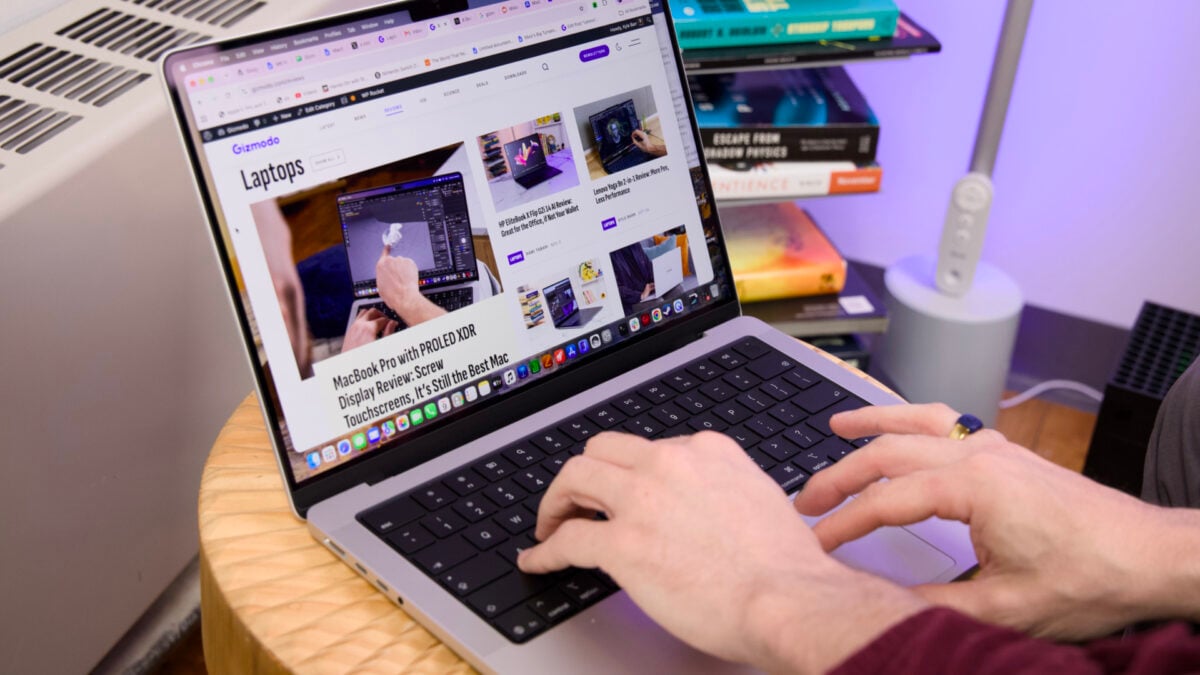
The MacBook Pro has been with me constantly, like a dog that follows you home and becomes your most loyal companion. If I were to make it a metaphor, the laptop is as trusty a ship to sail on today’s choppy waters that you could find in today’s crowded harbors. It has the ports I need. Its screen is bright, and its sound has a consistent booming quality. Its OS doesn’t make me wish to tear my hair out (here’s a hint: I wasn’t born bald, but then I started to review Windows 11 machines). It lasts a full day of work. So why do I feel so ambivalent about the new MacBook Pro with an M6 chip? It’s likely because I believe it may be the last of its kind. But even with the 14-inch M6 MacBook Pro in tow, feeling so familiar in my bag, I know there’s a better version out there. The MacBook Pro with PROLED XDR Display is slimmer and lighter and packs a better screen. It’s not just prettier, but the elimination of the notch and smaller bezels shows us where Apple wants to go in the future. Today’s M6 MacBook Pro feels like the slightest refresh to the Mac design in years. But, hey, at least it finally has Wi-Fi 7 connectivity. 14-inch M6 MacBook Pro The entry-level MacBook Pro costs more than ever and still looks and feels the same as before. That doesn't mean that the old design doesn't hold some promise. Base specs come with everything you need M6 has great CPU performance Surprisingly capable for real-time graphics Upgrade to Wi-Fi 7 Bright screen Solid build quality The damn old notch There's now a MacBook Pro that's thinner and lighter Price that's more than the M5 MacBook Pro at launch Still no Thunderbolt 5 I wish I had more to feel excited about, but there’s a part of me yearning to return to the pleasures of the PROLED MacBook. Sure, it’s an excessive, $2,899 laptop that just so happens to cost way more than this entry-level MacBook Pro. On the flip side, “entry-level” is doing a lot of work here, too. It starts at $2,000 for a version with 16GB of unified memory and 1TB of storage. After this year’s price hikes, that’s $300 more than the starter M5 MacBook Pro was at launch. In any case, it’s packing enough memory for all your basic needs. If you want to turn the MacBook Pro into the local AI powerhouse Apple claims it is, you’ll need to spend $200 or $400 more on 24GB or 32GB of unified memory, respectively. Now that Apple has lighter MacBook designs with better displays, I have to wonder what should come to the base models. While Apple intends to continue selling Liquid Retina XDR mini-LED display-based Macs for now, I can imagine a future where higher-end MacBook Pro models are tied with the new OLED touchscreens. There still needs to be a step in between the MacBook Air and MacBook Pro, but we could certainly use something that’s both lighter and maintains the same number of ports. Mac users deserve something new, a shell that matches up to today’s current expectations. Maybe, one day, Apple will find its new horizon and the right ship to take it there. That’s just not what we have today. Upgrades schmupgrades This is your MacBook. There are many others like it, but this one is yours (for $2,000). © Kyle Barr / Gizmodo If I had to name any one element that’s not tied to the M6 silicon to remark upon, it’s the upgrade to Wi-Fi 7. That’s thanks to Apple’s N1wireless chip, which also adds the Bluetooth 6 connectivity. Hey, we missed it on the last MacBook Pro, and it’s finally here. What we’re still missing is Thunderbolt 5 connectivity, but none of Apple’s M6 products support that faster USB-C standard for double the data transfer speeds. MagSafe and Thunderbolt 4, same as it ever was. © Kyle Barr / Gizmodo So that means we’re left with the same old MagSafe charging port, HDMI, SD card slot, headphone jack, and three USB-C ports. Apple will never go back to a USB-A port, but it only reminds me how many other laptops with similar port selections have managed to thin their designs without much of a drop in performance. But enough about what-ifs and could-bes; the MacBook Pro design is still a genuinely excellent, solid build with what still remains one of the most sturdy shells you can find at this price point. The same old Magic Keyboard and trackpad feel as purpose-built as ever. They make a day of work feel effortless, if not a little too mundane, with a minimal 1mm of key travel and a less-than-clacky typing experience. I’ll admit the SD card reader is the main reason I prefer the Pro over the Air. © Kyle Barr / Gizmodo Despite all that, I have to make more comparisons to this design and the new PROLED XDR version. For one, the M6 MacBook Pro’s feet stand more proud off the shell, giving it more lift and making it appear thicker. The base 14-inch model is still 3.5 pounds, half a pound heavier than the new OLED Macs. That weight does matter. I carry around 14-inch MacBook Pros with me everywhere, sometimes hauling them across the world to various events, and I wish I had something lighter all that time. There’s nothing especially wrong with the new 14-inch M6 MacBook Pro. There are simply better, if not more expensive, options out there. A bright screen and a dark notch The bright Liquid Retina XDR mini-LED screen isn’t the PROLED XDR of your dreams, but it’s a damn good display in its own right. © James Pero / Gizmodo I will never stop complaining about the notch. The cutout around the 12-megapixel Center Stage front-facing camera has been a literal thorn in the MacBook’s side since the company revised its Pro designs in 2021. The notch takes away screen real estate. It shuts down part of the menu bar, and it just looks ugly. The PROLED XDR MacBooks eliminate that issue with the use of a Dynamic Island, an interactive widget that can surface useful information like AirDrop notifications or media controls for your movie or music streaming. There are other differences between the PROLED and Liquid Retina XDR displays. One is that the new OLED Macs have a curved bottom screen corner that seems more in line with Apple’s recent UI changes to macOS 26 and macOS 27. In any case, this mini-LED is still using backlight technology that enables it to hit an excellent 1,000 nits of peak brightness in SDR. There was no time that I had any problems with screen issues while watching content or typing blogs, whether indoors or outside. Apple’s screens also automatically adjust brightness by default to match ambient lighting conditions, and while it can get annoying to suddenly find your screen darkening due to a passing cloud overhead, it’s a setting you can turn off. Even in bright rooms, the MacBook’s display manages to stay legible. © Kyle Barr / Gizmodo For review, Apple sent me the version without the nano-texture matte display, and this is exactly how I prefer my Macs to look. The glossy screen may result in more reflections when hovering near a bright light or open window, but the screen still is one of the prettiest of its kind. It features great potential for editing HDR content. It just can’t achieve the same inky black levels of OLED. Similarly, the audio profile from Apple’s six-speaker sound stage is still very strong even five years after initially debuting in the MacBook Pro. It has a balanced sound that makes it great for both music and movies. Again, the revised PROLED XDR models can supply more bass, and you may prefer that compared to the old style of MacBook Pro speaker. I personally prefer it, though I’ve read enough opinions online to say that some users may feel differently than I do. It helps that I enjoy feeling my games and music as much as I do listening to them. Expect some pretty spectacular performance boosts ‘Resident Evil 4’ plays very well on the M6 MacBook Pro, even better than on the M5. © James Pero / Gizmodo Every upgrade cycle is yet another opportunity for Apple to again prove it has the best-performing silicon around. The M6 chip, which first debuted with the M6 Mac mini, doesn’t disappoint. It’s the kind of high-performance processor that’s capable of handling practically any task you can throw at it and still hit the kinds of benchmark scores that continue to be the envy of competitors like AMD and Intel, at least for this price. First, let’s talk about what’s going on inside. Apple upgraded its M6 chip to include a 12-core CPU and a 12-core GPU. Unlike the new M6 iMac, you don’t have to worry about accidentally purchasing a lower-end 10/10-core chip. What you see is what you get, and at base specs this processor is fully capable with its CPU and surprisingly deft for real-time graphics work as well. Each GPU core now includes a neural accelerator inside, something that Apple claims makes these processors even better for AI work when combined with the dual neural engine. We’ll have to get to that in a bit, but suffice it to say mobile AI work is more complicated—and pricier—than it may initially seem. You can expect this laptop to be excellent for daily editing tasks. © James Pero / Gizmodo For $2,000, the M6 MacBook Pro is the plus-sized playground bully kicking the shins of laptops of similar screen sizes. Compared to an HP Omnibook Ultra with an Intel Core Ultra X9 388H chip, the M6 processor performs 22% better in our Geekbench 6 tests, which score a laptop’s general CPU capabilities. Even against larger laptops with more headroom from thermals and wattage, such as the Razer Blade 16 with an Intel Core Ultra 9 386H processor, the M6 can do 18% better in those same tests. If the question is how well these 14-inch laptops compare to Nvidia’s recent N1X chip in the RTX Spark lineup, the M6 isn’t doing too poorly considering the price difference. The M6 manages 25% worse than a 15-inch Microsoft Surface Laptop Ultra in Cinebench 2026 tests. That benchmark measures the CPU’s rendering capacity, though that’s directly comparing a massive 20-core chip to Apple’s 12-core silicon. If you compare the cheaper 18-core Nvidia N1X processor to Apple’s latest, the difference is closer to 20%. Besides that, the M5 Pro chip with an 18-core CPU inside the latest PROLED XDR laptops laps both the M6 and N1X in terms of performance. In practical terms, the M6 may actually perform better in some circumstances compared to other PCs that are explicitly built to take on the MacBook Pro. Take, for instance, our Handbrake tests, where we transcode a 4K movie to 1080p and time it. The M6 MacBook Pro hit a time of 1 minute and 27 seconds. That’s less than 30 seconds slower than even an M5 Max Macbook Pro. Not bad, right? The Microsoft Surface Laptop Ultra takes 1 minute and 52 seconds to complete the same workload. Similarly, if we’re talking GPU, the M6 is slightly faster, rendering a scene of a BMW in Blender when running on the M6’s GPU in a Metal framework compared to an N1X laptop relying on CUDA. What, you actually expected a different keyboard? © Kyle Barr / Gizmodo What’s most surprising about the M6 is its GPU capabilities. The new processor is 23% faster than the M5 in last year’s MacBook Pro in tests like 3DMark Steel Nomad. In reality, you’re still not playing Cyberpunk 2077 at a resolution above 1080p without some upscaling tech active, like Apple’s MetalFx. I could achieve frame rates hovering around 40 fps while upscaling to 1200p from 1,280 x 800 resolution. However, in a game like Resident Evil 4—a title that’s been tuned well for Macs—you can manage closer to 50 fps on high settings while gaming at 1440p without upscaling. There are two ways to look at Apple’s latest chips. At $2,000, it’s a better buy than many of the PCs packing the highest-end Intel chips. Compared to the lowest-end N1X chips, Nvidia’s Blackwell GPU starts to edge it out. You’d have to upgrade to an M5 Pro or M5 Max, spending between $500 or $1,100 more for the excessive graphics promise of Apple’s higher-end processors. In my mind, Apple’s M6 is what we should be seeing as a baseline for what’s going to come next year. It’s excellent in every way that matters. I only wish I could have seen it inside a MacBook Air. So, how about that AI? Does this look familiar to you? If so, you may not have much of a reason to upgrade. © Kyle Barr / Gizmodo The M6 MacBook Pro actually performs better than the M6 iMac. That may be 5% better in some CPU benchmarks or close to 7% better in a test like 3DMark Solar Bay, which is explicitly designed to emphasize ray tracing performance in real-time graphics scenarios. At the same time, the M6 Mac mini performs better than both the new MacBook and Apple’s all-in-one. Of course, battery-based mobile performance will be hampered to some degree. The M6 MacBook Pro is still a treat if you’re looking for something to handle most of the possible workflows you can come up against. Just as I said in my iMac review, the M6 is capable of AI processing. You just need the memory necessary to do it. Your standard 16GB models are enough for all your daily tasks… unless you’re planning on running mid-range 30B parameter AI models. In that case, the only way you’ll be able to run them is by upgrading to 24GB or 32GB or RAM. In all my tests with the M6, the new chip proved faster than last year’s MacBook Pro in terms of time to first token (the time between inputting a prompt and the AI starting to churn out a response). The real differentiating factor is how much money you’re willing to spend to achieve it. I’m not sitting here wondering when that memory requirement will shift and we’ll see more capable models running on lower-end machines. Because for all other use cases, the M6 does the job. It’s fast enough for editing and rendering tasks. It may be beat for specific use cases—namely gaming—by more expensive machines. It’s sitting at an inflated price point, but any other laptop that can compete with it costs more. The future looks thin The PROLED XDR MacBook Pro (right) seems like the future of high-end MacBooks. © James Pero / Gizmodo This is still a great laptop. In terms of battery life, this machine will get me through the whole workday, and that includes editing photos, writing blogs, browsing the internet, and doing all the daily chores that make up my personal existence. The front-facing camera, which hones in on your noggin when in frame, is still a solid webcam for those never-ending weekly team meetings. But do I want something thinner and lighter while maintaining all of Apple’s best qualities? Of course I do. I would like to believe there’s a future for MacBook Pros that doesn’t end up costing consumers more for something better. I don’t have much hope that will be the case. The trend now is for the “Pro” laptops to skew to the pricier side, giving some of the people with deep pockets the chance to push their GPUs with local AI. Those who just need a machine to do daily are going to be stuck hunkering down with their current systems or taking out loans or selling a liver to afford their next laptop. That may be your main reason to buy an M6 MacBook Pro now. If you can’t find the M5 MacBook Pro at a significant price reduction, the new model is more performant and more future-proof than its previous edition thanks to its modicum of refreshed improvements. You can’t complain much that something isn’t both better and more expensive. I wish I could have one without the other, but if you don’t want to pay $2,899 for the entry-level OLED MacBook, the M6 model may be your best bet.
M6 MacBook Pro Review: A Mac in Search of New Horizons
Full Article
Original Source
Read the full article at Gizmodo →KhanList aggregates and links to publicly available news content. We do not host full articles from third-party sources. Always verify important information with original sources.