
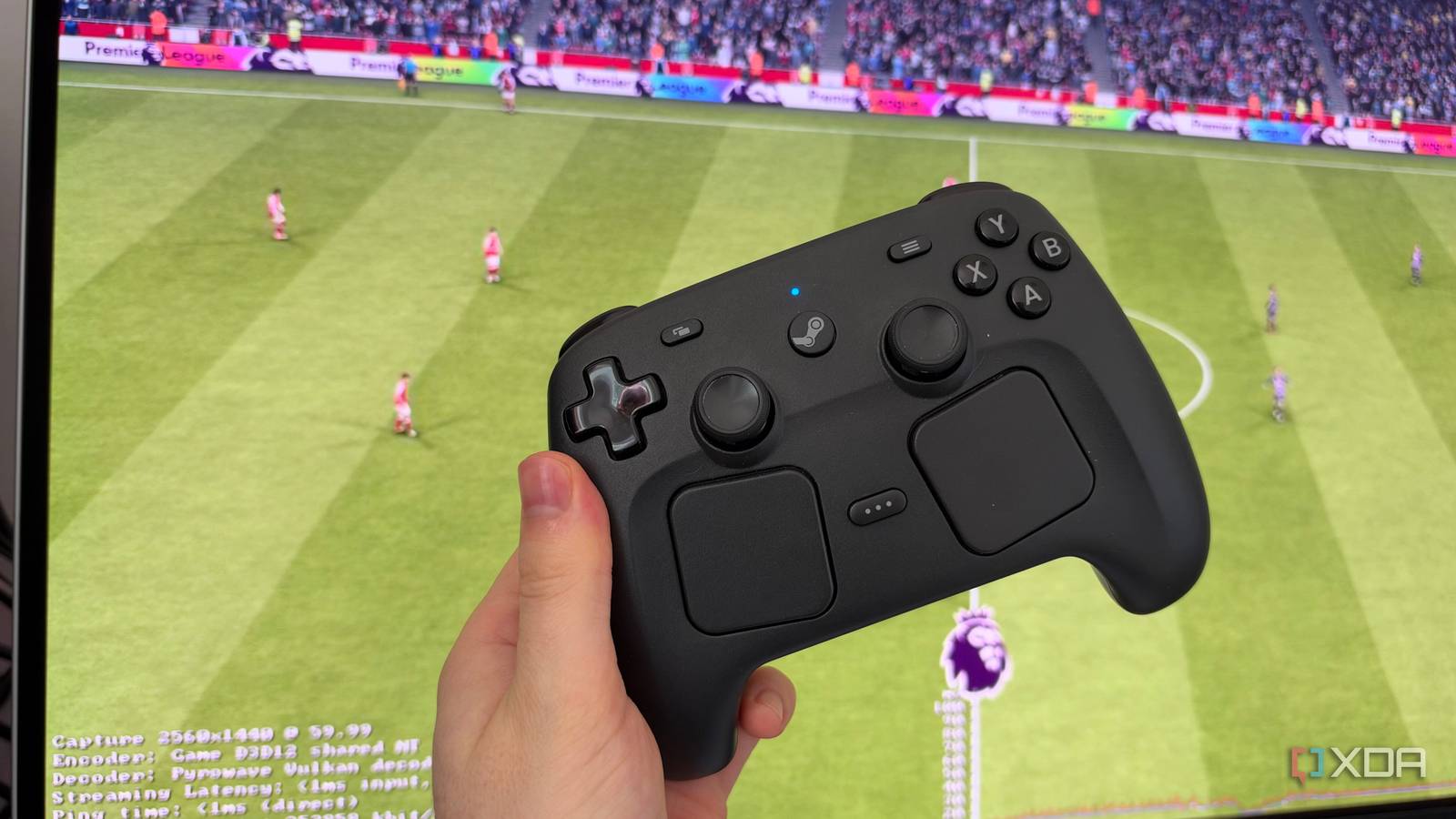
Published Oct 6, 2026, 8:00 PM EDT His love of PCs and their components was born out of trying to squeeze every ounce of performance out of the family computer. Tinkering with his own build at age 10 turned into building PCs for friends and family, fostering a passion that would ultimately take shape as a career path. Besides being the first call for tech support for those close to him, Ty is a computer science student, with his focus being cloud computing and networking. He also competed in semi-pro Counter-Strike for 8 years, making him intimately familiar with everything to do with peripherals. Linux runs nearly everything I need now, and for that reason, it's my daily driver OS. There are exceptions, and they're almost exclusively games that require an anti-cheat client that doesn't play well with Linux. These are games like EA Sports FC 27, Escape From Tarkov, Battlefield 6, and most other competitive games. Those games also happen to be some of my most played titles, which is why I've kept around a Windows install on a second drive for the better part of a couple of years. I've since stopped the constant swapping between operating systems and started streaming those games to a secondary PC. My gaming PC now stays in Windows and streams those games to a mini PC running Ubuntu using Steam Remote Play's Pyrowave codec. It feels close enough to local that dual-booting just doesn't feel worth it anymore. Anti-cheat on Linux is a fight that I can't win It's a dead-end at the moment Proton has made actually running most of my library on Linux a non-issue, but it can't fix a game whose anti-cheat refuses to run. Escape From Tarkov uses BattlEye, which can work under Proton only when a developer opts in, and Battlestate Games hasn't. Battlefield 6 and EA FC 27 use EA's Javelin anti-cheat, which runs at the Windows kernel level and requires Secure Boot, and both games are marked as "Unsupported" on the Steam Deck. So, the choice is clear: skip those games entirely if I leave Windows for good, or just constantly run a dual-boot setup. I chose the second option, but that extra bit of friction has resulted in me consistently forgoing a session and instead starting up a different game that will run cleanly on Linux. Why Pyrowave makes streaming more workable than the older Remote Play Locally, it's always been good enough for casual titles, but competitive games are more playable now Remote Play has always been capable of streaming games between PCs for years, but it has always felt like you're streaming a game, even in casual titles. I recently played Dinkum through Remote Play on my MacBook Air, where it's not supported natively, and even with a solid Wi-Fi 7 connection near the router, I still experienced some stuttering and visual artifacts during gameplay. It's fine for a game like that, but for anything competitive, it's unacceptable. Pyrowave is what enables Remote Play to be much more adept at streaming faster-paced games locally. It's an experimental codec that takes the opposite approach to most video codecs like H.264, HEVC and AV1. Those codecs keep bitrates low by predicting each frame from the ones before it and then packing the result down with heavy entropy coding. That's efficient, but the downside is that it takes time to encode and decode, and a lost packet can leave artifacts on screen until a clean frame arrives. Pyrowave is intra-only, meaning every frame is compressed on its own like a still image. It has very simple entropy coding and runs entirely in Vulkan compute shaders on the GPU, and the result is encode and decode times of well under 1ms at high resolutions like 4K. The cost is bandwidth, and Valve says it can use five to ten times as much of it as other streaming codecs, and recommends wired gigabit Ethernet at a minimum. The codec is what makes it feel local It's like I'm sitting at my desk My setup is a bit unconventional, but it's a good candidate for Remote Play. The gaming PC sits in my office, but the Minisforum MS-03 I run Ubuntu on is in another room of the house that I also like to work in. If I want to run a quick game of EA FC 27 or do a quick Tarkov raid, I can just stream it directly from the more powerful Windows PC. I still feel some latency, but it's surprisingly playable. In Tarkov at 4K and 120 FPS, Steam's overlay reported 8.38ms of display latency with no frame loss. Battlefield 6 came in at 13.64ms at around 97 FPS. EA FC 27 has very similar numbers, and in that game particularly, you can't feel the latency much. To set this up for yourself, the process is quite simple: both machines need the Steam Client beta, the Linux side needs the experimental SteamRT3 client turned on in Steam's settings, and Pyrowave gets enabled in Remote Play's advanced client options before you start streaming. The obvious objection here is the fact that I could just walk across the house and and play on the Windows machine natively, but if you really didn't want to leave a Linux environment to play your favorite anti-cheat-enabled titles, this is one of the only ways to do it. Additionally, if I wanted to play these games from my couch on my HTPC running CachyOS, I wouldn't be able to without employing Remote Play like this. In the case of something like EA FC 27, this isn't just the perfect setup, but it's the only setup. It's Windows with more steps, but the point was never to fully escape I still run a Windows machine at my main setup, but with virtually all of my work living on Linux, not having to switch between them in a boot menu feels great. The client PC is a very small, quiet machine that can handle all of my daily duties, and for the games that won't run (and probably wouldn't run well) on it natively, Remote Play with Pyrowave is the new answer.
I stopped fighting anti-cheat on Linux and started using Steam Remote Play, and I don't miss dual-booting
Full Article
Original Source
Read the full article at Xda-developers →KhanList aggregates and links to publicly available news content. We do not host full articles from third-party sources. Always verify important information with original sources.