
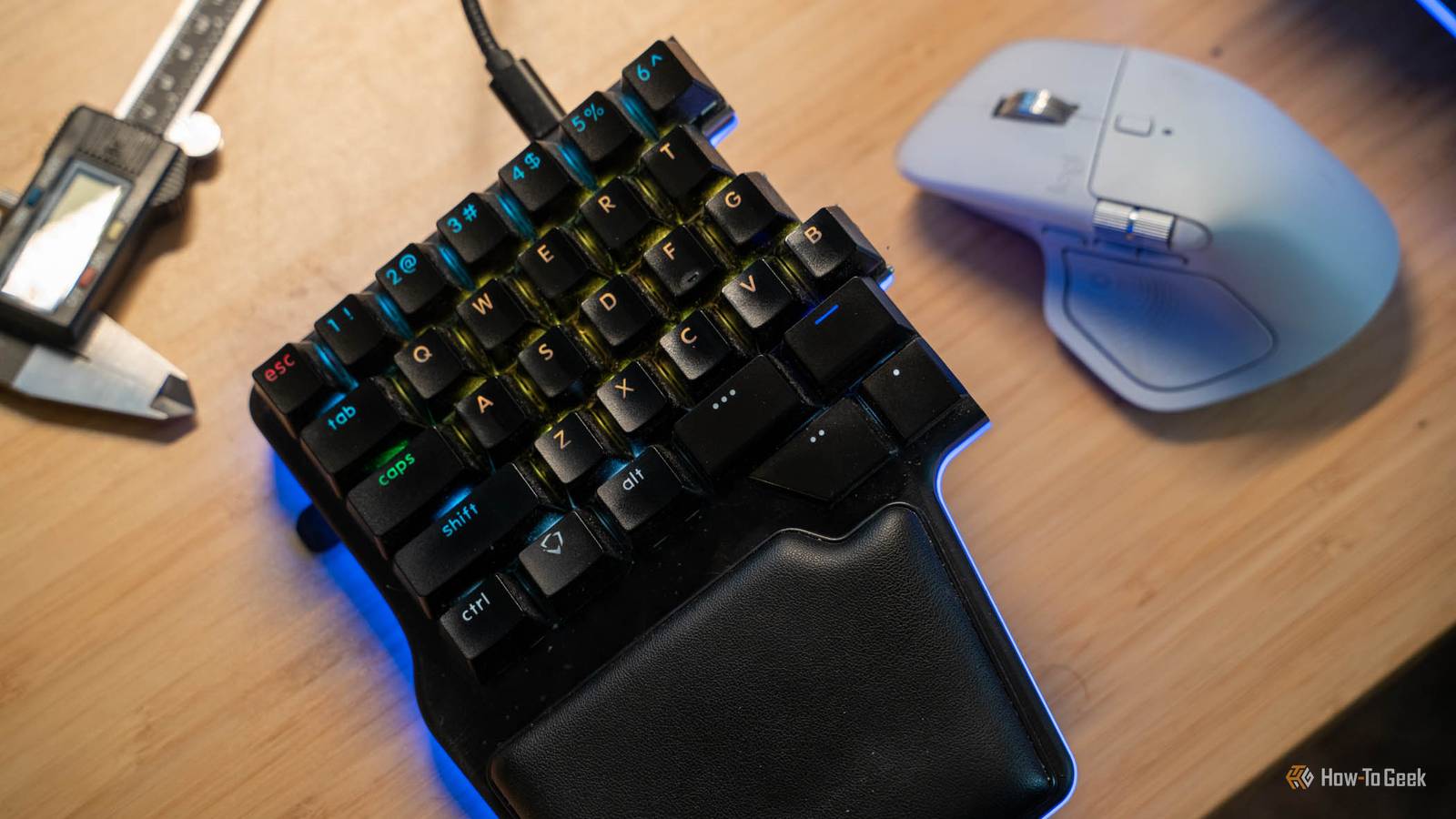
Published Oct 31, 2026, 11:30 AM EDT Patrick Campanale has been in the tech space for well over a decade, specializing in PC/gaming news and reviews, as well as maker-focused products to build small businesses. With a start in technology back in 2010 surrounding the Palm/webOS ecosystem, Patrick spent his formative years developing mobile applications as well as blogging for various publications, eventually leading to starting his own website in 2014. After running a technology blog for a few years, he stepped out of that role and into the world of high-end custom PC manufacturing and building, with a focus on YouTube video production and overclocking. Then, in 2017, Patrick joined the 9to5Toys team as an editor/writer/reviewer with over 14,000 articles being published during his time there, ranging from deals and roundups to in-depth reviews on the latest technology, video games, 3D printers, and more. In his free time, Patrick loves to create projects from wood using various robots and methods, including leveraging the technologies of CNCs and lasers. If Patrick isn't working on a computer or playing video games, he's likely in his 2-car garage workshop creating something unique. In addition to all this, Patrick is also the media director at his local church where he feels God has called him to serve, and he loves every minute of it. My keyboard doesn’t have a Delete key. It doesn’t have F1 through F12, Home, End, or even a tilde, and I type thousands of words on it every day without missing any of them. That’s because my keyboard has layers: hold one thumb key and the entire keyboard turns into something else entirely. Once I started building my workflow around layers, a normal keyboard started to feel like it was missing something. I hate big keyboards and I cannot lie 60% is where it’s at 10 years ago, I was using full-size keyboards for writing. 7 years ago I was using full-size keyboards for writing. 5 years ago I finally made the switch to a smaller keyboard, and I couldn’t be happier. I used to use keyboards like the Das Keyboard, and it was my favorite keyboard I had ever used up until I made the switch to the Dygma Raise, and now, the Raise 2. Big keyboards are just the norm though. Everyone is used to a full-size keyboard with a full number row, function row, and a dedicated 10-key keypad to the right. The problem is, a full-size keyboard is just too big for me now. It takes up too much space on my desk and has become a nuisance more than a help. The Dygma is a 60% split ergonomic keyboard and takes up far less space on my desk than a normal full-size keyboard. However, it’s not without its drawbacks, though they really don’t affect me a whole lot. But that’s where keyboard layers really come into play. With a small keyboard, you lose a lot of frequently-accessed keys There’s no delete in sight My Dygma Raise 2 that I type thousands upon thousands of words daily on doesn’t have a function row. It also doesn’t have a 10-key. It also is missing delete, home, end, and the page up and down keys. There’s no print screen key, or scroll lock key. There’s not even a tilde. It doesn’t need those keys though. I very rarely ever used my function row, the home or end keys, or the page up/down keys. I can’t remember a single time that that I’ve ever actually used the scroll lock key, either. With my Dygma, I can create layers though. My main layer is a fairly normal keyboard layout. The keys themselves are laid out like any other keyboard. Esc is mapped to escape, 1-0 are normal, -/= are also normal. Backspace is backspace, and the rest of the keys are used just how any normal keyboard uses them. However, I have one of my thumb keys programmed to switch to a second layer whenever I’m holding it down. This second layer gives me a full number pad utilizing the same keys that are normal letters on the other layer. I have C programmed to delete and V programmed to backspace on that layer, so I can access those keys without having to use my right hand. Likewise, I have print screen on both layer one and layer two in different spots. I use my spacebar with my right thumb when typing, but, being a split keyboard, this means I don’t have spacebar access if my hand is on the mouse. Don’t worry though, I have the caps lock key programmed to be spacebar on the second layer. I also have the 1 through = keys programmed to F1 through F12 on the second layer, giving me access to all the normal function keys with ease. Layers allow me to convert this tiny keyboard into a full-size keyboard (and more, really) without having to take up the space of a full-size keyboard. I can make every layer a completely different layout One for writing, one for each OS I use, and one for gaming The other thing I love layers for is having specific layers for specific tasks. For example, I already mentioned I don’t have a spacebar on my normal layer for the left half of my keyboard. This makes playing certain games, like Minecraft or No Man’s Sky, difficult since those games heavily rely on the spacebar. So, I actually have multiple layers built for my keyboard. One is specifically for Windows with the keys laid out how Windows works best. Another is for macOS with the keys laid out for how macOS works best (those two are very different, by the way). Likewise, I have a specific gaming layer that I use which puts all the keys I need on just the left half of the keyboard. The right half is still there, obviously, but I want all the necessary keys for gaming to be on the left half so my right hand doesn’t have to leave the mouse. Being able to create layers for specific scenarios makes my keyboard so much more versatile than it ever has been before, and it’s something I am very happy that I am able to do. Dygma Raise 2 Form factor 60% Switch options Gateron G Pro 2.0 Yellow, Kalih Silent Brown, Kailh Box White Colorways Black, Silver Backlight RGB Construction Aluminum Supported operating systems Windows, macOS, Linux The Dygma Raise 2 is a premium split mechanical keyboard. With not-swappable switches and a unique key layout for the spacebar (coming out to eight individual keys), the Raise 2 has a lot of unique features. Its software—Bazecor—is a big selling point. Another major feature of this keyboard is that it also comes with built-in tenting options and wireless capability, making it quite full-featured. Layers have basically become a necessary feature for me on any keyboard I use I can use a keyboard without layers, sure. It’s just a normal keyboard after all. In fact, I’m typing this article from my iPad Pro and Magic Keyboard, which doesn’t support layers. However, I wouldn’t ever want my main keyboard at my desk to not have layers. It’s just too core to how I actually work and I would miss it too much. You might not think that layers are all that big of a deal on a keyboard, but trust me, once you get used to them, there’s no going back.
I started using keyboard layers, now I can't go back to typing normally
Full Article
Original Source
Read the full article at Howtogeek →KhanList aggregates and links to publicly available news content. We do not host full articles from third-party sources. Always verify important information with original sources.