
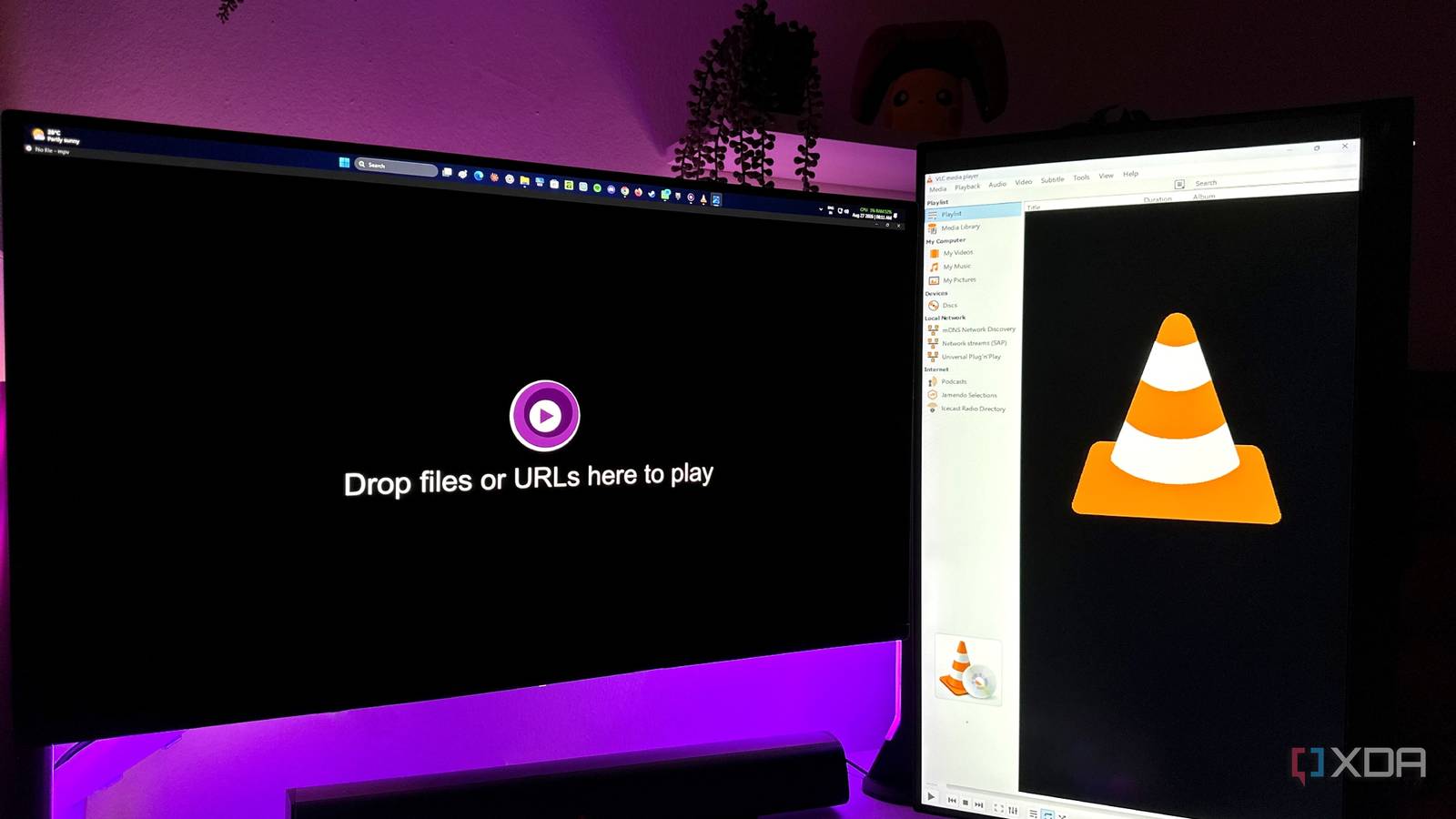
Published Aug 28, 2026, 5:30 PM EDT Gaming has been Samarveer’s greatest passion, and the Literature graduate in him takes immense joy in dissecting games for their themes, messages, and impact. Samarveer holds a deep appreciation of gaming, and considers the platform to be the most immersive and impactful across all media. He can be found engaging with gaming communities online, always ready to debate the finer points of ray tracing or itching to write an 8-page collegiate thesis on any game that impacts him emotionally. I've spent years treating VLC as the default answer to one of the simplest things a PC can: play a video. I've installed it on every machine I've ever owned, and it has earned that right by opening almost anything I've ever thrown at it, without giving me much reason to look elsewhere. However, when it comes to power users, we always want more from both our hardware and software, and I realized that by using VLC alone, I was leaving far more on the table than I thought. That's what finally sent me down the mpv rabbit hole. At first glance, mpv might look absurdly barebones, but the deeper I went, I realized that its minimalism was the point. Beneath it all, this free and open-source media player is remarkably capable, and it's given me an unprecedented level of granular control over my media files. MPV makes me rethink what a video player should do My OLED was the wake-up call The first time I watched an HDR movie on my new OLED monitor with mpv, I wasn't actively looking for reasons to abandon VLC at all. But this was when I realized just what HDR was supposed to look like. The highlights were punchy without ever looking cartoonish, the shadows stayed intact, and the overall image felt like it was being handed to my monitor directly instead of the media player intervening and attempting to negotiate with my display. The bottom line here is that mpv gives users considerably more control over HDR handling than VLC. Its HDR passthrough lets a compatible display handle HDR10 content directly, while its tone-mapping options give you far more say whenever conversion is necessary. Admitted, it wasn't a simple HDR on/off toggle and required configuring, but that's what made the result more rewarding. Underneath that flexibility is mpv's modern GPU rendering stack, built around gpu-next and libplacebo — video rendering technologies that give enthusiasts control over things like tone mapping, color management, scaling, and multiple other aspects of the rendering pipeline that VLC largely keeps behind the curtain. Moving from VLC to mpv made me realize that my new default video player felt like it understood why I'd bought my OLED in the first place and finally let me make the most of it. MPV is lean when you want it to be, and powerful when you don't It doesn't waste hardware, but it won't waste good hardware either The first thing I noticed after the OLED revelation was that mpv simply felt quicker. VLC is already a pretty quick media player, but mpv clearly wipes the floor with it in how fast it opens any file I threw at it — HD, 2K, or 4K HDR. It opens almost immediately, seeking is so much snappier than VLC, and stepping through frames, which I'd accepted as sluggish even on my RTX 4070 Ti, no longer felt that way. This speed isn't because mpv is doing less with more, though. It is deliberately lean, and that is what's one of this media player's biggest selling points. The tiny idle footprint of mpv gives your CPU little reason to stay busy even if you're watching video with high-bitrate files. Compared to VLC, mpv uses FFmpeg for decoding, which significantly reduces its RAM usage — soemtimes up to 50%. What should come as a pleasant surprise is that this efficiency doesn't come at the expense of ambition. If you do have a capable GPU, you can spend that headroom on making the picture better instead of watching your graphics card sit there wondering when it gets to flex its muscles. This is where RAVU and FSRCNNX come in. They are optional, user-installed shaders that provide sophisticated upscaling, particularly when taking 1080p content to a 4K display. With VLC or PotPlayer, I do use RTX VSR to upscale low-resolution videos, but not only have those instances been hit-or-miss, but they're also inferior to what a dedicated upscaler like RAVU can do. Naturally, these upscalers are demanding by design, and thankfully, mpv doesn't force them on you if you don't want them. The scripts are where mpv gets ridiculous The barebones interface is just the beginning When I initially installed mpv, it made me wonder if I'd accidentally installed a video player from 1998. That's because the default interface is practically non-existent, and since I was coming from VLC and PotPlayer, opening mpv for the first time felt like someone forgot to finish the application, or that I'd downloaded it wrong. I eventually had to create a text document, make three separate folders that I dropped three downloaded files into, and what that got me was just the familiar play, pause, rewind, forward, and volume controls. That's hardly the kind of setup I'd recommend to someone who wants zero configuration. But once you understand what mpv is built around, the madness does sort of make sense. There are hundreds of community-created mpv scripts that can help you hit the ground running. The community has created hundreds of scripts that can fundamentally change what mpv is capable of, without requiring you to write everything yourself. For instance, uosc can give it a genuinely modern interface, SponsorBlock can skip sponsored segments during YouTube playback, and autoload can automatically build playlists from neighboring files. The most beautiful part about this all, though, is that none of it is mandatory. You can keep mpv brutally minimal, or turn it into a remarkably sophisticated player tailored to exactly how you watch video. VLC might give you a finished product, but mpv gives the building blocks to make your own. I'm not completely saying goodbye to VLC, though There are still plenty of reasons to recommend it to others I don't think VLC suddenly became a bad video player because I found mpv. It's still one of the greatest pieces of FOSS (Free and Open-Source Software) ever made, and if I want a player that works immediately, has a proper GUI, handles practically anything I throw at it, and doesn't require me to create three folders and edit a text file, VLC wins. In fact, if you want a conventional interface, easy subtitle downloads, straightforward casting, or simply don't want to configure your media player, stick with VLC. VLC is easily the more accessible choice, and mpv's power-user appeal isn't a reason to make your life unnecessarily complicated. There's also the small matter of VLC 4.0 — we've been hearing about its major overhaul for years, while the stable release remains on the 3.0 branch, with 3.0.23 arriving in January 2026. I'm not particularly interested in waiting for VLC to eventually offer something mpv already lets me use today. MPV Maybe "good enough" was the problem all along The thing I keep coming back to isn't that mpv is better, but rather how long I went without asking whether "good enough" actually was. VLC has never failed me, but that may have been the problem — it worked so reliably that I stopped wondering what I was missing. A default becomes invisible over time, and an invisible default has a funny way of quietly setting your ceiling for you. Another thing mpv has changed is what I expect from the software I rely on every day. Now I catch myself poking at other tools I'd long since stopped questioning. If there's a lesson buried somewhere between three folders and a text file, it's that the things that "just work" might be the ones worth interrogating further.
I replaced VLC with a leaner open-source player, and I'm not going back
Full Article
Original Source
Read the full article at Xda-developers →KhanList aggregates and links to publicly available news content. We do not host full articles from third-party sources. Always verify important information with original sources.