
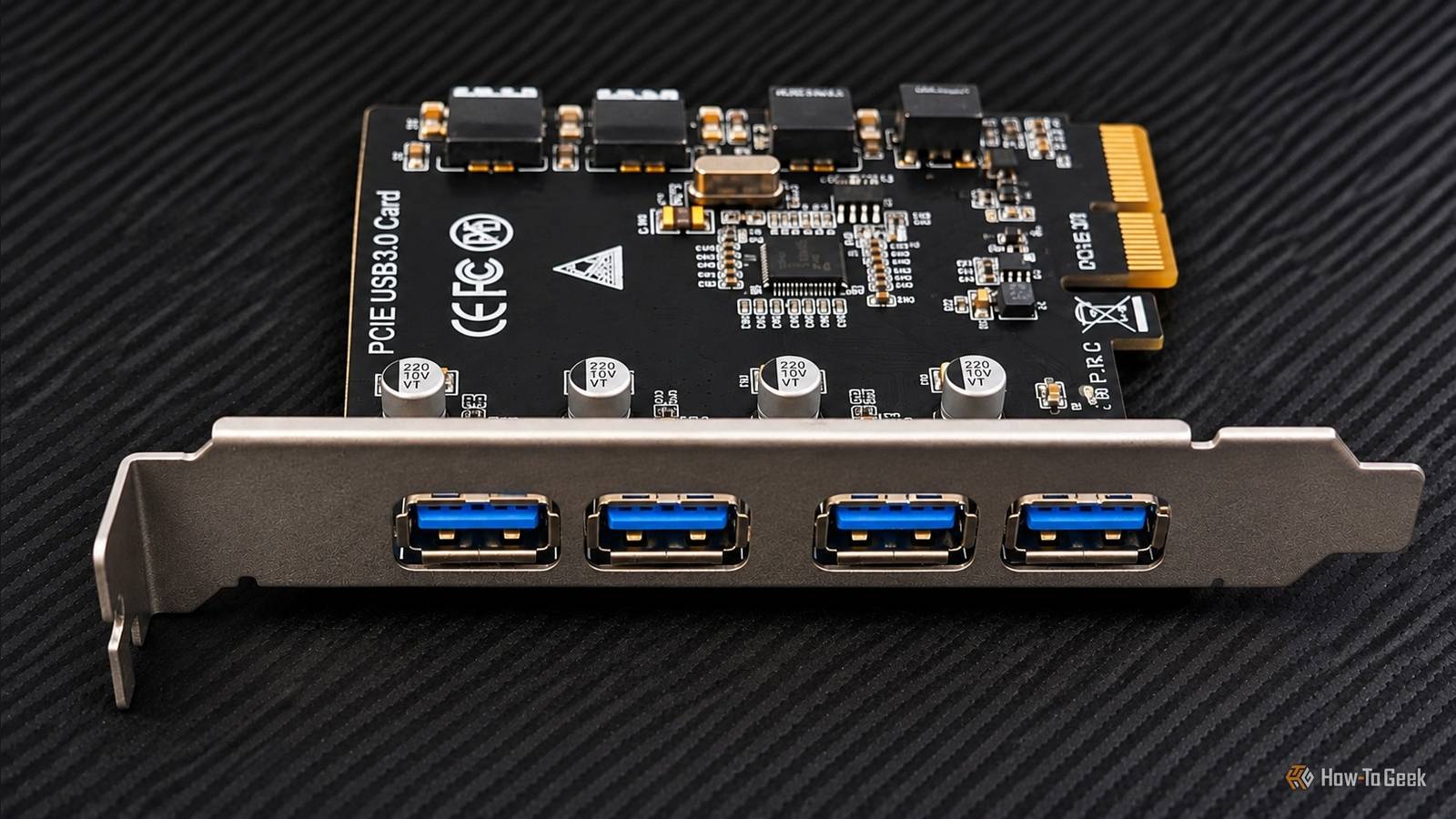
Published Nov 8, 2026, 5:30 PM EST Umair Khurshid is a technology writer and developer with a strong focus on Linux, FreeBSD, cloud infrastructure, and automation. Before focusing on writing, Umair worked as a developer and DevOps engineer building and automating cloud-native systems. Adding another node to a Proxmox cluster comes with a few hardware considerations. When I added my fifth node, a Lenovo ThinkCentre M910s, I also needed more USB connectivity. The machine had limited USB ports available, and I wanted a straightforward way to connect external storage and other peripherals. I looked at several PCIe USB expansion cards, including premium models and cheaper alternatives with more ports. However, I wanted something that offered a reliable controller, proper Linux support, and enough bandwidth for my intended use. The FebSmart FS-U4L-Pro met those requirements without making me pay extra for specs my system couldn't fully use. Finding a USB expansion card for my fifth Proxmox node Why I chose the FebSmart FS-U4L-Pro The Lenovo ThinkCentre M910s is a compact business desktop that works well as a small home server. I use mine as a Proxmox node, and after adding a fifth machine to my cluster, I needed more USB ports for connecting external storage and other peripherals. The system has available PCIe expansion slots, so adding a USB controller was a practical way to expand its connectivity without replacing the motherboard. There are plenty of inexpensive USB expansion cards available online. Some offer 6 or 7 ports for less money than the FebSmart card. However, many of these options come from lesser-known manufacturers, and their controller specifications and Linux driver support are often unclear. I did not want to add another potential troubleshooting problem to a server that I intended to run as part of my Proxmox cluster. The FebSmart FS-U4L-Pro, which costs less than $30, uses the Renesas UPD720201 USB 3.0 host controller. Renesas is an established controller manufacturer, and the UPD720201 has support in the Linux kernel. FebSmart also advertises plug-and-play compatibility with most Linux kernels, which suited my requirements. The card adds four USB-A 3.0 ports through a PCIe 2.0 x1 connection without requiring any additional power cable from the PSU. The M910s has a relatively compact chassis, so expansion options are more limited than on a full-sized tower. However, it still provides PCIe slots for adding components such as network adapters, storage controllers, and USB expansion cards. Since I already had an available slot, I could add the extra ports without using an external USB hub or changing the system's existing configuration. Installing the PCIe expansion card Adding the card to the Lenovo ThinkCentre M910s Installing the FS-U4L-Pro on the Lenovo ThinkCentre M910s was straightforward. Though the card uses a PCIe 2.0 x1 interface, I installed it in a PCIe 3.0 slot on the motherboard. PCIe’s backward and forward compatibility allowed the older PCIe 2.0 card to work in the newer slot without any additional configuration. Its metal bracket attaches to the rear of the case, allowing the four USB-A ports to remain accessible from outside. After connecting to the hardware, I booted the Proxmox node and checked whether Linux detected the controller using the lspci command which lists USB-related PCI devices: lspci | grep -i usb The output showed the Lenovo system’s existing Intel USB controllers alongside the additional Renesas USB 3.0 host controller. This confirmed the system detected the expansion card. The card worked without requiring me to install a separate driver. That was one of the main reasons I chose this model, particularly because I wanted to keep the Proxmox node simple to maintain. I tested the expansion card with external storage to see what kind of transfer speeds it could deliver. With a USB 3.0 SSD enclosure, I recorded sequential transfer speeds of around 350 to 420 MB/s. That is a respectable result for a card connected through a PCIe x1 interface. I also connected an NVMe SSD enclosure to see whether a faster drive would improve the results. However, the PCIe connection became the limiting factor. The NVMe drive had more performance available than the expansion card could deliver, so using it did not produce a meaningful increase in transfer speeds. A worthwhile upgrade for my Proxmox node The FebSmart FS-U4L-Pro is not the cheapest USB expansion card available, but it is not the most premium option either. I chose it because its specifications matched what I needed for this Proxmox node. A USB 3.2 card would have been a poor fit because the older PCIe 2.0 connection would limit the bandwidth available to it. A PCIe 3.0 or 4.0 card would also have meant paying for capabilities I couldn't fully use with this setup. The FS-U4L-Pro offered the right balance for the hardware I was using. All four USB ports share 5Gbps of bandwidth, so this is not a replacement for a dedicated high-speed storage interface. However, adding four reliable USB 3.0 ports to a compact Proxmox node is still a meaningful upgrade, particularly when you need more connectivity without replacing the motherboard.
I replaced my desktop's missing USB ports with one $30 expansion card
Full Article
Original Source
Read the full article at Howtogeek →KhanList aggregates and links to publicly available news content. We do not host full articles from third-party sources. Always verify important information with original sources.