
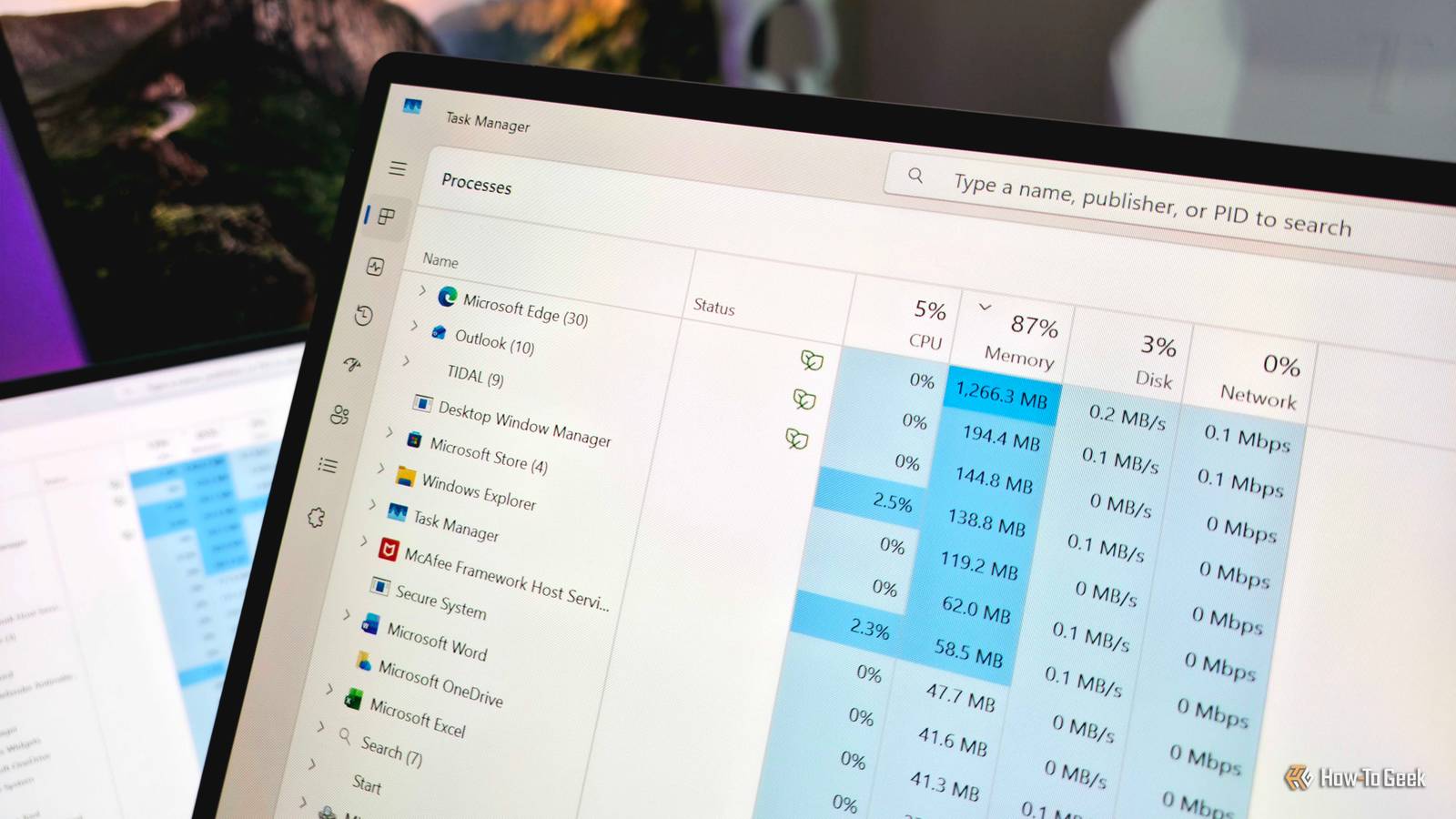
Published Nov 21, 2026, 8:00 AM EST Zachary Boddy is a seasoned journalist with over six years of experience covering technology and video games, and is now contributing to How-To Geek. Zachary's career began at Windows Central, where their long-running, deep-rooted passion as a tech and gaming nerd fueled thousands of published articles, including reviews, guides, interviews, editorials, and so much more. When Zachary isn't writing, they're playing video games, reading books, listening to music, and spending time with their family, a very food-motivated cat and an exceptionally creative daughter. Sign in to your How-To Geek account I praised the HP OmniBook 5 14 (2026) in my review as one of the greatest laptops in its value-driven category, but choosing it — or one of its competitors, like the Apple MacBook Neo and Dell XPS 13 — comes with the revival of an age-old question: how much RAM does your laptop actually need? Rising memory costs have seen a resurgence in value-driven laptops packing just 8GB of RAM in their base configuration (including the OmniBook 5 14) when many tech enthusiasts will tell you 16GB is the minimum for a smooth Windows 11 experience. To put this question to rest and test Microsoft's promises of major memory improvements in Windows 11, I acquired two HP OmniBook 5 14 laptops that are utterly identical in every way — except for the amount of installed RAM (and the color). After putting both through the same wringer, I came away impressed with how well Windows 11 runs on 8GB of RAM compared to an identical machine with 16GB. As long as you're aware of the limits, 8GB of memory isn't the laptop killer some make it out to be, especially when you're on a budget. Testing these laptops exactly as a casual user would With no tricks and no optimization, how well does Windows 11 run on 8GB of RAM? Before I break down the results of my tests, I want to summarize my approach. In general, I set up Windows 11 to be indistinguishable on both OmniBooks and aimed to use them like the vast majority of people actually use their computers. That meant avoiding a lot of the personalization, optimization, and management that I and other tech enthusiasts treat as a matter of course, including uninstalling unwanted applications, disabling unused default Windows 11 features, managing startup apps and background processes, optimizing the browser's resource usage, and other ways to make Windows generally run smoother. I didn't remove any of the preinstalled apps, including the McAfee Antivirus infamous for its memory hunger. I used both laptops exclusively on battery power, with the default performance settings. I set up the browser and a few extensions, my email, and Microsoft Office, installed a handful of other applications, and did the bare minimum to customize Windows 11 — exactly as I've seen so many people in my life do, even when I'm actively helping them set up their new laptop. My goal isn't to see how well I can make Windows 11 run on 8GB of RAM; there are plenty of other articles for the enthusiasts that like getting their hands dirty. Laptops like the HP OmniBook 5 14, Dell XPS 13, and Apple MacBook Neo target the largest demographic of potential customers: people who want a reliable, affordable computer for school, home use, or other casual use cases that work great out of the box. If you're one of those people considering one of these $600–700 laptops or are advising someone who is, I want you to have confidence in your decision. 8GB of RAM has clear limits, but not for most computer use Even side-by-side, it can be difficult to spot the differences Before I began using these laptops, I compared their memory usage after first logging in and waiting a moment for Windows 11 to settle. Just sitting there, the 8GB OmniBook 5 used 66% of its available memory, compared to the 16GB laptop using only 36%. At this point, performance remained smooth and responsive on both laptops as I navigated Windows 11, opened Settings and File Explorer, and rapidly launched the browser, loaded five tabs, and opened Outlook, a Word document, an Excel spreadsheet, Tidal, and the Microsoft Store. The 8GB laptop spiked to around 90% memory utilization, while the 16GB OmniBook stayed comfortable at approximately 65%. At this point, you can clearly see how Windows 11 optimizes for smaller memory pools by comparing how much memory each open app and background process uses; Microsoft Edge nearly halved its active memory utilization on the 8GB laptop. As you begin using all your available memory, Windows 11 becomes far more aggressive at compressing, caching, and utilizing virtual memory (basically, allocating a small portion of your SSD storage to memory optimization); on the 8GB OmniBook, nearly 13GB of data was committed to the memory process, but over 6–7 GB was actively compressed to help everything fit within the physical 8GB confines. Compression has meant serious performance degradation in the past, but even as I pushed the limits and opened 15+ additional browser tabs, an additional Excel spreadsheet, and began streaming music in the background the entire time, the 8GB OmniBook still managed to stay responsive. The only detriment I noticed is that, yes, browser tabs are more likely to refresh when you revisit them — but even as I moved between nearly 25 open tabs, the 8GB laptop never felt slow. Moving back and forth between my open Microsoft Office projects, checking my email, and looking up apps in the Microsoft Store was fine, even when Windows Update spun up in the background and began downloading a new update. To be frank, I expected a bigger difference in real-world performance between the two OmniBooks, but Windows 11's memory management, Microsoft's and third-party developer's efforts to make apps more efficient, and the OmniBook 5's well-balanced hardware (especially the SSD) clearly make a huge difference. My music didn't cut out, I didn't lose my place in my spreadsheets or documents, and browser tabs didn't refresh nearly as much as I had assumed they would. Windows 11 did a great job staying around 90% memory utilization, leaving a little less than 1GB of memory available for new processes while intelligently compressing and caching in the background. Under the same workload, the 16GB OmniBook absolutely refreshed open browser tabs less and felt more responsive moving between apps, but I might've struggled to tell the difference if I didn't have these laptops side-by-side. More memory does help keep performance consistent over time — such as when you haven't restarted your computer in weeks — but the gap in user experience between 8GB and 16GB of memory for casual computing isn't as vast as it was; that gap shrinks further when you do put in the time and effort to optimize your computer, too. The reality is, most people don't need to pay for more computer Of course, there are reasons you may need more than 8GB of memory, like if you plan to do anything that will require giving the GPU some of your precious memory. For example, playing anything but the most casual video games with 8GB of total memory is a tough ask, as demanding games may refuse to run or crash after launch without enough video memory. That said, I was able to play Minecraft without any issues, even with my music still playing in the background. If you know you'll be frequently editing videos or very high-resolution photos, using any rendering or engineering apps, running the Windows Subsystem for Linux to use Linux applications, playing video games, and other workloads that demand a large slice of your precious memory pie, then 8GB of RAM will feel considerably more restrictive even with Windows 11's optimizations. If you are in that boat, though, you likely already know and would never consider a laptop with 8GB of RAM in the first place. For the millions of people who will never or may very occasionally push the limits of their computer, a premium, balanced laptop like the HP OmniBook 5 14, MacBook Neo, and Dell XPS 13 is perfectly viable even with just 8GB of memory. The entire package matters, so don't settle for a cheaply made, unreliable laptop just because it has more memory for the same price. HP OmniBook 5 14 (2026) 9/10 Operating System Windows 11 CPU Intel Core 5 320 (6-core) GPU Integrated Intel Graphics RAM 8GB/16GB LPDDR5 @ 6,400MT/s After revisiting the HP OmniBook 5 14 with only 8GB of available memory, I've been reassured that this truly is a fantastic value-driven laptop for those that want something simple, reliable, and premium with all-day battery life. That's especially true if you can find it on sale.
I lived with 8GB of RAM in my computer, and it's honestly fine
Full Article
Original Source
Read the full article at Howtogeek →KhanList aggregates and links to publicly available news content. We do not host full articles from third-party sources. Always verify important information with original sources.