
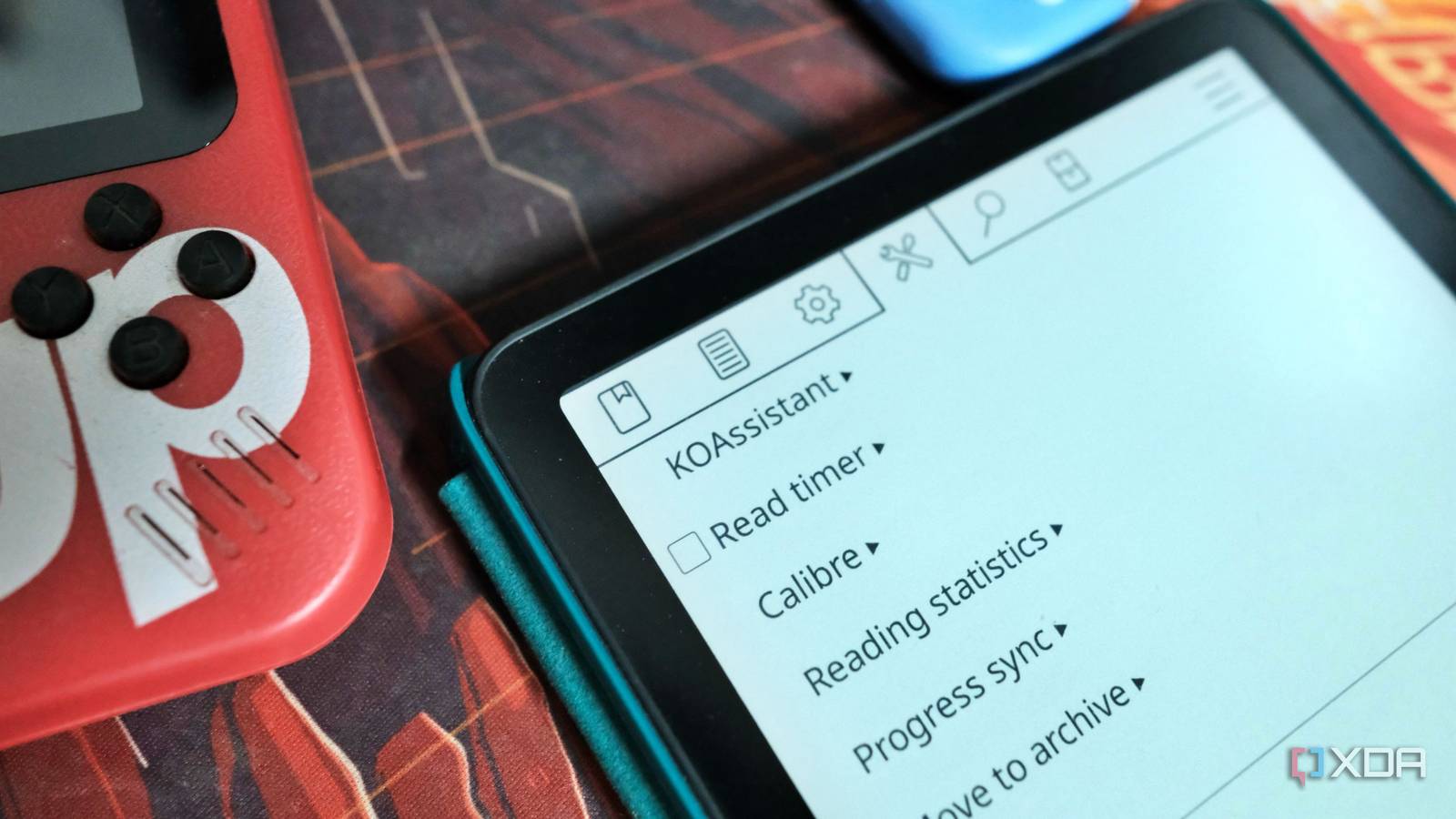
Published Nov 21, 2026, 8:00 AM EST Samir Makwana is a technology journalist and editor from India since past 18 years and his work appears on MakeUseOf, HowToGeek, GSMArena, BGR, GuidingTech, The Inquisitr, TechInAsia, TechWiser, and others. He has written news, features, and gadget reviews for national technology media publications. His passion is to help people with their technology problems and gadget purchases. For that, he has worked for some of the biggest international technology publications, covering news, explainers, how-to guides, listicles, and product-buying guides. He has worked as an editor and managed teams since 2015. His expertise broadly covers computers, smartphones, game consoles, headphones, smart home products, browsers, and apps. Buying books on a Kindle always felt effortless until I woke up to find that a particular book had disappeared. Amazon doesn’t make it easy to do anything with the library outside its own ecosystem. It also discontinued the Download & Transfer via USB feature for Kindle ebooks in February 2025. But jailbreaking my Kindle Paperwhite (12th generation) showed me it can do cool things besides being an e-reader. So why should the reading experience be tied to software that rarely changes? I run the KOReader app on my Kindle to read books without worrying about the format, and I linked it to the Calibre-Web server on my network. One plugin, KOAssistant, then lets Claude understand what kind of books I read and make the experience more engaging. Accessing the library so I could actually manage it Transferring the books was the first step When the USB transfer feature got axed, I stopped sideloading books to my Kindle. To back up everything I owned, I downloaded every book to my Kindle. Then my Mac didn’t show the Kindle as a drive because macOS no longer mounts it over plain USB. So I downloaded OpenMTP, which works with Kindle, Android phones, and several other devices. It was easy to copy every book from the Kindle’s “/documents” folder to my Mac. That took a couple of minutes, and the time depends on how large your library is. One thing I noticed: OpenMTP can’t see my Kindle while KOReader is open. I have to close KOReader first, and only then can I transfer books or plugins. Moving my Kindle library off Amazon was tricky Making the book collection easily manageable I used Calibre on my Mac to convert each .azw3 file to EPUB. However, Calibre can’t convert DRM-protected files. For that, I needed to install and use the DeDRM plugin for a few books. Rather than depend on sideloading alone, I decided to host my own library on my local network. For that, I set up a Calibre-Web instance on my server and moved all the EPUBs to its storage. Calibre-Web already serves an OPDS feed, so I can browse and download my library on the Kindle and in any ebook reader app that supports OPDS. I also copied the EPUBs into a single folder on the Kindle because KOAssistant scans a local folder. My Calibre-Web library is easy to manage, with all the metadata tagged to every ebook, so each title is quick to find. Calibre-Web has built-in book discovery, but it’s limited to my own library. I wanted to know more about my reading preferences and habits. Hooking KOReader with an AI Assistant The setup takes one API key My Kindle library ranges from manga to sci-fi novels, and I wanted to find my next read without sorting Amazon’s catalog by publication date or popularity. KOReader has a growing library of plugins. The KOAssistant plugin fits what I wanted. I installed KOReader's App Store plugin. But if you find typing clunky (I know it is), then you can download the latest archive from the project’s GitHub releases page. To use an AI Assistant, you need to add an API key from an AI provider like ChatGPT, Claude, or a locally hosted LLM such as Ollama to the plugin. Typing long API keys directly in KORreader is cumbersome. So, I generated an API key from my Claude account’s settings and pasted it under the Claude option in the apikeys.lua.sample file in the plugin’s folder. Then I renamed the file to apikeys.lua and moved the entire folder to /mnt/us/koreader/plugins/ inside KOReader on my Kindle. Then I restarted KOReader. Note that API usage is billed per use through Console, and not through a Claude chat subscription. You can always check the KOAssistant menu to check which model is being used. KOReader’s Tools menu shows the KOAssistant plugin, and I assumed I needed to type a full prompt to use it. First, I made sure my Kindle was connected to Wi-Fi and not in Airplane mode. Claude only sees the folder I scan Library scan comes first From KOReader’s Tools menu, I chose Library Chat/Action, which opened a text box with several options. Next, I tapped Library Scan, added the target folder with all the EPUBs, and selected Analyze Library. By default, KOAssistant asks before sending the book list, and the prompt names the provider and what it sends. Book text is a separate permission, so a scan shares titles and authors only, not the books themselves. Since it was a freshly built library, there was no reading progress or finish data. What I found interesting were Claude’s genre suggestions. For example, I had a bunch of crime/mystery books, and Claude picked up on my interest and suggested a couple of well-known authors. I could also keep chatting to narrow down what I’d enjoy next. When I open a book, I can use the Library Chat/Action option to compare it with similar books or find new ones with common themes. My only tip is to sort your EPUB collection into a single folder and use it as a library instead of the default /documents folder. It keeps unrelated files out of the scan, so Claude only sees the titles. Scanning my unread books next Moving my library off Amazon’s software took a few small steps: OpenMTP to copy the files, Calibre to convert them, Claude-Web to host them, and KOReader to read them. KOAssistant then gave Claude just enough access to describe what I read, which Amazon’s popularity sorting never did. The setup requires Wi-Fi and an API key from an AI provider. Each scan sends my booklist to Anthropic, and I am fine with that trade now. Next, I plan to let Claude scan the folder of my unread books and see which one it recommends I start. KOReader KOReader is a free, open-source document viewer and also works as an ebook reader for several e-ink devices supporting a larger variety of file formats.
I moved my Kindle library off Amazon and paired it with Claude to finally understand what I read
Full Article
Original Source
Read the full article at Xda-developers →KhanList aggregates and links to publicly available news content. We do not host full articles from third-party sources. Always verify important information with original sources.