
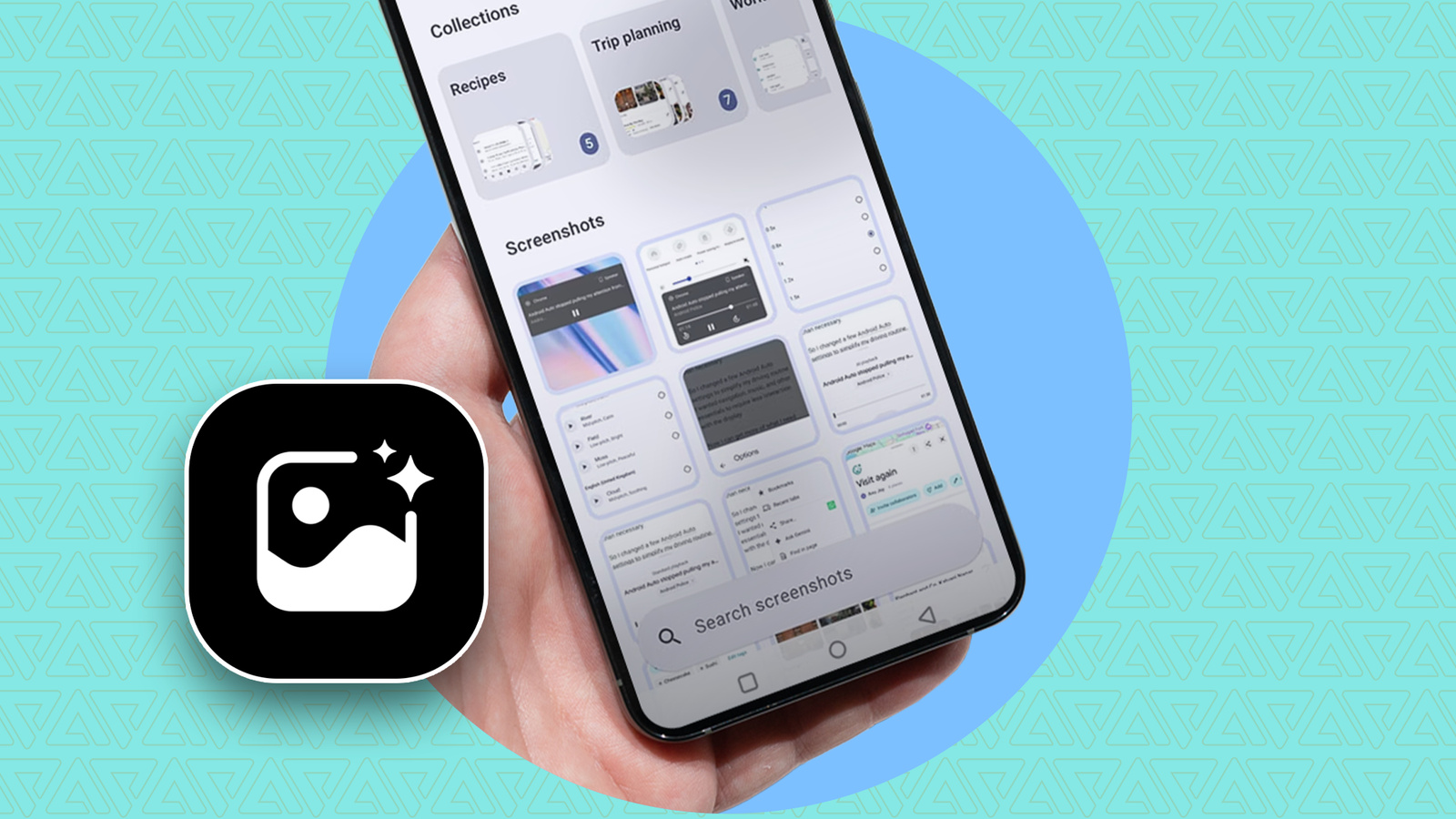
Published Sep 7, 2026, 8:00 AM EDT I cover Android with a focus on productivity, automation, and Google’s ecosystem, including Gemini and everyday apps. With a background in engineering and software development, I tend to go beyond surface-level tips and focus on how features fit into real workflows. Before joining AP, I wrote for tech publications such as Gizbot in 2023 and iJunkie (formerly known as iPhoneHacks) from 2021 to 2022. I have thousands of screenshots on my phone, and for the longest time, I had no good way to use them. I often saved products I wanted to buy, helpful tips, or items I knew I would need later, but I frequently forgot where I had stored them. The challenge was remembering which screenshot had the information I was searching for, and scrolling through years of images wasn't the best way to retrieve it. I'd seen how useful Google's Pixel Screenshots feature could be, but I don't have a Google Pixel phone. So, I set out to find an alternative that could help me make sense of my screenshot collection. After using the PixelShot app, I started wondering why my phone's gallery doesn't do this by default. Google Photos made my screenshots searchable, with one big catch I didn't want it taking up cloud storage Credit: Lucas Gouveia / Justin Duino / Android Police This isn't the first time I've tried to make my screenshot collection useful. I previously wrote about how Google Photos let me search through hundreds of screenshots and find the information I'd saved. The catch is that my screenshots need to be backed up to Google Photos for them to become part of that searchable cloud library. It lets users search through their backed-up images using keywords and even locate specific text within photos. However, I don't want to keep thousands of screenshots backed up so I can find them later. There's also the storage question. Google gives each free account up to 15GB of shared storage for Gmail, Google Drive, and Google Photos, so constantly adding screenshots to my backed-up library means using space for images I might never look at again. As my screenshot collection kept growing, backing up everything started to feel like overkill. I wanted the convenience of searching my collection without turning every random screenshot I took into another piece of my Google cloud storage. PixelShot turned my screenshots into a searchable library I found the screenshot app I'd been missing I wanted a way to make my screenshots useful without adding them to my cloud library, and PixelShot does exactly that. It turns my screenshot collection into something I can search and organize. After I gave it access to my screenshot collection, PixelShot started analyzing what was inside those images. It can automatically generate summaries from the text it extracts and create tags that I can use to find things later. The app also lets me organize screenshots, so I'm not limited to one giant chronological pile. The images are processed locally rather than uploaded to the cloud, so I don't have to add my entire screenshot collection to another online photo library to make it searchable. Only the extracted text is sent securely to a cloud AI service to generate summaries, titles, and tags. The app gave my screenshots a little more structure My folder felt less chaotic Search is useful when I know what I'm looking for, but I also wanted a way to keep related screenshots together after I found them. PixelShot lets me create collections, which work like folders for my screenshot library. I can make one for writing, another for travel plans, and another for items I might want to buy later. PixelShot's Pro upgrade adds useful features. It's a one-time purchase rather than a recurring subscription, and it offers features such as personal notes on screenshots, the ability to create collections from tags, and background screenshot analysis. The free experience doesn't constantly process screenshots in the background. Instead, PixelShot analyzes the batch when I open the app. PixelShot comes close to Google's Pixel Screenshots But it isn't quite the same Pixel Screenshots is Google's dedicated screenshot app, using Gemini Nano to analyze the text, content, and metadata in screenshots. It can organize them into collections, generate titles and summaries, add notes and reminders, and let me ask questions about what I've saved. PixelShot has a similar idea, but it's limited. It primarily works with screenshots that contain text because it extracts that text to generate summaries, tags, and search results. I can't ask it a question about the image, either. If I screenshot a photo with no text, for example, PixelShot has much less to work with. That's where Pixel Screenshots has a clear advantage. Google's app can understand the broader content of an image, not only the words inside it, and lets me recall information conversationally. PixelShot also misses some of the deeper integration. If a screenshot contains a web page or clickable link, I can find the screenshot and read it, but I don't get the same option to jump back to the source. Pixel Screenshots can provide that link when one is available. Still, PixelShot has one big advantage: I don't need a compatible Pixel phone to use it. It gives me a simpler version of the Pixel Screenshots experience on Android phones beyond Google's supported Pixel devices. My screenshot hoarding finally has a purpose PixelShot isn't perfect, and I wish it could turn links in screenshots into something I could tap. But for my day-to-day use, being able to search through years of screenshots and quickly pull up something I saved for work, a trip, or an event is a big improvement. And the best part is that it works on any Android phone, not only a Pixel.
I found a Pixel Screenshots alternative that works on any phone
Full Article
Original Source
Read the full article at Androidpolice →KhanList aggregates and links to publicly available news content. We do not host full articles from third-party sources. Always verify important information with original sources.