
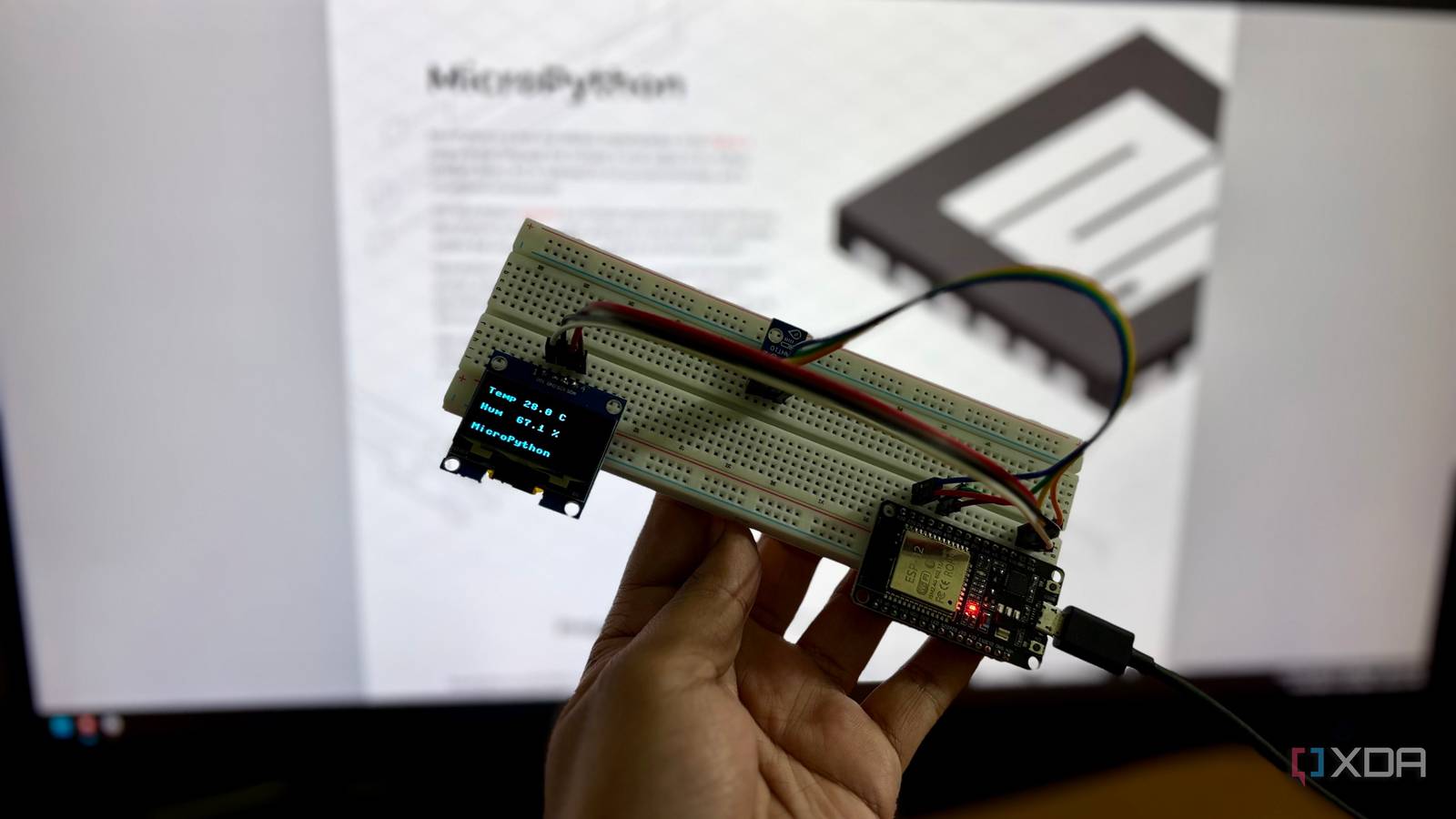
Published Nov 4, 2026, 7:31 AM EST Shekhar Vaidya is a veteran technology journalist and computer science engineer. He is the founder of TechLatest, where he has spent years providing technical analysis on hardware and Windows ecosystems. Now a Computing Writer at XDA, Shekhar leverages his deep background in NAS, storage solutions, and PC internals to help readers master their tech. When someone said "microcontroller coding," I always assumed C or C++. And even when I got into microcontrollers and SBCs, I used C++ for all the projects I built on them. I had a simple formula: code on C++, compile in the Ardunio IDE, and flash to the board. I am fairly new to the whole field, so I keep reading about them whenever I get time. Last week, while going through some online resources, I came across MicroPython. And it changed the equation for me. Python was my comfort zone. Hardware wasn't I was used to building apps, not wiring sensors I come from a software background and have been coding since before the AI-coding era. Like many people, I started with C/C++ and Java in my senior year and quickly jumped to Python and then never looked back. Today, I have more than half a dozen online apps, and most of them are in Python. Previously, I talked about one of my applications, Pixlyzer, which is based on FastAPI, while comparing it to Stirling PDF. The point is that I live in Python. So, a few months ago, when I finally started building things with microcontrollers and SBCs, a lot of things changed. Instead of coding app components, I was dealing with wires, soldering hardware, and programming in C++ to interact with the physical hardware. Wires and soldering were the tedious ones; with time, I got used to them, but coding in C++ still felt unfamiliar. Since it had been many years since I last wrote something in C++ by hand, almost all the projects were written by an AI agent. I could read and understand each line, but the writing part was a little rusty. I have built multiple small projects in the past couple of months and even talked about them in my previous articles. My last three small ESP32 projects were a home server health display, a watchdog for my server, and a real website on the board. All of them followed the same pattern, but each had something different, and I had to learn it before implementing. So, when I came across MicroPython, it looked like a new hope for me. I read about it a bit, and it looked fairly simple. But I was already getting used to the current workflow, so I was a little hesitant to replace Arduino C++ with MicroPython. That’s when I decided to test both approaches on the same board, with the same components, and the same task. I flashed MicroPython in 40 seconds, and my first con wasn't one Hello world took one line, and the LED stayed dark I have been impulsively buying whatever hardware component I come across. From soldering stations and multimeters to random sensors, OLEDs, and boards. Whatever I saw, I bought it. But for this specific test, I picked the simplest component possible from my pile of components: an ESP32 NodeMCU 30-pin board, an AHT10 temperature and humidity sensor, and a 1.3-inch OLED display. The task was simple: fetch the temp and humidity from the sensor and show them on the display. No Wi-Fi, no Bluetooth, no external communication, just a simple read-and-show job. Since I already built a similar project with the same components in the Arduino IDE, I started with MicroPython. I downloaded the MicroPython v1.29.0 ESP32_GENERIC build from its official website and flashed it. The erase and the firmware flash took around 40 to 45 seconds. It was already much better than installing Arduino IDE, the board manager, and libraries. And while the flash was going on, I noticed one thing: I didn’t have to press the BOOT button (honestly, it was irritating). Once the REPL was available, I ran a simple Python line: "print(“hello”)." You won’t believe it, but it was such a relief. And then I ran a couple more to check everything was working. Two of the three commands worked for me: the machine frequency and the I2C scan, but when I tried to turn the onboard LED on and off, it didn’t work. The LED didn’t matter for the test, so I moved on. Then I started building the actual tests, the read-and-show tasks. One thing that felt like a con of MicroPython at the start was the component drivers. I thought, like the Arduino built-in library manager workflow, there was no package manager for MicroPython. So, I had to manually copy the AHT10 and SH1106 OLED driver files to the board. But later I found out there is a package manager, mip, that runs through mpremote. That was the last thing that was a little extra work for me. After that, most of what I tested in MicroPython worked like a charm. 37 seconds became one, and I still can't call it a win The part that flattered MicroPython was the part I measured Once that was settled, the main program was straightforward. A small 18-line main.py file did the job versus the 26-line C++ sketch. Well, lines of code don't matter while writing because we rarely write each line these days; most of the boring parts are outsourced to an AI agent anyway. But the lines of code do matter when the project is big, and there are hundreds of lines. The lines weren’t the most interesting part. The compile and upload part in Arduino had always been a pain; it always took little more than half a minute each time, and it didn’t matter how small the sketch was. But with MicroPython, this read-and-show job file literally took a second to run (and copy), whereas the same job with C++ in Arduino took about 37 seconds. I even measured the reading speed. MicroPython took around 82ms per reading, but almost all of that is a fixed 80ms wait for the sensor to complete the measurement, so technically, that was a sensor limit, not the language’s. In the end, MicroPython looks like a real winner, but my tests can't say that. It looks like it's undefeated, only because I didn’t run all the tests. While researching more about it, I found a few tests that suggest CPU-bound code is slow, and timing can wobble. I didn’t see anything like that in my testing, so I won’t claim that. But I did run a memory test while in runtime, and it can be a real overhead when running memory-heavy programs. In that small test, MicroPython had 161,328 bytes free with the program loaded, whereas Arduino C++ had 325,368. Worth switching? For small projects After one morning with MicroPython, I am sure I am going to use it for my next small projects. The manual drivers copying part could have been a bummer, but the mip package manager should solve that. The CPU and memory overheads may be there, but I am yet to experience them firsthand. Overall, it really is a difference between using a familiar language and working with physical hardware. It is easiest for a Python developer who wants a quick look at a small project, but not for everyone. As someone who has fair experience in various programming languages, I can say that Python is easier to learn. MicroPython MicroPython is an open-source implementation of Python 3 that runs directly on microcontrollers like the ESP32 and Raspberry Pi Pico.
I flashed MicroPython onto a $4 board, and it's the easiest way into electronics I've found
Full Article
Original Source
Read the full article at Xda-developers →KhanList aggregates and links to publicly available news content. We do not host full articles from third-party sources. Always verify important information with original sources.