
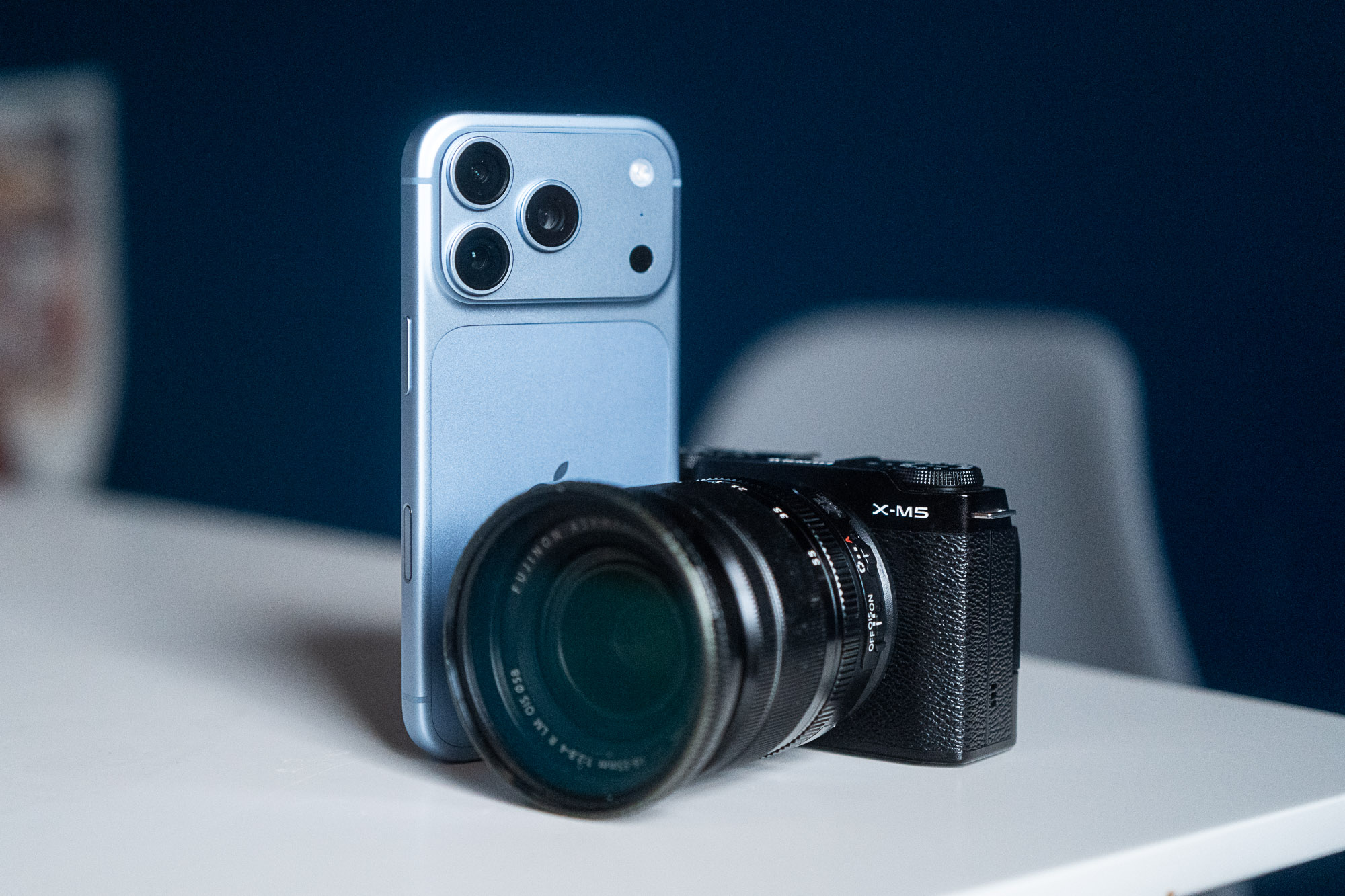
The iPhone 18 Pro is among the most accomplished phone cameras around, packing an array of sensors and lenses that are all capable of taking stunning images in a variety of conditions. Throw in the new creative tweaks to Apple’s Photographic Styles and the iPhone 18 Pro becomes a formidable partner to serious photographers. But how does it compare to an actual camera? To see why you’d pick one over the other, I took the iPhone 18 Pro on some photo walks alongside Fujifilm’s X-M5, a compact-sized mirrorless camera with interchangeable lenses and a host of filmic profiles to choose from. This isn’t designed to be a direct comparison between each specific model — after all, a phone has other advantages beyond a camera, some of which I’ll come to later. I’m not going to pixel peep at ultrafine details nor estimate which has the technically best dynamic range. This is more about which allows you to be more creative and more engaged in your image-taking and what each one offers. On the left is a shot taken with the iPhone’s Photographic Styles. On the right, a shot using a Fujifilm filmic recipe on the X-M5. They’re not identical, but I love the look of both of them.Andrew Lanxon/CNET Photographic Styles vs. Fujifilm Recipes With the iPhone 16 Pro Apple brought its Photographic Styles with the grid-like tool for adjusting the color tones and shadow depth for each of the looks. It was a huge boon to iPhone photographers who want to shoot with a specific look without having to manually edit each image after the fact. Apple took that further on the 18 Pro by bringing in more advanced tools, including the ability to add image grain and bloom to your images and giving manual control over white balance. Finally. Fujifilm, meanwhile, has won the hearts of millions of photographers the world over with the ability to create filmic styles that can be shared and installed as “recipes” on its cameras. Like Photographic Styles, these looks change everything from color tones to film grain and allow you to shoot with an almost infinite array of filmic styles with no editing required. A moody black and white shot from the iPhone 18 Pro (left) and a near identical shot from the Fuji X-M5 (right). The hazy glow from the highlights comes from the PolarPro Everyday filter that I have on both the phone and the camera — although the effect does appear stronger on the phone. In practice, both operate in much the same way. On the iPhone, I erred toward warmer styles such as Amber and Gold, bringing the shadows down and adding some film grain. My Kodak Gold-inspired Fujifilm recipes aimed to achieve a similar effect and while they’re not identical, I can’t say I like either one of them over the other. I don’t like all of the iPhone’s styles, but there are a lot of Fujifilm recipes I don’t like either, and arguably this just comes down to personal taste anyway. But I have noticed that there’s a lot that Apple can do to improve Styles for photographers. For one, you can’t save a specific style as a preset to recall later. While you can tell the phone to remember your last-used settings each time you open it, if you change those settings, you’ll need to remember what they originally were if you want to go back. It also means it’s difficult to share those presets with others, whereas Fujifilm camera owners have created a vast community sharing recipes far and wide. The bloom effect on the iPhone’s shot (left) has given a nice glow to the scene, but the Fujifilm’s shot (right) has more natural tones. Overall, Fujifilm’s recipes give much finer control over the look of your image and make it easier to recall a certain preset when you want to start shooting away. Both the iPhone and X-M5 (and indeed almost all regular cameras) also allow you to shoot images in raw format too, allowing you to apply your own edits later on in apps like Adobe Lightroom, Snapseed or VSCO. Phone vs camera: Size and controls The iPhone’s size makes it the dream camera for street or travel photography where you may be walking for miles every day and don’t want to be weighed down by equipment. It just slips into your pocket and can be whipped out just as easily when inspiration strikes. While Fujifilm’s X-M5 is small for a camera, with a lens on you’ll struggle to get it into a pocket, meaning you’ll need a dedicated camera bag to carry it around — or have it around your neck on a strap, which could become uncomfortable after a full day out. That’s doubly the case if you have extra lenses you’d want to take with you, which the iPhone has built in. Even Fujifilm’s endlessly popular fixed-lens X100VI is still big enough that you’ll only manage to get it into a large coat pocket at best. The Fujifilm X-M5 is a tiny camera but even so it requires a bag or a neck strap to carry it around. The iPhone can easily fit into a pocket.Andrew Lanxon/CNET On the other hand, cameras are built to be ergonomic when taking images. Their larger sizes give you something to grip onto and hold steady. By comparison, holding a skinny iPhone when taking a photo can often feel delicate, especially when you’re trying not to accidentally press on the screen. Personally, I don’t enjoy the feel of taking photos with a phone, and it’s one of the reasons why I’d always reach for a real camera over a phone for a day’s photography. That’s especially true when it comes to adjusting shooting settings. Changing exposure compensation means multiple taps on the phone’s screen. Ditto if you want to change white balance or shutter speed. Most cameras like the X-M5 or X100VI offer physical controls to instantly change settings when out shooting in the field, often without even needing to look, saving you crucial seconds when capturing the decisive moment. Interchangeable lenses vs. iPhone cameras While Fujifilm’s popular X100VI has a fixed lens offering a constant 35mm focal length, the X-M5 — along with many others in the range — has interchangeable lenses, allowing it to swap between a plethora of lenses from both Fujifilm and a wealth of third parties. Whether you want an ultrawide fisheye lens, a super-long telephoto for wildlife shots or creative lenses like PolarPro’s LightLeaks lenses, there’s an option out there. I took the iPhone’s shot (left) at 2x zoom, using the upright bridge support as a more obvious frame. In the Fujifilm shot (right), I went slightly wider to add more context for this figure walking through. Both shots look great to my eye. But that means spending more money on more gear and then having to carry an increasingly heavy kit bag out on location to use all that fancy new glass. The iPhone has its multiple lenses built right in. Its focal lengths include 13mm, 24mm, 28mm, 35mm, 48mm, 100mm and 200mm, all from one pocket-sized device. Sure, most of those include some kind of digital cropping or upscaling and the quality isn’t what you’d find from a pro-standard telephoto zoom lens, but for most people who want to take snaps out and about in the street, the iPhone’s lens options essentially put a full kit-bag of gear into your pocket. Extra features and accessories If you do want more lens options for your iPhone, there are a range of add-ons you can pick up. I love shooting with Moment’s clip-on lenses, especially the anamorphic lens for video and the macro lens for close-up work. Then there’s PolarPro’s various filters, like the Everyday filter, which is the same one I slapped onto the front of the X-M5. I used PolarPro’s Everyday filter on both the iPhone and the Fuji X-M5. It adds a soft glow to highlights and I love the look you can achieve with it.Andrew Lanxon/CNET As Apple’s phones are so popular, accessories for them are the easiest to come by compared to almost any other Android phone. But the same can be said for Fujifilm’s camera — and most other compact cameras around. Alongside the aforementioned armada of lens choices, you can also pick up thumb grips and half cases to customize the camera and things like flashes and tripods for taking your photography further. Phone vs. camera The iPhone, of course, has the benefit of also being a smartphone. It’s not just a camera, meaning that when you’re done taking your photos you’ve got the option to instantly edit them in whatever apps you like and share them to Instagram or over WhatsApp without first having to transfer them to your computer. But for me that’s also one of the biggest downsides of using a phone as a camera. I’ve written about this before, but the problem essentially boils down to wanting to focus on one task at a time. A camera has just one function: taking pictures. I pick it up to do one thing and that’s all I have to pay attention to. With the physical control wheels, cameras like the X-M5 are quicker and more intuitive to operate than navigating on-screen menus on a phone.Andrew Lanxon/CNET When I’m shooting with my phone, I can be bombarded with incoming notifications, phone calls and other pop-ups, all of which are desperate to take my attention away from the act and craft of shooting photos. I love having a great phone camera with me for those occasions when I want a photo and I’m not carrying a camera, but when I want to be purposeful in my photography and plan to head out to shoot work I’m proud of, it will always be a dedicated camera that I’ll reach for. Which should you choose? Which is best for you depends on two factors: Your budget and how serious you are about your photography. The iPhone is a superb camera phone for out-and-about snaps and while it’s certainly possible to take pro-level photos with it, it’s not always as easy to use — or as inspirational — as using a proper smaller camera like a Fujifilm X-M5, X100VI or other models like a Ricoh GRIV, Leica Q3 43 or even a small mirrorless camera. The iPhone 18 Pro is a superb camera phone. But if you’re really passionate about your photography, it’s still worth investing in a dedicated camera.Andrew Lanxon/CNET Plus, if you’re keen for a great all-round imaging experience and you don’t have the cash for two tech purchases right now, going all in on just an iPhone 18 Pro is a smart move. But if you want to take a more authentic and intentional approach to your photography and feel creatively inspired by holding a physical camera and twiddling real, analog dials will absolutely benefit from looking toward adding a camera like the Fujifilm X-M5 or X100VI to your photography arsenal. CNET Editor at Large Katie Collins found that when she used a proper camera on a big trip to China instead of just her phone, it rekindled her passion for photography that had long sat dormant. While smartphone photography has come on in leaps and bounds in the past few years, there’s still nothing that beats that feeling of lifting a real camera to your eye and firing that shutter button.
So You Bought an iPhone 18 Pro. Do You Still Need a Real Camera?
Full Article
Original Source
Read the full article at Cnet →KhanList aggregates and links to publicly available news content. We do not host full articles from third-party sources. Always verify important information with original sources.