
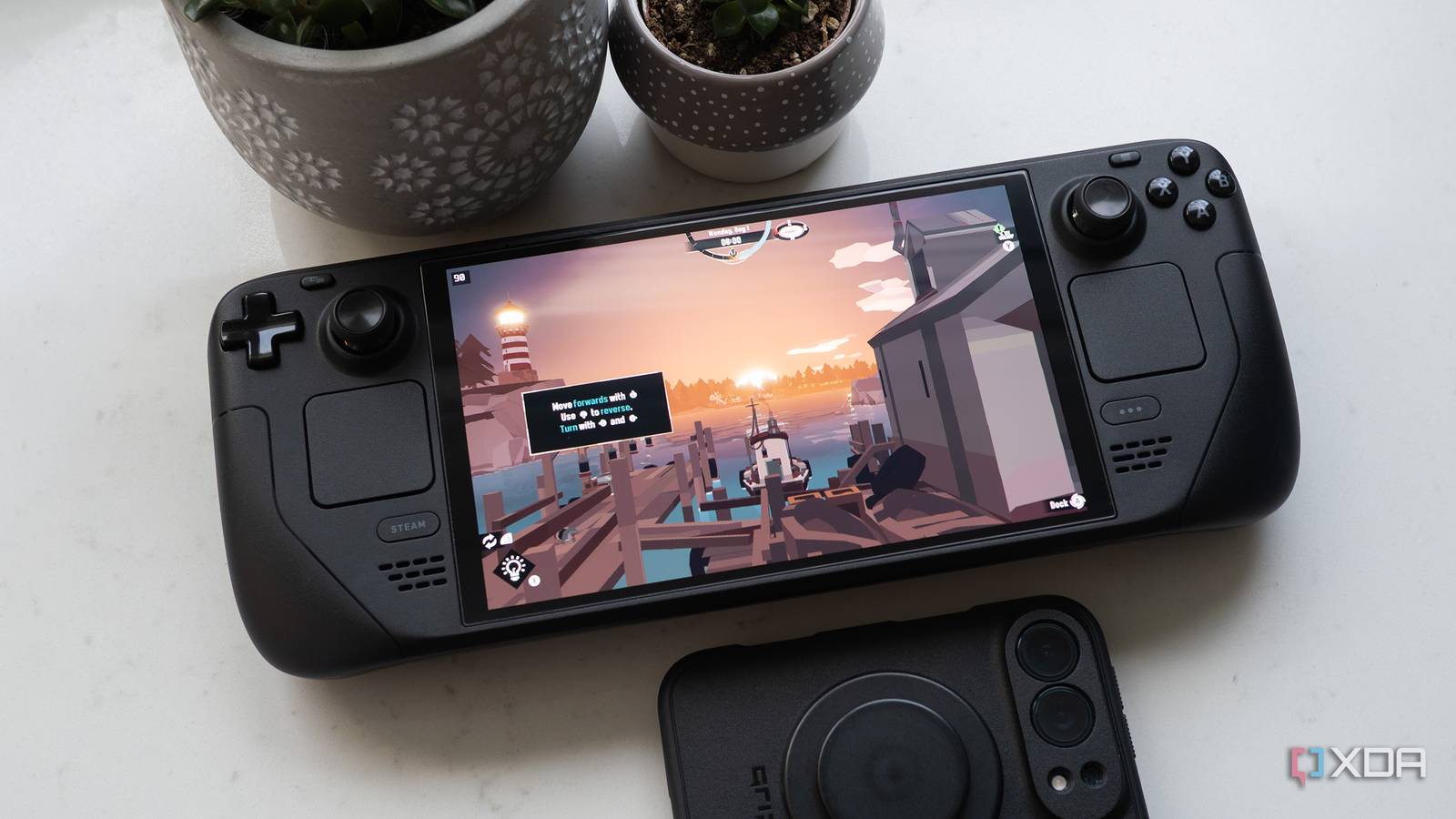
Published Oct 31, 2026, 11:30 AM EDT Patrick O'Rourke is XDA's News Editor and Entertainment Segment Lead. Previously, he was Pocket-lint's Editor-in-Chief, the Editor-in-Chief of Canadian tech publication MobileSyrup, and earlier in his career, he worked as the technology editor at the Financial Post and Postmedia. He's based in Toronto. Over the past 15 years, he's written thousands of articles. Patrick has also interviewed dozens of tech industry executives and covered GDC, E3, Gamescom, WWDC, Apple keynotes, Samsung Unpacked events and more. Patrick has a BA in journalism from Toronto Metropolitan University. One key reason I jumped ship from SteamOS and the Steam Deck OLED to the ROG Xbox Ally X is the convenience of accessing a wide variety of games through Xbox Game Pass. Sure, I could install Windows 11 on my Steam Deck OLED, or opt for a complicated dual-boot setup, but I'm a simple guy who prefers simple solutions. When I stumbled across Xodus Nexus, an independent, unofficial project that lets you play Xbox Game Pass games on Linux devices like the Steam Deck or Steam Machine, it sounded too good to be true, so I knew I needed to test it out. After a few hours playing several different games, I've concluded it's a surprisingly solid app if you set your expectations appropriately with regard to game compatibility. Also, don't expect the app to magically make the Steam Deck's aging custom AMD Zen 2 APU's any more powerful. The launcher is built on Xodus with the Nexus backend and Nexus Runtime. It's also not an official project or release from Xodus' development team. At a basic level, Xodus Nexus uses a customized Proton runtime to run Windows PC games on Linux, translating Windows API and DirectX calls into equivalents the operating system can understand. While Proton also does some of this through Steam, Xodus Nexus goes further by handling Microsoft account authentication and licensing, proprietary Microsoft Store game packages, Xbox runtime APIs, and more. Basically, it fills in the missing pieces required to run Xbox Game Pass titles on SteamOS. The setup process is very straightforward I got Xodus Nexus up and running in about 15 minutes First off, Xodus Nexus is very easy to set up. All you need to do is switch desktop mode on the Steam Deck and download Xodus Nexus version 0.4.1 from GitHub. Next, install the downloaded AppImage with Dolphin File Manager. Once Xodus Nexus is up and running, navigate to Settings and install Nexus Runtime (you need this to play games). Now, sign in to your Microsoft account to access your PC Game Pass library. This was a bit of a nightmare for me given how complicated my password is, and I ended up connecting my Bluetooth mouse and keyboard to my Steam Deck. You'll need Chrome installed to continue through the authentication process if you have a passkey (I didn't have it installed at first). Once you're logged in, you'll need to download games just like you would with the Xbox app on a Windows 11 handheld. Thankfully, it supports save-file syncing, including downloading and uploading progress. There's even a useful one-click Add Nexus to Steam option that lets you avoid switching to Desktop Mode to use Xodus Nexus. It's worth noting that navigating Xodus Nexus on the Steam Deck with its built-in controls can get a little confusing and frustrating. Sometimes the app's UI is completely unresponsive, too. One of the strangest problems I've encountered is that you can't always use the touchscreen to access Game Pass' library. The little box to select In Game Pass often doesn't open, but for some reason, the Steam Deck's built-in buttons always seem to work. The project is still in the early stages, so future updates will likely iron out UI issues like this. Game compatibility and performance are mixed Some of this comes down to the Steam Deck's lack of power I quickly realized that not every game works with Xodus Nexus. Still, a lot of notable titles are listed as compatible, including Gears of War: E-Day, Minecraft Dungeons 2, Deep Rock Galactic, No Man's Sky, and Doom: The Dark Ages (you can find a work-in-progress game compatibility list here). Based on what I've researched, the majority of games don't perform quite as well as they do with just straight Proton on Steam and SteamOS, but most titles still run pretty well. With this in mind, I put Xodus Nexus to the test with a couple of key Game Pass Games. First, I tried Forza Horizon 6, which is listed as compatible, but it barely hits 30fps on Low settings. With FSR 3.1 on, performance improves a bit, but it's still not what I'd call enjoyable and can be downright ugly at times. This is only slightly below the 30-40 FPS Forza Horizon 6 reportedly gets on the Steam Deck through Steam and Proton. It's likely a combination of multiple translation layers and the handheld's aging APU that hinders the performance. Some games just straight up don't work, either. For example, I tried playing Star Wars: Outlaws, and it wouldn't boot up. Oddly, it also featured a black thumbnail instead of box art. I had the same experience with Far Cry 5, too, which was disappointing, because I've been thinking about revisiting the game. I also couldn't get Call of Duty: Black Ops 7 to load. On the other hand, Tony Hawk's Pro Skater 3+4 ran like an absolute dream on the handheld, hitting a solid 60fps with FSR on and all graphics settings on Medium. Next I played Dredge, a far less resource-intensive game, and it ran at a solid 90fps through Xodus Nexus. I also briefly tried a few other titles, including Gears of War: E-Day, which ran at a pretty solid 30-33fps in my tests (I really didn't expect Gears of War: E-Day to work at all). I've always preferred SteamOS' pick-up-and-play nature because, unlike the ROG Xbox Ally X or X20, the Steam Deck feels like it was designed to be a gaming device. Despite Microsoft's best efforts with Xbox Mode, the overall Windows 11 handheld experience is still a bit of a mess, whether it's updates that need to be downloaded from several locations, a long boot-up time, or even sleep mode not working consistently. Thanks to Xodus Nexus, I have a reason to pick up my less powerful, but still very capable Steam Deck OLED. In fact, I've been surprised at how comfortable the Steam Deck OLED is, even compared to the Xbox Ally X20 (it's just been so long since I've held it). With all of this in mind, will I switch back to using the Steam Deck OLED as my main handheld? Probably not, since most new AAA games don't run well on it at this point. On the other hand, if I want to revisit an older title or play an indie game like Dredge, I'll definitely reach for Valve's handheld over my ROG Ally X20. Xodus Nexus
I finally found an app that makes Xbox Game Pass on Steam Deck a breeze, but it's not perfect
Full Article
Original Source
Read the full article at Xda-developers →KhanList aggregates and links to publicly available news content. We do not host full articles from third-party sources. Always verify important information with original sources.