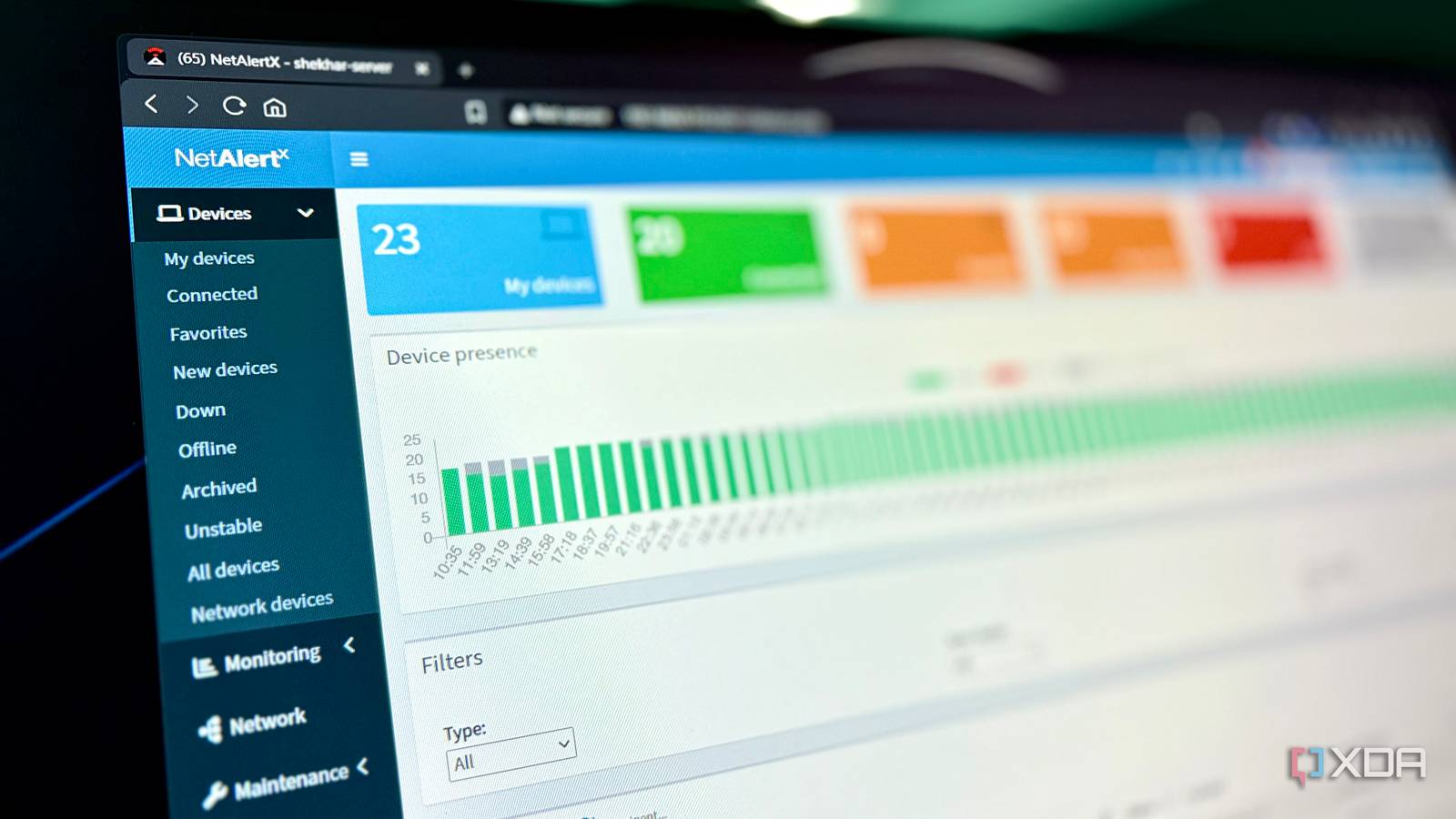
Published Aug 3, 2026, 10:00 AM EDT Shekhar Vaidya is a veteran technology journalist and computer science engineer. He is the founder of TechLatest, where he has spent years providing technical analysis on hardware and Windows ecosystems. Now a Computing Writer at XDA, Shekhar leverages his deep background in NAS, storage solutions, and PC internals to help readers master their tech. My home network stopped being "just Wi-Fi" a long time ago. Once I built my homelab, my home network became its lifeline. When I was building my homelab, every Reddit thread I visited told me to VLAN everything. I followed the trend and segmented everything. Later I moved back to a single VLAN and stopped pretending I needed segmentation. I was happy with the setup but since every device was on one VLAN, I also wondered, 'What's actually on my network?’ That’s when I decided to put a network scanner on my flat network and see exactly what was living there. My network stayed flat, and that was never an accident Segmentation looked perfect on paper and fell apart in daily use I kept my homelab setup messy. The network handling it isn't. The stories behind these are quite long, but let me explain in brief. My homelab lives on an 8-year-old business laptop, running 30+ Docker containers; it handles just the compute. My homelab data lives on an old Synology NAS; it works just as dumb storage. Finally, my ingress is hosted on a rented VPS on Hetzner; it handles public-facing access via self-hosted Pangolin and NetBird. My home network connects all three together. My home network includes a dual-WAN TP-Link ER605 gateway handling my two ISPs. ER605 handles the split between both the ISPs in a 7:1 ratio with smart failover. Then the connection is handed over to my TP-Link SG108E switch on a single VLAN. Finally, LAN cables to my devices and two APs. And when I said "devices," I meant a lot of devices — 2-3 of my personal phones, family phones, the NAS, home server, 5-7 IoT devices, my PC, and two laptops. Then there are review devices that come and go. I tried to keep it simple, though it ended up messier than any home network has a right to be. I wasn’t always on a single VLAN. When I initially built my homelab, every Reddit thread and tech forum I visited said if you're serious about your homelab, you segment it. I followed it and segmented my home network into four VLANs — trusted, homelab, IoT, and guest. On paper, it looked like a perfect arrangement, but in day-to-day use, it wasn’t. Devices were in different VLANs, but they still needed to communicate with each other daily. For example, SMB file sharing on NAS via PC was no longer automatic since they were on a separate VLAN. And accessing my Jellyfin media server on various devices like smart TVs and mobile devices. They sat on the same physical network but on different VLANs, so the firewall treated them as if they were worlds apart. Yes, I am aware of solutions such as mDNS, Cloudflare Tunnel, and split DNS, or even adding custom rules to access devices on separate VLANs, uni- or bi-directionally. But there was no point implementing an enterprise-grade solution first and then looking for workarounds to bypass that. I finally settled on a single VLAN flat network. But I was also aware of risks; one single network meant being prone to unknown threats. My router admin dashboard showed the devices connected, but only if I opened the dashboard, which I never do. Then I started thinking, do I even know everything that's already on my network? That was when I started looking for a tool that could give me a complete picture of the network. And my search led me to NetAlertX. The setup fought back before it found a single device Getting a scanner to see the network took longer than scanning it I didn’t just settle on NetAlertX. I did try other notable alternatives as well. Fing was most popular, but the features I wanted, like continuous monitoring, were gated behind a subscription, and it wasn’t self-hostable. Pi-Alert was another option, but NetAlertX is its actively maintained fork, so I went with the version still getting updates. You might be thinking I could have just used Unix’s classic arpwatch, but arpwatch only watches for MAC-to-IP changes. NetAlertX covered that and more. When I finally decided to move ahead with NetAlertX, I thought it would be similar to my other deployments, but a number of different issues were waiting for me. I have a bad habit of deploying everything on Docker; if I had deployed it bare metal, a few of the issues might not have occurred in the first place. So, as usual, I deployed it via Portainer Stacks. The first difference wasn't really an issue per se but was more unusual compared to my other containers. I had to include network_mode: host, because a bridged container could only see its own virtual subnet and not the real one my devices actually lived on. I deployed it, and the container initiated, but when I checked the logs, the container crashed at startup with two issues. The logs flagged a legacy volume mismatch, but the real killer was missing NET_RAW/NET_ADMIN — no python3: Operation not permitted, exit code 126. I applied the fix and redeployed it. The container started healthy, and the scheduler was running, but naming plugins (AVAHISCAN, NBTSCAN, NSLOOKUP, DIGSCAN) were timing out. I chose to ignore it, since it wasn’t a fatal blocking issue. Then I tried opening the dashboard on 192.168.0.115:20211; it was timing out. I checked docker ps and ss -tlnp; everything looked all right — the container was healthy, and nginx was listening right where it should be. Then it clicked: it was my firewall blocking it; UFW was blocking the unknown port. After adding it to the allowlist, I finally was able to open the dashboard. The dashboard showed 0 devices, so I went into settings just to poke around, and clicked Save without changing anything. It then got stuck on "Importing settings and re-initializing..." After many tries and many reloads, I couldn’t clear that pop-up spinner. When I scrolled through their GitHub repo, I found it as a real issue. There was no proper solution, but one said to restart the container, and surprisingly, it worked. But even with the pop-up gone, it wasn’t detecting any of my devices. The scheduler was running every five minutes. I waited more than an hour; still nothing. Out of frustration, I left it running, and when I opened the dashboard after a couple of days, the numbers looked promising — but they also raised a completely different question. NetAlertX An open-source, self-hosted network scanner that continuously monitors every device on your LAN, flags new or unknown connections, and gives you a real-time picture of what's actually on your network. 23 devices later, half of them weren't real The scanner found my network, then it found my Docker host too I looked at the numbers — the dashboard said 23 devices. I started thinking, do I even have that many devices? I scrolled down a bit to check the actual list of devices. At first glance, it felt like the scanner was inventing devices. I know my subnet range, and roughly half these devices weren't on it at all. When I opened one of the unknown IP's detail pages, I noticed that the Vendor field showed "locally administered" rather than a recognizable manufacturer like the ones in my actual devices. Then I got a little clue that it might be something to do with my Docker. I ran docker network inspect on a few bridges and confirmed it—these were Docker's own virtual networks, not real devices. The scanner wasn't wrong — it was simply seeing more than I expected because it was running on the Docker host. And what mattered was that I was able to see my actual physical devices on the network, and they were easily recognizable via the 192.168.0.x IPs. If I wanted, I could filter the noise out, but I kept it — a full view of the network was the point. Next to AdGuard Home and Pulse, NetAlertX became a third leg rather than a standalone tool. My flat network needed a watchdog, not more walls Everyone says segmentation makes a homelab responsible and professional; maybe I'll finally get around to it one day. But my homelab isn’t that. I know each device and every user on it, and most of them are trusted, and NetAlertX now gives me continuous visibility on top of that. I prefer the flat network. If it were a network of unmanaged or untrusted devices, though, segmentation wouldn’t be optional. For mine, visibility did the job isolation was supposed to do.
I ditched network segmentation for a flat homelab, and a tool showed me why that actually works
Full Article
Original Source
Read the full article at Xda-developers →KhanList aggregates and links to publicly available news content. We do not host full articles from third-party sources. Always verify important information with original sources.