
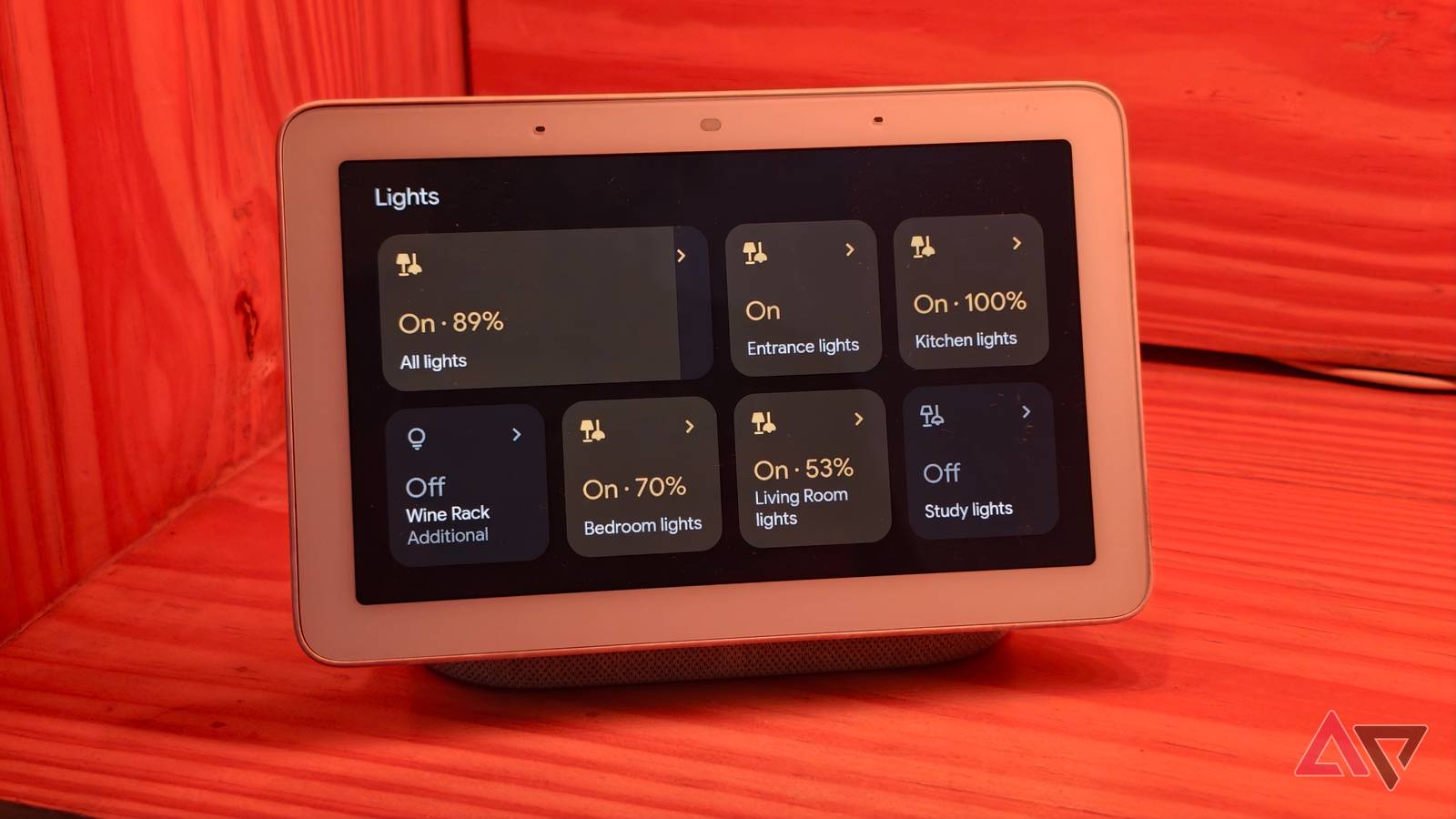
Published Nov 27, 2026, 6:28 AM EST Dhruv Bhutani has covered the Android ecosystem since 2010, with a focus on smartphones, connected devices, and home networking. His reporting is informed by hands-on experience reviewing hundreds of smartphones and testing a wide range of smart home and audio products over more than a decade. He has attended Mobile World Congress eight times since 2011 and IFA Berlin five times, alongside regular coverage of launch events and industry briefings from companies including Google, Xiaomi, Oppo, and Qualcomm. This on-ground access and long-term exposure to product cycles inform how he evaluates hardware, software direction, and ecosystem shifts. First-Hand Experience Reviewed and tested hundreds of smartphones since 2009 Tested smart home, audio, and connected devices across multiple categories Attended Mobile World Congress (8 times, first in 2011) Attended IFA Berlin (5 times) Covered industry events including Qualcomm Summit and launch events from Google, Xiaomi, Oppo, and Vivo Career History CNET — Freelance Editor May 2024 – Present XDA - Freelance October 2024 – Present Android Police — Freelance Editor July 2023 – Present Android Authority — Contributor November 2022 – Present Android Authority — Editor January 2019 – October 2022 FoneArena — Editor February 2010 – January 2018 PhoneReport.info — International Correspondent February 2010 – May 2011 Nokia Mobile Talk — Writer June 2009 – October 2009 Over the years, I've migrated from Wi-Fi-based smart bulbs to the rather pricey Philips Hue ecosystem because I wanted smart lighting that worked just as well when disconnected from the internet. The reality is that a significant portion of smart home devices today need internet connectivity to work. Meanwhile, with over 50 Philips Hue lights and relays around my home, I expect my lighting to work regardless of the status of my internet connection. As long as I use the Hue app, that's largely been the case. However, the Google Home app has traditionally communicated with Philips Hue over the internet before manipulating lights and relays using the bridge on the local network. Recently, Google changed how Google Home communicates with existing Hue Bridges and moved to local Matter control, which opens up the opportunity to enable internet-free smart home controls. So, I tested out the integration to see just how much of my setup would continue working if I disconnected the internet entirely. The latest Google Home update moves Philips Hue to local Matter control All the little changes Until recently, controlling Philips Hue lights through Google Home meant relying on a fully cloud-based chain instead of talking to devices on the home network. You'd tap the relevant button to switch on a light in Google Home, or ask for it using the voice assistant. This command would then be pushed through Google's servers to the Hue cloud infrastructure. It would then get pulled down to the Hue Bridge, from where it would toggle the lights over Zigbee. That's an astonishingly long-winded way to control a simple light bulb. Understandably, it also introduces failure points. Anything from an internet disruption to downtime for Google or Hue servers would mean that you could no longer adjust the lights at your home. With the updated Matter integration, however, that's, ahem, partly a matter of the past. Matter is a local, offline-first protocol, and Google says existing Hue Bridges now use local Matter control through Google Home hubs, which can improve response times and reliability. However, local communication does not guarantee that every Google Home control method will work when the internet is unavailable, as my test below illustrates. Features that depend on Google's cloud services, particularly voice processing, still require an internet connection. This is an important distinction, as you'll soon discover. Even before we get to the test, there are a few conditions to consider here that could potentially limit who can enjoy the new Matter integration. For example, you'll need a v2 Hue Bridge at a minimum, since older Hue hubs do not support Matter. Similarly, you will also need a Matter-enabled Google Home hub such as a second-generation Google Nest Hub or even a Google TV Streamer. Google's latest update automatically moves Hue Bridges to Matter-based local control without needing any additional configuration like putting your Hue Bridges in Matter bridge mode and importing them again. That is a great step for transparent upgrades in my book, as not everyone wants to learn about underlying technology upgrades or understands how they work. In fact, even I hadn't noticed that Google Home had already shifted my Hue integration to Matter until I went digging. Basic lighting controls are faster and work just as before Cutting off the internet reveals the limitations of Google's Matter integration With the upgrade out of the way, the first thing I wanted to check was manual control through the Google Home app and whether anything had changed in basic impressions. The upgrade is largely transparent, and you can still use buttons in the app or your Nest Hub. No changes on that front. Brightness adjustments and basic color controls work just the same as well. Interestingly, in my opinion, the responsiveness has also improved. That tracks because your commands are no longer being routed via the internet. Don't mistake that for offline control, though, as that's a separate consideration. I tested this by disconnecting my router's WAN connection while keeping the local network operational. I expected Google Home to continue working with the Hue Bridge directly over Matter, but that wasn't the case. I still couldn't turn on the lights in my study or switch off the lights in my bedroom before going to bed. Nothing worked, whether I used the Google Home app, the touch controls on my Nest Hub, or voice commands. That's a bit of a bummer. I was expecting basic lighting controls to remain available without an active internet connection, particularly since Matter is designed around local communication. In 2026, this isn't an unreasonable expectation either. I can control the same Hue lights through both the Philips Hue app and Apple Home without an active internet connection. Google's implementation, at least in my setup, isn't quite as functionally independent as you'd think. There are also limitations to what Google Home can do via the Matter integration. For example, I have found no way to access or control the many scenes I've built in the Philips Hue app via Google Home. What Google Home gives you is a simple, straightforward way to turn the lights on or off and change colors and brightness levels. Finally, what really changed is the interface between your choice of Google Home hub acting as a Matter controller and the Philips Hue hub. This switchover doesn't mean that you can ditch a Hue hub, as the hardware is still necessary for actually controlling the lights, nor does it unlock any additional functionality. Google's Matter upgrade is a step forward, but doesn't offer full offline control All that said, there are still some advantages to a local-first smart lighting setup. Google's Matter integration is a welcome improvement, as it reduces latency, allows my Nest Hub to communicate with my Philips Hue Bridge over a local Matter connection, and doesn't need me to change anything in my setup or upgrade any hardware. However, local control and offline control aren't quite the same thing, and I would have preferred it if Google Home had given users more fully fleshed-out offline controls. For now, if the internet goes down, I'll continue switching back to the Philips Hue app, as the update doesn't quite go far enough to make Google Home the only interface I need.
I cut the internet on my Philips Hue lights: Here's what kept working in Google Home and what didn't
Full Article
Original Source
Read the full article at Androidpolice →KhanList aggregates and links to publicly available news content. We do not host full articles from third-party sources. Always verify important information with original sources.