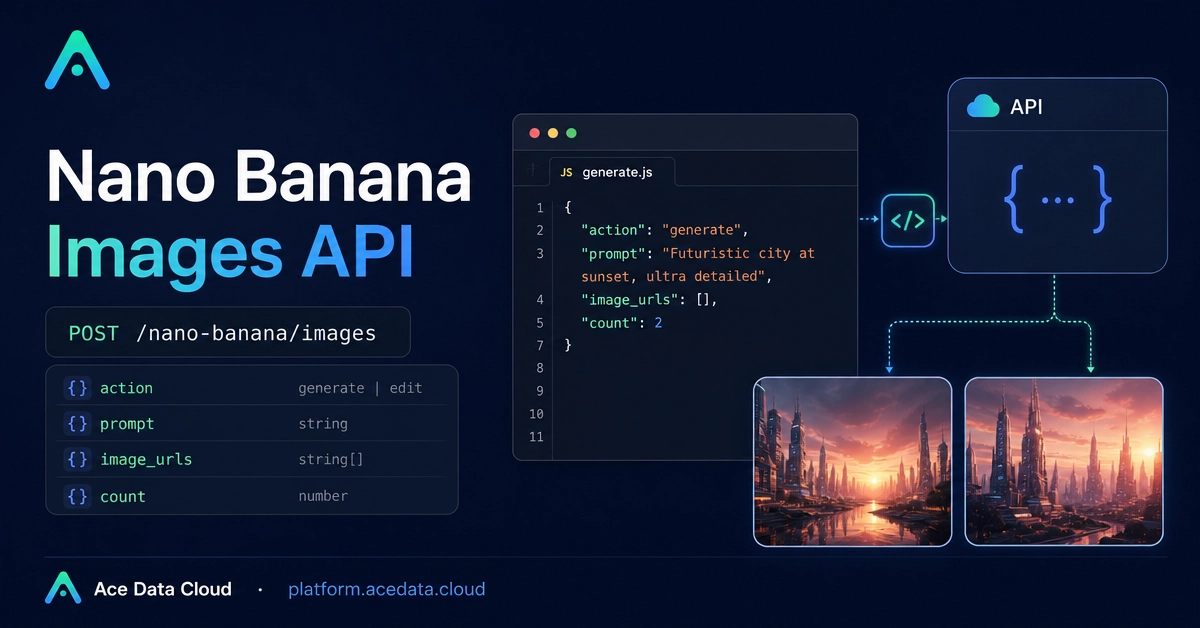
A lot of image features start simple: generate one picture from a prompt, or edit an existing image from a product page. The hard part is turning that into a backend workflow that is predictable enough for an app. This guide shows how to wire a small generate-and-edit pipeline with the Ace Data Cloud Nano Banana Images API. We will keep it practical: one endpoint, the real request fields, a curl example, a Python wrapper, and a few notes that matter when you move from playground experiments to application code. What you can do The Nano Banana Images API supports two actions through the same endpoint: generate: create images from a text prompt edit: edit one or more input images with a prompt The documented interface is: Base URL: https://api.acedata.cloud Endpoint: POST /nano-banana/images Auth header: authorization: Bearer {token} Request headers: accept: application/json and content-type: application/json Optional callback_url for asynchronous completion notifications Optional count from 1 to 4, defaulting to 1 The model field is optional. The documented choices include nano-banana, nano-banana-2-lite, nano-banana-2, nano-banana-pro, plus corresponding :official variants such as nano-banana-pro:official. For app developers, the useful part is that generation and editing share the same response idea: a successful call returns success, a task_id, a trace_id, and a data[] list containing image results. How it works For generation, the minimum required fields are action and prompt. You can add model when you want a specific model, and count when you want more than one result. Here is the documented cURL pattern: curl -X POST 'https://api.acedata.cloud/nano-banana/images' \ -H 'authorization: Bearer {token}' \ -H 'accept: application/json' \ -H 'content-type: application/json' \ -d '{ "action": "generate", "model": "nano-banana-pro", "prompt": "A photorealistic close-up portrait of an elderly Japanese ceramicist with deep, sun-etched wrinkles and a warm, knowing smile. He is carefully inspecting a freshly glazed tea bowl. The setting is his rustic, sun-drenched workshop. The scene is illuminated by soft, golden hour light streaming through a window, highlighting the fine texture of the clay. Captured with an 85mm portrait lens, resulting in a soft, blurred background (bokeh). The overall mood is serene and masterful. Vertical portrait orientation.", "count": 1 }' Enter fullscreen mode Exit fullscreen mode A successful response looks like this: { "success": true, "task_id": "70e6931b-6e34-43db-9e36-8765e2809d04", "trace_id": "60df8d38-f265-4986-aec7-75c9220bced2", "data": [ { "prompt": "A photorealistic close-up portrait of an elderly Japanese ceramicist...", "image_url": "https://platform2.cdn.acedata.cloud/nanobanana/1d0160b4-93f9-4229-8926-ea9ef0bed336.png" } ] } Enter fullscreen mode Exit fullscreen mode In a production backend, image_url is the field you usually persist. task_id is useful for correlating the request with your own job record, and trace_id is useful when debugging failures. Generate: keep prompts specific and save the result URL A generation request is straightforward, but prompt quality still matters. I prefer to store prompts as structured templates instead of raw text scattered through the codebase. For example, a product image workflow could build the prompt from fields like subject, style, lighting, and orientation. Here is a compact Python wrapper: import requests API_URL = "https://api.acedata.cloud/nano-banana/images" def generate_image(token: str, prompt: str, model: str = "nano-banana-pro", count: int = 1): headers = { "authorization": f"Bearer {token}", "accept": "application/json", "content-type": "application/json", } payload = { "action": "generate", "model": model, "prompt": prompt, "count": count, } response = requests.post(API_URL, json=payload, headers=headers, timeout=120) response.raise_for_status() result = response.json() return [item["image_url"] for item in result.get("data", [])] Enter fullscreen mode Exit fullscreen mode The API supports count from 1 to 4. The document notes that if some images fail, only successful images are returned and billed. That means your code should treat data as a list that may contain fewer items than requested. Edit: pass one or more source images with image_urls For editing, set action to edit, provide a prompt, and pass source images through image_urls. The document says these can be publicly accessible http or https URLs, or base64-encoded images such as a data:image/png;base64,... string. A documented edit request looks like this: curl -X POST 'https://api.acedata.cloud/nano-banana/images' \ -H 'authorization: Bearer {token}' \ -H 'accept: application/json' \ -H 'content-type: application/json' \ -d '{ "action": "edit", "prompt": "let this man wear on this T-shirt", "image_urls": [ "https://cdn.acedata.cloud/v8073y.png", "https://cdn.acedata.cloud/44xlah.png" ], "count": 1 }' Enter fullscreen mode Exit fullscreen mode That pattern is useful for common app features: virtual try-on experiments, combining a product image with a scene, changing an object style, or applying a brand asset to a generated background. The key is to make the relationship between the images explicit in the prompt. Add callbacks when the UI should not wait The API supports an optional callback_url so your service can receive task completion notifications and results asynchronously. This is usually a better fit for web apps than keeping a browser request open. A simple architecture is: Your frontend submits a generation or edit job to your backend. Your backend calls POST /nano-banana/images with callback_url. You store task_id and initial status in your database. When the callback arrives, you save the returned image_url values and notify the user interface. Even if you start synchronously, design your database around jobs rather than one-off responses. Image workflows often become queues later. Handle errors as first-class data The documented error response includes an error object and a trace_id. Do not throw that information away. Log the trace ID with your internal request ID so you can debug problems later. For example, wrap your request like this: try: urls = generate_image(token, prompt) except requests.HTTPError as exc: body = exc.response.text if exc.response is not None else "" raise RuntimeError(f"Nano Banana request failed: {body}") from exc Enter fullscreen mode Exit fullscreen mode In a real system, you would parse the JSON body and store error.code, error.message, and trace_id in your job table. Closing notes The nice thing about this API shape is that it keeps the workflow small: one endpoint, an action switch, a prompt, optional source images, and a result list of image URLs. Start with generate for prompt-only features, move to edit when you need source images, and add callback_url once the user experience needs background jobs. The full Ace Data Cloud document has the complete examples and parameter notes: Nano Banana Images API Integration Guide.
How to Add Generate and Edit Image Workflows with the Nano Banana Images API
Full Article
Original Source
Read the full article at Dev →KhanList aggregates and links to publicly available news content. We do not host full articles from third-party sources. Always verify important information with original sources.