
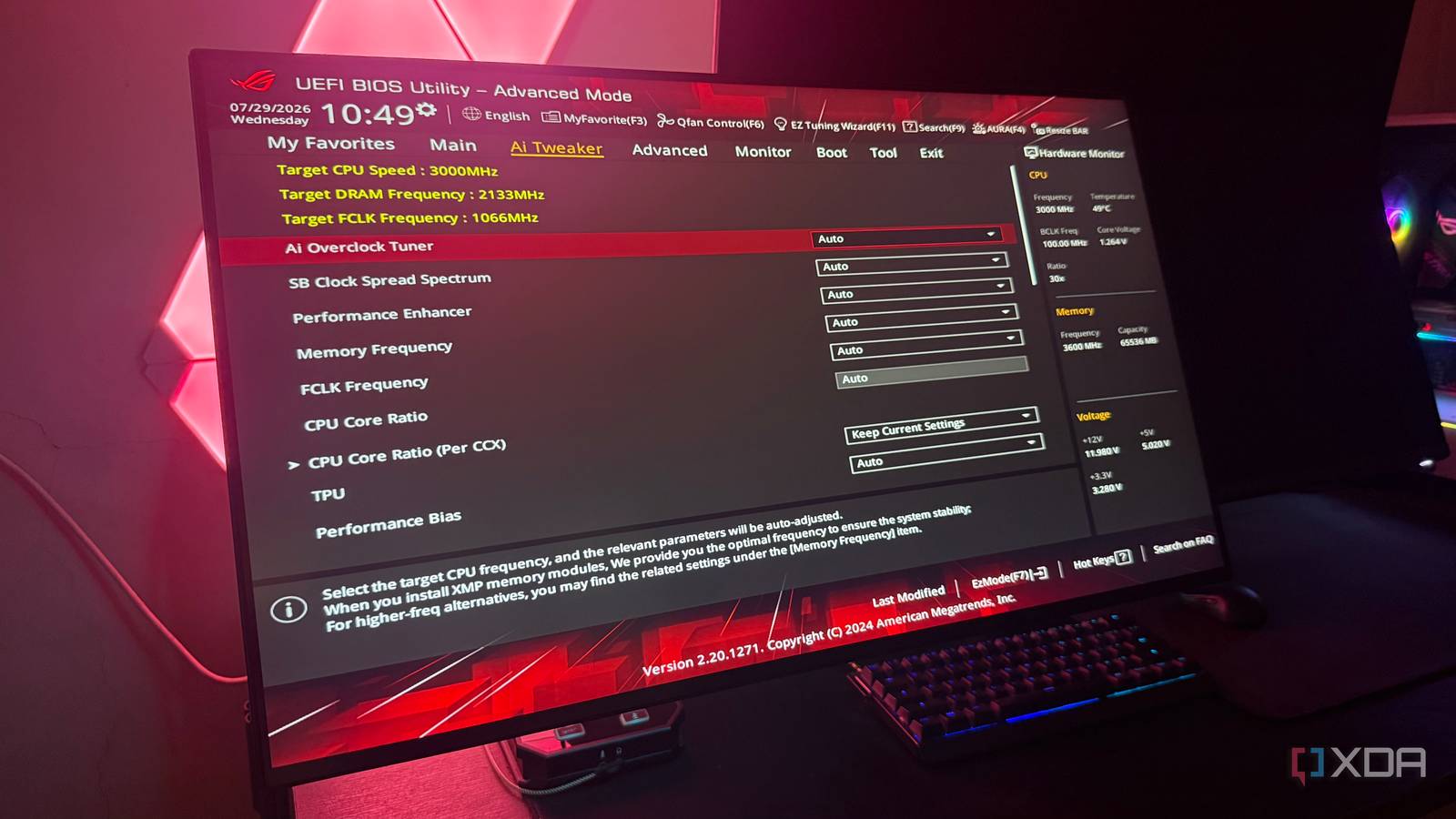
Published Aug 1, 2026, 2:30 PM EDT Hamlin has been in the tech field for over nine years. Since 2017, his work has appeared on MakeUseOf, Android Police, OSXDaily, Beebom, and more. He served as the Senior Editor at Valnet's MakeUseOf for over two years before joining XDA. He uses a high-end gaming rig for desktop use and a MacBook for traveling, but dislikes some of the quirks of macOS. You're more likely to catch him at the gym or on a flight than anywhere else. The BIOS menu has always been something I only checked when setting up a new PC or troubleshooting an issue. But as long as everything was working as intended, I never felt the need to revisit my motherboard's settings. And to be fair, that's probably how most people treat the BIOS. There's nothing inherently wrong with this approach, except that BIOS updates and even hardware upgrades can quietly reset some of the settings you configured years ago. And I've learned that the hard way. When I upgraded to the 5800X3D, my frame rates weren't quite where I expected them to be at first, so I started digging around in the BIOS again. The first thing I noticed was that my RAM was no longer running at its rated speed, even though I distinctly remembered enabling DOCP when I built the PC with a 5900X years earlier. Then I started wondering what else had changed while I wasn't paying attention, and sure enough, Resizable BAR wasn't enabled either. My RAM was running at JEDEC speeds BIOS updates and CPU swaps can disable your XMP/EXPO profile I'm sure most of you already know that you need to manually enable XMP/EXPO in your BIOS at this point. But I didn't know I had to do this more than once. The thing is, BIOS updates can quietly reset your motherboard's settings back to their defaults, including your memory profile. So if you don't think to check afterward, your RAM can end up running at JEDEC speeds without you ever realizing it. You may not notice it because your PC still runs just fine. But your gaming performance might not be what it should be. I upgraded to the 5800X3D expecting a significant boost in CPU-bound games, especially on my 360Hz monitor. Instead, my frame rates weren't where I expected them to be, and my 1% lows even felt worse than I remembered with my 5900X. That's what convinced me to check my BIOS, and I found that my RAM was running at 2133MT/s instead of 3600MT/s. Re-enabling DOCP (Asus's implementation of XMP) was all it took to get the frame rates I saw in early benchmarks. So whether you installed a new CPU or updated the BIOS to support one, it's worth revisiting your BIOS settings to make sure everything is still configured correctly. Resizable BAR wasn't enabled either But I know I enabled it when I had the RTX 3090 I vividly remember enabling Resizable BAR in the BIOS after watching a Hardware Unboxed video when Nvidia rolled out the feature in 2021. Back then, I had the RTX 3090, and I even checked the Nvidia Control Panel to make sure it was actually working. But when I upgraded to the RTX 4090 later in 2022, I didn't think to check it again. I kept gaming on it for a couple of years until the 5800X3D prompted me to revisit my BIOS because I wasn't getting the frame rates I expected. Unlike XMP/EXPO, Resizable BAR only improves frame rates slightly, and even then only in whitelisted games that support it. So it made sense why I didn't notice it for so long while gaming. If it hadn't been for me checking what else had changed in my BIOS after seeing my RAM was running at stock speeds, I probably wouldn't have noticed it. I don't know for sure whether it was the GPU swap or a BIOS update that reset it. Either way, it was a good reminder that BIOS-level features aren't something I should assume will stay enabled forever. Not every BIOS setting is worth obsessing over But the ones that affect performance deserve another look every now and then Of course, double-checking every setting can quickly become an endless rabbit hole. I wouldn't bother doing all that, especially when I don't even know what half of those settings do. Unless you're into overclocking or troubleshooting a specific issue, you're probably better off leaving most of them alone. That's exactly what I've done for years, and I don't think spending that much time optimizing BIOS settings is remotely worth it for the average user. But as a gamer, you probably know at least a few settings that affect performance and are worth paying attention to. XMP/EXPO is the obvious one, but in my case, it was Resizable BAR too. Likewise, you might have enabled Precision Boost Overdrive to help your CPU boost more aggressively. And if you're on AM5, it's worth checking settings like Memory Context Restore (MCR), which can improve your boot times by skipping memory training. All in all, if you went out of your way to enable a setting at any point, it's worth revisiting. For the settings that matter, it only takes a few minutes anyway Now that I've made the changes I needed to in the BIOS, I can go back to forgetting it exists for a while. It only took me a couple of minutes because I only checked the handful of settings I knew I'd gone out of my way to change to improve performance. So after every BIOS update, all you need to do is boot into the BIOS and make sure those settings are still configured the way you left them. Your PC may run just fine at default settings, but you could still be leaving performance on the table without even realizing it.
I ignored my motherboard's settings for years, and it quietly cost me performance
Full Article
Original Source
Read the full article at Xda-developers →KhanList aggregates and links to publicly available news content. We do not host full articles from third-party sources. Always verify important information with original sources.