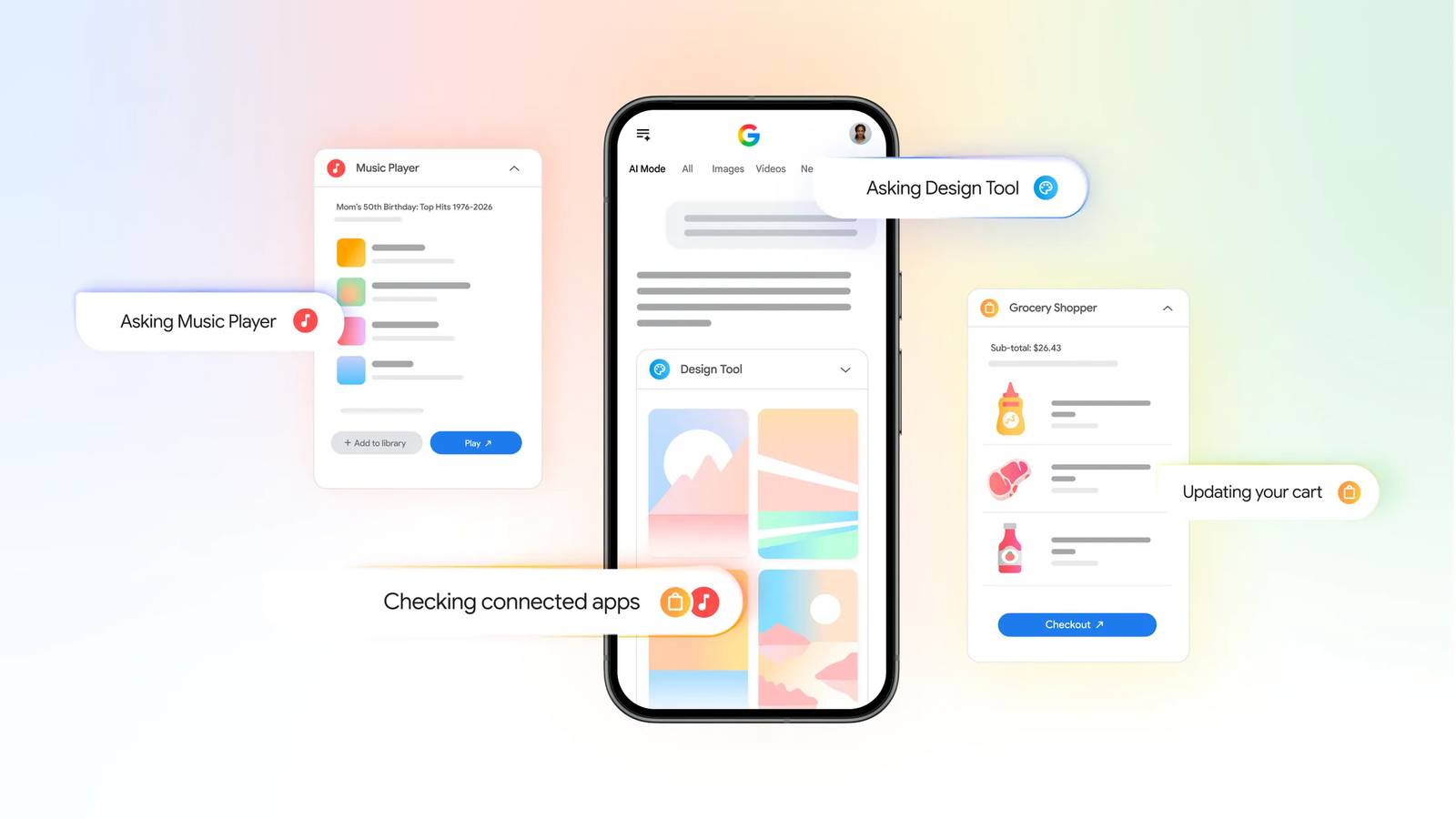
Credit: Google Published Jul 16, 2026, 4:19 PM EDT Chandra Steele has been writing about tech for the entirety of her journalism career. She loves making tough topics easy to understand. Before joining Android Police, Chandra was senior features writer at PCMag where she did everything from interviewing Jeff Goldblum to explaining crypto. Sign in to your Android Police account Google’s AI Mode has taken over your internet searches and, if you’ve connected your Google apps to it, your personal searches as well. Today it has started tackling tasks through third-party connected apps. Google is rolling out integration with Canva, Instacart, and YouTube Music that’s aimed at getting things done right within a search. Google lays out an example in its announcement: “Let’s say you’re planning a barbecue and using AI Mode for help with your grocery list. If you connect Instacart, you can add the ingredients straight into your Instacart shopping cart and check out with just a few taps on their app or website.” Requests are processed in Ask Anything Credit: Google To use the feature, go to google.com/ai. You can then enter the request in the Ask Anything bar. Google’s suggestions include: “Make me a grocery cart of healthy snacks and drinks for 8 adults." “Create a playlist featuring the top trending Bollywood songs from the past 10 years.” “I’m launching a weekend pop-up vintage clothing sale. Create a flyer draft in Canva that looks retro, grainy, and uses neutral earth tones.” The trio of apps makes for an easy way to plan a party, from getting the groceries to making the playlist and writing up the invites. Rolling out now The connected apps in AI Mode in Search are rolling out right now in the US in English. To use the feature, you must be signed into a Google account and link that account to the service you want to use. If it isn’t already linked when you attempt to use the feature, you'll be able to click Link when it's surfaced, and then follow the steps in AI Mode to link it. Google said that it’s working with other partners on introducing more apps soon.
Google’s AI Mode is ready to tackle your everyday tasks with third-party apps
Full Article
Original Source
Read the full article at Androidpolice →KhanList aggregates and links to publicly available news content. We do not host full articles from third-party sources. Always verify important information with original sources.