
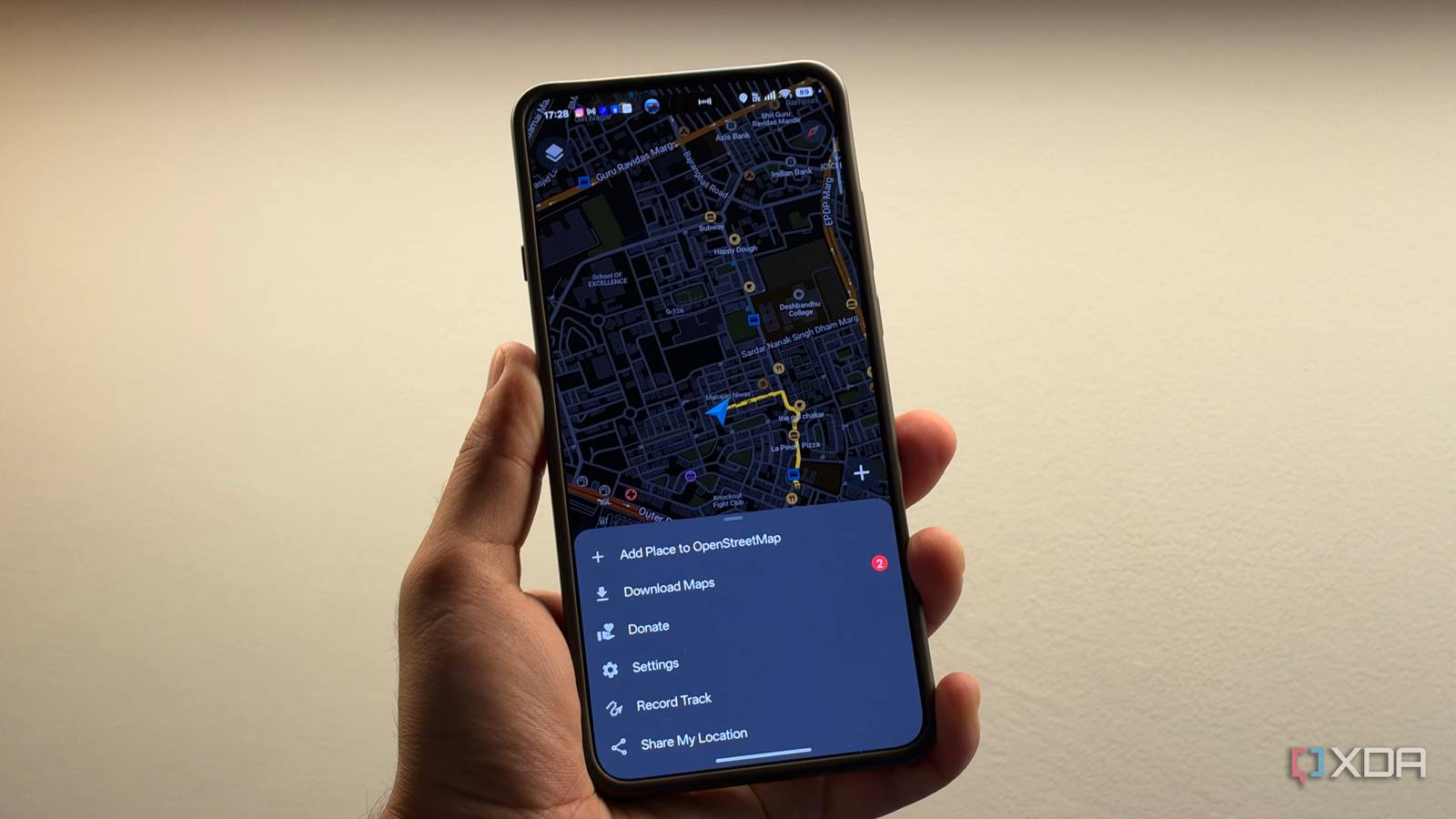
Published Nov 29, 2026, 5:00 PM EST Dhruv Bhutani has been writing about consumer technology since 2008, offering deep insights into the personal technology landscape through features and opinion pieces. He writes for XDA-Developers, where he focuses on topics like productivity, networking, self-hosting, and more. Over the years, his work has also appeared in leading publications such as Android Police, Android Authority, CNET, PCMag, and more. Outside of his professional work, Dhruv is an avid fan of horror media spanning films and literature, enjoys fitness activities, collects vinyl records, and plays the guitar. There's no denying that Google Maps is an excellent mapping tool. It can help you figure out where to go, when to go, and even find new places to go. To add to that, it has a reasonably capable offline mode, too, letting you download entire regions offline for looking up saved locations and navigating without internet connectivity. But it's clear that offline mode is a bit of an afterthought for Google Maps. The interface is convoluted, to say the least. Moreover, I'd rather not hedge all my bets with Google Maps. Increasingly, I'm looking at open-source alternatives for my most used apps and services. That's why I've started using Organic Maps alongside Google Maps. Organic Maps takes the idea of offline navigation further than Google Maps. Much further, in fact. It gives you an interface that is designed for granular downloads, lets you search for locations, calculate routes, and provides turn-by-turn navigation without needing an active internet connection. Moreover, it works perfectly with Android Auto even when offline. It's not a full-fledged Google Maps alternative for all use cases, but for me, it more than suffices. It solves more than a few problems that Google's approach to offline navigation does not. Organic Maps does offline navigation the way I wish Google Maps would Offline search, bookmarks, and GPS imports make it more than a map viewer Credit: The biggest difference between Organic Maps and Google Maps is the degree to which both apps depend on internet connectivity. While Google Maps lets you download a region offline by drawing a rectangle on the map, the experience is largely designed around internet-first use. Organic Maps, on the other hand, is designed to work perfectly within the constraints of downloaded data. With Organic Maps, every time I install the app on a new phone, the first thing I do is download my home region offline. Organic Maps uses OpenStreetMap data, and it lets me get granular with it by letting me filter by countries, states, and cities. There are no limits to how much I can keep offline. This also comes in useful when I'm traveling. International roaming is expensive, and I can't always count on Wi-Fi. While Google Maps can be useful to check if a restaurant is open, Organic Maps more than suffices to get me from one place to another without dipping into my data allowance. Moreover, it works even if I don't have any connectivity at all, which has saved my bacon a few times when I was out in the countryside. Offline search is just as important. As I mentioned, Organic Maps offers a fully fleshed-out offline mode, which lets me look up streets, addresses, and points of interest without needing to establish a data connection. It's not an offline map viewer. There are a few other features that make Organic Maps a stellar companion when you're traveling. You can keep saved locations as bookmarks and keep them organized into collections. So far, so good. But you can also import or export routes as GPX or KML files. Often enough, I'll make a walking tour map on my computer, export it as a GPX file, and import it into Organic Maps. This serves as a fantastic self-paced way to check out a city without needing internet connectivity. For all its benefits, like a better offline mode and a distinct lack of advertising, there are some things to keep in mind while using Organic Maps. OpenStreetMap, its mapping source, is a community-sourced project, so it won't have every single address on file, nor is it updated as quickly as Google Maps. Google Maps' live traffic data is another advantage in its favor. While walking around a new city on foot is hardly an issue, access to live traffic data is a big benefit when driving. It helps me plan around real-time congestion and helps me get to my destination on time. Why I prefer Organic Maps for long road trips When reliable navigation matters more than live traffic The feature that convinced me to use Organic Maps a lot more is its Android Auto integration. Offline navigation on a phone is useful, but it becomes particularly helpful when I have access to it in my car. Most of my driving tends to be on the expressway on long road trips where moment-by-moment traffic data isn't that critical. What matters more is knowing where I'm going irrespective of data connectivity. Since Organic Maps can work completely offline, I'm not beholden to data drop-offs when deep in the countryside or in the hills. That makes a big difference when reliability is imperative. Excellent offline navigation makes Organic Maps an essential for road trips I wouldn't recommend anyone uninstall Google Maps completely. Within your home turf, it has certain day-to-day advantages, like knowing if a cafe is still open or getting traffic data while traveling from one place to another. However, increasingly, I've been turning to Organic Maps for all my navigation needs. It gets the basics right, has a no-compromise offline mode, and has very few downsides if you can plan around things like traffic. For long drives and pedestrian navigation, that's not a big issue. Add to that an excellent, fully featured Android Auto mode, and this is one app I wholeheartedly recommend installing alongside Google Maps, even if you're not fully ready to switch over just yet. Organic Maps Organic Maps is a free, open-source offline navigation app for Android and iPhone, offering privacy-focused, ad-free maps, hiking trails, driving directions, bookmarks, and maps without tracking users or collecting data.
Google Maps' offline mode is good, but this Android Auto app takes offline navigation to another level
Full Article
Original Source
Read the full article at Xda-developers →KhanList aggregates and links to publicly available news content. We do not host full articles from third-party sources. Always verify important information with original sources.