
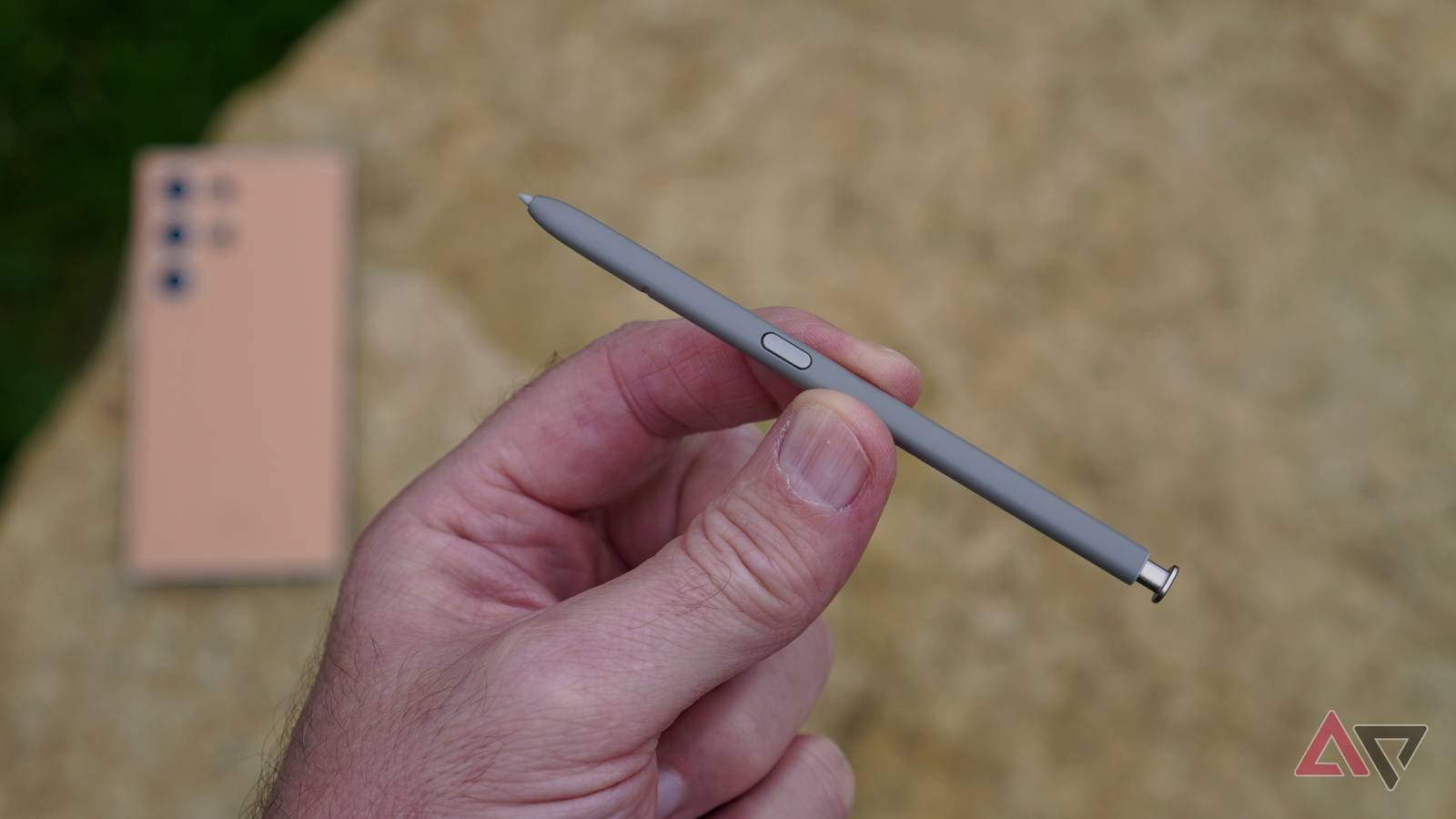
Published Nov 29, 2026, 5:09 PM EST Haroun authors features for Android Police, covering Android, Samsung, Google, and AI. He first joined in 2021, writing over 200 news stories before moving on to features and how-tos. A one-time OnePlus die-hard who genuinely couldn't stand Samsung, he's since done a full about-face — he now daily-drives a Galaxy S24 Ultra and keeps an S23+, S22+, and his old S20 within arm's reach, which gives him a lot of hardware to put through its paces. He also holds a medical degree (MBBS) and has been obsessed with consumer tech for more than a decade. His work has appeared on How-To Geek and Android Authority. When he's not buried in Google's apps or a Samsung settings menu, he's trying to get his chess rating past 1500 or reading up on genetics and preventive medicine. One feature that has made Samsung's Ultra devices stand out for years is the S Pen. And the Samsung Galaxy S24 Ultra's version is arguably the best one, because Samsung nerfed the S Pen by removing Bluetooth on the S25 Ultra and S26 Ultra. In late October, the Apple iPhone Duo became the first iPhone to support a pen, or Apple Pencil, as Apple calls it. But it only works with the $79 Apple Pencil (USB-C). And it couldn't be more different from the S Pen. After more than a year on the S24 Ultra, here are six things my S Pen does that the Apple Pencil can't. It comes with the phone We've seen tablets that come with pens, like the Samsung Galaxy Tab S12 Ultra. We've also seen generic pens that claim to work with all smartphones. But the S Pen stands out because it has a slot in the phone, so it's always with you. The Apple Pencil (USB-C), on the other hand, has no built-in slot on the iPhone Duo. It doesn't even come in the box. If you want it, you have to pay an extra $79. Another advantage of the S Pen being inside the phone is that it charges automatically. So, you never have to worry about the battery dying. That's not the case with the Apple Pencil. Even though you can attach it to the Duo's hinge for storage, that doesn't help with charging. You have to power it up separately with a USB-C cable. It has a functional button With useful shortcuts When you bring out the S24 Ultra's S Pen, you notice the button on the side. Press it and double-tap the screen, and you get a quick note to scribble whatever you need without leaving the app you're currently using. Credit: Pulling out the S Pen also adds a pen icon to the side of the screen. When you tap it, it reveals the Air command menu with several shortcuts, like Creative studio, AI select, Screen write, and Translate. The Apple Pencil (USB-C) has no button. It also doesn't support the double-tap and squeeze shortcuts like the Apple Pencil Pro. It doubles as a remote You can take pictures from afar The first thing I did with my friends after getting the S24 Ultra was take pictures with the S Pen just to show off. The S Pen automatically connects with your phone via Bluetooth whenever you take it out. This gives you a bunch of Air actions you can trigger from afar, like taking pictures. You also get gestures to open the recent apps screen, go back, or return to the home screen when you press and hold the button and flick. The Apple Pencil (USB-C) has nothing like this. To be fair, neither do the S25 Ultra and S26 Ultra because Samsung removed Bluetooth support. It also has hover actions You don't have to tap your screen to use it The S Pen doesn't have to touch your screen to be useful. You can hover to reveal more information. For example, hovering over icons reveals their names or descriptions. Similarly, hovering over calendar events reveals the details of the event. If you select Translate from the Air command menu, you can translate words or entire sentences by hovering over them. And you guessed it, the iPhone Duo's Apple Pencil doesn't support hover actions. It has built-in pressure sensitivity It knows how hard you press The S Pen is pressure sensitive. If you apply minimal force while using it in Samsung Notes, you get a thin line. Use more force and you get a thicker line. It gives you the same feeling as writing with an actual pen. And because Samsung keeps improving Notes, there are several other things you can do in there as well. Meanwhile, the Apple Pencil (USB-C) doesn't support pressure sensitivity. It won't let you lose it Reminder if you get too far Styluses are small and can easily go missing. But unlike earbuds and phones that can be located with apps like Google's Find Hub, most styluses don't have something like that. That's not the case with the S Pen. If you go out of Bluetooth range with the S Pen out of its slot and your phone locked, you get a message saying: "Got your S Pen? It's not inside your phone. Make sure it's somewhere safe." The Apple Pencil (USB-C) doesn't work with Find My, so you have no way to locate it if you lose it. The Apple Pencil on the iPhone Duo is a good start Credit: Apple The iPhone Duo's Apple Pencil is not entirely terrible. It works on both the outer and inner screens, supports tilt, and has a palm rejection setting. And it would have more features if Apple added support for a better pen. Still, the S Pen is much more capable. And if you use a Galaxy, it's one Samsung feature that makes switching hard. Samsung Galaxy S26 Ultra $1030 $1142 Save $112 8/10 SoC Qualcomm Snapdragon 8 Elite Gen 5 Display type Dynamic AMOLED 2X RAM 12GB / 16GB Samsung's 2026 flagship comes with a built-in S Pen that charges inside the phone. Storage 256GB / 512GB / 1TB Battery 5,000mAh Charge speed 60W wired / 25W wireless Stylus S Pen
Galaxy S24 Ultra S Pen vs iPhone Duo Apple Pencil: 6 differences
Full Article
Original Source
Read the full article at Androidpolice →KhanList aggregates and links to publicly available news content. We do not host full articles from third-party sources. Always verify important information with original sources.