
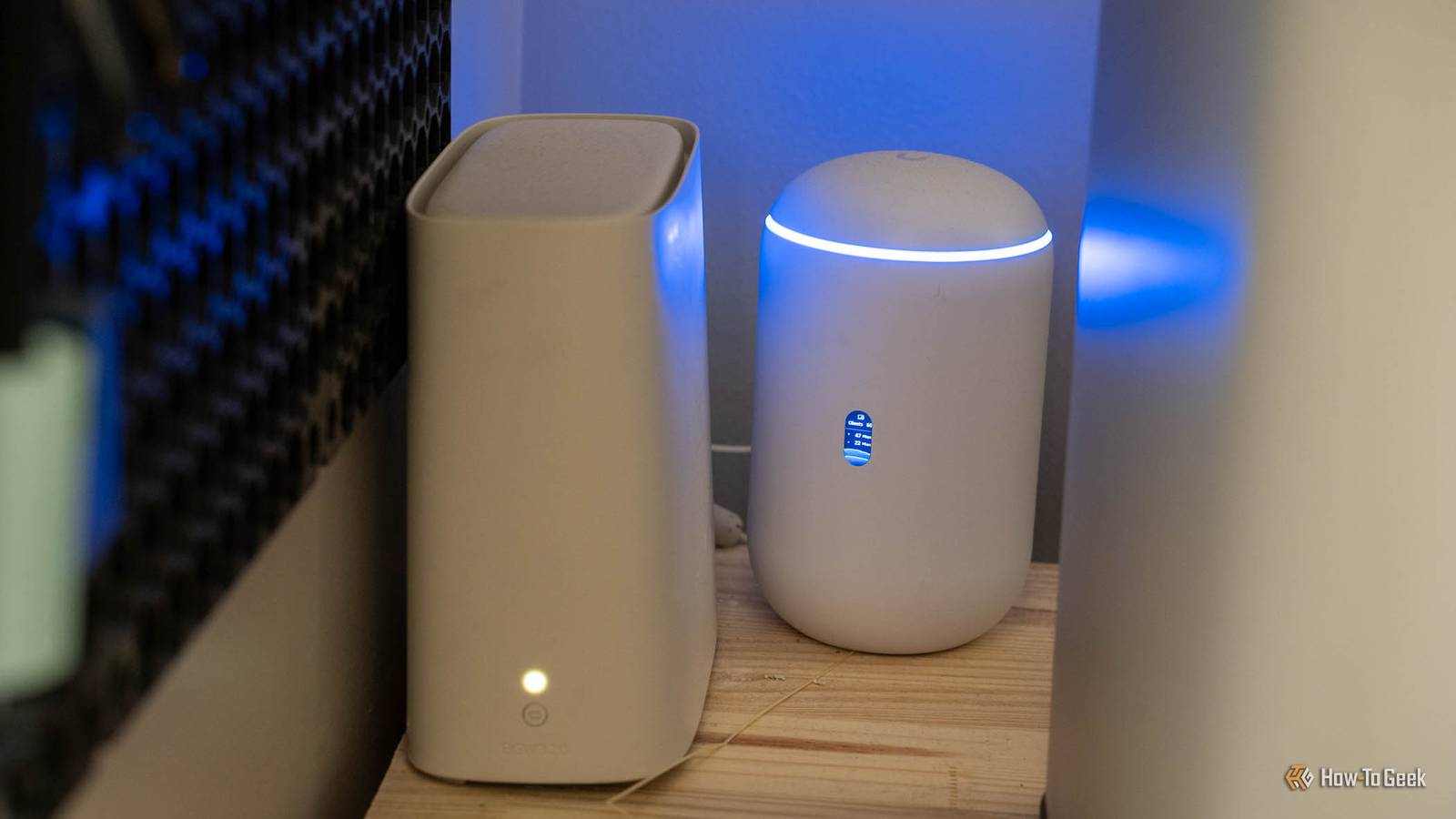
Published Nov 29, 2026, 5:30 PM EST Patrick Campanale has been in the tech space for well over a decade, specializing in PC/gaming news and reviews, as well as maker-focused products to build small businesses. With a start in technology back in 2010 surrounding the Palm/webOS ecosystem, Patrick spent his formative years developing mobile applications as well as blogging for various publications, eventually leading to starting his own website in 2014. After running a technology blog for a few years, he stepped out of that role and into the world of high-end custom PC manufacturing and building, with a focus on YouTube video production and overclocking. Then, in 2017, Patrick joined the 9to5Toys team as an editor/writer/reviewer with over 14,000 articles being published during his time there, ranging from deals and roundups to in-depth reviews on the latest technology, video games, 3D printers, and more. In his free time, Patrick loves to create projects from wood using various robots and methods, including leveraging the technologies of CNCs and lasers. If Patrick isn't working on a computer or playing video games, he's likely in his 2-car garage workshop creating something unique. In addition to all this, Patrick is also the media director at his local church where he feels God has called him to serve, and he loves every minute of it. Years ago I decided I wanted to use a Wi-Fi router other than the one AT&T provides. I used to have Xfinity, and was accustomed to being able to buy my own modem and completely bypass ISP-provided hardware, and was surprised to find out I couldn’t do that with AT&T. So, I set off to figure out how to get around their hardware and actually found a completely free way to do it with bridge mode/IP passthrough. Here’s how (and why) I put my ISP router into IP passthrough mode. AT&T won't let me use my own router There are workarounds, but it costs more than I want to spend Credit: Corbin Davenport / How-To GeekCredit: Hannah Stryker / How-To Geek For some people, using an ISP-provided router/modem is just fine. For me, it’s not. The problem is, AT&T doesn’t give me any option to not use their router with my fiber plan. I have to use it, and it’s really annoying. There are technically workarounds, like the 8311 community project that shows how to use a GPON or XGS-PON adapter to put AT&T’s fiber line directly into your own hardware. But, it costs about $125 and it’s just not worth it for me to spend that money on it. Not when I can put my AT&T gateway into IP passthrough mode and get almost the same experience for free. Bridge mode (IP passthrough) is the best solution I have It basically makes the AT&T router just a bridge to the outside world Long before I ever even found the 8311 project, I put my AT&T gateway into IP passthrough (some ISPs call it bridge mode). Essentially, it takes the AT&T router and turns off every networking function for a specific device that’s plugged into it, including the firewall and NAT. For me, I have my UniFi Dream Router 7 set up as the IP passthrough device. I have selected it by MAC address so it’s always chosen even if the AT&T gateway tries to change the IP of the Dream Router 7. It has worked flawlessly for me for several years now. I have used IP passthrough with more than just my UniFi Dream Router 7, though. I’ve used it with my old eero system, my AmpliFi Alien, TP-Link routers, Netgear Nighthawk systems, and more. Basically, any Wi-Fi router that supports running a full network with DHCP and firewalls can be put into IP passthrough on the AT&T router and function as the backbone of the system. To put a device in IP passthrough mode, simply navigate to your gateway’s landing page and navigate to the firewall page—at least, that’s where it is on my AT&T BGW320. From there, select IP Passthrough and then change the allocation mode to passthrough and select your connected device from the devices drop-down menu. Once you save it, everything should be up and running. I did have to reboot my UniFi Dream Router 7 for it to grab my public IP instead of the LAN IP it had previously, but that’s all I had to do to get everything working properly. My UniFi system now runs my entire network It's as if the AT&T router wasn't even there Credit: Patrick Campanale / How-To Geek With my UniFi Dream Router 7 in IP passthrough mode on the AT&T gateway, I never have to log in to the AT&T gateway to make networking changes. If I want to open a port, I open it on the Dream Router 7. If I need to change a fixed IP address of a device on my LAN, I do it on the Dream Router 7. This is because, when in IP passthrough mode, the AT&T gateway removes basically all safety features like firewalls and port blockers from the selected device. So, my network security relies on the Dream Router 7 doing its job well, and I’d say it does its job better than the AT&T gateway ever could. Really, this was the best free networking upgrade that I’ve ever made to my homelab. It doesn’t cost a single thing to put my Dream Router 7 inside of IP passthrough on the AT&T gateway, but it gives me all the freedom as if I was completely bypassing the AT&T modem. Maybe one day AT&T will let me go straight into my own hardware with the fiber line. Until then, I’ll be thankful that I have IP passthrough as it does almost the same thing. AT&T might make me use their hardware, but at least I’m in control of the network I really do wish I could be in full control of the hardware that’s used to run my entire network. Using the AT&T gateway just produces extra heat and uses extra electricity (though both amounts are small), and it’s just annoying to have one more device that has to be relied upon for the network to function. But, if I have to use their hardware, at least they let me bypass it as much as I can. Some ISPs don’t let you use bridge mode or IP passthrough which makes it a lot more difficult to use your own networking equipment. So, I’m counting my blessings that I have access to IP passthrough mode with AT&T.
I put my ISP's router in bridge mode, and it was the best free network upgrade I've made
Full Article
Original Source
Read the full article at Howtogeek →KhanList aggregates and links to publicly available news content. We do not host full articles from third-party sources. Always verify important information with original sources.