
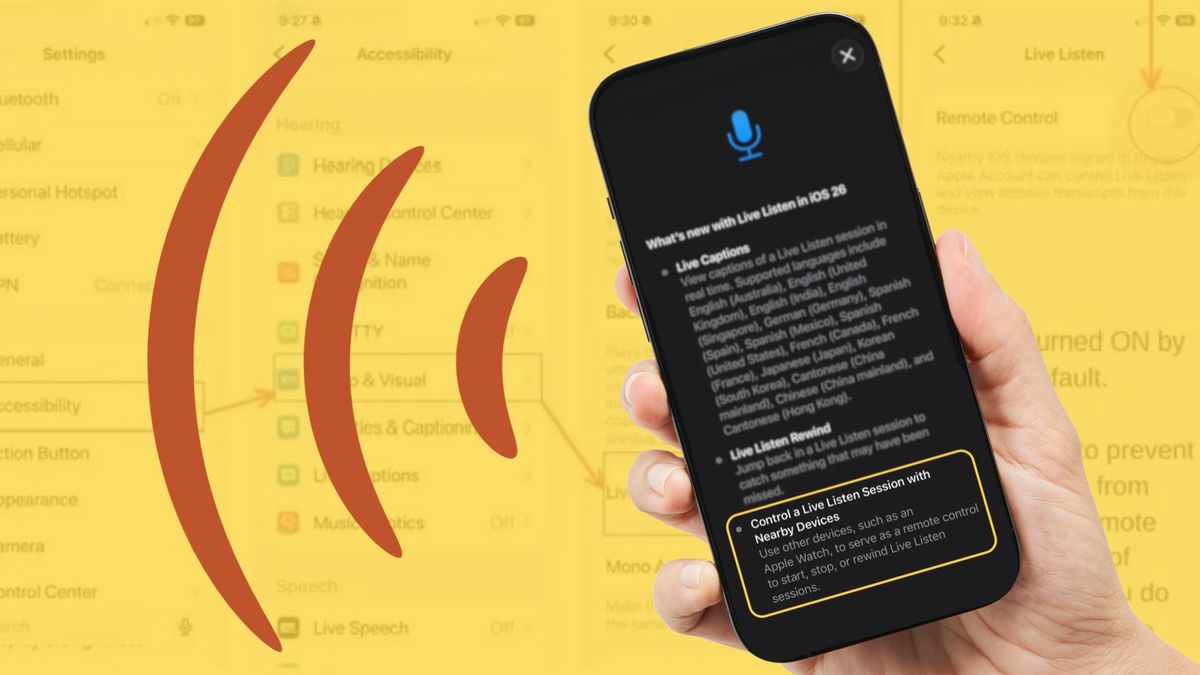
Claim: An Apple update automatically turned on an option that allows others to remotely access a phone's activity. What's TrueAn iOS update did include a "Remote Control" feature that appeared to be enabled automatically. What's FalseThe feature was introduced as part of the iOS 26 update, not iOS 27, and it does not allow users to remotely access a phone's "activity." Rather, it expands the functionality of the previously existing "Live Listen" accessibility feature. It is only functional on devices signed into the same Apple account, and it requires a user to intentionally initiate a Live Listen session on that device. A rumor has circulated online since October that Apple released an update automatically enabling an option for outsiders to remotely access a phone's activity. The claim spread on social media platforms such as Facebook (archived) and Instagram (archived). Many of the posts offered warnings about the feature and instructions on how to turn it off, like this one (archived) from a Facebook user: If you have an iPhone and installed the iOS 27 update, you might not know that Apple turned ON the option for someone to remotely access your activity on your phone. In short, Apple did put out a "Remote Control" feature in an update, but not iOS 27, as posts claimed. According to their Settings app, the feature released in iOS 26, and the assertion that the feature allowed "someone to remotely access" activity on users' phones was overstated. As such, we have rated this claim as mostly false. (Screenshot from iPhone/Snopes illustration) We reached out to Apple for more information about the "Remote Control" feature and to ask whether the iOS 26 update automatically enabled it across all devices. We will update the story if we receive a response. According to the Apple Support website, Live Listen allows an iPhone to "act like a microphone," allowing users to "hear a conversation in a noisy area or even hear someone speaking across the room." It was originally intended to work with hearing aids, but was expanded in iOS 12 to include AirPods or Beats earphones. The iOS 26 "Remote Control" setting added new functionality to the feature, allowing Apple devices like iPads and Apple Watches to view and control Live Listen sessions, as long as they are nearby and signed into the same Apple Account. For example, a student in the back of a noisy lecture hall could put their phone next to their professor at the start of class and remotely control a Live Listen session from their iPad signed into the same Apple account, allowing them to pause, resume and view a transcript of the picked-up audio without getting up from their seat. Live Listen is situated within the "Accessibility" menu, indicating that Apple intended the feature especially for those with hearing-related difficulties. (Screenshot from iPhone) Remote control of a user's Live Listen session can only take place if that user intentionally started the session, and it only provides access to a transcript of audio near the user's iPhone. A bad actor who gained access to a device signed into a user's Apple account wouldn't be able to start a Live Listen session on that user's device using "Remote Control" — that user would have to be the one to start the session. Because of this, there is little risk of someone using the feature nefariously. Based on user testimony and our own testing, the feature did appear to be automatically enabled as of the iOS 26 update. However, official Apple developer notes (archived) for the update made no mention of the terms "Remote Control" or "Live Listen." For further reading, Snopes investigated the extent to which incognito mode protects users' data, and found it might be less than most users expected.
Did Apple release 'Live Listen' update that lets someone else remotely access your phone?
Full Article
Original Source
Read the full article at Snopes →KhanList aggregates and links to publicly available news content. We do not host full articles from third-party sources. Always verify important information with original sources.