
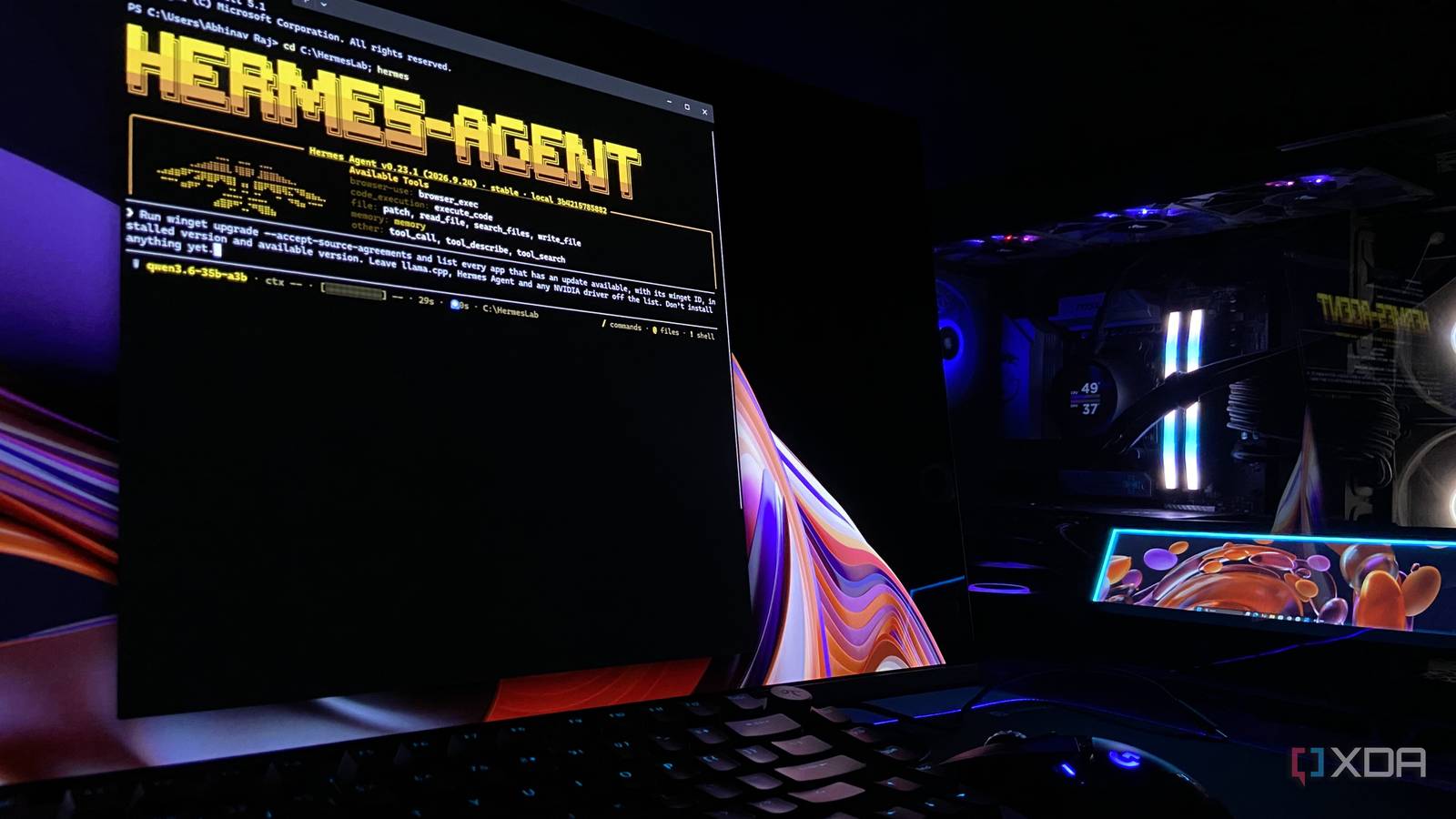
Published Nov 13, 2026, 4:00 PM EST Abhinav pivoted from a career in banking to pursue his first love in writing. Even while working full-time, he continued contributing as an editor-at-large, a role he has held for more than 7 years. A lifelong tech enthusiast who has built three gaming and productivity powerhouse PCs since 2018, his passion for technology keeps him closely following the semiconductor industry, from NVIDIA and AMD to ARM. His MSc dissertation explored how artificial intelligence will reshape the future of work, reflecting his curiosity about the wider social impact of emerging technologies. Some PC chores only get done when they become a problem. On my 3-year-old Windows 11 PC, more than 40 of my apps were waiting on updates when I checked, my project files had not been backed up anywhere and were at the mercy of my SSD's health, and every time I have network issues, it quickly turns into a guessing game about whether my network or the website I'm trying to access is to blame. Of course, none of these tasks are particularly uphill, but all of them are tedious, and tedium is exactly the kind of work that's worth handing off. Naturally, I was spoiled for options when it came to handing these tasks off. A frontier model like Claude could handle it all for me, but running these tasks routinely and burning through credits seems like an additional cost I'd have to see, if not in terms of credits purchased at API costs when the limits ran out, then certainly through reduced limits when I need the model. That's why I handed these dreary tasks to my local model that runs on my RTX 4070 Ti Super, through Hermes Agent. My local model takes app updates off my hands Qwen3.6 runs winget, and I just pick what gets updated The model I'm using in my setup is Unsloth's UD-IQ4_XS quant of Qwen3.6-35B-A3B, served through llama.cpp with a 64K context window and its --fit flag splitting expert layers between my 16GB of GDDR6X and 32GB of DDR5-6000. This arrangement got me a decent speed of 56–58 tokens per second during my runs through Hermes Agent. The first chore that I was itching to hand off was my update backlog. I asked Qwen to run winget, the package manager built into Windows 11, and list every app with a pending update. I decided to exclude llama.cpp, Hermes, and my Nvidia drivers, as updating any of those mid-session would have pulled the model, the agent, or GPU out from under the job. Qwen came back with more than 40 apps, along with their package IDs and versions. I kept Git and Windows Terminal off my picks for the same reason as Hermes depends on them. I decided to let the model update WinRAR, HWMonitor, and GPU-Z, all of which happen to be tools that I use in my day-to-day. Each upgrade took between 24–40 seconds, and the entire job was completed in 1 minute and 42 seconds with a summary table that the model produced itself. My project backups now run every night without me My local model built it with robocopy, and Windows runs it every night If I've learned anything from the many resilience training modules I sat through in my previous job, it's that forgetting to take backups is an operational risk to any project. On a personal computer, remembering to do it routinely only adds to the tedium. I've always believed that one of the best use of AI is to complement your workflow, and having it remember the tasks I forget is exactly the kind of arrangement I was going for. With that in mind, I asked Qwen to back up my project folder every night at 11 PM to the Crucial BX500, which is a separate SATA SSD in my PC. I instructed it to use robocopy, which is a file-copy tool built into Windows, and to copy without ever deleting. It copied seven files in 2.3 seconds and registered a Windows scheduled task, so the backup doesn't depend on my model at all and runs even when it's offline. What was particularly impressive is the fact that the model did something I didn't explicitly specify. I didn't tell Qwen which scheduler to use, and Hermes has one built in. Qwen decided to skip it and registered a Windows scheduled task instead, so the backup doesn't need the model running at all. This means that the backup still runs at 11 PM because Windows owns it, not the agent. Network diagnosis is no longer my problem Qwen runs the tests, and I get a one-line verdict Every time a website crawls, an online service is inaccessible, or I see ping spikes ruining my first-person shooters, I go through the same questions mentally. Is it my Wi-Fi, my ISP, or the service providers themselves? Answering these questions means running a speed test and a few pings to different points along the route, and then reading those numbers against each other. To offload this headache, I asked Qwen to run Ookla's Speedtest CLI, which it had installed through winget, then ping my router, Cloudflare's 1.1.1.1, and google.com 20 times each and time a DNS lookup thrice. The entire check took about 1 minute and 44 seconds, along with five commands. There is perhaps no better example of its utility than the recent Microsoft outage. Since Thursday, it has knocked out Outlook and disrupted Teams and Copilot for users across 74 countries. When Outlook stops loading, you'd expect the problem to be your own network and start phoning your ISP long before you'd suspect something's up on Microsoft's end. Qwen ran my check while the outage was still unresolved, and under two minutes, it confirmed that my home network and ISP were both in the clear, which left the other end as the only suspect. There's always more you can do with a local model Of course, I could've used a paid service like Claude or OpenAI codex to automate any of these tasks, and it would've only been too easy. However, every task would send my data to someone else's servers and drawn down a token balance, or worse yet, my wallet. An agent running on my GPU handles all of it locally for virtually no cost. With the rise of models like Nvidia's Nemotron 3.5 Bolt E4B, built for tool use in a 4GB footprint, there's now a capable option for almost any desktop or laptop.
I gave a local AI model control of my Windows PC, and it handles the chores I hate
Full Article
Original Source
Read the full article at Xda-developers →KhanList aggregates and links to publicly available news content. We do not host full articles from third-party sources. Always verify important information with original sources.