
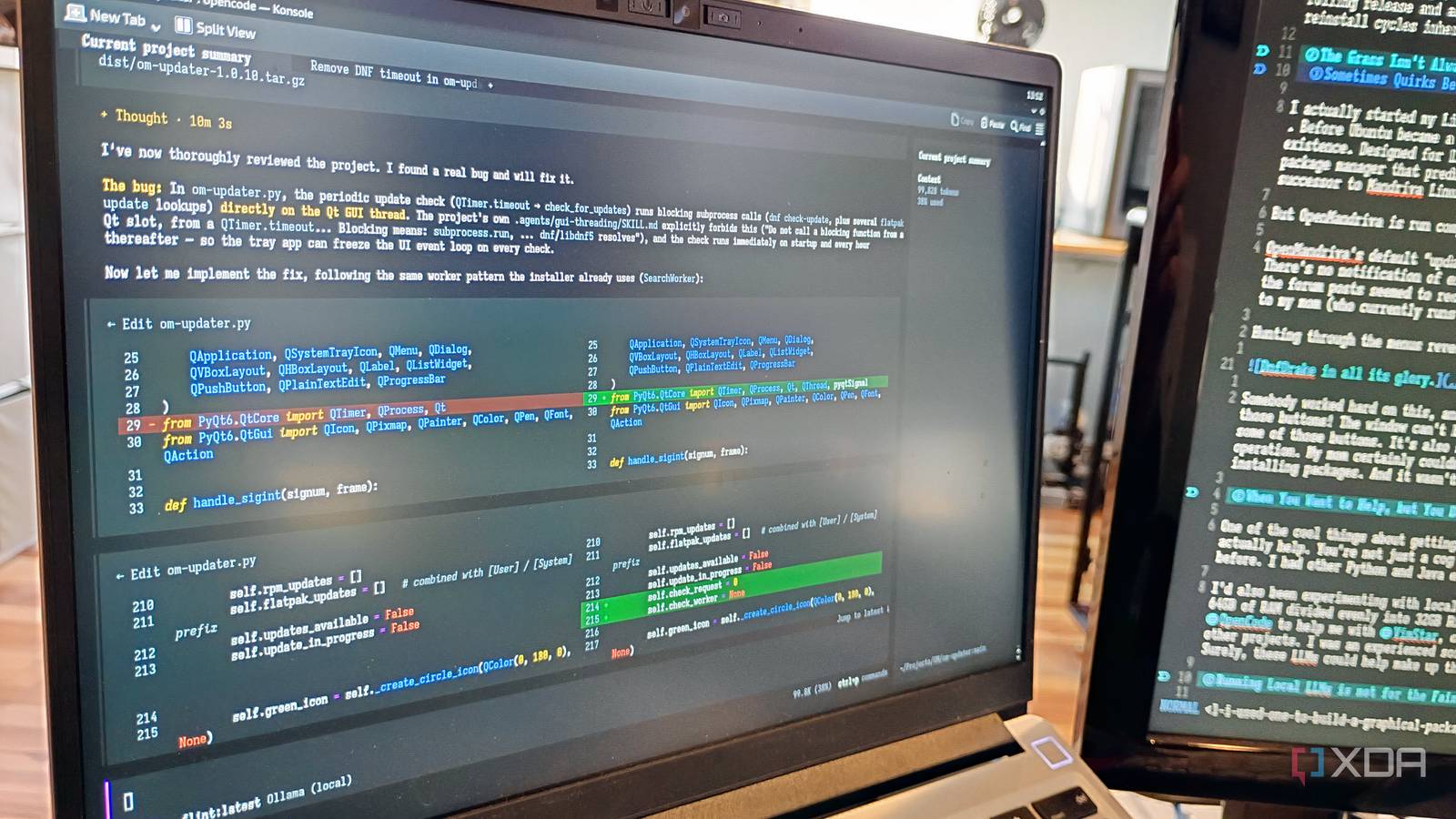
Published Nov 13, 2026, 10:30 AM EST Richard Sezov has worked in IT most of his life, and loves all things Linux, 3D printing, and retro computing. When Rich isn't working, you'll find him spending time with his wife and kids, playing with single board computers, packaging Linux software, 3D printing, reading science fiction, playing games, and hopefully not blowing anything up. About two years ago, I switched to OpenMandriva Linux so I could stay on a rolling release and also install my company’s RPM-based security software. I’d been a happy, rolling Arch user, but the company had standardized on a distro that had regular releases. I wanted to avoid the upgrade and reinstall cycles inherent in running a distro that doesn’t roll, and since I had seniority, I could do that. If I distro hop, for consistency and tech support reasons, I tend to want to use that distro everywhere — including on my family’s machines. While I’m familiar with the CLI, certain family members aren’t as technical. I needed a graphical updater and installer that even my mom could use, and OpenMandriva didn’t have it. The grass isn't always greener on the other side Sometimes quirks become papercuts I actually started my Linux journey with the original Mandriva Linux. Before Ubuntu became a household word, Mandriva was the most popular Linux distro in existence. Designed for Linux newbies and experts alike, it provided easy, graphical updates and a graphical package manager that predated and was the inspiration for Synaptic. As a successor to Mandriva Linux, I expected OpenMandriva to display the same sort of polish. But OpenMandriva is run completely by volunteers. OpenMandriva’s default “updater” is a toolbar link to a shell script that runs the update via the CLI. There’s no notification of existing updates; you must remember to run updates periodically. Additionally, all the forum posts seemed to recommend using the CLI to do everything. This was certainly not an OS I could give to my mom (who currently runs Manjaro and runs her updates faithfully). Hunting through the menus revealed DnfDrake, a graphical package manager. Somebody worked hard on this, and it does what a graphical package manager is supposed to do. But look at all those buttons! The window can’t be resized, which means on 1366x768 budget laptop screens you can’t click on some of those buttons. It’s also slow, spending much of its time reloading the package list between every operation. My mom certainly couldn’t use this. On the forums, nobody mentioned it when new users asked about installing packages. And it wasn’t enabled by default. The distribution needed something better. When you want to help, but you need help helping Admitting my limitations One of the cool things about getting involved with a small, volunteer-run Linux distribution is you can actually help. You’re not just a cog in the machine. The problem is, I’m more of a back-end guy; I have little experience with desktop GUIs. I’m sure I could have eventually written this thing manually, but I’d still be writing the code instead of this article. I’d also been experimenting with local LLMs on my Framework 13 with an AMD Ryzen AI 9 HX 370, Radeon 890M, and 64GB of RAM divided evenly into 32GB RAM and 32GB VRAM. I was using Ollama and OpenCode to help me debug cross-platform code in VimStar, one of my other projects. I was an experienced software developer, and I knew what I wanted in a package manager. Surely, these LLMs could help make up the gap in my knowledge. Running local LLMs is not for the faint of heart The Ollama documentation makes it sound easy: install the CLI, run ollama pull [model], and away you go. No, not if you want to use your downloaded LLMs efficiently. With no configuration, performance was terrible, and Ollama didn’t use my GPU at all. I had to edit the Ollama service and provide several settings to make it work well: [Service] Environment="OLLAMA_VULKAN=1" Environment="OLLAMA_IGPU_ENABLE=1" Environment="HIP_VISIBLE_DEVICES=-1" Environment="ROCR_VISIBLE_DEVICES=" Environment="AMD_VULKAN_ICD=RADV" Environment="OLLAMA_FLASH_ATTENTION=1" #Environment="OLLAMA_CONTEXT_LENGTH=65536" #Environment="OLLAMA_CONTEXT_LENGTH=131072" Environment="OLLAMA_CONTEXT_LENGTH=262144" Environment="OLLAMA_KV_CACHE_TYPE=q8_0" Environment="OLLAMA_NUM_PARALLEL=1" Environment="OLLAMA_MAX_LOADED_MODELS=1" Environment="OLLAMA_KEEP_ALIVE=30m" Briefly, these settings Enable Vulkan graphics instead of AMD’s ROCm. I had some kernel panics on ROCm early in my experience. Enable the integrated GPU on my laptop. If you have an integrated GPU, you want this. Disable all checking for ROCm devices to force the use of Vulkan. Force the use of the RADV driver instead of the older AMDVLK driver. Enable Flash Attention, which uses less memory than standard attention. Enables an aggressive 256K context length. This is why the other lower values are commented out. Use at your own risk. My system hasn’t crashed yet! Stores the Key-Value (KV) cache in a quantized 8-bit format instead of the default 16-bit floating point, which halves the memory needed to store context. Force one request at a time per model (I’m not running a server here). Allow only one model to be loaded at any time (I don’t have enough memory for more than that). Keep the loaded model in memory, so I get at least 30 minutes before I have to wait for the model and all its context to load again if I went AFK. The model matters too Same-sized models can perform differently If you think you’ll run a dense model like Qwen 3.8:27b on this thing, you might, if you’re patient enough to watch it work at 4.9 tokens per second. What runs better is a mixture-of-experts (MoE) model at the same or higher density, because it only activates a fraction of its parameters on every token, but also has the dense knowledge you need for coding. And why, when coding in Python, should you activate every parameter in the model when you only need the ones related to Python? The difference is I can run a 40b parameter model like Flint (bigger than Qwen) at 13.6 tokens per second — near the speed you get with models you pay for. I chose three models: Laguna XS 2.1, Ornith 1.5, and Flint. Design, then develop Plan your design first, or the model jumps in and starts coding I used Plan mode in OpenCode to discuss the design with Laguna XS 2.1. Since OpenMandriva is a KDE Plasma-first distro, we settled on Python with PyQT 6, which would give the apps a native look-and-feel. I say apps because we wrote two apps: one that sits in the tray, looks for, and then installs updates; and one that could replace DnfDrake as a graphical package manager. We decided both apps would be loadable without elevated permissions and re-launch themselves as workers with elevated permissions when it was time to install things. Once we agreed on the design, I set Laguna to work. After about a half hour, I had an app. It didn’t work perfectly, of course; we went through many iterations fixing bugs and refining the code. Some problems — such as streaming the CLI output to the GUI—were beyond Laguna’s ability to solve, and I switched to the stronger Ornith and Flint models when they were released. The installer was more complicated: it had to handle RPMs, Flatpaks, and Snaps, because OpenMandriva supports both independent package managers. Since Snaps update themselves automatically, the updater doesn’t have to deal with them. The installer auto-detects whether snapd is installed and enables the category. Continuous improvement Is an app ever really done? After I packaged the apps up and released them into the distro, my first bit of feedback was a crash I never experienced on my machine. But using my local LLMs, I could interpret and fix the bugs, and then release a new version each time. Will this actually become the distro’s official installer and updater? I hope so. The updater is easy enough for my mom to use, and the installer is stable now. But the important thing is that local LLMs were powerful enough for me — without any experience — to write two graphical desktop applications that work well. As AI pricing keeps changing, running local LLMs can be a good way to control costs while still getting good results. It’s worth spending a few hours getting it all running on your system.
A local AI model helped me build a graphical package manager from scratch
Full Article
Original Source
Read the full article at Xda-developers →KhanList aggregates and links to publicly available news content. We do not host full articles from third-party sources. Always verify important information with original sources.