
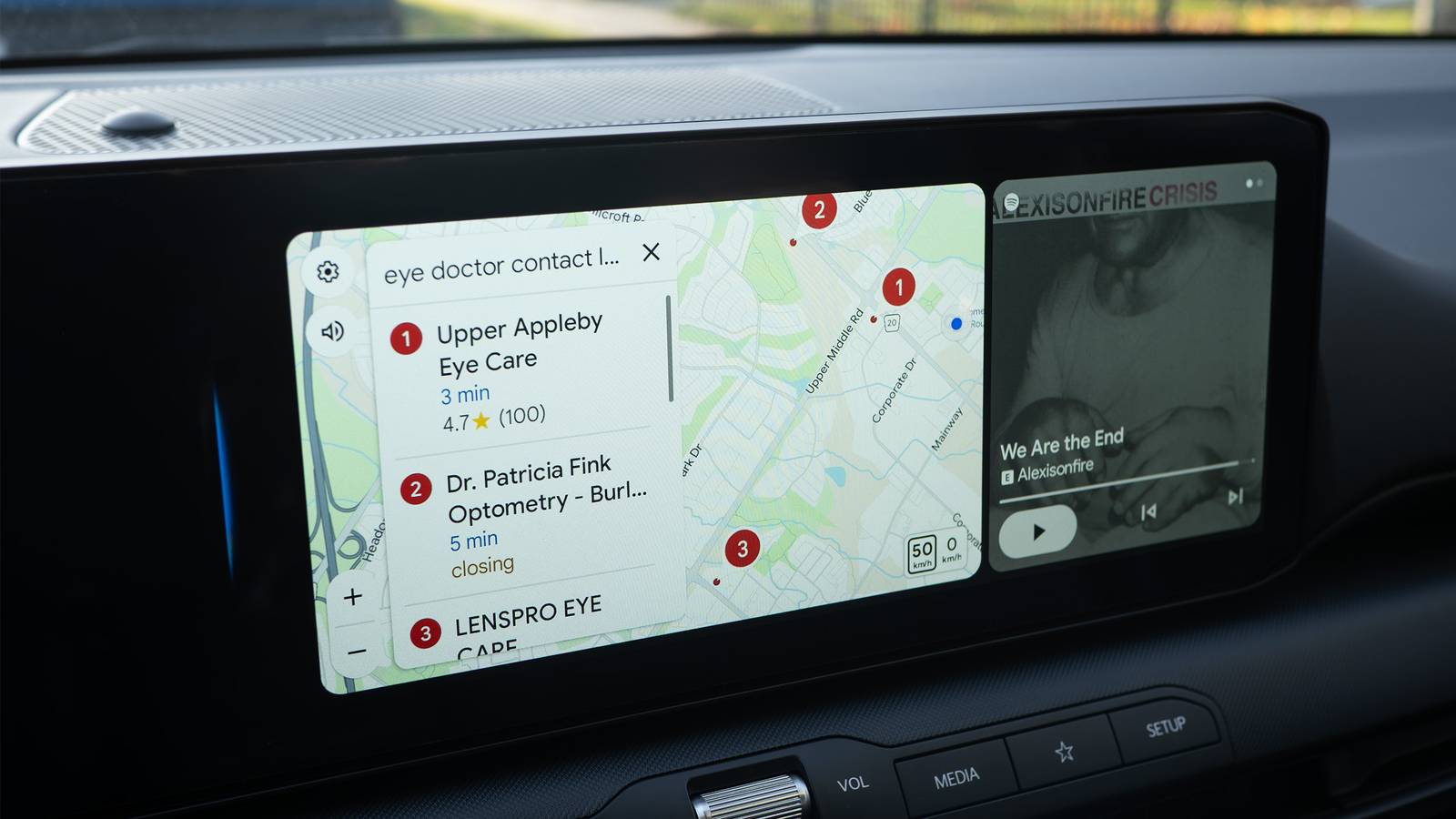
Published Nov 13, 2026, 11:30 AM EST Patrick O'Rourke is XDA's News Editor and Entertainment Segment Lead. Previously, he was Pocket-lint's Editor-in-Chief, the Editor-in-Chief of Canadian tech publication MobileSyrup, and earlier in his career, he worked as the technology editor at the Financial Post and Postmedia. He's based in Toronto. Over the past 15 years, he's written thousands of articles. Patrick has also interviewed dozens of tech industry executives and covered GDC, E3, Gamescom, WWDC, Apple keynotes, Samsung Unpacked events and more. Patrick has a BA in journalism from Toronto Metropolitan University. Gemini's arrival on Android Auto has been lackluster, to say the least, but the recent release of Personal Intelligence on Google's in-car platform has made the AI assistant far more useful. Sure, Gemini works okay for more conversational tasks like finding a nearby coffee shop or gas station, but I've also found that it sometimes understands me less than Google Assistant in some situations. On top of that, several custom Google Home Routines I had set up with Google Assistant suddenly stopped working as soon as Gemini arrived. In a way, Gemini felt like an odd step backward for Android Auto. Then, a few weeks ago, Google announced that Personal Intelligence is now available on Android Auto. Like with my Pixel 11 Pro, this lets Gemini access personal information like my Google Calendar, Gmail, Google Keep notes, and more. I've found the feature very useful on my Pixel 11 Pro when hunting for things like addresses and information from specific emails, and with Android Auto, unsurprisingly, I feel the exact same way. At first, it's a little unsettling how much information Personal Intelligence can pull about you, but if you can let those privacy concerns go, what you're left with is a voice-activated in-car assistant that actually feels useful. Personal Intelligence works surprisingly well in Android Auto I no longer have to dig through emails to find appointment addresses I recently used Gemini's Android Auto Personal Intelligence integration to navigate directly to a doctor's appointment. I knew there was a Google Calendar entry for the appointment, so I asked a simple question: "Google, help me get to my doctor's appointment that's in my Calendar," and Android Auto pulled the address from Google Calendar. It then added the address to Google Maps in about 10-12 seconds, and I was on my way. The overall experience was seamless and futuristic-feeling. While I haven't tried it myself yet, Gemini should also be able to pull that address from a confirmation email, too. I tried similar requests for other upcoming appointments, usually with that data pulled directly from my Calendar, and Gemini nailed it every time. I've also tried more complicated tasks, including asking Personal Intelligence to pull a specific receipt from my email in order to determine my optometrist's address. I knew the address would be somewhere in the email, but I wasn't sure where it would be. It took a few seconds, but Gemini searched through my overloaded Gmail inbox, found the receipt, and even added the address to Waze instead of Google Maps because I specifically asked it to. The whole experience felt kind of like magic. As much as I hate to admit it as someone who's pretty resistant to AI, this is the type of feature I'll genuinely use all the time when behind the wheel. It's somewhat low-stakes, since I know I can just search for this information myself if I need to, but having it readily available without the hassle of sifting through countless emails is great and saves time. I haven't tested all of these requests yet, but Google says Gemini with Personal Intelligence should be able to pull your flight gate from your Gmail, as long as your flight information is in the app. Gemini can also pick up where you left off in interesting ways. For example, if you're about to travel and ask Gemini to find a coffee shop in the location you're headed to, and then the next day, tell the AI assistant to suggest that coffee shop again with Google Maps or Waze directions, it should be able to do that. Google says that you can also pull an address from something as vague as an image in your Google Photos library through Android Auto's Personal Intelligence, but I wasn't able to get that to work. I'm not sure if it was a permissions issue, but I tried several times — Gemini kept saying it couldn't access Photos. It's worth noting that Personal Intelligence doesn't have access to every app on your phone, and that it can only pull information from Google Workspace apps like Gmail, Calendar, Keep (which will be really useful for me since my entire life is in Keep), Sheets, Tasks, and even Docs. This means that, unlike Apple's Siri AI Personal Context feature, Gemini's Personal Intelligence doesn't currently offer the same kind of contextual access to information buried in your text message history. I use mostly Google apps, so this isn't a problem for me, but if you don't fall into that camp, Personal Intelligence might not be that useful for you. Setting up Personal Intelligence only takes a few steps The feature isn't compatible with every Android phone For Personal Intelligence to work in Android Auto, you need to enable the feature on your Android Phone. To do that on your Pixel, head to the Gemini mobile app > tap on your account profile picture > Settings > Personal Intelligence. Next, make sure Gemini Apps Activity and Memory are turned on. In this menu, you can change which Connected Apps you want to allow Gemini to interact with. All Inactive apps are also listed.
Gemini in Android Auto finally feels like a real upgrade now that it can access my Gmail and Google Calendar
Full Article
Original Source
Read the full article at Xda-developers →KhanList aggregates and links to publicly available news content. We do not host full articles from third-party sources. Always verify important information with original sources.