
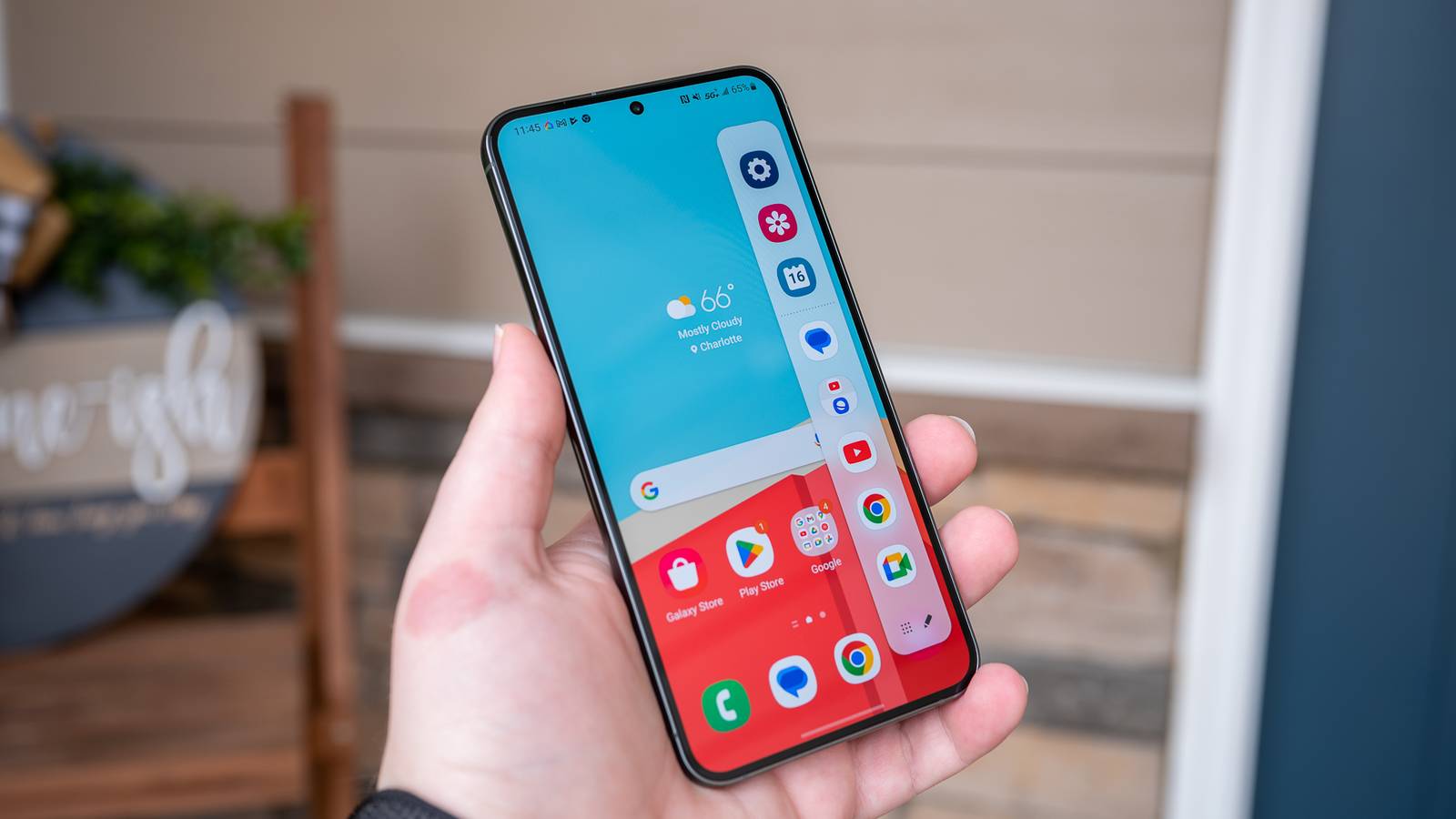
Published Nov 29, 2026, 4:31 PM EST A Computer Engineer turned tech-savvy. Sanya is part of the How to Geek team, and she covers Android, Samsung, Google, apps, and everyday technology, combining hands-on experience with thorough research. She helps readers understand technology without getting lost in technical jargon. Samsung was my first phone, and I got it as my birthday gift. I’ve stuck with the brand ever since. I love how much One UI lets me customize my phone, but I think some features are starting to feel neglected. Samsung keeps introducing new and fascinating features with every major update, but I’d rather see it improve some of the tools I already use every day. With One UI 9 and 9.5 bringing more changes to Galaxy phones, I think Samsung needs to revisit a few older features. There are four in particular that I use regularly but wish worked better. They’re already useful, but a little more attention from Samsung could make them much better. Edge Panels Edge Panels have so much untapped potential Edge Panels are one of my favorite Samsung features, but I think they’re overdue for an upgrade. I use them to quickly access my go-to apps like Spotify, Keep, and WhatsApp without returning to my home screen. However, I’d love more flexibility in how I organize them. For starters, Samsung should let us add interactive widgets. Imagine checking my Google Keep shopping list or appointments on Calendar without actually opening the app. That would save me quite a few taps throughout the day. I’d also like more control over the panel layout, including the number of app shortcuts and icon spacing. Smart app suggestions would be another plus point. For instance, showing Spotify when I’m driving would make Edge Panels more context-aware. These aren’t groundbreaking changes, but they’d make a feature I already love much more useful. Modes and Routines I need more intelligent routines Credit: Sanya Shah/ How-To GeekCredit: Sanya Shah/ How-To Geek Modes and Routines is a great addition to Samsung phones, but every time I open it to create a new routine, I feel a little overwhelmed. There are so many options, and setting up a simple automation can get confusing. The toughest part is setting up the IF conditions and THEN actions. I wish Samsung made this process more straightforward, especially for people who are new to automation. I’d also love more practical, ready-to-use routine suggestions. For instance, my phone could automatically open my grocery list when I reach a supermarket, switch to a quieter notification profile during my daughter’s classes, or activate a dedicated travel routine when I’m heading out on a trip. I know the feature is already great, but if Samsung could make automation much easier without sacrificing its flexibility, it could become one of the best features on Galaxy phones. Samsung needs to rethink battery management I want more control over my battery Battery management is another area Samsung could think about improving. And I think everyone will agree on this. I often use my Galaxy phone for multitasking, streaming music, browsing, and running multiple apps, and I don’t always want to switch to Power Saving mode just to make the battery last longer. On my Z Fold 6, the larger inner display is one of the things I’d pay attention to, especially when I’m using it for extended periods. Battery drain can mostly happen due to screen brightness, demanding apps, and background activity. I’d love Samsung to offer more detailed battery health reports, including charging cycles and actual battery capacity. It could also provide smarter AI-powered suggestions that identify the cause of battery drain on our phones and explain what can be done next. Samsung needs to make calls smarter and safer Call transcription needs to get better I think Samsung needs to make its call transcription feature more reliable. I don’t always remember every detail discussed during an important phone call, and having a searchable transcript would save me from going back and asking someone to repeat. Samsung already offers Transcript Assist, but I’d love a more seamless experience where I can get summaries easily and pick out important details without jumping through multiple steps. Better language recognition is another point to improve. Google does this better with its Pixel phones. Its Call Notes feature is amazing. I’d love Samsung to offer something similar, along with smarter scam detection and call screening. After all, our phones should help us avoid suspicious calls, not just record them. I’d rather see improvements than more features Of course, I’m not going to stop using Samsung. But I’d also like to see improvements to existing ones, including battery optimization, more reliable call transcription, smarter automation, and deeper customization across One UI. Even small changes to these everyday features could make a noticeable difference in my everyday use. With One UI 9.5 currently in beta, the stable release is expected alongside the Galaxy S27 series in early 2027. One UI 10 is reportedly in the works for mid-2027, although Samsung hasn’t confirmed its release timeline. I hope Samsung uses these updates to fix what already needs fixing.
4 Samsung Galaxy features that badly need an update
Full Article
Original Source
Read the full article at Howtogeek →KhanList aggregates and links to publicly available news content. We do not host full articles from third-party sources. Always verify important information with original sources.