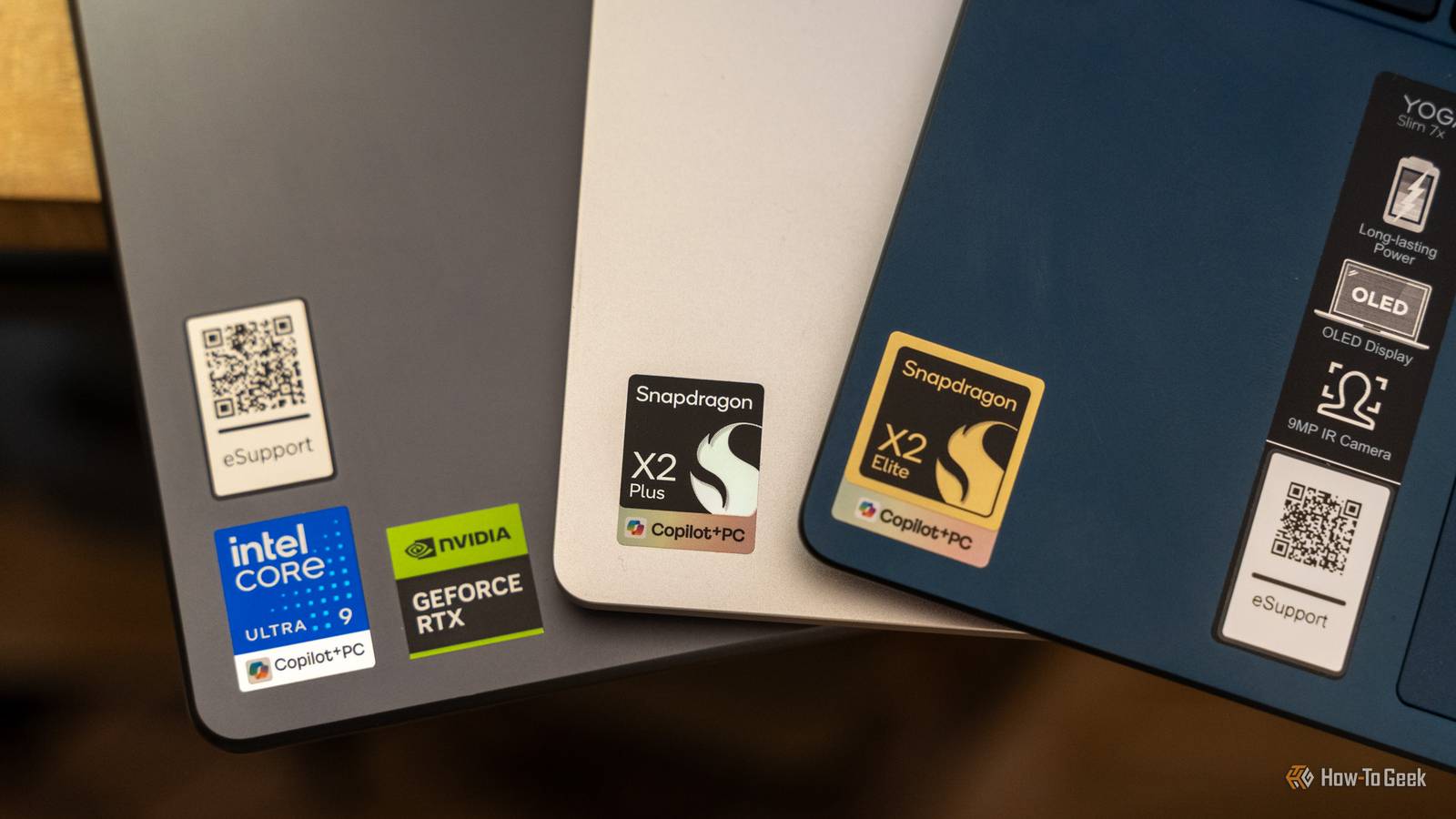
Published Jul 19, 2026, 1:00 PM EDT Patrick Campanale has been in the tech space for well over a decade, specializing in PC/gaming news and reviews, as well as maker-focused products to build small businesses. With a start in technology back in 2010 surrounding the Palm/webOS ecosystem, Patrick spent his formative years developing mobile applications as well as blogging for various publications, eventually leading to starting his own website in 2014. After running a technology blog for a few years, he stepped out of that role and into the world of high-end custom PC manufacturing and building, with a focus on YouTube video production and overclocking. Then, six years ago, Patrick joined the 9to5Toys team as an editor/writer/reviewer with over 14,000 articles being published there there, ranging from deals and roundups to in-depth reviews on the latest technology, video games, 3D printers, and more. In his free time, Patrick loves to create projects from wood using various robots and methods, including leveraging the technologies of CNCs and lasers. If Patrick isn't working on a computer or playing video games, he's likely in his 2-car garage workshop creating something unique. In addition to all this, Patrick is also a youth pastor at his local church where he feels God has called him to serve, and he loves every minute of it. I'll admit, I had a preconceived notion in my mind about what the results of this comparison would look like. The Core Ultra 9 would be superior to everything but maybe the Snapdragon X2 Elite Extreme, right? Absolutely, unequivocally wrong. Snapdragon X2 wins the CPU fight more often than I expected I had no idea Snapdragon had come this far Let's actually dig into the results of this test. Just like my last comparison, I want to talk about the synthetic benchmark results before diving into the real-world experience I had with the systems. To start with, wow, Snapdragon has come a long way. In Geekbench 6, the Snapdragon X2 Plus saw a single-core score of 3,219 and multi-core of 12,033. The Snapdragon X2 Elite hit 3,752 single-core, and 20,496 multi-core. The Snapdragon X2 Elite Extreme achieved a single-core score of 3,771 and a multi-core score of 22,668. What about the Core Ultra 9 386H? It saw a single core score of 2,870 and multi-core score of 16,899. Yeah, I was surprised when I saw this result. The Snapdragon X2 Plus beat the Core Ultra 9 in the single core, and both the X2 Elite and Elite Extreme destroy it in the multi-core results. Cinebench 2024 is much of the same story. The Snapdragon X2 Plus scored 132 single-core and 744 multi-core. The Snapdragon X2 Elite saw a score of 150 single-core, and 1,326 multi-core. The highest-end X2 Elite Extreme achieved a 151 single-core and 1,368 multi-core. The Core Ultra 9 386H saw only a score of 119 for single-core, and 1,084 for multi-core. Again, the X2 Plus wins in the single-core department, and the X2 Elite destroys in multi-core scores. Credit: Patrick Campanale / How-To Geek Now, for the test I really wasn't expecting—7-Zip. The 7-Zip benchmark is a great way to see how well a processor can handle compressing and decompressing a bunch of files. The benchmark showed that the Core Ultra 9 386H is about twice as good as the X2 Plus, but worse than both the X2 Elite and X2 Elite Extreme. I felt this in real-world use, too. I unzipped the Cinebench 2024 package on all four systems, and it definitely took way longer on the X2 Plus than the other Snapdragon chips, but the Core Ultra 9 felt like it took quite a long time to do it. Way longer than it should have. The crazy thing is, real-world usage doesn't necessarily reflect this. All four laptops felt basically just as snappy as one another for launching programs, browsing websites, and doing lightweight work. Some heavy-duty tasks, like editing photos or videos, 3D CAD work, and gaming (which I'll talk about more later) definitely benefit from the extra power. But, for lightweight photo editing and web browsing, you really can't tell a difference here. However, in my day-to-day use, if I had to pick a winner, it would be any of the Snapdragon chips over the Intel. I never thought I'd type those words, but I am. The Snapdragon chips with Windows on Arm beat out the top-end Core Ultra 9 laptop in how fast it feels to do normal tasks. And it's not even close. Even the Snapdragon X2 Plus beats Panther Lake in single-core performance Single-core performance is one of the most important metrics Credit: Patrick Campanale / How-To Geek Let's try to break down why Snapdragon seems to be beating Intel here. While many people think multi-core performance, or just throwing more cores in a processor in general, is where the power is, that's actually not the case. Many tasks are still limited by how fast a single core can work. Think of it like a highway. You can have 24 lanes of traffic, but if the cars on the highway can only travel at 40 MPH, adding more lanes likely won't speed things up. At some point, there are more lanes than cars and you get no added benefit. Modern multi-core processors are very much like that. So, the single-core speed of a processor is extremely important—and Snapdragon wins hands-down here. When you open up Chrome, Steam, or even your slicing software for your 3D printer, your single-core performance (along with your storage drive) will determine how fast your system responds. So, it makes sense why the Snapdragon systems felt snappier than the Intel system. Dedicated graphics card options and x86 are the real winners here The real comparison has nothing to do with the CPUs Credit: Patrick Campanale / How-To Geek While all three Snapdragon chips definitely win for snappiness and responsiveness, Intel still has a major advantage: x86. You see, Windows on Arm is still in its infancy compared to Windows on x86. Microsoft is trying to push Arm forward with gaming companies, and just software developers in general, but Windows is a big ship, and big ships move slowly. So, when I went to play a game in Windows on Arm, I had to make sure it worked first. Games like Apex Legends, Call of Duty, and many others that rely on anticheats simply don't work on Arm. It's becoming better, but it's still not ubiquitous yet. I couldn't play most of my favorite games on Snapdragon, while they all work flawlessly on x86 processors. Another area where Intel has a leg up is the fact that it can be paired with a dedicated graphics card. Most Core Ultra 9 laptops come with an optional graphics card for better gaming and video editing performance. With Arm processors, that's just not the case. Technically, at a hardware level, Arm processors support external graphics cards, but you're not going to find any current Snapdragon laptops that ship with dedicated graphics cards. So, for now, if you have a gaming or heavy video editing workload, Intel is the clear winner, even though it lags behind in so many other areas. Lenovo Yoga Slim 7X Gen 11 Operating System Windows 11 Home CPU Qualcomm Snapdragon X2 Plus/Elite RAM 16GB/32GB Storage 512GB/1TB Battery 70Wh Display (Size, Resolution) 14-inch 2K/2.8K The Lenovo Yoga Slim 7X is the part of the second-generation of Snapdragon-powered laptops. Packing either the Snapdragon X2 Plus or Elite SoC, you'll find plenty of power to get you through the day. With all-day battery life, an OLED screen on every model, and USB4 40Gb/s ports, this laptop has everything you need to handle whatever life throws at it. Lenovo Pro 9i Aura Edition 11th Generation Operating System Windows 11 CPU Intel Core Ultra 9 386H GPU NVIDIA RTX 5050, 5060, or 5070 RAM 32GB or 64GB Storage Up to 2TB Battery 4 Cell Rechargeable Li-ion 92.5Wh Lenovo Pro 9i 16 Aura Edition 11th Generation is a premium laptop that is perfect for a wide range of uses. The base model sports an RTX 5050 and 32GB of RAM, which delivers plenty of power for whatever task you throw at it, including office work, photo and video editing, 3D modeling, or even gaming. The OLED screen is vibrant and bright, and boasts a base resolution of 2880x1800, though an upgrade is available to 3200x1200 with a tandem OLED panel that reaches 1,000 nits brightness. The best laptop for you might not be the best laptop for someone else In a comparison like this, it's really hard to crown a winner. There's so much to consider beyond just how fast a system feels. Software support is a major thing that has to be factored in, and Windows on Arm just can't compete with Windows on x86 yet. So, if you're trying to figure out whether to go Snapdragon or Intel right now, just try to figure out what your needs are. If you're a heavy gamer, then go Intel. There's no question about that. If you need CUDA for video editing, Intel is your winner there, too. However, if you just want a laptop to do normal, everyday tasks like some light photo editing, a little bit of light gaming, and document work, you don't need to pick up a Core Ultra 9 behemoth anymore. Any of the Snapdragon lineup will do you just well.
Your next laptop might not need Intel anymore, and that's the real story here
Full Article
📰 Original Source
Read full article at Howtogeek →KhanList aggregates and links to publicly available news content. We do not host full articles from third-party sources. Always verify important information with original sources.