
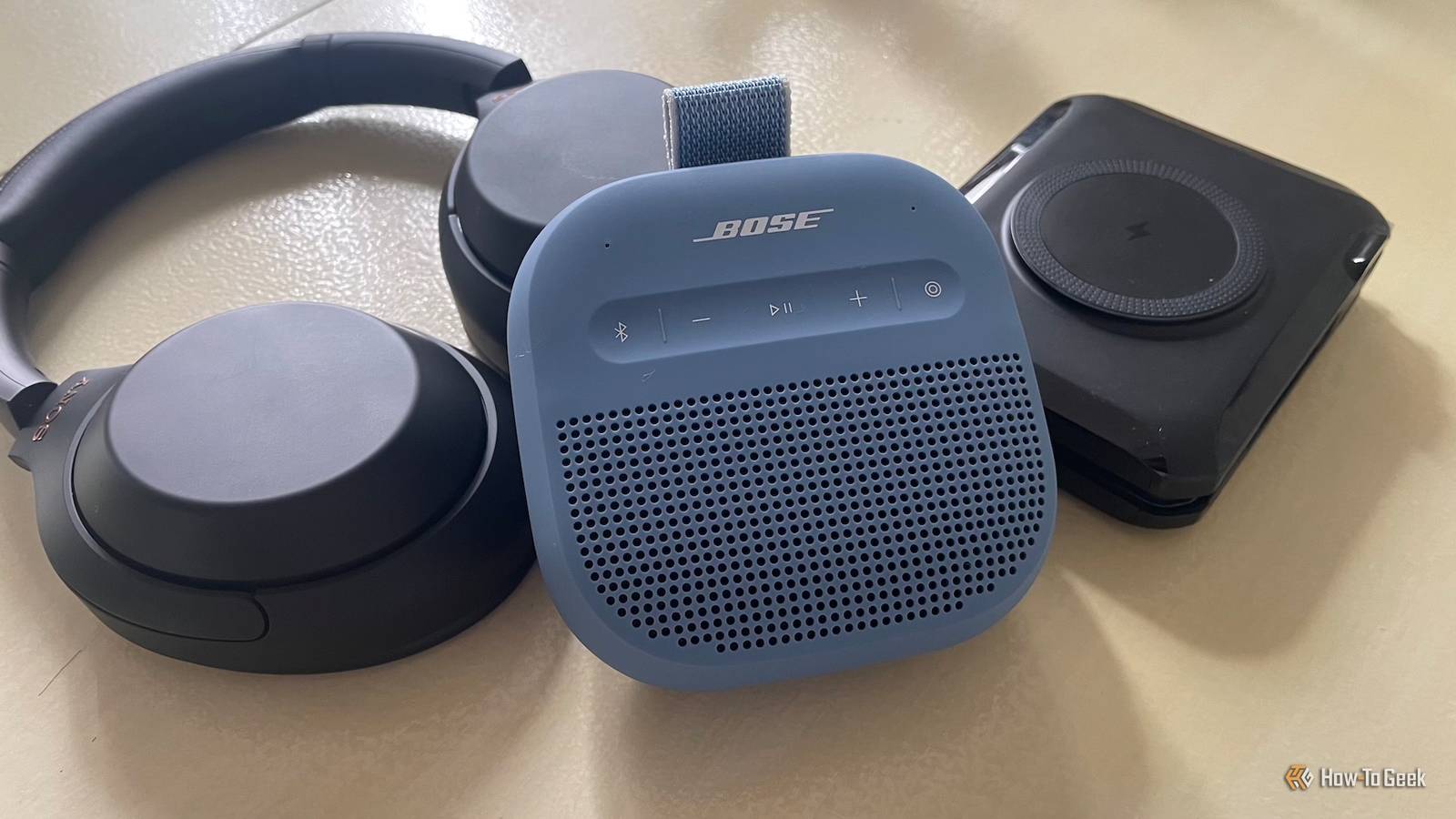
Published Aug 21, 2026, 9:45 AM EDT Sydney Butler is a technology writer with over 20 years of experience as a freelance PC technician and system builder and over a decade as a professional writer. He's worked for more than a decade in user education. On How-To Geek, he writes commerce content, guides, opinions, and specializes in editing hardware and cutting edge technology articles. Sydney started working as a freelance computer technician around the age of 13, before which he was in charge of running the computer center for his school. (He also ran LAN gaming tournaments when the teachers weren't looking!) His interests include VR, PC, Mac, gaming, 3D printing, consumer electronics, the web, and privacy. He holds a Master of Arts degree in Research Psychology with a minor in media and technology studies. His masters dissertation examined the potential for social media to spread misinformation. Outside of How-To Geek, he hosts the Online Tech Tips YouTube Channel, and writes for Online Tech Tips, Switching to Mac, and Helpdesk Geek. Sydney also writes for Expert Reviews UK. He also has bylines at 9to5Mac, 9to5Google, 9to5Toys, Tom's Hardware, MakeTechEasier, and Laptop Mag. Do you have a Bluetooth speaker that sounds great on everything except your Android phone? Why would this happen? Is it the speaker? Is it your phone? The answer is probably the Bluetooth codec they've decided to use. Yes, your Bluetooth codec can make your speaker sound worse It's not just your imagination Credit: Derek Malcolm/How-To Geek Bluetooth doesn't just send an audio file to your speaker as-is. Instead, the audio data is run through a sophisticated "codec" (coder-decoder) that compresses the data on one end and decompresses it on the other. This is necessary so that the signal takes up as little bandwidth as possible, making it feasible to transmit it sans wires. There are a number of different Bluetooth codecs. Some of them are more aggressive about the compression, others favor fidelity over reliability, and then there are those focused on reducing latency. Which is an important factor for video games and video content in general, where audio delay can cause sync issues between what you see and what you hear. SBC is the mandatory Bluetooth audio codec for traditional Bluetooth A2DP audio, so it's the compatibility fallback. However, Android supports several codecs, such as AAC, aptX, aptX HD, and LDAC, depending on your phone's hardware. You can do a little research on what makes each of these codecs special, but the bottom line is that your speaker might sound worse than usual because of the code that's been selected. Android doesn't always use the codec you think it does There's more to it than that Credit: Cory Gunther / How-To Geek But, how is the codec selected? Android and the Bluetooth speaker negotiate what codec to use. The first factor here is what codecs are shared between the two devices. Remember, only SBC is guaranteed, the rest depends on what both devices offer. So, for example, if both support SBC and aptX HD, then you'd want aptX HD and usually that's what's automatically selected. But under certain circumstances, your phone and speaker might fall back to SBC, or choose an option better than SBC, but not as good as the best available option. However, SBC doesn't actually sound bad! In most cases, SBC sounds just fine. You've probably been listening to SBC Bluetooth audio for years without noticing. The issues with SBC are most apparent when using good headphones, not the average Bluetooth speaker. So, if you're hearing obvious quality issues, a codec change could help, but not necessarily because there's something wrong with SBC itself. Bose SoundLink Plus 7/10 Brand Bose Connectivity Bluetooth Plus up the energy of any group hang thanks to the SoundLink Plus Portable Speaker’s bold, resonant audio and booming bass. Weight 3.3 pounds Dimensions 11.17 x 4.11 x 3.4 inches (WHD) Battery Up to 20 hours Ports USB-C Colors Black, Blue Dusk, Citrus Yellow Buttons Power, Bluetooth, Play/Pause, Volume Up, Volume Down Water and dust resistance IP67 Check which Bluetooth codec your phone is actually using So, the next step is to check what Bluetooth codec your speaker supports and which codecs are actually being used. The good news is that, since Android 11, this is relatively easy to do, but it does involve activating Developer Mode: Open Settings Go to "About phone" Tap on "Build number" five times. You'll see a message telling you how many taps are left to go Go to Settings > System Scroll down and look for "Developer options" and tap on it Look for the "Network" section, you should see Bluetooth-related settings here. Keep in mind that the exact steps to activate developer mode can vary from Android version and phone brand. Depending on the speaker you currently have connected, you'll have different options available or grayed out. For example, if the "Bluetooth audio codec" option is grayed out, it means SBC is the only option. If not, you can tap on it and see what else is there. You can also change the codec here if you like. You'll also notice that there are settings here related to sample rate, channel mode, and the bitrate for those samples. If you don't know what those mean, you should read my explainer on sampling rate and bit depth. This is going to be important in a minute. If changing the codec doesn't fix it, the codec probably isn't the problem Feel free to change the codec to whatever you like, and see if it makes a difference. However, you might run into exactly the same issue, and that might have to do with the spectrum of quality within each codec. For example, my Sony headphones support LDAC, but this codec has three primary bitrates. If all conditions are perfect, I get the full 990kbps experience, but most of the time in the real world, it's 660Kbps. When there's lots of interference or some other issue preventing the signal from working properly, it drops to 330Kbps. So if there's something messing with the Bluetooth signal itself, a different codec probably won't make much difference. Instead, give some attention to the sampling rate and bit depth. 44.1khz and 16-bit is the minimum, and these are perfectly adequate. However, if the setting is defaulting to something higher, it can actually be the reason your Bluetooth is struggling and, ironically, you may be getting worse audio as a result. So bump the numbers back to the minimum and see if that helps.
Your Android phone is secretly sabotaging your Bluetooth speaker
Full Article
Original Source
Read the full article at Howtogeek →KhanList aggregates and links to publicly available news content. We do not host full articles from third-party sources. Always verify important information with original sources.