
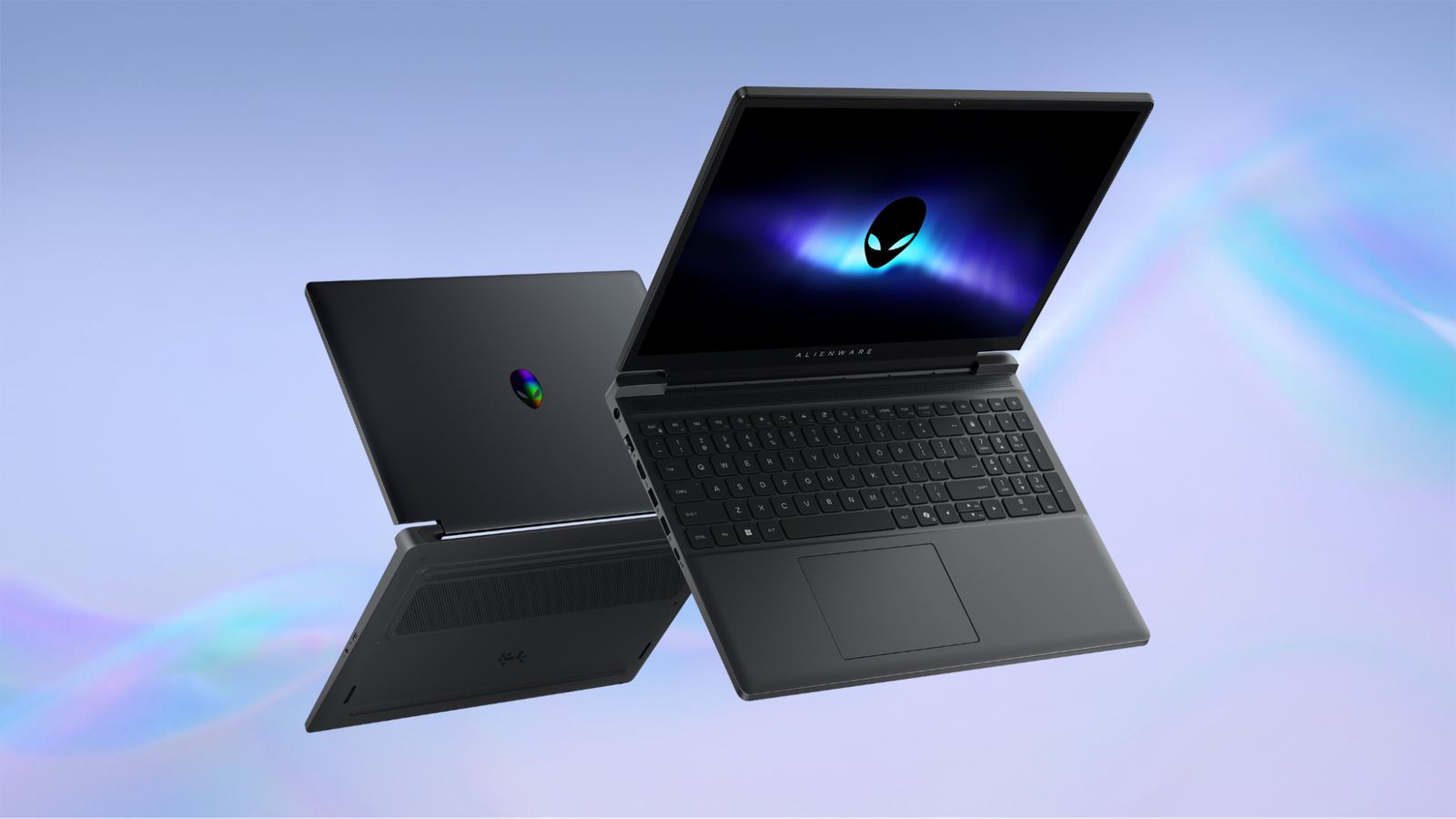
Published Nov 18, 2026, 1:09 PM EST The below articles are sponsored by one of our partners. Product choices and opinions expressed are from the sponsor and do not reflect the views of the How-to Geek editorial staff. PC gaming is better than ever, with decades of amazing titles to play and cutting-edge modern games that can be pushed far beyond the capabilities of mainstream gaming consoles. But those experiences are usually associated with desktop PCs or large and loud gaming laptops. Traditionally, this has meant owning two computers. One powerful home system, and a thin-and-light mobile PC for work or school. The new Alienware 15 is both the perfect entry point into the Alienware family and a smartly engineered combination of compactness and performance that makes the need for two separate computers unnecessary for students and workers. Credit: Intel/Microsoft A more portable design makes gaming easier to take with you Alienware 15 Brand Alienware CPU Intel Core (Series 2) GPU up to the NVIDIA RTX 5060 RAM up to 32GB[5] DDR5 Storage up to 1TB[6] PCIe SSD (Gen4) Looking for a capable gaming computer that'll go with you? The Alienware 15 laptop is up to the task, offering the power needed to support your favorite titles. Best of all, it does the job in a sleek form factor. This model offers everything from up to an NVIDIA RTX 5060 GPU to a speedy display with a 165Hz refresh rate. With a thickness of only 0.9 inches and weighing in at 4.85 pounds, the Alienware 15 is an incredibly mobile Windows 11 gaming laptop. In fact, its dimensions and subtle ergonomic design features make it much more than a gaming device. The Alienware 15 is ideal as an everyday computer. The edges are subtly rounded, making it a pleasure to carry, a detail anyone running between meetings or classes will appreciate. Likewise, the V-rail design makes it easy to open the lid without fighting the hinge, and the ergonomic palm rest area and premium, large touchpad make writing long essays and intense gaming equally comfortable. Slip it in your backpack to work or study all day, and plug it in at home for AAA gaming, creative, or technical tasks for school or work. The Alienware 15’s hinge can open to 180 degrees, completely flat, a feature many users praise for its versatility in regular work and gaming. The result is a powerful portable PC that’s far more practical to take with you than in earlier years. It’s the difference between portability and true mobility. You can work during the day and game when you're done Credit: Dell Thanks to its compact form factor and powerful Intel Core (Series 2) CPU, the Alienware 15 is the only computer you need. Use it to work or school during the day, and then after hours your gaming time is just a click or two away. As a nod to its hybrid work and play design, the Alienware 15 has a modern 15.3-inch 16:10 display. This taller display aspect ratio makes side-by-side multitasking in Windows 11 easier. Of course, you’ll also benefit from more vertical space in games, running at the panel’s native 1920x1200. Similarly, the 165Hz refresh rate is beneficial in gaming and work scenarios. A fast refresh rate makes everything snappier, including moving apps around your desktop. The Alienware 15 also offers NVIDIA GeForce RTX laptop graphics, with configurations available up to the RTX 5060. Unlike the integrated graphics found in many everyday laptops, a dedicated GPU provides the additional graphics processing capability needed for more demanding PC games. Paired with the 1200p screen and Intel Core Series 2 Processor technology, you can play modern titles at high detail settings and frame rates. A laptop that’s designed to adapt to any situation Conventional wisdom dictates that a gaming laptop isn’t the right machine to bring to a meeting or library, and a thin-and-light productivity laptop won’t be much use at a LAN party or when racking up kill streaks in the evenings after your work is done. Luckily, Alienware engineers love breaking convention, and the Alienware 15 is designed to adapt to whatever you need it to do at a given moment. Take it to class, to work, to a library, or to a coffee shop, and you can blend right in. With its Stealth Mode feature, the power under the hood is reigned back when you don’t need it, turning this into a sleeper performance system. Then, once you need every ounce of graphics or CPU performance, simply toggle back to performance mode with the press of a button for instant action. Connectivity makes the Alienware 15 more versatile A common complaint about thin and light laptops these days is a dearth of ports. Luckily, if you bring your Alienware 15 with you, you can leave your pile of dongles at home. Built into the Alienware 15, you get: Two USB-A ports perfect for a gaming mouse or external hard drive. Two USB-C ports for high-speed storage, or any number of modern devices using this smaller port format, with up to 100W charging support. HDMI 2.1 output ensures that any gaming monitor or high-end TV you connect to will get the best your laptop has to offer. A Global audio jack — imagine that! An RJ-45 Ethernet port for a reliable wired connection for gaming, classwork, smoother video calls, and high-speed file transfers. Thanks to support for up to 100W charging via USB-C, you don’t need to carry the Alienware 15’s charger with you everywhere. Even if you forget your charger at home in a rush to make it to class, a standard USB-C charger should be enough to top your laptop off or keep you going until you get home again. Full-performance gaming needs a dedicated Alienware charger, but for everything else, the Alienware 15 is flexible about where the wattage comes from. Is the Alienware 15 the right gaming laptop for you? Few people actually need the most powerful gaming laptop money can buy. A balanced system like the Alienware 15 is the right laptop for most people, most of the time. But don’t think this is a laptop for casual gamers. Both the RTX 5050 and RTX 5060 GPU options offer similar or better performance than current-generation gaming consoles, especially when you take new technologies like NVIDIA DLSS and Frame Generation into account. The entry-level RTX 4050 offers a cost-effective entry to the world of premium Alienware laptops, while still offering strong mainstream gaming performance. Combining any of these RTX GPU options with Intel Core Series 2 Processor technology forms a rock-solid foundation for performance wherever and whenever you need it. From everyday tasks to more serious work or high-end gaming, the Alienware 15 has what you need. This is not a laptop meant to compete with or replace a high-end gaming desktop, but it offers the best mix of portability, practicality, and reliable gaming performance; for anyone who loves PC gaming, it’s the right laptop for most people, most of the time. Explore the Alienware 15 lineup on the brand site or your local retailer today to find the configuration that fits your gaming and everyday computing needs.
You don't need two separate laptops for productivity and gaming with the Alienware 15
Full Article
Original Source
Read the full article at Howtogeek →KhanList aggregates and links to publicly available news content. We do not host full articles from third-party sources. Always verify important information with original sources.