
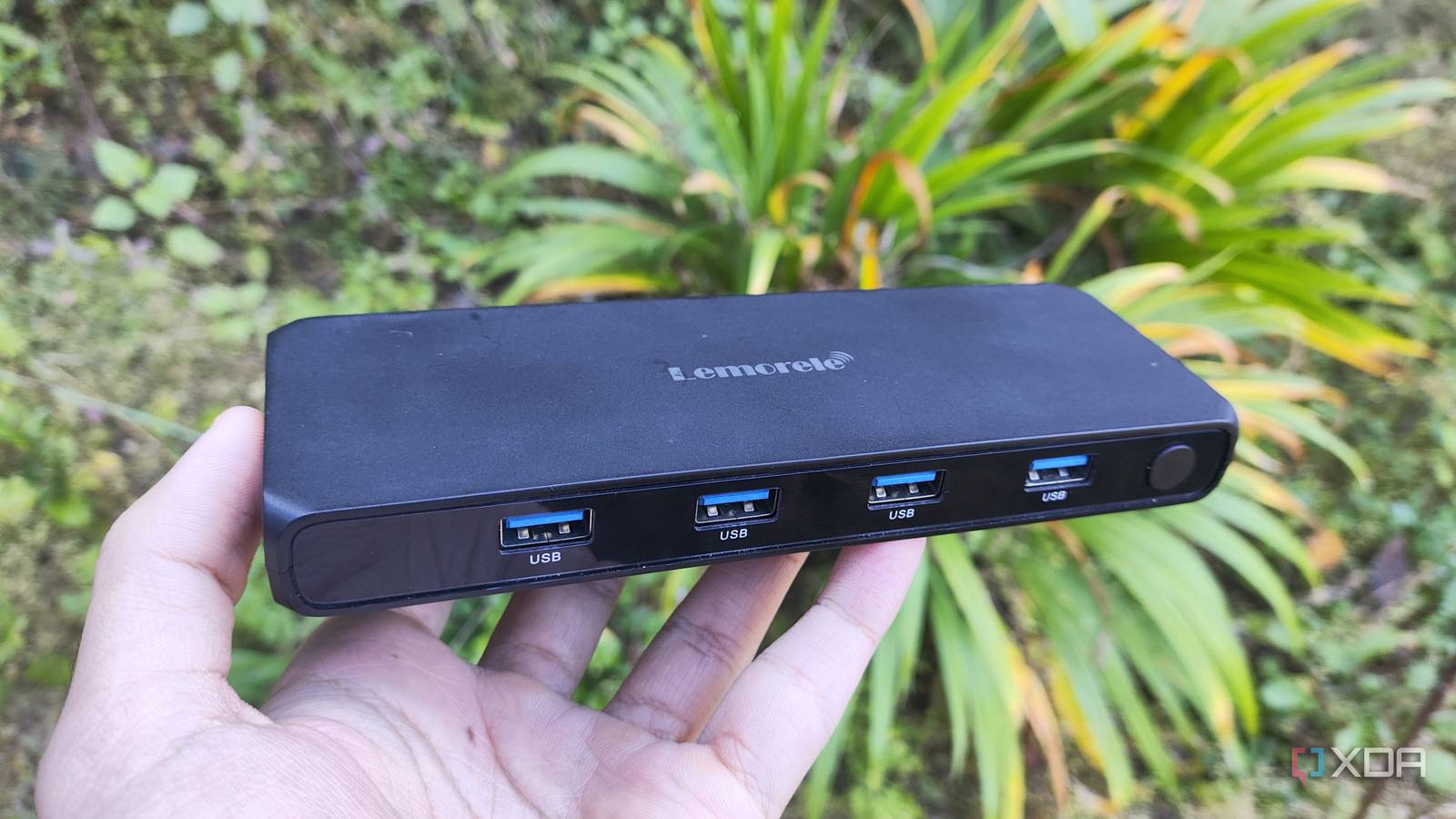
Published Nov 18, 2026, 1:30 PM EST Ayush Pande is a PC hardware and gaming writer. When he's not working on a new article, you can find him with his head stuck inside a PC or tinkering with a server operating system. Besides computing, his interests include spending hours in long RPGs, yelling at his friends in co-op games, and practicing guitar. As someone who loves tinkering with home lab hardware, I’m always on the hunt for cool accessories to bolster the capabilities of my PCs. Take network cards, for example. On my old servers, cheap 10GbE cards added faster LAN speeds for my computing experiments, while the NIC hooked up to my daily driver made it possible to use Ethernet despite the busted RJ45 port on its mobo. Likewise, an LSI 9400-16i HBA turned out to be a godsend for my DIY NAS, and I’ve even added spare PCIe-to-USB cards to old systems with mATX motherboards. That said, PCIe cards aren’t the only QoL components that I’ve armed my PCs with. A few months ago, I grabbed a cheap USB-powered KVM switch after hearing good things about its utility in multi-PC setups. And well, it turned out to be one of the best $40 investments I’ve made for my computing lab. Unlike my home servers, my daily driver and test bench need dedicated I/O devices After all, I can’t experiment with my test bench over a web UI Besides my self-hosting workstations and storage servers, I’ve got two PCs that I rely on quite a lot for my productivity tasks. There’s my ol’ reliable gaming PC, which doubles as a powerful LLM-hosting hub, Hyper-V VM testing rig, and (above all else) the typing machine for documenting my projects. The second one is an old i7 rig that I use for benchmarking hardware, be it some random GPU, PCIe cards, or potentially functional SSDs I found on flea markets. Heck, I sometimes even remove the processor and motherboard and use my old Pascal card and 1000W PSU if I want to test random Xeon servers and mobos on this test bench. The problem with such a setup is that I need two sets of I/O devices if I wish to work on these machines. For my typical servers, I’d only swap my main keyboard and mouse when I install the server OS. After that, I’d use their web UIs for my tinkering experiments, and if that fails, I’d simply SSH to them over my LAN. On my test bench, however, I’d have to go through the OS installation procedure countless times. And when I do need to benchmark random components, I’d need a dedicated keyboard, mouse, and monitor hooked up to the system. Otherwise, unplugging the KB+M (and even the controller for non-synthetic, real-time gaming benchmarks) from my daily driver and connecting them to the test bench a couple of times every week would be a real pain. Thanks to a USB KVM switch, I don’t need to buy two sets of keyboards and mice It also spared me from a lot of cable management headache The simplest way to solve this conundrum would be to grab another keyboard and mouse pair for my test bench. However, I’m already running out of desk real-estate in my home lab, and adding a full-sized mechanical keyboard and mouse would require me to do some serious renovation of my setup. And personally, I’d rather not drop $300+ on a new KB+M pair when my customized combo works just fine for my productivity needs. The easiest solution turned out to be a cheap USB KVM that I picked up on a whim. All I had to do was connect my KB+M, headphone dongle, and controller adapter to the USB KVM switch, connect its display out to my monitor, and pair a USB and HDMI cable from each PC into it. And voilà. Rather than wasting money on new sets of I/O devices or manually unplugging and replugging everything, I can just press a single button whenever I need to swap between my daily driver and test workbench. An affordable price tag isn’t the only advantage of a USB KVM I don’t have to worry about latency on my wired setup Despite solving an annoying problem that’s plagued my setup for months, my USB KVM was only a $40 investment, and that’s really cheap compared to typical wireless KVM switches out there. Don’t get me wrong, KVM-over-IP setups are pretty darn neat for eliminating cable clutter. But the premium options tend to have sky-high price tags on them, especially when I want more ports on the KVM switch. Then there’s the performance part of the problem. My smart home is already riddled with devices operating at 2.4GHz, and the last time I tested a somewhat cheap wireless KVM switch, I had somewhat sluggish performance and even occasional disconnects. My $40 KVM switch turned out to be a cheap investment for my tinkering cave Although I still had to 3D print a cable channel and tuck my KVM switch under my desk to reduce the clutter from all its cables, I’m pleasantly surprised by how well it worked for my setup. Of course, it’s not a game-changer like my port-riddled HBA or high-speed NIC. But seeing as how it stopped me from constantly disconnecting and reconnecting my peripherals every time I needed to test new hardware, the wired KVM was worth the $40 price tag. Ugreen HDMI KVM Switch
I used a $40 USB KVM switch for three months, and it solved an annoying problem with my PCs
Full Article
Original Source
Read the full article at Xda-developers →KhanList aggregates and links to publicly available news content. We do not host full articles from third-party sources. Always verify important information with original sources.