
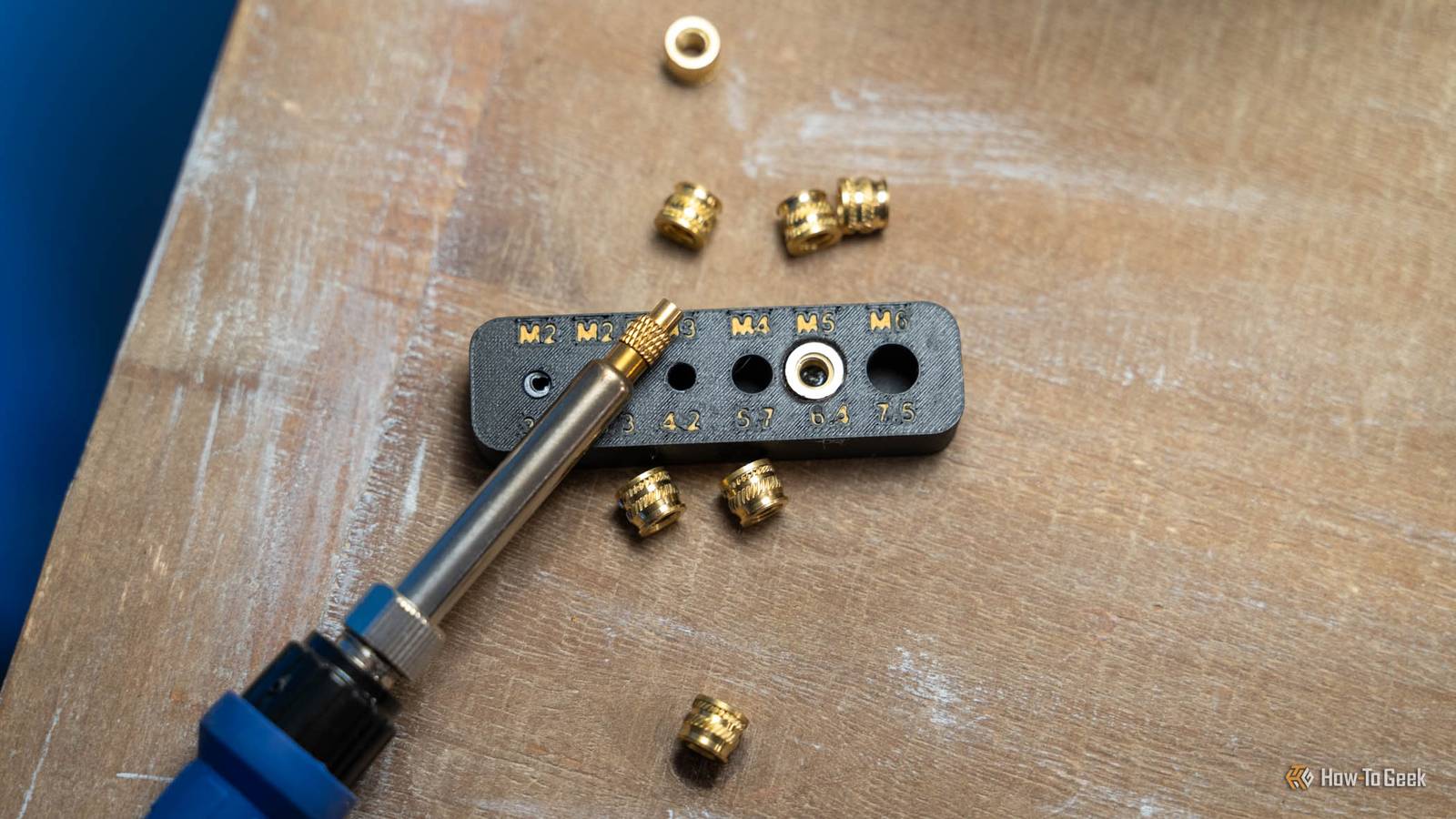
Published Oct 25, 2026, 8:30 AM EDT Patrick Campanale has been in the tech space for well over a decade, specializing in PC/gaming news and reviews, as well as maker-focused products to build small businesses. With a start in technology back in 2010 surrounding the Palm/webOS ecosystem, Patrick spent his formative years developing mobile applications as well as blogging for various publications, eventually leading to starting his own website in 2014. After running a technology blog for a few years, he stepped out of that role and into the world of high-end custom PC manufacturing and building, with a focus on YouTube video production and overclocking. Then, in 2017, Patrick joined the 9to5Toys team as an editor/writer/reviewer with over 14,000 articles being published during his time there, ranging from deals and roundups to in-depth reviews on the latest technology, video games, 3D printers, and more. In his free time, Patrick loves to create projects from wood using various robots and methods, including leveraging the technologies of CNCs and lasers. If Patrick isn't working on a computer or playing video games, he's likely in his 2-car garage workshop creating something unique. In addition to all this, Patrick is also the media director at his local church where he feels God has called him to serve, and he loves every minute of it. Did you know that 3D printing and woodworking are very similar? They're actually way more similar than you might think. I've woodworked for longer than I've 3D printed, and these are the tricks that I think you should steal to take your 3D printing to the next level. Read the grain before you hit print Layer lines are a 3D print's version of short grain I've been a woodworker for years, and one thing that you learn early on is grain direction matters. If you are going to have a lot of weight on something, you don't want it to run across the short grain because that's one of the weaker parts. You put the weight on the long grain because that's where the strength is. With 3D printing, the premise is very similar. Prints break at the seam between layers, so a hook, bracket, or clip snaps when the load runs across that seam. I personally ran into this problem several times when I first got started in 3D printing, and I couldn't figure it out at first, though I've been woodworking longer than I've been 3D printing. In the picture above, the S on the right was printed vertical with the layer lines going across the axis. The S on the left was printed flat with the layer lines going through its axis. Both broke, as intended, but you can see that the one printed vertically broke very cleanly right at the layer line, while the one printed flat took a lot more force to break and also didn't break cleanly. When in doubt, make sure the layer lines are properly oriented—and a few extra walls won't hurt either if you want to add some extra strength. Make a test cut on scrap first A 10-minute test print beats an eight-hour failure Another thing that I always do in woodworking is making test cuts first. Whether I'm doing traditional woodworking, CNC machining, or laser cutting, it's just part of my routine to verify test cuts before going to production on something. These test cuts happen for quite a few reasons. One of them is to make sure the fitment is right on a project. I have definitely mismeasured before and it would have ruined a production piece, but I caught it on a cheap piece. This is especially true in CAD (computer-aided design) when I'm doing CNC machining. With 3D printing, it's the same thing, and I actually learned this early on. I had just gotten my first 3D printer, and I was making some custom-designed Ryobi 18V battery holders to test my 3D printing and 3D design skills. I wanted to sell them in batches of four, so I printed four of the holders. They didn't fit. I had to do about 10 iterations to get it dialed in how I wanted, and after wasting time on the first batch of four, then wasting time printing an entire holder at full strength, I found a better way. I have a test print profile now that lets me print things crazy fast compared to my normal settings. I also will slice a print down to just the necessities to fit check it before going all-in. These days, I do lots of test prints still, from checking clearance or easing edges with chamfers, to just looking at the overall design. If I'm designing a 3D model from scratch, I'll typically do 5 to 10 test prints before committing to the full thing. A small test print can save hours of time and lots of wasted filament. Dowels and tenons keep everything lined up Print your pins lying down, not standing up In woodworking, you typically want parts to go together seamlessly. While I could technically join two pieces of wood and then just sand everything flat, that's not exactly my idea of a good time. Instead, dowels or tenons are typically used to keep things lined up. A dowel is basically a rod that can insert into two holes for alignment. A tenon is typically paired with a mortise. The tenon sticks out from one part (but is built into that part) and the mortise receives it with a matching hole. 3D printing works in the same way. Most slicers even have built-in splitting operations where you can split a model that is too large and have it generate dowels or mortise and tenon joinery to attach the parts. Another reason that woodworkers use dowels or mortise and tenon is that it gives a lot more gluing surface for a stronger bond. Instead of just two flat faces meeting, if there is a dowel joining them or a mortise and tenon, then that simply provides additional surface area for more holding power. Just remember, print your pins lying down, not standing up. If a pin is printed standing up, then it's weak along the layer lines just like I mentioned above under grain direction. Dovetails make oversized prints possible I've never cut one in wood, but the idea translates perfectly Many years ago, there was a time before there were screws or PVA wood glue to hold things together. Back in those times, dovetails (and sometimes dowels or mortise and tenons) were the primary method of attaching parts together. While a dovetail used to look exactly like a dove's tail, these days there are many shapes of them. A dovetail more or less relates to a joint of some type that has a shape which doesn't allow for any wiggle or movement. In 3D printing, sliding dovetail joints can help you make parts that are larger than your actual build plate. The wedge shape of a traditional dovetail joint lines up the pieces perfectly on its own. With some dialing in, a dovetail can also be a friction fit that doesn't even need any adhesive to stay locked together. The nice thing about a dovetail is, if you are able to dial in the friction fit, then you can disassemble the part in the future if you need to for any reason. Heat-set inserts are the printer's threaded insert Real threads beat screwing straight into plastic If you've ever put together a piece of furniture that had metal threads in it, even though it was made from wood, then you've used a threaded insert. Metal threads hold up far better than wooden threads for long-term use, so, for years, woodworkers have used threaded inserts in pieces that are made to be taken apart and put back together again. With 3D printing, the same type of principle applies. While you technically can use threaded inserts with 3D printing, as they're just inserts that screws in like a screw but with threads inside of it, there's a better option: heat-set inserts. A heat-set insert is specifically designed to add metal threads to plastic parts. They've been used for many years and are a tried-and-true staple of the 3D printing community, too. You'll typically want to undersize the hole that you add to a 3D-printed part for a heat-set insert so it fits in properly. Some extra walls or perimeters around the hole are also good so there's enough plastic for it to grip. To use a heat-set insert, all you need is a soldering iron, a heat-set insert tip, and some inserts. They're fairly cheap on Amazon and you can often find them in bundles of varying sizes so you have a ton of inserts to use for many different parts. Woodworkers already solved most of these problems At the end of the day, 3D printing is just a manufacturing process, and woodworkers have been manufacturing objects for thousands of years. 3D printing just moves the manufacturing process from working with wood to working with plastic, and a lot of the techniques cross over. So, if you're a woodworker or carpenter and have been wanting to try 3D printing, go for it! Or, if you're a 3D printing hobbyist that has wanted to try woodworking or carpentry, there's no better time to start than now.
Woodworkers already solved most of your 3D printing design problems
Full Article
Original Source
Read the full article at Howtogeek →KhanList aggregates and links to publicly available news content. We do not host full articles from third-party sources. Always verify important information with original sources.