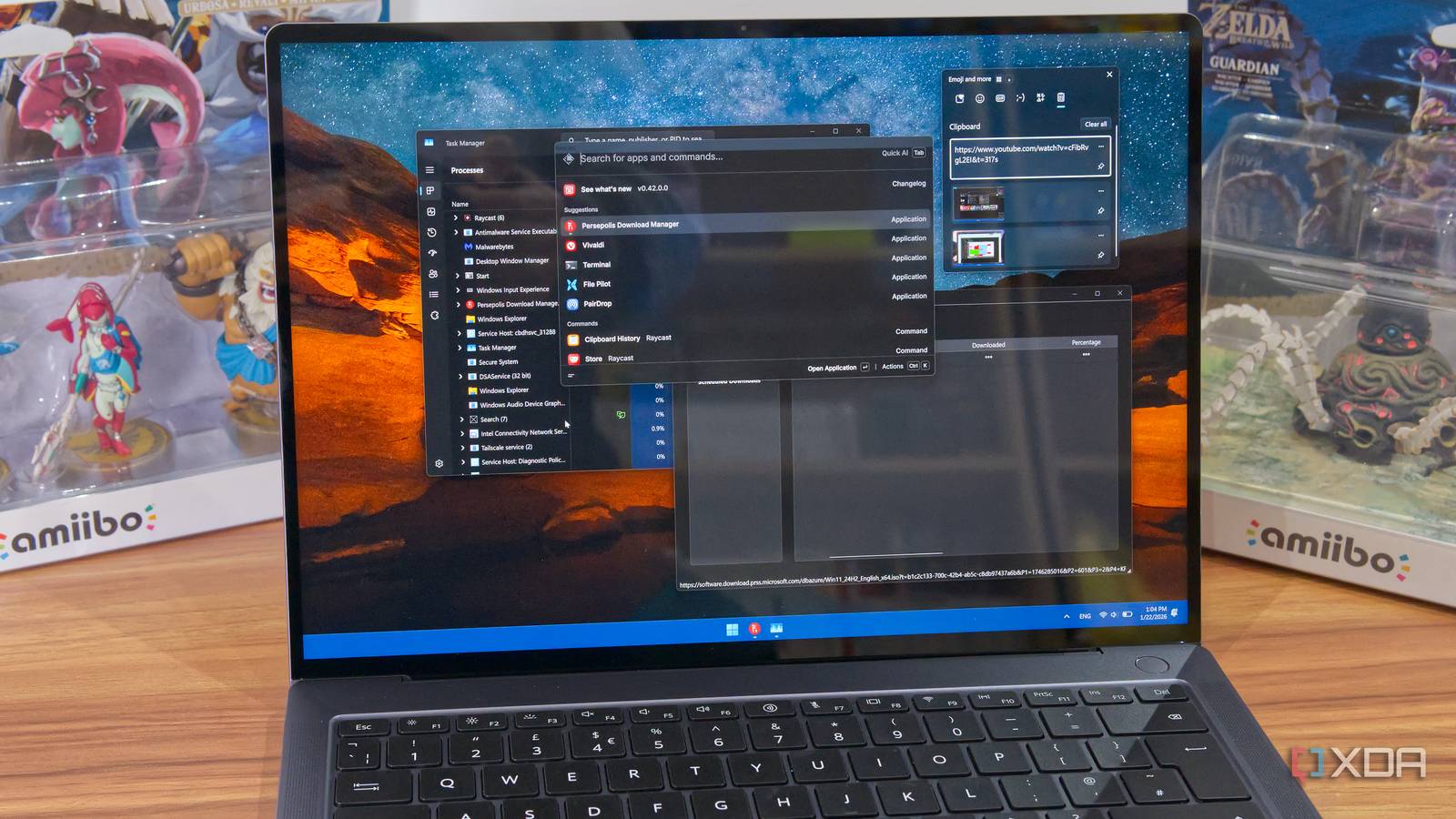
Published Aug 9, 2026, 1:30 PM EDT Abhishek is an author at XDA who covers computing. He has loved computers since he got the Lenovo G570 in 2012. Abhishek holds a master's degree in computer applications and began his writing career in 2018. He loves writing how-to articles, listicles, and informational posts on popular operating systems and web services. He closely follows the Windows Insider program and tests new Insider builds to discover upcoming experimental features and upgrades. His past work includes long-term collaborations with reputed publications like Tom's Hardware, and Windows Latest. When not writing anything, he is busy watching new episodes of One Piece or searching for something binge-worthy. Windows users have abundant software options to add features that aren't part of the standard OS experience. Some use tools like Explorer Patcher to restore old UI options, while others use tools like Winaero Tweaker to turn off meddlesome features. Windows launchers have been a thing for a while, drawing inspiration from the macOS Spotlight experience, which offers a central, faster way to manage apps and tools. I never tried to use one until recently, and realized that it was more valuable than a niche productivity tool meant for power users. Launchers have evolved from a simple floating bar for launching apps and running commands into a much more integrated way to manage your operating system and settings. I've tried quite a few until now, and trust me, it's the productivity hack that actually works. Microsoft hasn't made it a core part of Windows' design, but there's no reason to delay it any longer. The traditional way is sluggish Unnecessary clicks to accomplish mundane tasks Windows follows the same old method of launching apps. You can either open the Start menu, click on a pinned app icon, or search for an app, file, or setting. Even if you don't want to use the Start menu, the next best thing is the Windows Search app, which follows the same steps. The Run dialog box is also a slightly faster way to launch apps, settings pages, or Control Panel applets, but you need to remember short commands and exact application names. In contrast, when you use a launcher, all you have to open is the search bar itself. There's no need to navigate through nested menus and options to find an app or setting. It results in fewer mouse clicks and distractions, all of which speed up your overall launch and search experience. You move from a mouse-first approach to a more keyboard-driven approach, and that grows on you with time. Windows Search isn’t praiseworthy Launchers have a better experience When you search for something from the Start menu or Windows Search, the delay is obvious. On my PC, the search takes quite a bit of time, sometimes even crashes, and tries to include web results and store recommendations along with the search item. The Windows Search app is even more horrible, as it displays a whole segment of feed entries and promotional stuff every time I use it. All of this slows down the already-average search experience on Windows, and command launchers offer a solution. Firstly, they try to be as minimalistic as possible, and all you need to do is type your search term and find it. There’s no intention to integrate web results with file search or app search results. It eliminates both distractions and the time taken to display relevant files. Secondly, they can integrate with exceptional file search tools like Everything and harness their responsiveness in their search bar. For example, PowerToys Command Palette has the ECP3 extension to add the Everything app’s search features inside it, and in my tests, it found files much better than Windows search. When my concern is finding files, I don’t need the additional visual clutter or options that aren’t relevant to file search. Launchers understand this distinction and are the reason why so many users prefer them now. Windows launchers can do much more Not restricted to basic app launch and search If I only needed faster file search, I would use the Everything app rather than a launcher. But such tools can do much more than find files and settings and open apps. They can launch tools, run shell commands, install an app using Microsoft’s native package manager, use aliases to launch apps faster, and do some more common actions. Everything, from searches to script executions or app installations, happens inside the launcher’s interface. I don't need to open a specific app to do these tasks. Take Raycast, for example, which has an exceptional file search design. It can find files as other launcher tools do, but has a custom spin on it. I can do common file-related actions like renaming, deleting, and sharing all from the same window. There's even an option to create a quicklink, one of Raycast's best features. It creates a short alias that I can use to find the file again without typing its full name. Additionally, there's a full-fledged mini File Explorer experience in the launcher that lets you preview files and access your search history. Similarly, I can use the Run tool in Raycast to execute commands from the launcher. Here also, creating an alias can help you avoid typing long ones. This is just the basic feature set of a tool like Raycast. The expansive plugin store is another component that lets you add more power to this already powerful tool. A plugin can interact with other tools or services. While I've mentioned the Everything plugin to speed up file searches, there are plugins to integrate with Obsidian for note-taking or toperform basic image actions and edits with Image modification tools. Lastly, there's a whole subsection of AI features and mini-tools inside every launcher app. You can use AI to summarize web pages, generate images inside the launcher interface with DALL-E, and switch between multiple models to refine the output. The AI component isn't for everyone, but given that even browsers, apps, and search engines have it, there's no reason Raycast or other tools shouldn't include it. Launchers are actually useful I have wasted too many hours dealing with slow Windows search and other app-related actions. Windows launchers streamline this whole process without using too many resources. I can do much more than search and all launches from a single window, and escape the constant window juggling. There's also a provision to connect to and use other apps within them via plugins or extensions, making them a more valuable proposition than the Windows Start menu. Raycast Raycast is a great app launcher for MacBooks that streamlines your workflow with instant access to apps, commands, and shortcuts.
Windows launchers do something the Start menu can't, and I finally understand why power users swear by them
Full Article
Original Source
Read the full article at Xda-developers →KhanList aggregates and links to publicly available news content. We do not host full articles from third-party sources. Always verify important information with original sources.