
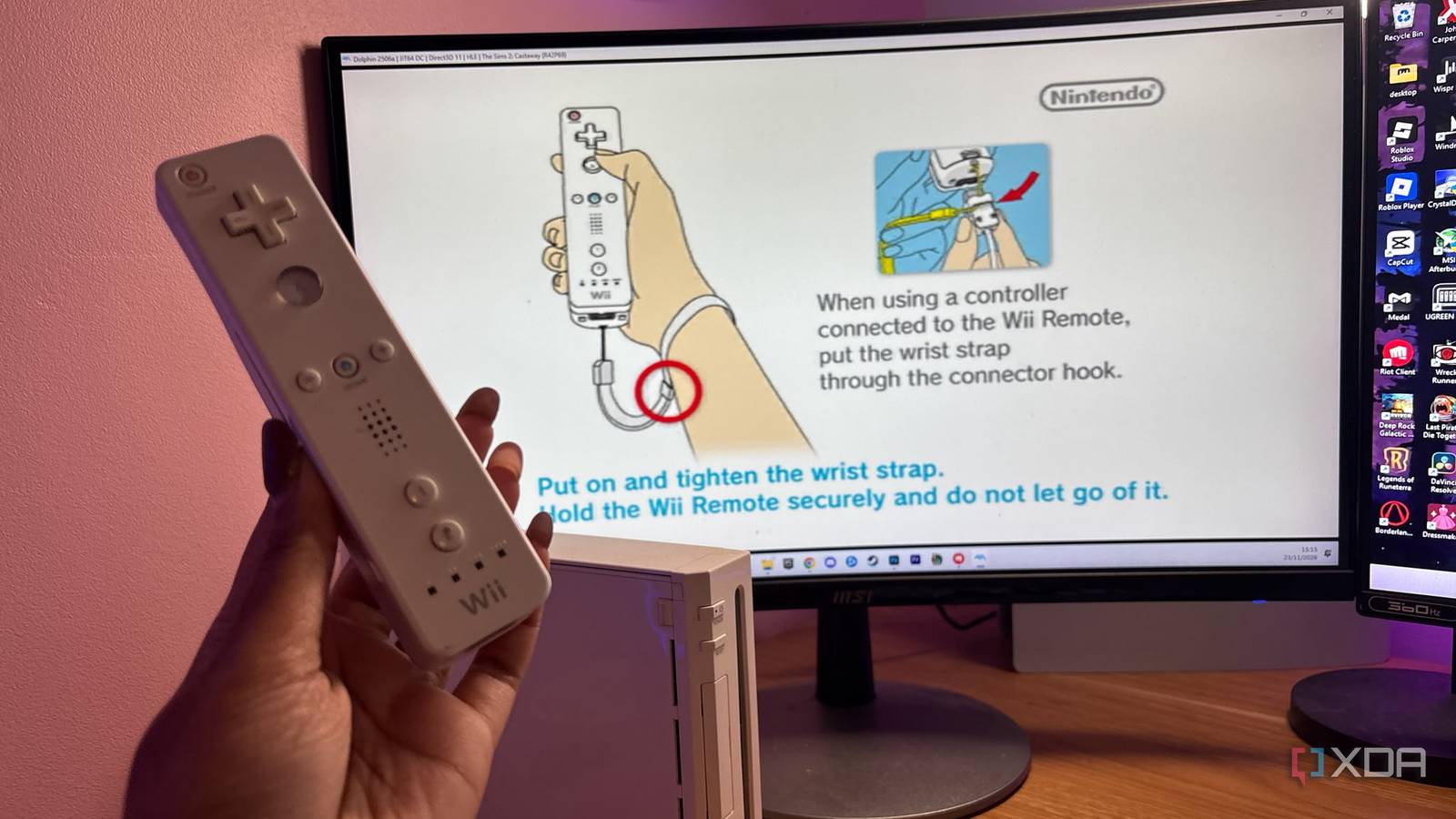
Published Nov 25, 2026, 6:00 PM EST Jasmine is Software and PC Hardware Author at XDA with years of tech reporting experience ranging from AI chatbots right down to gaming hardware, she's covered just about everything. Whether it's breaking news about the latest AMD NPUs or creating video tutorials on social media platforms, Jasmine has contributed to the world of AI and tech in a variety of ways including interviewing the CEO of Razer, AMD's Director of Product Marketing and the VP of Lenovo. Passionate about gaming and PC technology, she has built countless computers, keyboards and other peripherals - knowing them inside and out. Pulling an original Nintendo Wii out of storage and having to hook it up to a modern 4K OLED TV is frustrating. I feel like the nostalgia of playing goes out the window when you factor in the friction of finding adapters for input and looking at a blurry, washed-out 480p image stretched across a high-DPI panel. The Wii itself outputs a maximum resolution of 480p via component cables and only 480i over standard composite. Even with external HDMI adapters or hardware mods, you are still working with a lower-resolution frame buffer and the Wii's notorious hardware deflicker filter. Of course, I love owning the original Nintendo Wii for historical preservation, but the maturity of the Dolphin emulator (combined with modern upscaling, texture packs, flexible controller mapping, and quality-of-life patches) means that running Wii software on a PC, or even a handheld PC, outperforms the original console in visual clarity, responsiveness, and convenience for me. The upscaling alone is reason enough to switch I was fed up with the friction When using Dolphin it makes use of internal resolution scaling. That means you no longer have to play in native 480p; instead, you can experience your games in 1440p or even 4K, which is four to six times the native resolution. Unlike basic TV upscalers that stretch pixels, Dolphin renders the 3D geometry directly at the target resolution, which can reduce aliasing on character models and environments. You can even bypass the deflicker filter. The Wii features a hardware-level vertical deflicker filter, originally designed to reduce flicker on interlaced CRT TVs, but it adds noticeable vertical blur on modern progressive-scan displays. If you want to leave it on for nostalgia, you can. However, Dolphin also lets you disable the filter cleanly via the disable copy filter option. The original Wii achieved 16:9 via anamorphic widescreen, meaning it squeezed a 16:9 image into a 4:3 pixel grid and then relied on the display to stretch it horizontally, which further degrades that horizontal sharpness. With Dolphin, it renders true widescreen without horizontal pixel stretching and also offers community-verified widescreen Gecko/AR codes for games locked to 4:3. There's also the option of post-processing and custom texture packs. These can fix the muddy ground textures common in the Wii era, and custom HD texture packs, which can be loaded via Dolphin's "Load Custom Textures" feature, can replace low-resolution UI elements and environmental textures while maintaining the original art direction of the titles that you're playing. Dolphin builds often use Uber shaders, specifically hybrid Uber shaders, alongside Vulkan and Direct3D12 backends to eliminate the shader compilation stutter that used to plague so many earlier versions of Wii emulation. You can use your original Wii remote Or an alternative works too Originally, I felt so put off by emulating Wii games because of the controllers and peripherals being such a massive hurdle for me. A big part of the Wii for me was using the Wii controller. It's extremely hard to replicate, but with Dolphin you can use a real Wii remote if you want to. There are two distinct ways that it handles these controllers. The first is standard emulated Bluetooth, which works with pretty much any PC Bluetooth adapter and translates inputs cleanly. You can also use Bluetooth pass-through, where Dolphin takes direct control of a compatible USB dongle, allowing the Wii remote to communicate directly with the emulated Bluetooth module. This unlocks accurate Wii remote speaker audio, seamless third-party accessory support like your Motion Plus adapters, and the ability to sync controllers using the physical red sync button, just like you would on the original console. Even if you don't have the proprietary wired Wii sensor bar, it's actually just two clusters of infrared LEDs. With a USB-powered IR bar (such as the Mayflash DolphinBar, which also handles Bluetooth pairing out of the box), you've got yourself a fantastic sensor bar alternative. I actually opted to use two lit candles because flames emit infrared light, which the Wii remote's built-in IR camera tracks to calculate where you're pointing. If using a Wii remote itself isn't for you, then you can opt for modern controller mapping as well, whether that's with a PlayStation/Xbox controller or a Steam Deck. Dolphin decouples motion controls from physical shaking. Using standard controllers, you can map pointer movements to an analog stick, a mouse, or, most effectively, a controller's built-in gyroscope via SDL input APIs. There were a range of QoL changes when using Dolphin Some games have 60 FPS patches Using the Dolphin emulator has felt like a major quality-of-life change when compared to trying to play games on my original Wii console. 60fps Gecko/AR patches can transform 30fps titles into smoother experiences. This is based on you having a host CPU with strong single-threaded performance. Some games are locked to 30fps due to physics ties, but because my monitor has a variable refresh rate, I get consistent frame pacing without the screen tearing or frame drops I would see on the original hardware during particle-heavy scenes. Another great feature is instant save states. Some Wii games had pretty restrictive save systems, especially certain online-enabled titles like Super Smash Bros. Brawl or Mario Kart Wii, where save files were locked from being copied to an SD card. But Dolphin has unrestricted NAND/save management and instant save states. The Wii hardware just doesn't stack up Unfortunately, the physical reality of my 20-year-old Nintendo Wii is that the hardware is outdated and doesn't provide the nostalgia I was hoping for. Alongside this, there's the chance of failing optical disc drives (specifically dual-layer read issues on games like Super Smash Bros. Brawl), as well as degrading thermal pads and aging capacitors. If you are looking for the authentic living room party setup, then the original console might still do that for you, particularly if you're relying on peripherals like the Wii Balance Board and you don't want to deal with troubleshooting Bluetooth adapters. However, for single-player campaigns, high-definition displays, and modern comfort, the original Wii hardware can feel limiting. Dolphin hasn't just replicated the Wii; it stripped away the 2006-era compromises we were making, turning a legacy console into a sharp, responsive, and flexible platform that fits naturally into my PC setup. Dolphin Dolphin allows you to emulate Wii games and play with your original Wii remote or alternative controllers depending on what you prefer.
Wii emulation has gotten so good that my original console is now the worst way to play its games
Full Article
Original Source
Read the full article at Xda-developers →KhanList aggregates and links to publicly available news content. We do not host full articles from third-party sources. Always verify important information with original sources.