
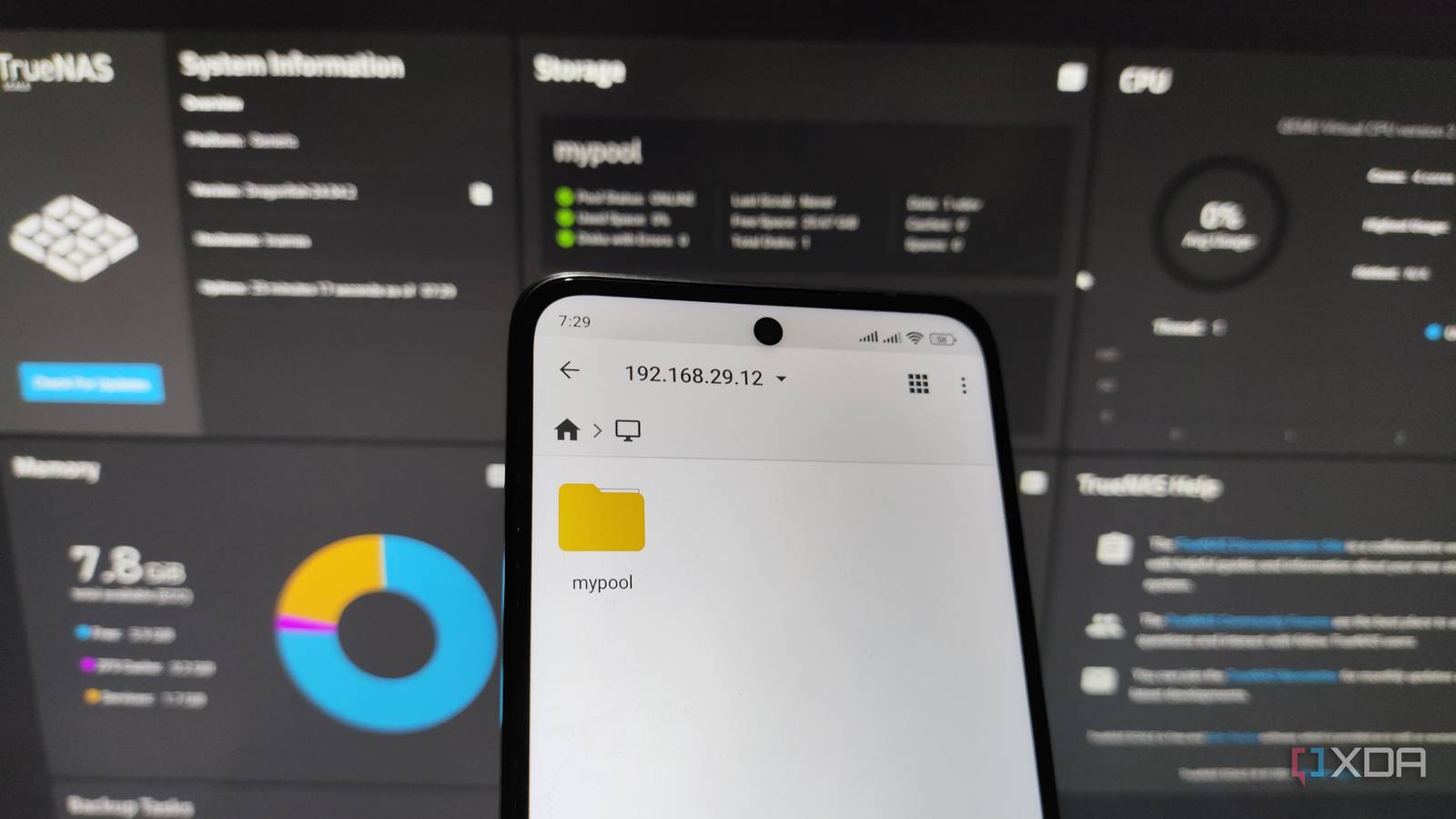
Published Nov 14, 2026, 12:15 PM EST I am a Senior Author at XDA with a decade of experience covering consumer tech. I care more about the impact of technology on people’s everyday lives than the superfluous features companies keep adding each year, which is central to my reviews and product recommendations. As outrageous as it may sound, a phone can do the job of a NAS. That statement may not be true for power users, but home NAS users can get away with it. If you think about it, what is a NAS? At its core, it’s a storage space that stays connected to the network for all devices at home to access data from it. All the NAS apps you know about are simple add-ons that run on top of the base layer to make your NAS smarter and to expand its capabilities. A lot of home users have very basic data needs — their NAS should safely store their files, be available on multiple client devices without having to plug in a drive all the time, sync folders, and maybe even stream media over Plex. Sure, an old Android phone cannot run Docker containers, but for things like these, your phone can do a surprisingly decent job. That’s not to say that a phone is better than a NAS, but you can surely get away with it if you’re in a pinch and want to start with whatever hardware is already lying around. The three tasks of a NAS Repurposing an old Android phone as a NAS is simpler than you think. The Android ecosystem already supports tons of powerful apps that can come together to turn your spare phone into a low-cost NAS that just works. Use your phone to manage network files The magic of Android is that you can download an advanced file explorer app like CX File Explorer or Solid Explorer and turn your old phone into a network storage device. These apps let you turn the phone into an SMB server, allowing your phone to appear across your devices just like a Synology NAS would. You can then map it to Mac’s Finder or Windows’ File Explorer, or even other smartphones, like a shared network drive. And if the phone’s internal storage isn’t enough for you, which likely wouldn’t be for older devices, you can hook an external SSD with a Type-C port to access it directly over the network. Make your phone a syncing hub The main use of using a storage device connected to the home network is to ensure that it can wirelessly (or even over LAN) talk to all the devices you own. And that means you can sync files between two computers or a phone and a laptop. And you can enable that with this simple tool called Syncthing. Install it on your phone-turned-NAS along with the client devices you want to sync the files across, and you’d be sorted. Turn it into a streaming hub There is a good chance you want to use your NAS to stream media on your living room TV. Well, quite unsurprisingly, your phone is capable of doing that too. Plex has an official media server app available for Android, though there are third-party media server solutions for Jellyfin as well if you want to be even more experimental. And just like that, your phone will convert into a media server that can beam movies to other devices on the local network. How to actually make it work It takes just a tiny bit of tinkering Phones aren’t designed to be network storage devices inherently, but you can make them work with some tweaking. As you’d guess, for the network storage to work, you will have to keep the phone plugged in for 24/7 access (don’t worry, the power consumption would be much lower than a typical NAS). Make sure the phone is set to stay awake while charging, and the server apps have battery optimisation turned off. Since you’ll have a USB drive plugged in all the time — and your older phone likely lacks wireless charging — you’d need a USB adapter to connect the drive and the charger at the same time. Besides that, make sure the phone is connected to the 5GHz Wi-Fi network to ensure smoother playback for larger files, and it would help if you gave the phone a fixed local IP for easier access. Keeping expectations in check The phone may not be ‘server’ powerful Compared to the other entries in this list, Jellyfin MPV Shim's interface is a step less polished.Source: Mockup.photos A tiny smartphone that fits your palm and doesn’t come with active cooling is indeed a powerful machine, but treating it like a full-fledged NAS would be testing its limits. For instance, if the phone is able to stream a single stream of 4K video without buffering, adding another stream would stress it out too much. Since it’s a smartphone mimicking a NAS, you will find a lot of advanced features and tools missing, like the option to set up RAID. And unlike a standard NAS with several TBs of storage, your pool would be limited to the portable drive’s size. If you understand what you’re getting into from the get-go, you won’t be disappointed — so keep your expectations in check. If this seems too limiting, then there are alternatives, too. The Synology BeeStation and WD MyCloud are the kind of network storage products that aren’t as advanced as a proper NAS like the DS925+, but they offer a perfect middle ground for people who want something simpler. And you don’t have to repurpose a phone — you can very well reuse an old PC, albeit with much better software. Finally, if storage and file sync are your primary needs and you don’t mind remote file storage, the cloud remains a great and the most convenient option. Synology BeeStation CPU Realtek RTD1619B (Plus NPU) Memory 1GB DDR4 Drive Bays 1 x 4TB (Non-Removable) Expansion None Ports 1 x 1GbE RJ-45; 1 x USB-A 3.2 Gen 1; 1 x USB-C 3.2 Gen 1 OS BeeOS
Who needs a NAS? Just use your old phone
Full Article
Original Source
Read the full article at Xda-developers →KhanList aggregates and links to publicly available news content. We do not host full articles from third-party sources. Always verify important information with original sources.