
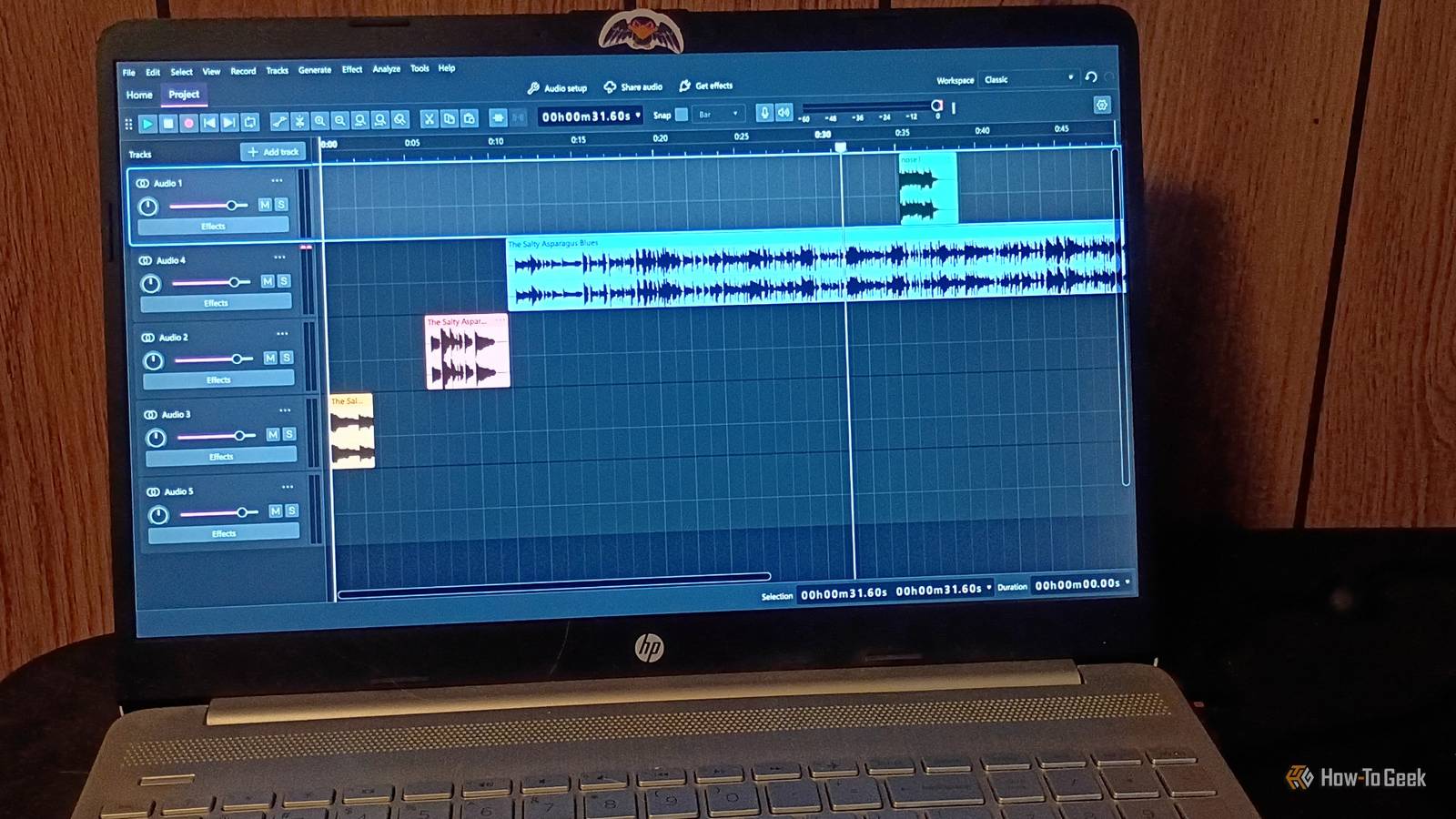
Published Nov 14, 2026, 1:30 PM EST Former radio and TV guy (I Heart Radio and PBS). Now a writer, researcher, and musician who writes about the absurdity of our modern world and other offbeat topics. Specializes in weird music, the old web, retro video games and tech, and researching strange, yet interesting things. His work has appeared in Vice, Tedium, Star Trek.com, Today I Found Out, Typebar, SyFy Wire, and How To Geek. Currently working on a variety of music, web, and writing projects. Visit him on the web at https://djbuckfreelance.neocities.org/. I got into radio and music production at a very weird time. For a while, I rocked a TASCAM PortaStudio for my personal recordings. When I got into college and started working in radio, it was all physical digital audio workstations and programs like Adobe Audition. When I no longer had access to professional-grade equipment and software, Audacity just hit a sweet spot for me. Whether it was recording my own songs, digitizing my LPs, or doing voice work, it was always there for me. Naturally, I was pretty excited when I heard about Audacity 4, one of the biggest updates to the software in some time. It was fantastic before, but its newest features are really going to give other professional DAW (digital audio workstations) a run for their money. I switched to it a long time ago and never looked back For most of my current work (in the past decade, anyway), I've been using Audacity for a very long time, in conjunction with Reaper. I used to use Adobe Audition back in my radio days. And while Audition makes everything much easier, the cost has always been a prohibitive factor. Audacity was the absolute best alternative I found back then. Then, I just sort of stuck with it. I've recorded and edited songs, podcasts, voice-overs, commercials, and other professional work with just Audacity and a few plug-ins for most of my career. I’ve always found it intuitive, but whenever I’ve taught new users how to work with it, I’ve been shocked to see they don’t fully understand what to do. Apparently, not everyone reads the manuals these days. Now that I’m directly responsible for teaching others how to do things, the same intuition, shortcuts, and foreknowledge aren’t as useful. So, when I evaluate software, I’m thinking about it through that lens rather than my own experience. It seems like Audacity had the same idea because the quality-of-life improvements in Audacity 4 streamline music production and make it easy to learn on the go. Using Audacity has somehow gotten even easier A new look and more information about what tools do makes a difference Audacity 4 offers a brand-new modern interface that’s honestly very streamlined and would work well for new users. But it doesn’t wreck things for older users by forcing the change. You have the option to maintain a classic interface, just with the new tools added to it. I love that. Directly comparing the older version of Audacity, which I used on Halloween to record a song, with the new one, I immediately noticed a change in the workflow. The older version of Audacity felt more “blocky,” where everything was modular. It worked extremely well. The new version is very slick. I like the way they situated the buttons. The layout makes sense. If you don’t use a lot of keyboard shortcuts (as I’m sure many newer users don’t), you can actually find the button you need quickly. That’s a very user-friendly change. I was able to quickly create an audio project by just dragging and dropping MP3s into Audacity. It puts each one on a clean track. Arranging them worked much the same way as older editions, as did applying effects like amplification to them. The plug-ins and effects we all love are still here, available under the Effect menu, and you can still generate tones, chirp, white noise, and so on under the Generate menu. But in a direct comparison to an older version of Audacity, with its clunky layout and icons that don’t really tell you much aside from the basics, I feel it’s an upgrade. They’ve taken my workflow to another level There are two “new” additions to the toolbar in Audacity 4 that go a long way toward making it feel more like Adobe Audition and streamlining editing in significant ways. First, there are the gain controls, which can be toggled on or off at the top toolbar. When toggled on, a line with an adjustment node appears in the center of an audio clip. From there, you can adjust the gain of that particular clip and watch the waveforms move in real time. It’s incredibly handy for a quick edit. If you leave them toggled on, the bar will always be present in the waveform. The split button is a nice addition that made the most significant difference for my workflow. In the past, you had to find the precise spot on your waveform you wanted to split, then do it with a few clicks. The new tool (which looks like a pair of scissors) allows you to click on it, then find exactly where you want to split and do it faster. It's a small change that may not matter much to seasoned users (who are comfortable with shortcuts), but for new or inexperienced users, it's fantastic. I also like that you can hover around the edge of a waveform and pull it back/forward even if you split it previously, just like in Adobe Audition. I’ve been wanting this feature for a long time and am glad to finally see it implemented. Audacity 4 is the version I’ve always wanted I played around with the software a bit with an old song, and within about 15 minutes, I chopped it up, edited it, added some new audio, adjusted the gain, applied a noise gate and some reverb, then reassembled it. I enjoyed how smooth everything was in this update. It was so much fun to use that I can see myself going out of my way to do more audio projects in the future. I have a lot of them in mind. And Audacity will definitely be part of my musician/podcaster toolbox for these projects.
Audacity 4 is finally here and it's made editing audio easier than ever
Full Article
Original Source
Read the full article at Howtogeek →KhanList aggregates and links to publicly available news content. We do not host full articles from third-party sources. Always verify important information with original sources.