
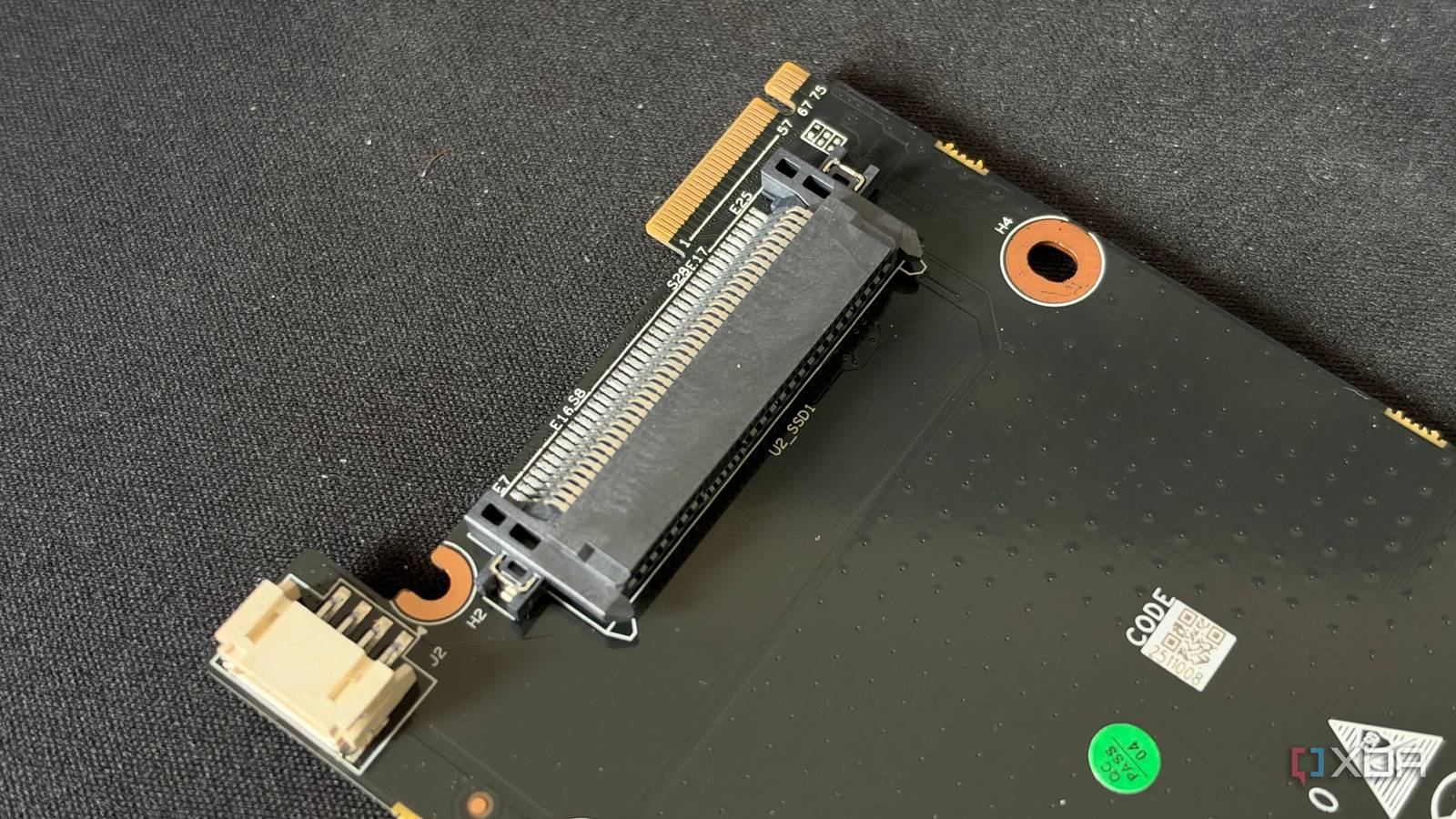
Published Nov 12, 2026, 7:00 AM EST His love of PCs and their components was born out of trying to squeeze every ounce of performance out of the family computer. Tinkering with his own build at age 10 turned into building PCs for friends and family, fostering a passion that would ultimately take shape as a career path. Besides being the first call for tech support for those close to him, Ty is a computer science student, with his focus being cloud computing and networking. He also competed in semi-pro Counter-Strike for 8 years, making him intimately familiar with everything to do with peripherals. Storage used to be the part of a build that was simple: you'd pick your type and capacity, look for something that was discounted, and then move on with more important decisions. In 2026, it can be one of the items that makes you want to forget about putting together a PC. AI demand has captured much of the NAND flash that's available, and consumers are left paying incredibly inflated prices. A 4TB SSD that could once be found for $300 or $400 is now close to $1,000. One corner of the fast storage market has held up a lot better, and that's used enterprise stock. U.2 SSDs specifically are some of the best value you can find for fast storage at the moment, and while getting it to work in a normal PC takes an adapter and a little more planning than a standard drive, it can be well worth the trouble. The used market is where the storage bargains are found now No new NAND is going on sale at a discount these days Used enterprise drives, U.2s included, are priced based on pure supply more than they are based on what the new storage contracts say, and that's partially why they're still affordable. Of course, part of the value comes from the fact that they've been used, but a lot of these drives get decommissioned before anything on them is close to failing. Enterprise drives are rated for far more writes than consumer drives, often several times as many at the same capacity. A used enterprise drive with plenty of wear on it can still have more rated life left than a brand-new consumer flagship, and cost less. Unfortunately, the prices don't stay completely decoupled from what new drives are going for. The used market does creep up slowly behind what new stuff is being sold at, so buying sooner rather than later might be beneficial if you're trying to save. These drives are built for home labs They can be used for anything, but they're best in sustained workloads Most consumer SSDs write into a fast SLC cache, then slow sharply once it fills. Enterprise drives generally skip SLC caching and are tuned for steady-state performance, so something like a large file transfer or disk migration doesn't suddenly tank in speed halfway through. Perhaps the biggest difference between an enterprise U.2 SSD and a normal one is the power-loss protection. Virtually all of these enterprise drives will carry capacitors that keep the controller on-board alive just long enough to flush its cache to the flash if power drops. This helps in cases where you're using ZFS or handling a database where a sync-write needs to be acknowledged, because if there were no capacitors and you were forcing sync-writes on a consumer drive, it'll drop the performance significantly. Outside of a home lab environment, the usefulness is a bit more narrow but still there. Video editors and anyone else who regularly moves huge files get the same benefit from steady sustained writes, since a long export or a footage dump never hits a cache cliff. For the gamers and everyday desktop users, an enterprise drive won’t feel any faster than a good consumer drive, and the power-loss protection goes largely unused. What it does offer there is room: as a game library or a bulk storage drive, a used U.2 drive buys a lot of fast capacity for the price. I just wouldn't expect it to beat your NVMe consumer drive you boot from. Getting it hooked up is the easy part It's a little more complicated than just an adapter, though The cheapest route is an M.2-to-U.2 cable, which runs from a motherboard M.2 slot to the drive’s SFF-8639 connector. It does need a separate SATA power lead because U.2 drives run on 12V, so that's another thing to keep in mind if you go that route. You can go the PCIe add-in card route too, and you can run up to four drives off of one x16 slot with the help of bifurcation, if that's supported on your motherboard. Once connected, the drive is seen as an ordinary NVMe device by your system with no separate drivers needed, and it can boot a UEFI system, though sometimes these drives add noticeably to boot times. After you're in an OS, checking with a tool like nvme-cli and smartctl is imperative, especially if there's a return window specified for your drive. There are two very real problems running a U.2 drive that go beyond just the requirement for an adapter. The first is heat: putting one of these in an area of your chassis that doesn't get active airflow probably isn't a good idea, as they can easily pull upwards of 10W under load and idle around 3 or 4 watts. Putting them in an area with dead air is asking for throttling. The second problem is signal integrity, and it's a lot less forgiving as you go up in PCIe generation. Even jumping from PCIe 3.0 to 4.0, passive adapters can be pretty hit-and-miss, and the OS doesn't always give you a clear idea that it's an issue. Those problems don't sink the potential value of a U.2 SSD With some decent airflow and forcing the drive to run at PCIe 3.0, both of those issues can be fixed. There's a bit of extra thought that has to go into putting a pre-owned enterprise U.2 in your system, but that's part of what makes them affordable. If the friction wasn't there, everyone would be buying them. They definitely won’t stay this cheap relative to new ones forever, but for storage that runs all day doing real work, nothing at retail matches what a decommissioned enterprise SSD can do.
Used U.2 drives are the cheapest fast storage right now, and an adapter gets them running
Full Article
Original Source
Read the full article at Xda-developers →KhanList aggregates and links to publicly available news content. We do not host full articles from third-party sources. Always verify important information with original sources.