
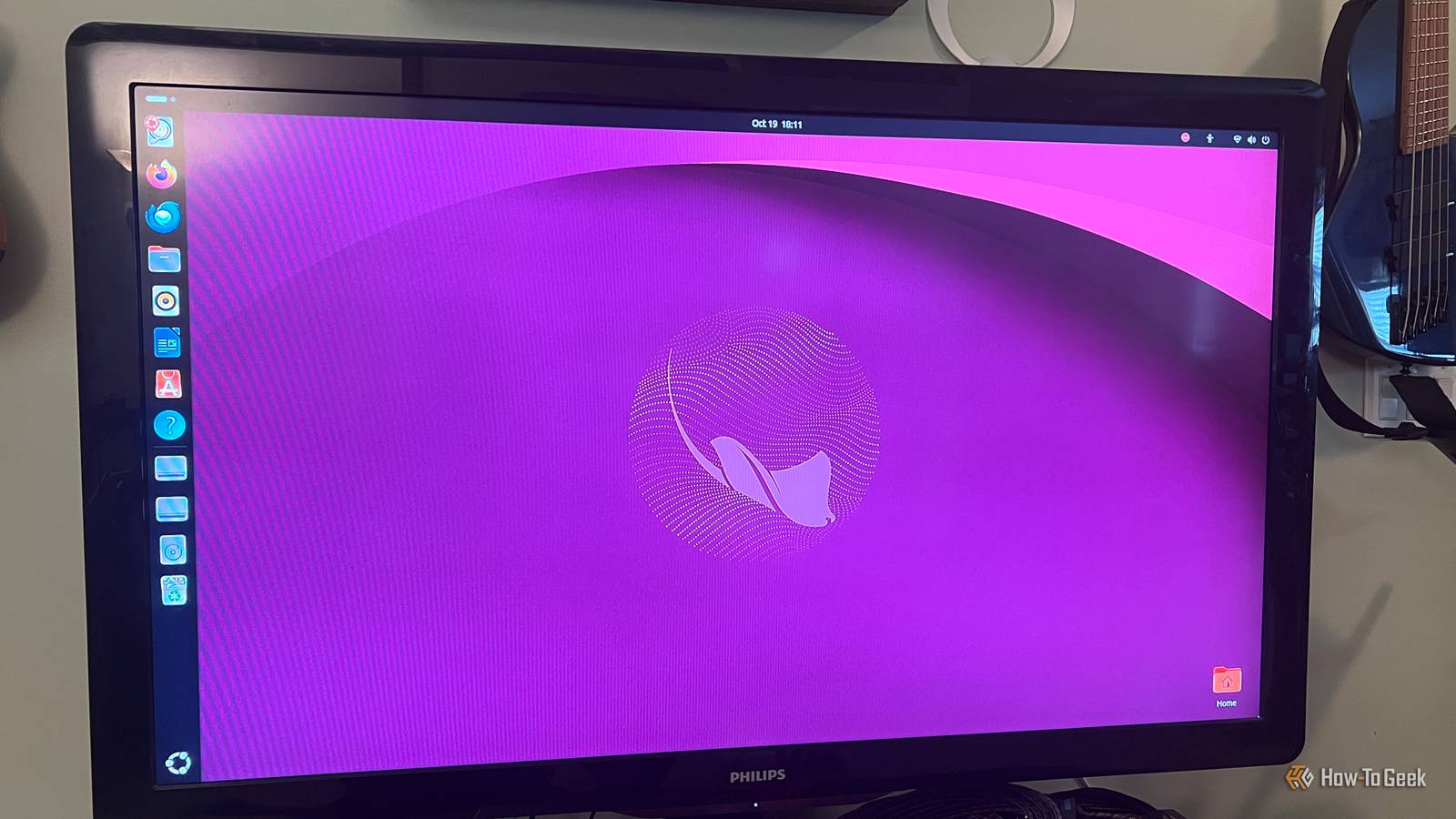
Published Nov 29, 2026, 12:30 PM EST Umair Khurshid is a technology writer and developer with a strong focus on Linux, FreeBSD, cloud infrastructure, and automation. Before focusing on writing, Umair worked as a developer and DevOps engineer building and automating cloud-native systems. Canonical’s decision to bring AI features to Ubuntu has sparked considerable debate since Jon Seager outlined the company’s plans in April. Many Ubuntu users expressed concerns about the direction of the distro, with some requesting a system-wide option to disable AI features altogether. With the release of Ubuntu 26.10 on October 15, 2026, we finally have an opportunity to see how Canonical intends to put its plans into practice. Myna, an optional speech-to-text preview available for Ubuntu 26.10, is not included in a fresh default installation, which is certainly encouraging. However, as Canonical continues to integrate AI into Ubuntu, there are still some legitimate questions about how much control users will retain over their operating system. The ability to remove individual AI features is welcome, but whether this approach will remain practical as more features are introduced deserves closer examination. What Canonical actually promised No global switch, just optional components Seager outlined two categories of AI integration. Implicit AI aims to improve existing Ubuntu functionality, such as speech-to-text and text-to-speech. Explicit AI involves introducing new assistants and workflows. He said the initial features would be strictly opt-in and that Ubuntu’s approach would favor local inference, with clearly defined interfaces to external services for users who need them. Ubuntu 26.10 does not include built-in AI tooling in a fresh installation, and Myna is available as an optional speech-to-text preview. It provides visual feedback while you talk and can be installed through a PPA and configured through a graphical interface. Speech recognition tools can make a considerable difference to people with disabilities, and Canonical deserves credit for working to improve accessibility. However, Canonical’s roadmap says AI features will arrive over the following year as they reach “sufficient maturity and quality.” Seager has also suggested that a later release’s initial setup wizard could let users choose whether to enable AI-native features. Although I welcome the approach Canonical has taken with Myna, I would like more clarity about whether future AI features will follow the same model. Delivering AI features through separately installable components has its advantages. It can make individual features easier to remove, although the extent of users’ control will ultimately depend on the tools Canonical provides to manage them. As Ubuntu gains more AI functionality, the company will need to consider how people with limited technical knowledge can manage these features. Why uninstalling AI is not enough Users should have a straightforward way to turn AI off When people ask for an AI kill switch, I suspect most of them are looking for a straightforward way to disable AI functionality across the operating system. If Canonical’s future AI features must be managed by removing packages, that approach would require a certain degree of familiarity with package management. You would need to know which package provides a particular feature and whether removing it could affect other parts of the operating system. For experienced Linux users, this is unlikely to be much of a problem. However, Ubuntu has traditionally positioned itself as a distro accessible to people with limited technical knowledge, and its approach to managing AI features should reflect that. A graphical interface for managing AI functionality would make considerably more sense. For instance, Canonical could introduce a dedicated section in Ubuntu’s Settings application where you can see which AI features are installed and disable them individually. A system-wide toggle would be particularly useful for people who have no interest in using AI on their computers. I also think disabling a feature should be possible without necessarily uninstalling its associated package. You might want to experiment with a particular feature occasionally without having it enabled all the time. Another complication is how Canonical categorizes these features. Speech-to-text functionality, for example, can provide genuine accessibility benefits, and there are perfectly reasonable arguments for incorporating it into Ubuntu. However, as machine learning becomes more common in existing desktop utilities, users may find it increasingly difficult to identify which parts of their operating system rely on AI. Canonical should clearly document the underlying technology and its behavior, particularly when introducing AI capabilities into applications that people already use. There is also the question of how this approach will scale. Managing one or two optional AI components is relatively straightforward. Several releases from now. However, AI functionality could be distributed across numerous applications and desktop components. Expecting users to keep track of these features individually, particularly after distribution upgrades, seems impractical. A centralized management interface would also give Canonical a mechanism for respecting your existing preferences when introducing new AI features through future updates. Ultimately, I think the disagreement comes down to what constitutes meaningful user control. The technical ability to remove an AI component is certainly valuable, but Ubuntu should make exercising that control accessible to its entire desktop audience. You should be able to determine which AI features are active on your computer without having to consult documentation or investigate package dependencies. Otherwise, Canonical risks creating a system in which avoiding AI requires considerably more effort than adopting it. What Canonical owes its users Defaults, trust, and transparency Canonical’s suggestion of introducing AI-related choices in a later release’s initial setup wizard raises some legitimate concerns. Setting up a newly installed operating system already involves making several decisions, and adding optional AI functionality to that process seems unnecessary. A more sensible approach would be to make these features discoverable after installation, when people have a better understanding of what they offer. The wording of an installation prompt and its default selection can significantly influence adoption, which makes the way Canonical presents these features particularly important. There is also a broader concern about the direction Ubuntu is taking. For many people, moving to Linux is partly motivated by dissatisfaction with the increasingly intrusive nature of proprietary operating systems. The growing integration of AI into Windows has given some people another reason to explore Linux. Canonical risks undermining one of Ubuntu’s selling points if it begins treating AI integration as a competitive necessity. Every proposed AI feature should address a genuine problem and offer a meaningful improvement over existing solutions. The availability of a new technology is hardly sufficient justification for incorporating it into an operating system. I am also interested in how Canonical intends to handle AI-generated code within Ubuntu itself. The ability to disable an AI application does very little to address concerns about AI-generated code finding its way into essential system components. These are fundamentally different issues. I have no objection to developers using AI-assisted development tools in principle, provided the resulting code undergoes adequate human review. However, given the importance of Ubuntu in production environments, I would like Canonical to publish a formal policy covering the use of AI-generated code, with particular attention to developer accountability and licensing compliance. Without clear standards, there could be inconsistencies in how such code is reviewed and accepted. Another concern I have is the distinction between local and cloud-based AI processing. Canonical’s preference for local inference is encouraging, but local processing alone does not resolve every privacy concern. An AI application may still require access to files, clipboard contents, or other potentially sensitive information on your computer. I would like to see explicit documentation of these permissions, along with a clear explanation of the circumstances under which a feature can communicate with external services. More importantly, I would like these commitments to extend beyond the current release. Canonical should establish a publicly documented policy governing AI integration in future Ubuntu releases. Such a policy could reassure users that optional AI functionality will remain optional, even as the technology becomes more closely integrated into existing desktop applications. The ability to remove an AI feature is useful, but it tells users very little about how much control they will retain over Ubuntu several releases from now. What would actually fix this Canonical could continue keeping new AI features off by default, including if it eventually introduces AI-related choices in the installer. A dedicated section in Settings could provide an obvious system-wide switch that disables AI functionality without requiring users to manage individual packages. An additional option to remove unnecessary AI components entirely would also be welcome, particularly for people who have limited storage or simply prefer a minimal installation. Canonical should also clearly identify features that rely on AI models, including those introduced to improve accessibility, and explain where the processing takes place. Publishing a policy on AI-generated code would help address a separate set of concerns surrounding the development of Ubuntu itself. I would also like the company to commit to respecting users’ existing AI preferences during future system updates and distribution upgrades. I have no fundamental objection to Canonical developing useful AI features for Ubuntu. Myna’s opt-in implementation is a good starting point, and I hope Canonical maintains that approach as it introduces more ambitious features. My concern is that managing AI functionality could become increasingly complicated without a centralized mechanism for doing so. People who choose Ubuntu should be able to decide how much AI they want on their computers, regardless of their familiarity with Linux or its package management tools.
Ubuntu 26.10 ships AI features without a kill switch and desktop users deserve better
Full Article
Original Source
Read the full article at Howtogeek →KhanList aggregates and links to publicly available news content. We do not host full articles from third-party sources. Always verify important information with original sources.